
Introducció
Welcome to the user manual for your new Auusda 14.1'' FHD Laptop. This guide provides essential information for setting up, operating, maintaining, and troubleshooting your device. Please read this manual thoroughly to ensure optimal performance and longevity of your laptop.
Producte acabatview
The Auusda 14.1'' FHD Laptop (Model A146G) is a lightweight and efficient notebook designed for everyday computing tasks, including work, study, and entertainment. It features a Celeron J4125 Quad-Core processor, 8GB of RAM, and a 256GB SSD for responsive performance.
Contingut del paquet
- Auusda 14.1'' FHD Laptop
- Adaptador/carregador de corrent
- Manual d'usuari
- Keyboard Membrane (may include multiple language options)

Imatge: Frontal view of the Auusda 14.1 inch FHD Laptop, displaying its screen with specifications overlay including 14.1" size, 1080p Full HD, J4125 processor, 8GB RAM, and 256GB SSD.
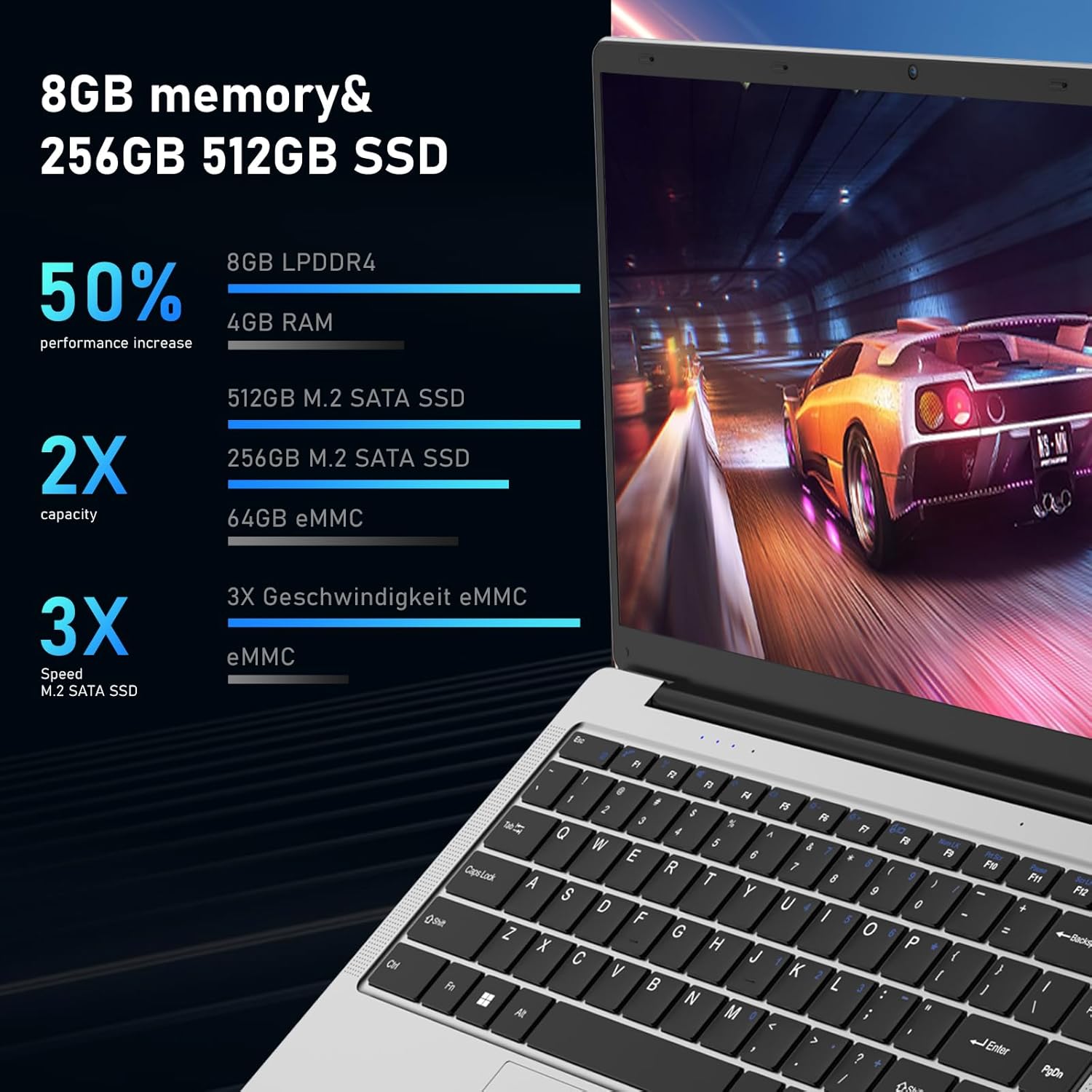
Imatge: Un front directe view of the Auusda laptop, showcasing its keyboard and touchpad.

Imatge: L'esquena view of the Auusda laptop, showing the hinge and the rear chassis design.
Components i ports
Familiarize yourself with the various components and ports on your laptop.

Image: An overhead diagram of the laptop's sides, labeling the USB-A 2.0, Headphone Jack, Micro SD Card Slot, Charging Port, USB-A 3.0, and Mini HDMI ports.
- Port USB-A 2.0: Per connectar dispositius USB com ara ratolins, teclats o emmagatzematge extern.
- Auriculars Jack: Per connectar auriculars o altaveus externs.
- Ranura per a targetes Micro SD: For expanding storage or transferring data from Micro SD cards.
- Port de càrrega: Per connectar l'adaptador de corrent per carregar el portàtil.
- Port USB-A 3.0: Per connectar dispositius USB 3.0 d'alta velocitat.
- Port mini HDMI: Per connectar pantalles o projectors externs.

Image: Close-up images of both sides of the laptop, detailing the location of the 3.5 mm DC charging port, USB 3.0, Mini HDMI, 3.5 mm headphone jack, and Micro SD slot.
Configuració
Càrrega inicial
Before first use, fully charge your laptop.
- Connect the power adapter to the charging port on the laptop.
- Connecteu l'adaptador de corrent a una presa de corrent.
- The charging indicator light will illuminate. Allow the laptop to charge until the indicator shows a full charge.
First-Time Power On
- Obriu la tapa de l'ordinador portàtil.
- Premeu el botó d'engegada que es troba al teclat.
- Follow the on-screen instructions to complete the Windows 11 Pro setup process, including language selection, network connection, and user account creation.
Instruccions de funcionament
Funcionament bàsic
- Encès/apagat: Premeu el botó d'engegada per engegar. Per apagar, feu clic al botó Inici, després a Engegada i seleccioneu "Apagar".
- Mode de repòs: Tanqueu la tapa o premeu breument el botó d'engegada per entrar en el mode de repòs.
- Ús del ratolí tàctil: Use the touchpad for navigation. Tap to click, two-finger tap for right-click, and two-finger scroll for scrolling.
- Teclat: The laptop features a full-sized keyboard. Function keys (F1-F12) can be accessed by pressing the Fn key in combination with the desired function key.
Connexió a Wi-Fi
- Feu clic a la icona Wi-Fi de la barra de tasques.
- Seleccioneu la xarxa desitjada de la llista.
- Enter the network password if prompted, then click "Connect".

Image: A visual representation of the laptop's wireless capabilities, showing icons for 2.4G+5G Wi-Fi and Bluetooth 5.1, along with an indication of two speakers.
Connexió de dispositius Bluetooth
- Vés a Configuració > Bluetooth i dispositius.
- Assegureu-vos que el Bluetooth estigui activat On.
- Seleccioneu Afegeix un dispositiu i tria Bluetooth.
- Select your device from the list and follow the pairing instructions.
Using External Displays (Mini HDMI)
- Connect one end of a Mini HDMI cable to the laptop's Mini HDMI port.
- Connect the other end to the HDMI input of your external display.
- Premeu Tecla Windows + P to open the Project menu and select your desired display mode (e.g., Duplicate, Extend, Second screen only).
Manteniment
Neteja
- Feu servir un drap suau i sense borrissol per netejar la pantalla i el xassís.
- Per a marques persistents, dampen the cloth slightly with water or a screen cleaner.
- Eviteu utilitzar productes químics o materials abrasius.
Cura de la bateria
- Per allargar la durada de la bateria, eviteu descarregar-la completament amb freqüència.
- Guardeu el portàtil en un lloc fresc i sec quan no el feu servir durant períodes prolongats.
- If storing for a long time, charge the battery to about 50-60% before storage.
Actualitzacions de programari
Actualitzeu regularment el sistema operatiu i els controladors de Windows per garantir un rendiment i una seguretat òptims.
- Vés a Configuració > Actualització de Windows.
- Feu clic Comproveu si hi ha actualitzacions i instal·leu les actualitzacions disponibles.
Gestió d'emmagatzematge
Netegeu periòdicament allò innecessari files to free up storage space and improve performance.

Image: An image illustrating the laptop's support for TF card and M.2 2280 SSD expansion, including a view of the laptop's bottom panel.

Image: A screenshot of the laptop's display showing a file explorer window, accompanied by text indicating the potential for storage upgrades.
Resolució de problemes
Problemes comuns i solucions
| Problema | Possible causa/solució |
|---|---|
| El portàtil no s'encén. |
|
| La pantalla està en blanc o negra. |
|
| Problemes de connexió Wi-Fi. |
|
| Rendiment lent. |
|
Especificacions
Detailed technical specifications for the Auusda 14.1'' FHD Laptop (Model A146G).

Image: A graphic detailing the Celeron J4125 processor, its 2.7 GHz maximum clock speed, and integrated UHD 600 graphics.

Image: A visual representation of the laptop's 14.1-inch IPS screen, highlighting its 1920x1080 resolution, 178-degree viewing angle, and 180-degree hinge flexibility.
| Característica | Detall |
|---|---|
| Nom del model | A146G (Series T141J) |
| Mostra | 14.1 Inches FHD (1920x1080) IPS Display |
| Processador | Intel Celeron J4125 Quad-Core (up to 2.7 GHz) |
| RAM | 8 GB DDR4 |
| Emmagatzematge | 256GB SSD (M.2 2280) |
| Gràfics | Intel UHD Graphics 600 integrat |
| Sistema operatiu | Windows 11 Pro |
| Ports | 2x USB 3.0, 1x Mini HDMI, 1x Micro SD Card Slot, 1x 3.5mm Headphone Jack, 1x DC Charging Port |
| Connectivitat sense fil | Dual-Band Wi-Fi (2.4G+5G), Bluetooth 5.1 |
| Weblleva | Sí |
| Àudio | Two Stereo Speakers, HD Audio |
| Bateria | 31920mWh (1x 9V battery included) |
| Dimensions (LxWxH) | 12.6 x 8.3 x 0.7 polzades |
| Pes | 2.9 lb (1.3 kg) / 3.99 pounds (product data) |
| Color | Plata |
Garantia i Suport
Informació de la garantia
Your Auusda laptop comes with a 2-year warranty. During this 24-month warranty period, Auusda will provide free repair or return/exchange services for the computer.
Atenció al client
For any questions, technical assistance, or warranty claims, please contact Auusda customer support.
- Suport per correu electrònic: Send your order number and a video of the problem to Auusda.ltd@gmail.com
- Suport d'Amazon: Log in to your Amazon account, navigate to "Your Orders", and select "Ask questions" for your purchase.

Image: A graphic outlining the available after-sale service channels, including Amazon's order support and direct email contact, along with warranty duration.