

1. Introducció
This manual provides essential information for setting up, operating, maintaining, and troubleshooting your DOOGEE E3MAX 14-inch Android 15 Tablet. Please read this guide thoroughly to ensure optimal performance and longevity of your device.
2. Configuració
2.1 Desembalatge i inspecció inicial
Carefully unpack your DOOGEE E3MAX tablet and verify that all components are present. The standard package includes:
- DOOGEE Tab E3 Max Tablet
- Cable USB tipus C
- Carregador
- Eina d'extracció de la targeta SIM
- Stylus (Full Accessory Set Version)
- Tempered Glass Film (Full Accessory Set Version)
- Bluetooth Mouse (Full Accessory Set Version)
- Leather Protective Cover (Full Accessory Set Version)
- Bluetooth Keyboard (Full Accessory Set Version)
- Manual d'usuari

This image shows all items included in the DOOGEE E3MAX package: the tablet, a Type-C USB cable, a charger, a SIM card removal tool, a stylus, a tempered glass film, a Bluetooth mouse, a leather protective cover, a Bluetooth keyboard, and the user manual.
2.2 Càrrega de la tauleta
Before first use, fully charge the tablet using the provided USB Type-C cable and charger. Connect the cable to the tablet's Type-C port and the charger to a power outlet. The battery indicator on the screen will show charging status.
2.3 Engegada/apagada
- Per encendre: Press and hold the Power button until the DOOGEE logo appears.
- Per apagar: Mantingueu premut el botó d'engegada i, a continuació, seleccioneu "Apagar" de les opcions que apareixen a la pantalla.
- Per reiniciar: Mantingueu premut el botó d'engegada i, a continuació, seleccioneu "Reiniciar" de les opcions.
2.4 Configuració inicial
Quan l'encengueu per primera vegada, seguiu les instruccions que apareixen a la pantalla per configurar la tauleta:
- Seleccioneu el vostre idioma preferit.
- Connecteu-vos a una xarxa Wi-Fi.
- Inicia la sessió amb el teu compte de Google o crea'n un de nou.
- Review i acceptar els termes i condicions.
- Set up screen lock (PIN, pattern, password, or face recognition).
2.5 Instal·lació de la targeta SIM i TF
The tablet supports dual SIM cards or one SIM card and one TF (microSD) card for expanded storage.
- Localitza la safata de la targeta SIM/TF al lateral de la tauleta.
- Insert the SIM card removal tool into the small hole next to the tray to eject it.
- Col·loqueu la targeta (o targetes) Nano-SIM i/o la targeta TF a les ranures designades de la safata. Assegureu-vos que l'orientació sigui correcta.
- Empenyeu suaument la safata cap a dins de la tauleta fins que encaixi al seu lloc.

This diagram illustrates the tablet's dual card slot, allowing for the insertion of two SIM cards or one SIM card and one TF (microSD) card for expanded storage and cellular connectivity.
3. Instruccions de funcionament
3.1 Característiques de visualització
The DOOGEE E3MAX features a large, high-resolution display for an enhanced visual experience.
- Mida de la pantalla: Pantalla IPS de 14 polzades
- Resolució: 2.1K (2160x1440 pixels)
- Relació d'aspecte: 3:2
- Relació pantalla-cos: 82.8%
- Profunditat de color: 16.7 milions de colors

The tablet features a 14-inch 2.1K (2160x1440) IPS display, offering vivid colors and sharp details with an 82.8% screen-to-body ratio and 3:2 aspect ratio.
3.2 Rendiment
The tablet is designed for smooth multitasking and efficient operation.
- Processador: MediaTek Helio G100 Octa-Core Processor (2.2GHz, 6nm process)
- RAM: 32 GB (8 GB de memòria física + 24 GB de memòria virtual)
- Emmagatzematge intern (ROM): 256 GB
- Emmagatzematge ampliable: Up to 2TB via TF card (sold separately)
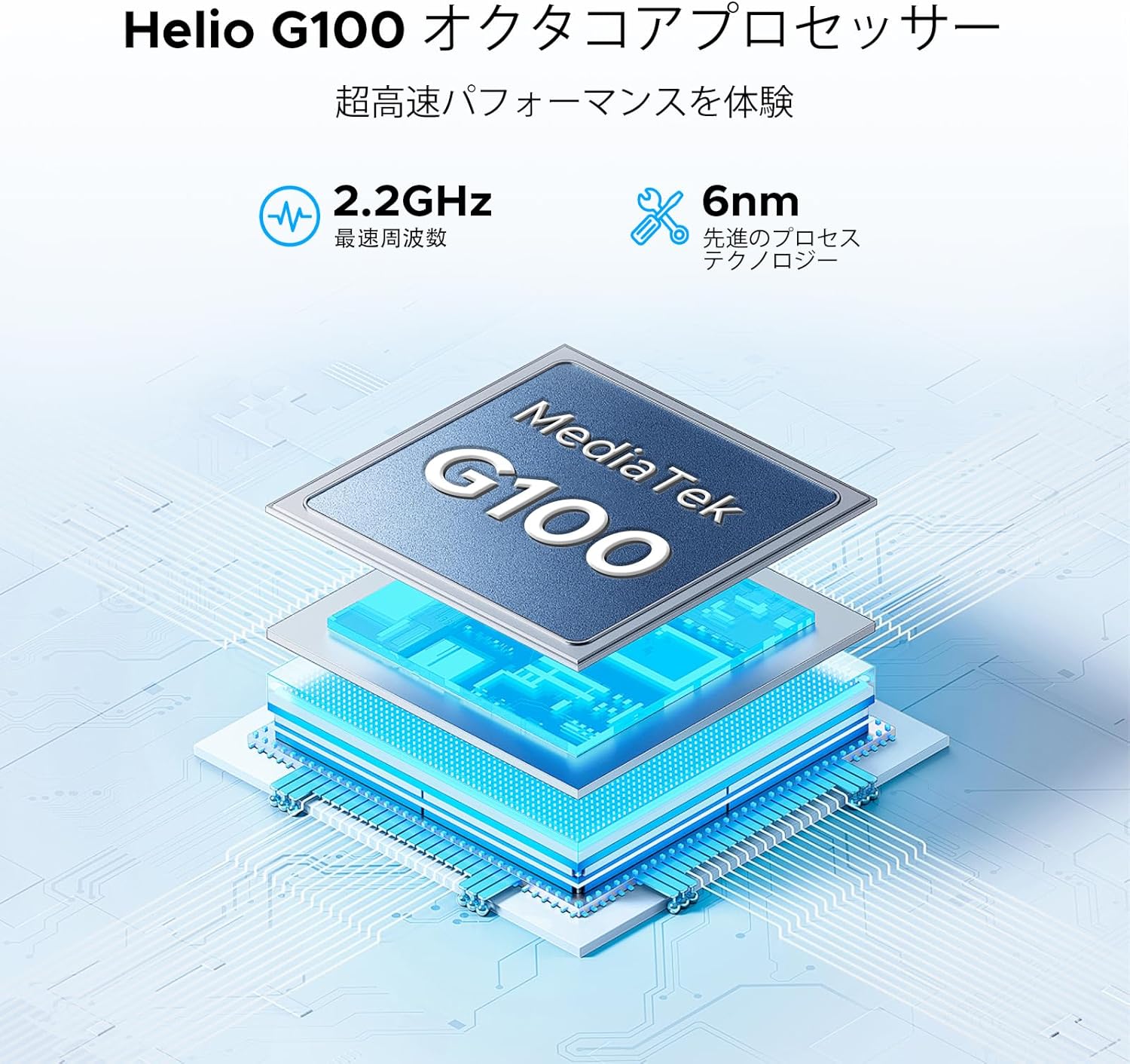
The tablet is powered by a MediaTek Helio G100 octa-core processor, operating at 2.2GHz with a 6nm process technology, ensuring efficient performance for various tasks.

Equipped with 32GB RAM (8GB physical + 24GB virtual) and 256GB internal storage, the tablet also supports up to 2TB of expandable storage via a TF card (sold separately).
3.3 Connectivitat sense fil
Stay connected with various wireless options:
- Wi-Fi: Dual-band 2.4G/5G (802.11ax, 802.11b, 802.11g, 802.11n) for stable and fast internet.
- Bluetooth: Version 5.2 for connecting wireless peripherals.
- Cel·lular: 4G LTE support via dual SIM card slots.
- Navegació: GPS integrat, Glonass, Galileo i Beidou per a serveis de localització precisos.

The tablet supports dual-band 2.4G/5G Wi-Fi for stable and fast internet access, along with Bluetooth 5.2 for peripheral connections and GPS for navigation.
3.4 Sistema d'àudio
Enjoy rich audio with the tablet's advanced sound features:
- Ponents: Premium 1217 BOX Quad Speakers for immersive sound.
- Jack d'àudio: Standard 3.5mm audio jack for wired headphones.

Experience immersive sound with the tablet's premium 1217 BOX quad speakers. A standard 3.5mm audio jack is also included for wired headphone connectivity.
3.5 Integrated Cameras
Capture moments and conduct video calls with the tablet's cameras:
- Càmera posterior: 16MP with autofocus, suitable for document scanning and general photography.
- Càmera frontal: 8MP, ideal for video conferencing and selfies.
- Càmera macro: 2MP per a primers plans detallats.

Capture clear photos with the 16MP autofocus rear camera, suitable for scanning documents. The 8MP front camera is ideal for video calls, and a 2MP macro camera is included for detailed close-up shots.
3.6 Bateria de llarga durada
The DOOGEE E3MAX is equipped with a high-capacity battery for extended use.
- Capacitat de la bateria: 13500mAh Lithium Polymer battery.
- Temps d'espera: Fins a 29 dies.
- Reproducció de vídeo: Up to 10 hours of continuous video.

The tablet is equipped with a large 13500mAh battery, providing extended usage times, including up to 29 days standby and 10 hours of continuous video playback.
3.7 Característiques del programari
The tablet runs on the latest Android operating system with integrated smart features.
- Sistema operatiu: Android 15, GMS certified for full access to Google services.
- IA de Bessons: Built-in AI for tasks like voice-to-text conversion for meetings, image analysis, and smart assistance.
- WPS Office: Pre-installed suite for Word, Excel, and PowerPoint document editing.
- Multitasca: Efficient split-screen functionality for running multiple applications simultaneously.
- Seguretat: Face recognition for quick and secure unlocking, enhanced privacy shield with precise permission management, data encryption, and timely security updates.
- Protecció ocular: Features like eye protection mode and dark mode to reduce eye strain during prolonged use.

Integrated Gemini AI assists with various tasks, including converting meeting audio to text, scanning documents, and providing smart assistance.

WPS Office is pre-installed, allowing for efficient editing of Word, Excel, and PowerPoint files, making the tablet suitable for productivity tasks.

Enhance productivity with split-screen multitasking. Secure your device with face recognition unlock and protect your eyes with built-in eye protection modes.
4. Manteniment
4.1 Cura del dispositiu
- Neteja: Feu servir un drap suau i sense borrissol per netejar la pantalla i la carcassa. Eviteu materials abrasius o productes químics agressius.
- Actualitzacions de programari: Regularly check for and install system updates to ensure optimal performance and security. Go to Settings > System > System update.
- Gestió d'emmagatzematge: Netegeu periòdicament els innecessaris fileAplicacions i aplicacions per alliberar espai d'emmagatzematge i mantenir la velocitat del dispositiu.
- Cura de la bateria: Avoid extreme temperatures. Do not let the battery fully drain frequently. For long-term storage, charge the battery to about 50%.
5. Solució De Problemes
Aquesta secció tracta problemes habituals que podeu trobar amb la vostra tauleta.
- El dispositiu no s'encén: Ensure the battery is charged. Connect the charger and wait a few minutes before attempting to power on again. If unresponsive, press and hold the power button for 10-15 seconds to force a restart.
- Problemes de connectivitat Wi-Fi: Check if Wi-Fi is enabled in settings. Restart your router and the tablet. Forget the network and reconnect.
- Rendiment lent: Close unused applications. Clear cache and data for frequently used apps. Consider performing a factory reset if performance issues persist after backing up your data.
- Les aplicacions es bloquegen: Ensure apps are updated to their latest versions. Clear the app's cache and data (Settings > Apps > [App Name] > Storage > Clear cache/Clear data).
- Problemes de càrrega: Verify the charging cable and adapter are securely connected and undamaged. Try a different compatible charger and cable.
6. Especificacions
| Característica | Especificació |
|---|---|
| Marca | DOOGEE |
| Model | E3MAX |
| Sistema operatiu | Android 15 |
| Processador | MediaTek Helio G100 Octa-Core, 2.2 GHz |
| RAM | 32 GB (8 GB físic + 24 GB virtual) |
| Emmagatzematge intern | 256 GB |
| Emmagatzematge ampliable | Fins a 2 TB mitjançant targeta TF |
| Mostra | 14-inch IPS, 2160x1440 (2.1K) |
| Càmera posterior | Enfocament automàtic de 16 MP |
| Càmera frontal | 8MP |
| Càmera macro | 2MP |
| Bateria | Polímer de liti de 13500 mAh |
| Wi-Fi | 802.11ax, 802.11b, 802.11g, 802.11n (2.4G/5G Dual-band) |
| Bluetooth | Versió 5.2 |
| Navegació | GPS, Glonass, Galileo, Beidou |
| Ports | USB tipus C, presa d'àudio de 3.5 mm |
| Dimensions (L x A x A) | 24.53 x 16.33 x 0.99 cm |
| Pes | 992 g |
7. Garantia i Suport
7.1 Informació de la garantia
Your DOOGEE E3MAX tablet comes with a Garantia de qualitat de 12 mesos des de la data de compra. Aquesta garantia cobreix els defectes de fabricació en condicions d'ús normal. Si us plau, conserveu el comprovant de compra per a reclamacions de garantia.
7.2 Atenció al client
For any questions, technical assistance, or warranty claims, please contact DOOGEE customer support. Refer to the contact information provided with your purchase or visit the official DOOGEE weblloc per obtenir detalls de suport.