
Dubstep Pop 610
Dubstep Pop 610 Wireless Speaker User Manual
Model: Pop 610
1. Introducció
The Dubstep Pop 610 is a compact wireless speaker designed for portable audio. It features 52mm dynamic drivers, 6W sound output, and True Wireless Stereo (TWS) pairing capability for an enhanced audio experience. With up to 15 hours of playtime, it is suitable for various indoor and outdoor settings. This manual provides essential information for setting up, operating, and maintaining your speaker.

Figure 1: Dubstep Pop 610 Wireless Speaker
2. Què hi ha a la caixa
Si us plau, comproveu el contingut del paquet en desempaquetar-lo:
- Speaker (1 Unit)
- Cable de càrrega (1 unitat)
- Lanyard (1 Unit)

Figure 2: Contents of the Dubstep Pop 610 package
3. Producte acabatview
3.1 Controls i ports
Familiarize yourself with the control buttons and ports on your Dubstep Pop 610 speaker.

Figure 3: Control buttons on the speaker's bottom panel
- Botó d'encesa: Manteniu premut per encendre/apagar.
- Botó Reproduir/Pausa: Premeu per reproduir o posar en pausa l'àudio.
- Botó de pista anterior: Premeu per anar a la cançó anterior.
- Botó de pista següent: Premeu per anar a la cançó següent.
- Answer/Hangup Button: Premeu per respondre o finalitzar una trucada.

Figura 4: Port de càrrega tipus C
- Port de càrrega tipus C: S'utilitza per carregar l'altaveu.
4. Configuració
4.1 Càrrega de l'altaveu
- Connecteu el cable de càrrega tipus C proporcionat al port de càrrega de l'altaveu.
- Connecteu l'altre extrem del cable a un adaptador de corrent USB (no inclòs) o al port USB d'un ordinador.
- L'indicador lluminós de càrrega s'il·luminarà. Una càrrega completa triga aproximadament 2 hores.
- Once fully charged, the indicator light will change or turn off, depending on the model.
Una càrrega completa proporciona fins a 15 hores de reproducció.
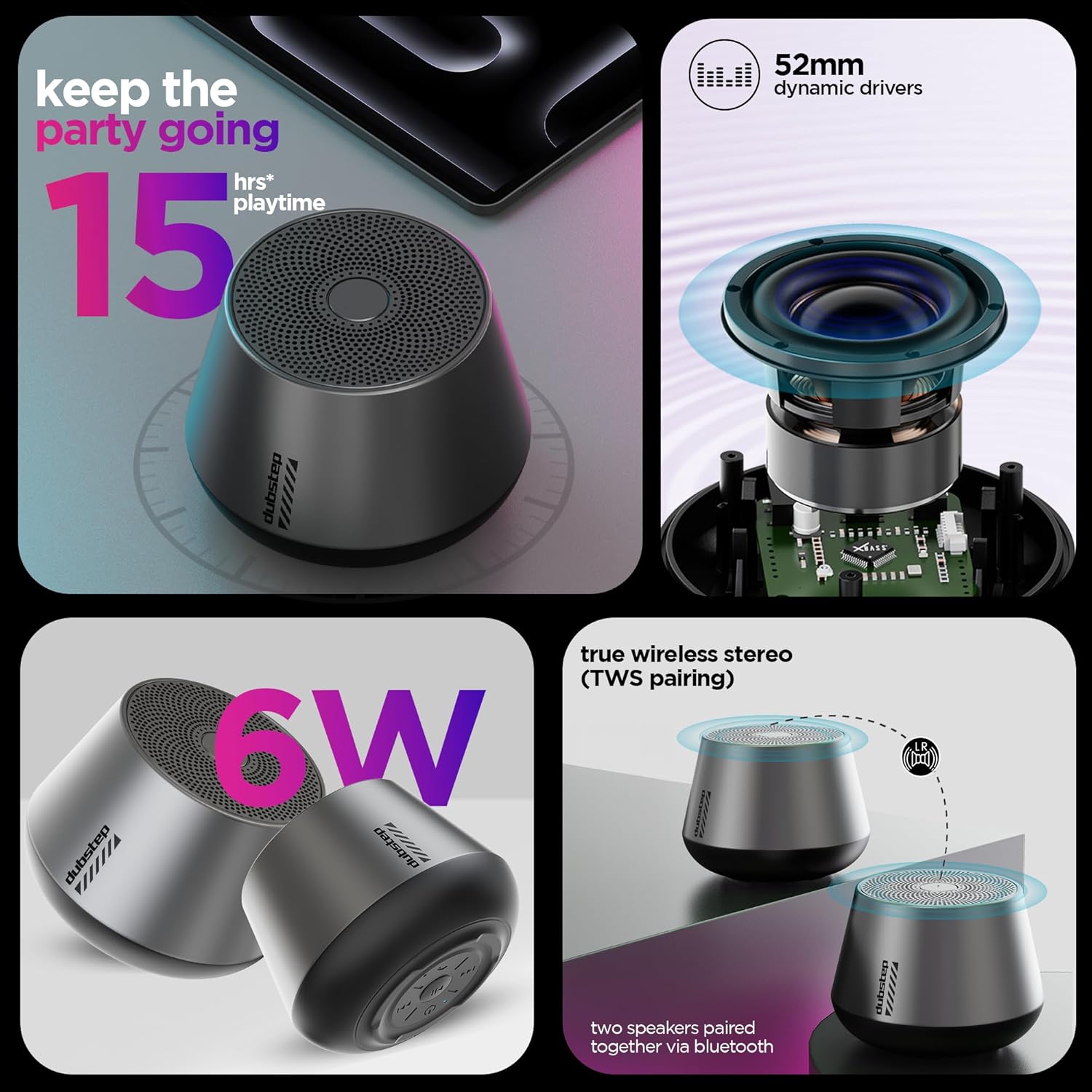
Figure 5: Visual representation of key features including 15 hours playtime
4.2 Engegada/apagada
- To power on, press and hold the Power button until you hear an audible prompt or see the indicator light illuminate.
- Per apagar-lo, premeu i manteniu premut el botó d'engegada de nou fins que l'altaveu s'apagui.
5. Instruccions de funcionament
5.1 Vinculació Bluetooth
Connect your speaker to a Bluetooth-enabled device.
- Ensure the speaker is powered on and in pairing mode (indicator light will flash, usually blue).
- Al dispositiu (telèfon intel·ligent, tauleta, etc.), aneu a la configuració de Bluetooth i activeu el Bluetooth.
- Cerca available devices and select "Dubstep Pop 610" from the list.
- Un cop connectat, l'indicador lluminós s'il·luminarà fixament i sentireu un so de confirmació.
The wireless connectivity range is approximately 10 meters.

Figure 6: Speaker connected wirelessly to a smartphone
5.2 Emparellatge estèreo sense fil veritable (TWS)
Pair two Dubstep Pop 610 speakers for an immersive stereo sound experience.
- Assegureu-vos que tots dos altaveus estiguin encesos i no connectats a cap altre dispositiu Bluetooth.
- On one speaker (this will be the primary speaker), press and hold the TWS pairing button (refer to product diagram if available, otherwise assume a dedicated button or a combination).
- L'altaveu principal buscarà l'altaveu secundari.
- Once paired, you will hear a confirmation sound, and the indicator lights on both speakers will synchronize.
- Ara, connecteu el dispositiu a l'altaveu principal mitjançant Bluetooth tal com es descriu a la secció 5.1. L'àudio es reproduirà a través dels dos altaveus en estèreo.

Figure 7: Two speakers demonstrating True Wireless Stereo (TWS) pairing
5.3 Audio Playback and Call Management
- Reproduir/pausa: Premeu el botó Reproduir/Pausa.
- Pista següent: Premeu el botó Pista següent.
- Pista anterior: Premeu el botó Pista anterior.
- Respondre/Finalitzar la trucada: Press the Answer/Hangup button during an incoming call or to end an ongoing call.
6. Manteniment
6.1 Neteja
- Netegeu l'altaveu amb un drap suau i sec.
- No utilitzeu productes químics aggressivs, dissolvents de neteja o detergents forts.
6.2 Emmagatzematge
- Guardeu l'altaveu en un lloc fresc i sec, allunyat de temperatures extremes.
- Eviteu l'exposició prolongada a la llum solar directa o a la humitat.
6.3 Resistència a l'aigua
The Dubstep Pop 610 features sweat and splash resistance, making it suitable for light outdoor use or near water. However, it is NOT waterproof and should not be submerged in water.

Figure 8: Speaker shown with water droplets, illustrating sweat and splash resistance
7. Solució De Problemes
| Problema | Causa possible | Solució |
|---|---|---|
| L'altaveu no s'encén. | Bateria baixa. | Carregueu l'altaveu completament. |
| Sense so. | Volume too low; Device not connected; Speaker paused. | Increase volume on speaker and device; Re-pair Bluetooth; Press Play/Pause. |
| L'aparellament de Bluetooth falla. | Altaveu no en mode d'emparellament; Bluetooth del dispositiu desactivat; Massa lluny del dispositiu. | Ensure speaker is in pairing mode; Turn on device Bluetooth; Move device closer (within 10m). |
| L'emparellament TWS falla. | Altaveus ja connectats a altres dispositius; No en mode d'emparellament TWS. | Disconnect speakers from other devices; Ensure both speakers are in TWS pairing mode. |
8. Especificacions
| Característica | Detall |
|---|---|
| Model | Pop 610 |
| Tipus d'altaveu | Altaveu Bluetooth |
| Tipus de controlador d'àudio | Conductor dinàmic |
| Mida del controlador d'àudio | 52 mm |
| Sortida de l'altaveu | 6 watts (RMS) |
| Tecnologia de connectivitat | Bluetooth |
| Interval Bluetooth | 10 metres |
| Característiques especials | X-Bass Technology, TWS Pairing, Sweat & Splash Resistance |
| Tipus de bateria | Ió de liti |
| Durada mitjana de la bateria | 15 hores |
| Temps de càrrega | 2 hores |
| Pes de l'article | 210 grams |
| Dimensions del producte | 9P x 8A x 9H centímetres |
| Material | Acrilonitril butadiè estirè (ABS) |
| País d'origen | Xina |
9. Garantia i Suport
9.1 Informació de la garantia
The Dubstep Pop 610 Wireless Speaker comes with a 6 mesos de garantia des de la data de compra, cobrint defectes de fabricació.
9.2 Contacte del fabricant
For support, service, or warranty claims, please contact:
- Fabricant: Nuworld Retail Private Limited
- Adreça: Plot No.17-18, Pole No.9, PO Dhoolsiras, Dwarka, Sector-28, New Delhi - 110077
- Correu electrònic: hello@Dubstepworld.com
- Telèfon: +91-8826257630
10. Vídeo del producte
Watch the official product video for a visual guide to the Dubstep Pop 610 Wireless Speaker.
Vídeo: Presentació oficial del producte en vídeoasing the features and design of the Dubstep Pop 610 Wireless Speaker.
Ask a question about this manual
Ask about setup, troubleshooting, compatibility, parts, safety, or missing instructions. Manuals+ will review the question and use this page’s manual context to help answer it.