
1. Introducció
The NiTHO NEXUS DARK OPS is a versatile wireless controller designed for multi-platform gaming. It offers compatibility with PC (Windows), Nintendo Switch, Switch Lite, Switch OLED, Android, and iOS devices. This controller features a precise 6-axis gyro, four levels of vibration, and magnetic Hall Effect triggers for enhanced gaming accuracy and responsiveness. Customizable RGB lighting and a programmable turbo function further enrich the gaming experience. This manual provides essential information for setting up, operating, maintaining, and troubleshooting your controller.

The NiTHO NEXUS DARK OPS controller features an ergonomic design for comfortable extended gameplay sessions.
2. Contingut del paquet
- NiTHO NEXUS DARK OPS Wireless Controller
- Cable de càrrega USB-C
- Manual d'usuari (aquest document)
3. Disseny del controlador

Detallada view of the controller's components and their labels.
- Left Rocker: Analog joystick for movement and camera control.
- - Key: Botó de funció del sistema.
- Botó de sincronització: S'utilitza per iniciar el mode d'emparellament Bluetooth.
- Cross Arrow Key (D-Pad): Directional input for navigation and specific game actions.
- Botó TURBO: Activates and adjusts the turbo function.
- Botó HOME: Torna a la pantalla d'inici del sistema.
- Screenshot Key: Fa captures de pantalla durant el joc.
- + Clau: Botó de funció del sistema.
- A/B/X/Y Keys: Botons d'acció estàndard.
- Right Rocker: Analog joystick for movement and camera control.
- Llum indicadora de mode: Displays current connection mode and battery status.
- R1/L1 (Shoulder Buttons): Top trigger buttons.
- R2/L2 (Trigger Buttons): Bottom trigger buttons with Hall Effect technology.
- Port de càrrega TYPE-C: Per carregar el controlador.
- Force Online Button: For specific connection scenarios.
4. Configuració i connexió
The NiTHO NEXUS DARK OPS controller supports wireless connection via Bluetooth to various platforms.

The controller is compatible with Nintendo Switch, PC, Android, and iOS devices.
4.1 General Pairing Instructions
- Assegureu-vos que el controlador estigui prou carregat.
- Manteniu premut el botó Botó d'aparellament on the controller until the Mode Indicator Light begins to flash rapidly, indicating it is in pairing mode.
- On your device (Switch, PC, Android, iOS), navigate to the Bluetooth settings.
- Cerca available Bluetooth devices and select "NEXUS DARK OPS" or a similar name.
- Once connected, the Mode Indicator Light will become solid.
4.2 Connexió a la Nintendo Switch
- Al menú INICI, seleccioneu Controladors > Canvia d'adherència/ordre.
- While on this screen, press and hold the Botó d'aparellament on the NEXUS DARK OPS controller.
- The controller will pair with the Switch, and the player indicator lights will illuminate.
4.3 Connexió a l'ordinador (Windows)
- Vés a Configuració > Dispositius > Bluetooth i altres dispositius.
- Assegureu-vos que el Bluetooth estigui activat On.
- Feu clic Afegeix Bluetooth o un altre dispositiu > Bluetooth.
- Manteniu premut el botó Botó d'aparellament al controlador.
- Select "NEXUS DARK OPS" from the list of devices to pair.
4.4 Connexió a dispositius Android/iOS
- Activeu el Bluetooth al vostre dispositiu Android o iOS.
- Aneu a la configuració de Bluetooth.
- Manteniu premut el botó Botó d'aparellament al controlador.
- Select "NEXUS DARK OPS" from the list of available devices to connect.
5. Instruccions de funcionament
Il·luminació RGB 5.1
The controller features customizable RGB lighting with 7 vibrant colors and 4 dynamic lighting modes.

Explore 7 colors and 4 lighting modes including Jumping, Colorful Constant, Rainbow Mixing, and Breathing effects.
To cycle through the lighting modes or colors, refer to the specific button combination in the quick start guide included with your product. Typically, a dedicated button or a combination with the TURBO button controls RGB effects.
5.2 Retroalimentació de vibració
The controller includes dual motors for vibration feedback with 4 adjustable levels: Off, Low, Medium, and High.

Adjust vibration intensity from 0% to 100% for personalized feedback.
To adjust vibration intensity, consult the quick start guide for the specific button sequence, often involving the TURBO button and a directional input.
5.3 Funció Turbo
The programmable turbo function allows for rapid-fire actions with three speed settings: 5, 10, or 15 shots per second.

Set your turbo speed to 5, 10, or 15 shots per second for competitive advantage.
To activate turbo for a button, press and hold the TURBO button, then press the desired action button. Repeat the process to adjust speed or deactivate turbo for that button.
5.4 Magnetic Hall Effect Triggers
The controller is equipped with magnetic Hall Effect triggers. This technology provides smooth, accurate trigger response and helps prevent common issues like analog stick drift, ensuring long-lasting precision.

Magnetic Hall Effect triggers offer precise and durable input.
5.5 6-Axis Gyro Motion Sensor
A precise 6-axis gyro sensor is integrated into the controller, allowing for responsive motion control in games that support it. This feature captures tilts and rotations, enhancing gameplay in racing, action, and adventure titles.
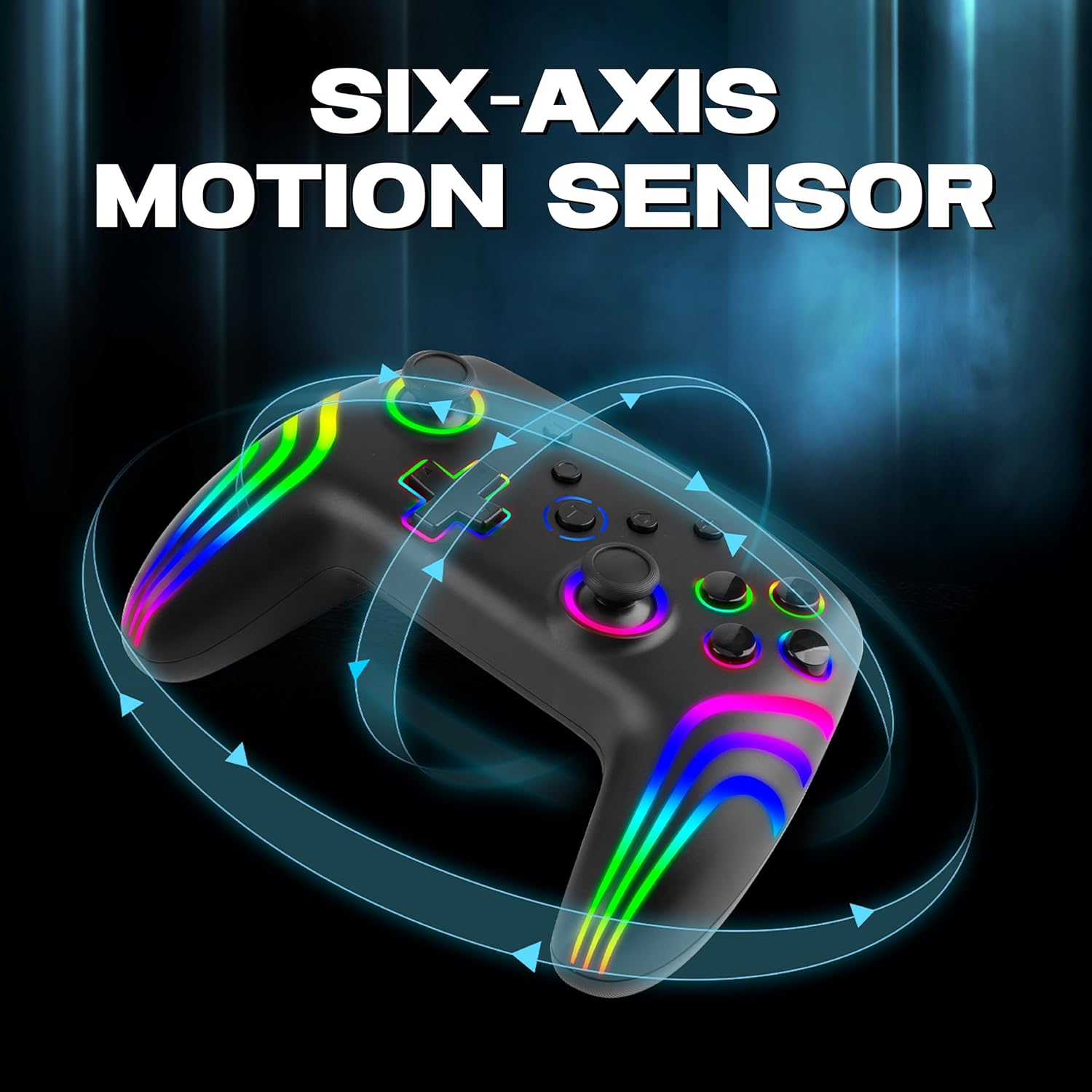
The 6-axis gyro provides accurate motion sensing for immersive gameplay.
6. Càrrega del controlador
The NiTHO NEXUS DARK OPS controller is equipped with a built-in 800mAh rechargeable battery.

The 800mAh battery offers up to 9 hours of gameplay on a 2.5-hour charge.
- Connect the supplied USB-C charging cable to the TYPE-C charging port on the controller.
- Connect the other end of the cable to a USB power source (e.g., console, PC, USB wall adapter).
- The Mode Indicator Light will typically show charging status (e.g., blinking while charging, solid when fully charged).
- A full charge takes approximately 2.5 hours and provides up to 9 hours of continuous gameplay.
7. Manteniment
- Neteja: Feu servir un drap suau i sec per netejar el controlador. Eviteu utilitzar productes químics agressius o materials abrasius.
- Emmagatzematge: Guardeu el controlador en un lloc fresc i sec, allunyat de la llum solar directa i de temperatures extremes.
- Cura de la bateria: Per allargar la durada de la bateria, eviteu descarregar completament el controlador amb freqüència. Carregueu-lo regularment, fins i tot si no l'utilitzeu durant períodes prolongats.
- Eviteu les gotes: Protegiu el controlador de caigudes i impactes, que poden danyar els components interns.
8. Solució De Problemes
- El controlador no s'encén:
- Ensure the controller is fully charged. Connect it to a power source and wait for the charging indicator.
- If the battery is completely drained, it may take a few minutes of charging before the controller responds.
- Unable to pair the controller:
- Make sure the controller is in pairing mode (Mode Indicator Light flashing rapidly).
- Assegureu-vos que el Bluetooth estigui habilitat al dispositiu i que es pugui detectar.
- Move the controller closer to your device.
- Elimina qualsevol emparellament previ del controlador de la configuració de Bluetooth del dispositiu i torna a intentar emparellar-lo.
- Reinicieu tant el controlador com el dispositiu.
- Controller disconnects frequently:
- Ensure there are no obstructions or sources of interference (e.g., Wi-Fi routers, other Bluetooth devices) between the controller and your device.
- Keep the controller within the effective Bluetooth range (typically up to 10 meters).
- Check the controller's battery level. Low battery can affect connection stability.
- Els botons o joysticks no responen:
- Ensure the controller is properly connected to your device.
- Test the controller on another device or game to determine if the issue is specific to one setup.
- Perform a factory reset if available (refer to the quick start guide for specific instructions, often involves a small reset button).
- Motion sensor (gyro) not working:
- Verify that the game you are playing supports motion controls.
- Ensure the controller is properly calibrated. Some systems or games may require manual calibration.
- If connected to PC, ensure necessary drivers or software are installed and updated.
9. Especificacions
| Número de model | NEXUS DARK OPS |
| Connectivitat | Sense fil (Bluetooth) |
| Compatibilitat | PC (Windows), Nintendo Switch / Lite / OLED / Switch 2, Android, iOS |
| Tipus de bateria | Built-in Rechargeable Nonstandard Battery |
| Capacitat de la bateria | 800 mAh |
| Hora de joc | Fins a 9 hores |
| Temps de càrrega | Aproximadament 2.5 hores |
| Port de càrrega | USB tipus C |
| Dimensions (LxWxH) | 16.1 x 6.5 x 11.1 cm |
| Pes | 270 g |
| Característiques | RGB Lighting, Hall Effect Triggers, 6-Axis Gyro, Dual Motor Vibration, Turbo Function, Programmable Buttons |
10. Garantia i Suport
Per obtenir informació sobre la garantia, consulteu la documentació proporcionada en el moment de la compra o poseu-vos en contacte amb el vostre distribuïdor. Els termes específics de la garantia poden variar segons la regió i el distribuïdor.
10.1 Suport tècnic
If you encounter issues not covered in the troubleshooting section or require further assistance, please contact NiTHO customer support:
- Manufacturer Support Email: nithoamazonin@mtm-t.com
- Importer Support Email (India): marketgateindia@gmail.com