
1. Introducció
This manual provides essential information for setting up, operating, maintaining, and troubleshooting your Lenovo Laptop Computer 2026 Edition, Model IdeaPad Slim 3. Please read this manual thoroughly before using your device to ensure proper function and longevity.
2. Contingut del paquet
Verifiqueu que tots els elements siguin presents al vostre paquet:
- Lenovo Laptop Computer 2026 Edition (IdeaPad Slim 3)
- Adaptador d'alimentació
- Lector de targetes SD
- Guia d'inici ràpid (si s'inclou)
- Warranty Information Card (if included)
3. Producte acabatview
Familiarize yourself with the components and features of your Lenovo IdeaPad Slim 3 laptop.
3.1 Característiques clau

This image displays the Lenovo IdeaPad Slim 3 laptop and highlights its primary features. It includes an Intel Core i7-13620H processor, a 15.3-inch WUXGA IPS display (1920x1200 resolution), and an HD camera with a privacy shutter. The laptop is 0.70 inches thin and weighs 3.51 lbs. It comes with 24GB DDR5 RAM, upgradable to 40GB, and a 512GB SSD, upgradable to 4TB. Audio is provided by dual 2W speakers. The device supports Rapid Charge Boost and features a Metal A Cover for durability, meeting Military Grade standards.
3.2 Display and Keyboard

This image focuses on the laptop's display and keyboard. The 15.3-inch WUXGA IPS display offers a 1920x1200 resolution, 300 nits brightness, anti-glare properties, and a 16:10 aspect ratio. It boasts up to a 90% active area ratio and is an Eyesafe Display, TÜV Rheinland Certified for low blue light. The keyboard is non-backlit and includes a numeric keypad.
3.3 Power and Audio
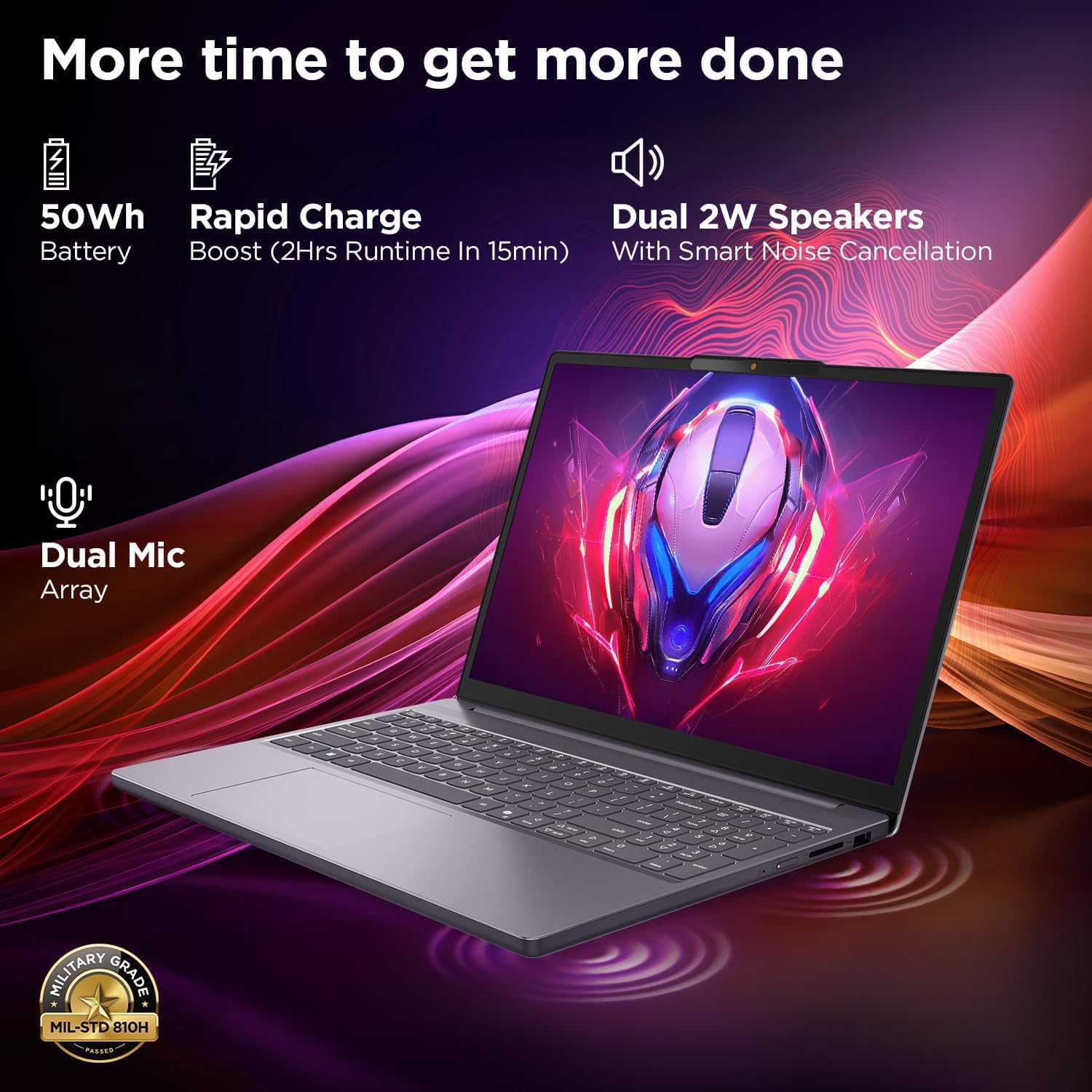
This image highlights the laptop's power and audio capabilities. It features a 50Wh battery with Rapid Charge Boost, providing 2 hours of runtime from a 15-minute charge. Dual 2W speakers with Smart Noise Cancellation and a Dual Mic Array enhance audio quality. The laptop also meets Military Grade MIL-STD 810H durability standards.
3.4 Ports i connectivitat

This image illustrates the various ports available on the Lenovo IdeaPad Slim 3. These include a power button, an SD card reader, a power connector, two USB-A ports (5Gbps), an HDMI port, and a USB-C port (5Gbps) with USB Power Delivery 3.0 and DisplayPort 1.2 support for data transfer and external displays. A headphone/microphone combo jack (3.5mm) is also present.
3.5 Keyboard and Touchpad Layout
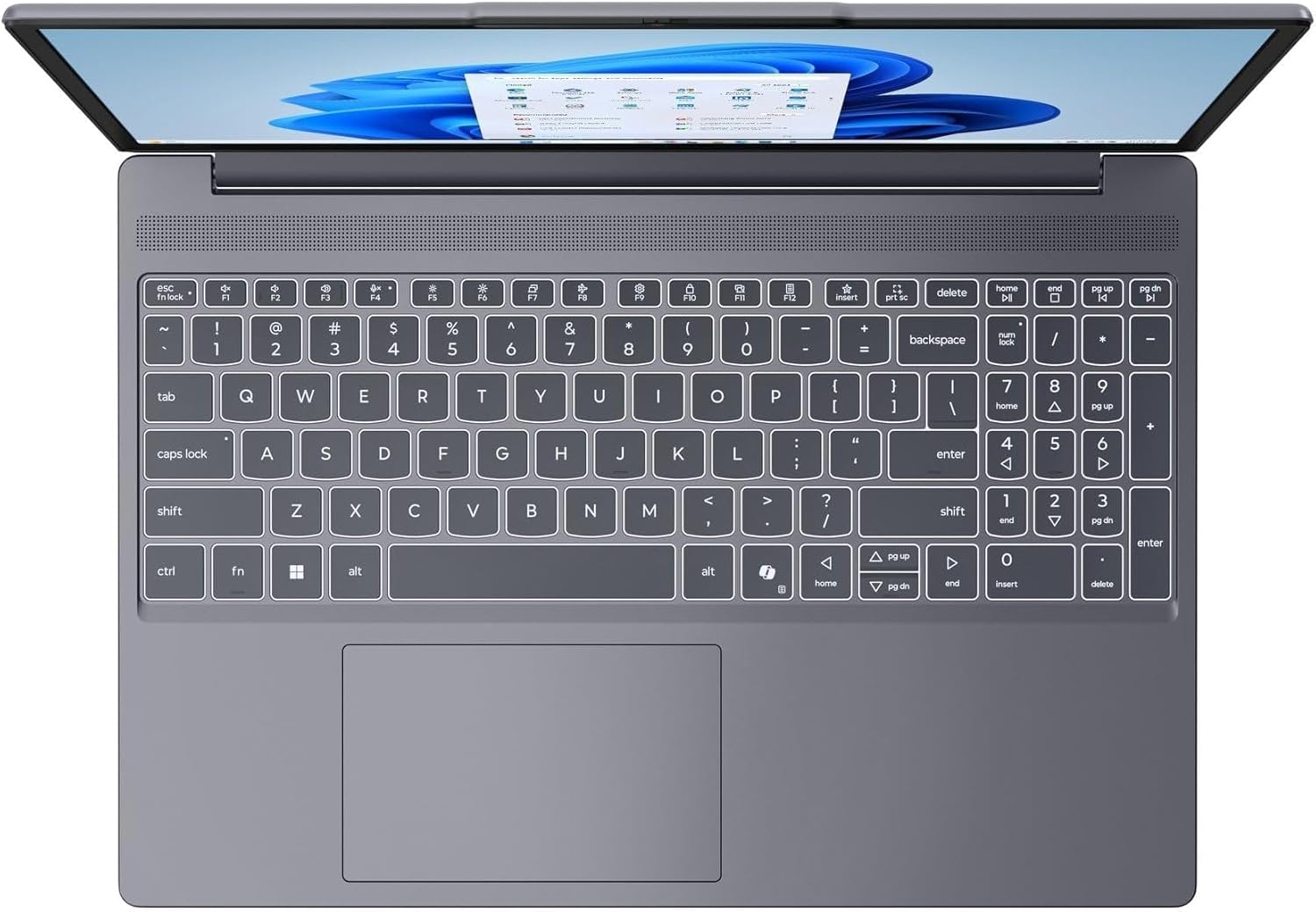
Aquesta imatge ofereix una vista de dalt a baix view of the laptop's full-size keyboard with a numeric keypad and the integrated touchpad. It shows the standard QWERTY layout along with function keys and dedicated navigation keys.
3.6 Laptop Exterior (Closed)
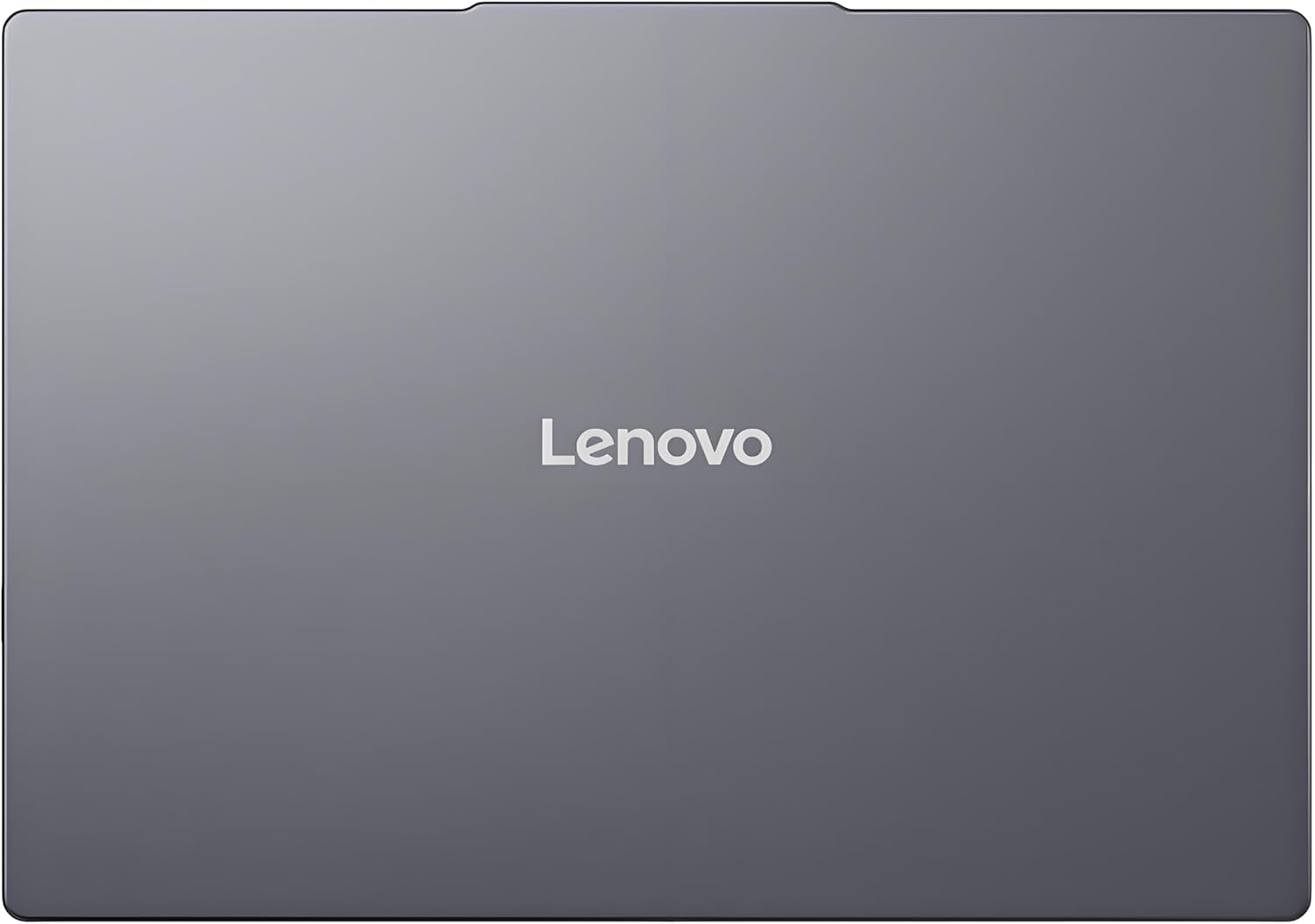
This image shows the top cover of the Lenovo IdeaPad Slim 3 laptop when closed, featuring the Lenovo brand logo centrally placed on the grey metallic surface.
3.7 Laptop Bottom View

This image displays the bottom panel of the Lenovo IdeaPad Slim 3 laptop, showing the ventilation grilles for cooling and rubber feet for stability.
4. Configuració
4.1 Engegada i càrrega inicials
- Connecteu l'adaptador de corrent: Plug the power adapter into the laptop's power connector and then into a wall outlet.
- Carregueu la bateria: Deixeu que el portàtil es carregui durant almenys 30 minuts abans del primer ús o fins que l'indicador de la bateria mostri una càrrega suficient.
- Encès: Open the laptop lid and press the power button located on the side or keyboard deck.
- Configuració de Windows: Seguiu les instruccions que apareixen a la pantalla per completar la configuració del Windows 11 Home, incloent-hi l'idioma, la regió, la connexió de xarxa i la creació del compte d'usuari.
4.2 Connexió a una xarxa
- Wi-Fi: During Windows setup or later, click the Wi-Fi icon in the taskbar, select your network, enter the password, and click Connect.
- Ethernet (if applicable via adapter): Connect an Ethernet cable from your router/modem to a compatible USB-C adapter (not included) and then to the laptop's USB-C port.
5. Instruccions de funcionament
5.1 Ús del teclat i del touchpad
- Teclat: The laptop features a full-size keyboard with a numeric keypad. Use the Fn key in combination with function keys (F1-F12) for special functions like adjusting brightness, volume, or enabling/disabling Wi-Fi.
- Touchpad: El touchpad integrat admet gestos multitàctils per a la navegació, el desplaçament i el zoom. Consulteu la configuració de Windows per personalitzar els gestos del touchpad.
5.2 Connexió de dispositius externs
- Dispositius USB: Connect USB peripherals (mouse, keyboard, external drives) to the available USB-A or USB-C ports.
- HDMI/DisplayPort: Use the HDMI port or USB-C (with DP 1.2 support) to connect an external monitor or projector.
- Dispositius Bluetooth: Enable Bluetooth in Windows settings to pair wireless headphones, speakers, or other Bluetooth accessories.
- Targeta SD: Insert an SD card into the dedicated SD card reader slot for data transfer.
5.3 Gestió de l'energia
- Mode de repòs: Tanqueu la tapa o premeu breument el botó d'engegada per posar el portàtil en mode de repòs.
- Apagar: Click the Start button, then Power, and select "Shut down" to turn off the laptop completely.
- Reinicia: Click the Start button, then Power, and select "Restart" to reboot the laptop.
6. Manteniment
6.1 Neteja del portàtil
- Pantalla: Utilitzeu un drap suau i sense pelusa dampNetegeu amb aigua o un netejador de pantalles. No ruixeu líquid directament sobre la pantalla.
- Teclat i xassís: Feu servir un drap suau i sec. Per a la brutícia persistent, feu servir un drap lleugerament sec.amp Es pot utilitzar un drap amb una solució de sabó suau, assegurant-se que no entri líquid a les obertures.
- Ventilació: Netegeu periòdicament les reixetes de ventilació amb aire comprimit per evitar l'acumulació de pols, que pot afectar el rendiment de refrigeració.
6.2 Cura de la bateria
- Eviteu temperatures extremes.
- No descarregueu completament la bateria amb freqüència.
- Si guardeu el portàtil durant un període prolongat, carregueu la bateria al 50-60%.
6.3 Actualitzacions de programari
- Comproveu regularment si hi ha actualitzacions de Windows mitjançant Configuració > Actualització de Windows.
- Visita el suport oficial de Lenovo website for driver and firmware updates specific to your IdeaPad Slim 3 model.
7. Solució De Problemes
| Problema | Possible solució |
|---|---|
| El portàtil no s'encén. | Ensure the power adapter is securely connected and the outlet is functional. Try a different outlet. If the battery is completely drained, allow it to charge for a while before attempting to power on. |
| La pantalla està en blanc o negra. | Check if the laptop is powered on. Adjust screen brightness using function keys. Connect an external monitor to check if the issue is with the laptop's internal display. |
| Problemes de connexió Wi-Fi. | Ensure Wi-Fi is enabled in Windows settings. Restart your router/modem. Check for updated Wi-Fi drivers on the Lenovo support weblloc. |
| Rendiment lent. | Close unnecessary applications. Check Task Manager for resource-intensive processes. Ensure Windows and drivers are up to date. Run a disk cleanup. |
| El teclat o el touchpad no responen. | Restart the laptop. Check for driver updates. Ensure no physical obstructions are present. |
8. Especificacions
| Característica | Detall |
|---|---|
| Marca | Lenovo |
| Nom del model | IdeaPad Slim 3 |
| Mida de la pantalla | 15.3 Inches WUXGA IPS |
| Resolució | 1920 x 1200 píxels |
| Processador | 13th Gen Intel Core i7-13620H (2.4 GHz, up to 4.9 GHz) |
| RAM | 24GB DDR5 RAM (Upgradable to 40GB) |
| Emmagatzematge | 1TB NVMe M.2 SSD (Upgradable to 4TB) |
| Sistema operatiu | Windows 11 Home |
| Gràfics | Integrat |
| Connectivitat sense fil | Wi-Fi 6 (802.11ax) |
| Bluetooth | Bluetooth 5.2 |
| Ports | 2x USB-A (5Gbps), 1x USB-C (5Gbps, PD 3.0, DP 1.2), 1x HDMI, 1x Headphone/Mic Combo, 1x SD Card Reader, Power Connector |
| Weblleva | HD Camera with Privacy Shutter |
| Àudio | Dual 2W Speakers with Smart Noise Cancellation, Dual Mic Array |
| Bateria | 50Wh, Rapid Charge Boost |
| Dimensions (L x A x A) | 13.52" x 9.43" x 0.7" |
| Pes | 3.51 lliures |
| Característiques especials | Privacy Shutter, Power Delivery, Military Grade Durability (MIL-STD 810H) |
9. Informació de la garantia
Your Lenovo Laptop Computer 2026 Edition (IdeaPad Slim 3) comes with a Garantia limitada. The specific terms and duration of your warranty may vary by region and purchase date. For detailed warranty information, including coverage, terms, and conditions, please refer to the warranty card included with your product or visit the official Lenovo support weblloc:
https://support.lenovo.com/warranty
It is recommended to register your product on the Lenovo website to facilitate warranty claims and receive important updates.
10. Suport
For further assistance, technical support, or to download the latest drivers and manuals, please visit the official Lenovo Support weblloc:
You may also contact Lenovo customer service directly. Contact information can typically be found on the support weblloc web per a la vostra regió específica.