
Introducció
The GRIFEMA GA2902B is a compact digital indoor thermometer and hygrometer designed to provide accurate and real-time measurements of temperature and humidity. Its clear LCD display includes comfort indicators, making it easy to monitor environmental conditions in various indoor settings such as homes, greenhouses, nurseries, and cellars. This manual will guide you through the setup, operation, and maintenance of your device.
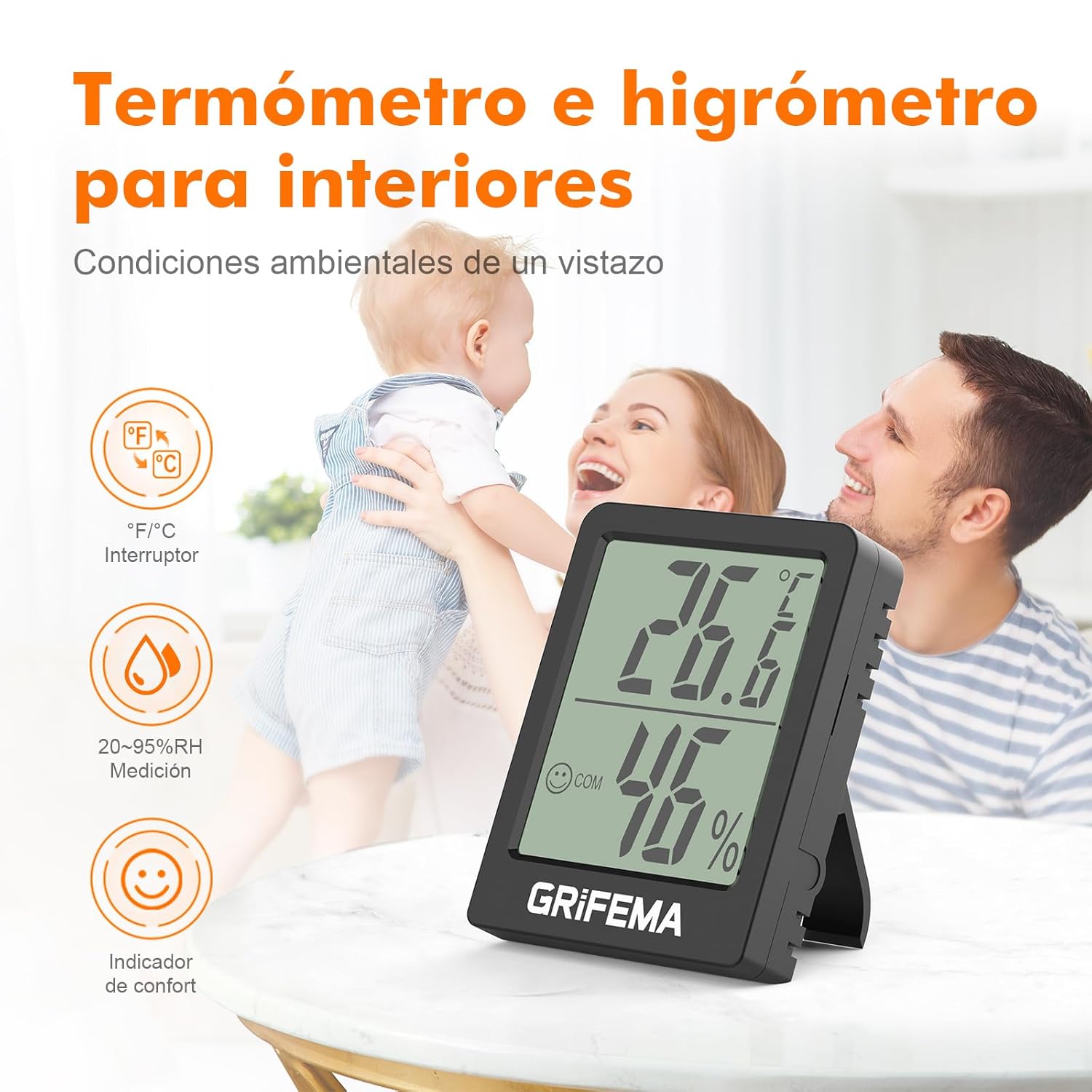
Image: The GRIFEMA GA2902B device displaying temperature and humidity, along with comfort indicators.
Instruccions de configuració
- Instal·lació de la bateria: The device comes with a CR2032 button cell battery. Locate the battery compartment on the back of the device. If a protective plastic tab is present, gently pull it out to activate the battery. If the battery is not pre-installed, open the compartment (often secured with a small screw), insert the CR2032 battery with the positive (+) side facing up, and close the compartment.

Imatge: Part posterior view of the device, highlighting its compact design and the battery compartment.
- Pantalla inicial: Once the battery is activated, the LCD screen will immediately display the current temperature and humidity readings. Allow a few minutes for the device to stabilize and provide accurate readings for its environment.
- Col·locació: The GRIFEMA GA2902B offers flexible placement options:
- Taula: Extend the integrated kickstand on the back of the device to place it upright on any flat surface.
- Enganxament magnètic: Utilize the magnetic base on the back to attach the device to metallic surfaces such as refrigerators or metal shelves.

Image: Demonstrates the flexible placement options: using the kickstand on a table and magnetic attachment to a vertical surface.
Instruccions de funcionament
- Lectura de la pantalla: The large LCD screen clearly shows:
- Temperatura: Displayed in large digits at the top.
- Humitat: Displayed in large digits at the bottom, followed by "% RH".
- Indicador de confort: A small smiley face icon indicates the comfort level based on temperature and humidity.
- Cara feliç: Indicates comfortable conditions (typically 20-26 °C and 40-70% RH).
- Cara neutra: Indicates slightly outside comfortable range.
- Cara trista: Indicates uncomfortable conditions (too dry or too humid/hot/cold).

Image: Close-up of the display, illustrating the temperature, humidity, and comfort indicator, along with the precision sensor details.
- Conversió d'unitats (°C/°F): To switch between Celsius (°C) and Fahrenheit (°F), press the small button located on the back of the device. Each press will toggle the temperature unit.
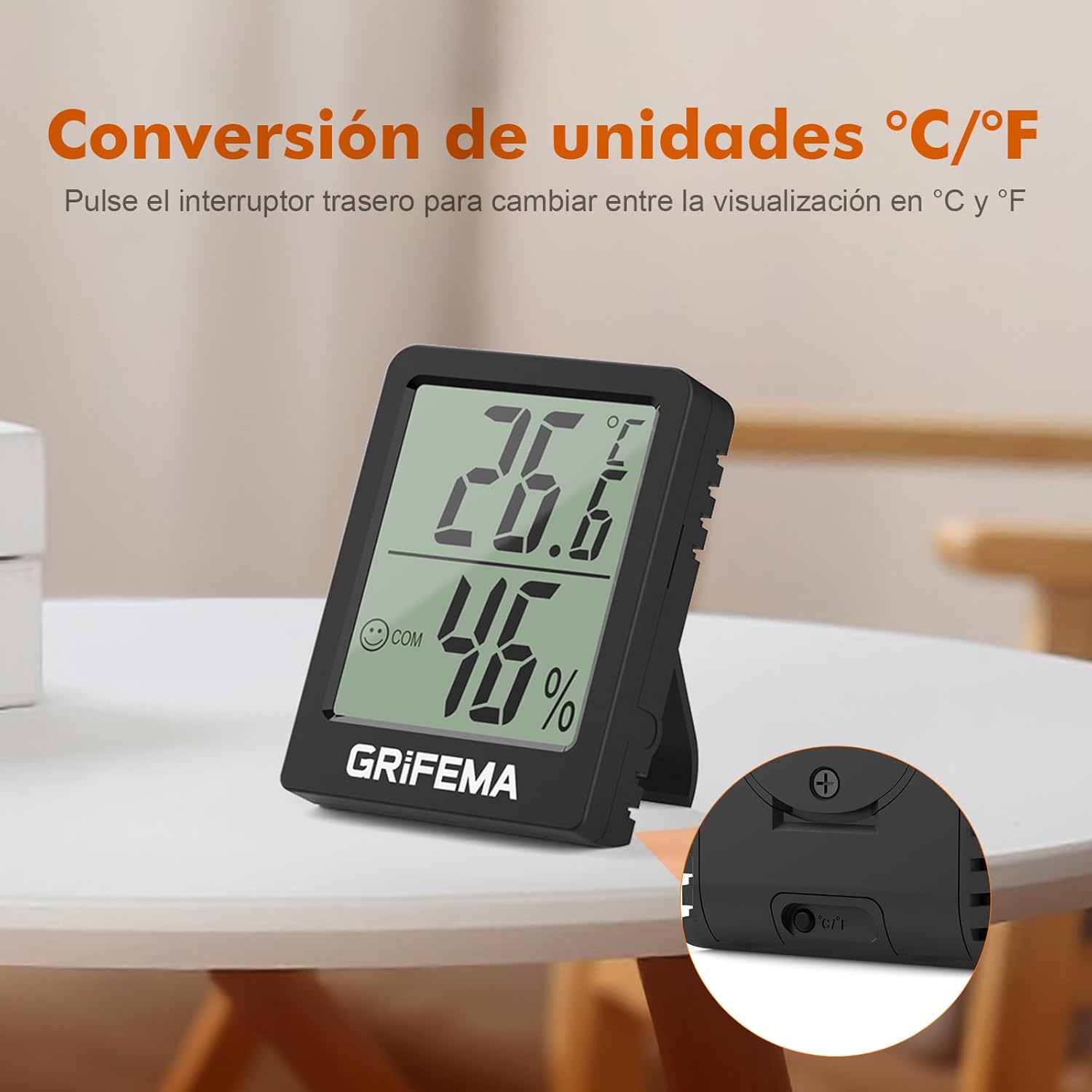
Image: The back of the device, highlighting the button for switching between Celsius and Fahrenheit.
- Real-time Updates: The device updates its temperature and humidity readings every 10 seconds, ensuring you always have the most current environmental data.
Manteniment
- Substitució de la bateria: The CR2032 button cell battery typically lasts for at least one and a half years due to the device's low power consumption. When the display becomes dim or stops functioning, it's time to replace the battery.
- Localitzeu el compartiment de la bateria a la part posterior del dispositiu.
- If secured, use a small screwdriver to open the compartment cover.
- Traieu la bateria CR2032 antiga.
- Inseriu una nova bateria CR2032 amb el costat positiu (+) cap amunt.
- Tanqueu de manera segura el compartiment de la bateria.
- Neteja: Wipe the device with a soft, dry cloth. Do not use abrasive cleaners or immerse the device in water. Ensure the ventilation holes on the sides are free from dust or obstructions to maintain accurate readings.
Resolució de problemes
| Problema | Causa possible | Solució |
|---|---|---|
| Sense pantalla o pantalla tènue | La bateria està esgotada o no està instal·lada correctament. | Replace the CR2032 battery or ensure it is correctly inserted with the protective tab removed. |
| Lectures inexactes |
|
|
| Cannot switch between °C/°F | Botó no premut correctament o mal funcionament del dispositiu. | Ensure you are pressing the correct button firmly on the back. If the issue persists after battery replacement, contact customer support. |
Especificacions
- Model: GA2902B
- Dimensions: 5.8 cm (llargada) x 4.5 cm (amplada) x 1.55 cm (gruix)
- Pes: Aproximadament 40 g
- Rang de mesura de temperatura: -10 °C a +50 °C (14 °F a 122 °F)
- Precisió de la temperatura: ±1 °C
- Interval de mesura de la humitat: 20% RH a 95% RH
- Taxa d'actualització: Cada 10 segons
- Tipus de bateria: 1 x pila de botó CR2032 (inclosa)
- Visualització: LCD with comfort indicators
- Opcions d'ubicació: Kickstand, Magnetic

Image: Detailed product dimensions of the GRIFEMA GA2902B.
Garantia i Suport
For information regarding warranty coverage or technical support, please refer to the product packaging or contact GRIFEMA customer service directly through their official weblloc web o el venedor on es va comprar el producte.