
1. Introducció
Thank you for choosing the FLEXISPOT OC3 Cloud Ergonomic Office Chair. This manual provides detailed instructions for assembly, operation, maintenance, and troubleshooting to ensure you get the most comfortable and efficient experience from your new chair. Please read this manual thoroughly before assembly and use, and retain it for future reference.
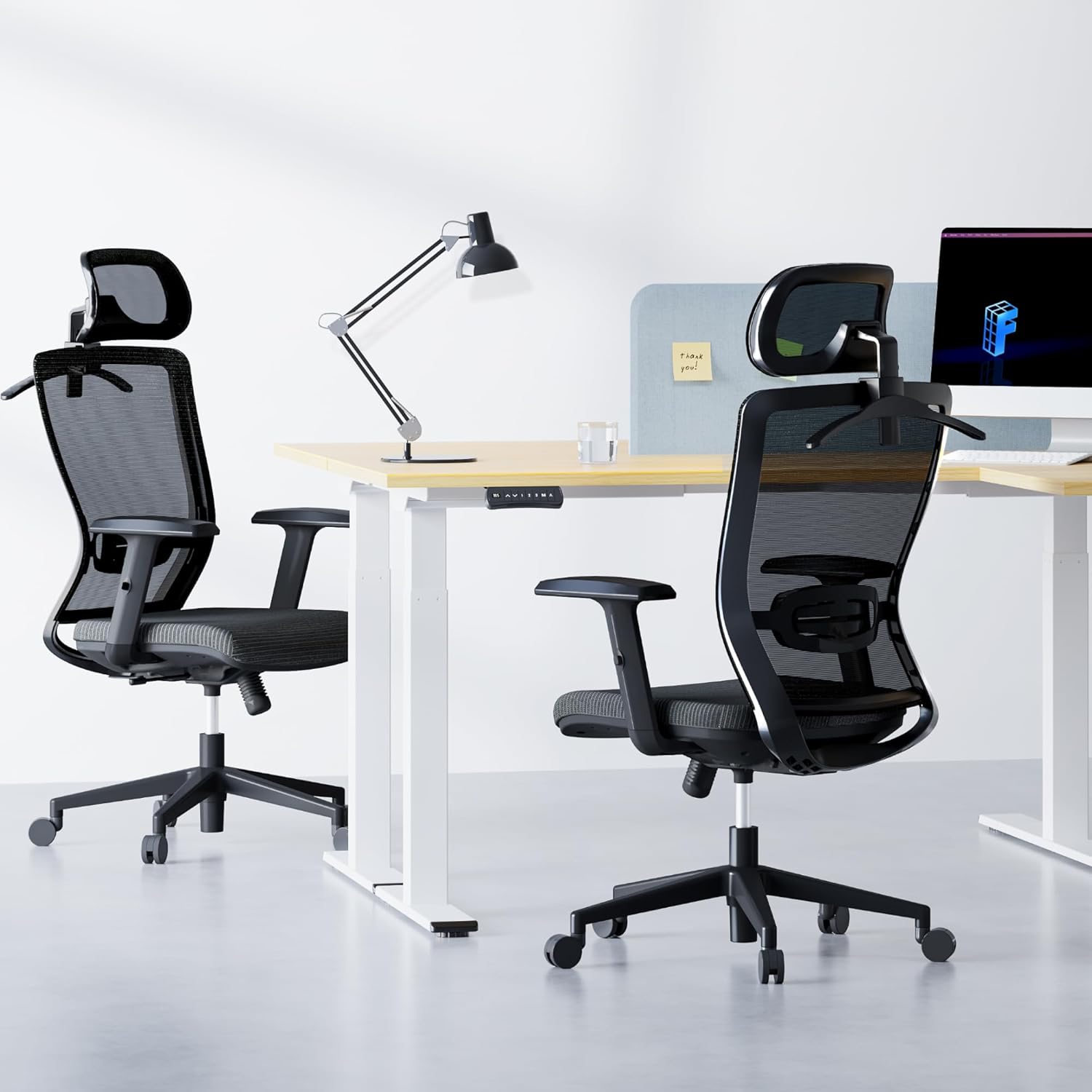
Image: The FLEXISPOT OC3 Cloud Ergonomic Office Chair, designed for comfort and support in an office environment.
2. Informació de seguretat
To prevent injury and ensure safe operation, please adhere to the following guidelines:
- No supereu la capacitat màxima de pes de 300 lliures (136 kg).
- Ensure all screws and bolts are securely tightened before using the chair. Periodically check and re-tighten as necessary.
- Eviteu estar dret a la cadira o utilitzar-la com a tamboret.
- Do not sit on the armrests as this may cause damage or instability.
- Keep children and pets away from the chair during assembly. Small parts may pose a choking hazard.
- Feu servir la cadira sobre una superfície plana per evitar que es bolqui.
- Follow all assembly and adjustment instructions carefully. Improper assembly or adjustment can lead to injury.
3. Llista de peces
Abans de començar el muntatge, verifiqueu que tots els components siguin presents i no estiguin danyats. Si hi ha alguna peça que falti o que estigui danyada, poseu-vos en contacte amb el servei d'atenció al client.
- Respatller (B)
- Coixí del seient (C)
- Armrest L (D)
- Armrest R (D)
- Base (E)
- Gas Lift (F)
- Wheels (K) x 5
- Mechanism (A)
- Headrest (O)
- Clothes Hanger (Q)
- Screws and Tools (H, I, G, L)
4. Muntatge i muntatge
Follow these steps to assemble your FLEXISPOT OC3 Cloud Ergonomic Office Chair. It is recommended to assemble the chair on a soft, clean surface to prevent damage.
Step-by-Step Assembly Video
Video: Official installation guide for the FLEXISPOT OC3 Cloud Ergonomic Office Chair, demonstrating step-by-step assembly.
Written Assembly Instructions
- Fixar els reposabraços al coixí del seient: Connect the left and right armrests (D) to the underside of the seat cushion (C) using the provided M6*25MM screws (G). Ensure they are securely fastened.
- Install Mechanism: Attach the mechanism (A) to the underside of the seat cushion (C) using the M6*20MM screws (I). Ensure the front of the mechanism aligns with the front of the seat cushion.
- Connecta el respatller: Secure the backrest (B) to the mechanism (A) using the M8*18MM screws (H).
- Muntatge de la base: Insert the five wheels (K) firmly into the holes at the end of each leg of the chair base (E). Ensure they are fully seated.
- Inseriu l'elevador de gas: Remove the protective cover from the gas lift (F) and insert it into the center hole of the assembled base (E).
- Attach Seat to Base: Carefully place the assembled seat cushion and backrest onto the gas lift (F), aligning the center hole of the mechanism with the top of the gas lift. Press down firmly to secure.
- Install Headrest and Hanger: Remove the two screws from the headrest (O). Attach the headrest (O) and the clothes hanger (Q) to the top of the backrest (B) using the screws previously removed.
5. Instruccions d'ús i ajustos
The FLEXISPOT OC3 Cloud chair offers multiple adjustment options to customize your seating experience for optimal comfort and ergonomic support.
Chair Features Overview Vídeo
Vídeo: Acabatview presentació de vídeoasing the ergonomic features and adjustments of the FLEXISPOT OC3 Cloud Ergonomic Office Chair.
Ajustaments
- Ajust de l'alçada del seient: Locate the lever on the right side under the seat. Pull the lever up to raise the seat. While seated, pull the lever up to lower the seat. Release the lever to lock the height.
- Ajust del suport lumbar: The chair features adjustable lumbar support. Gently push or pull the lumbar support pad on the backrest to adjust its position vertically to match the curve of your lower back. The lumbar support can be moved up and down by approximately 1.9 inches.

Image: Adjusting the vertical position of the lumbar support for personalized back comfort.
- Reclinació i bloqueig del respatller: Use the tilt tension control mechanism to adjust the reclining angle. The backrest can be locked between 90 and 130 degrees. Push the lever inwards to lock the backrest in your desired position, and pull it outwards to unlock and recline.

Image: Visual representation of the chair's recline angles and tilt tension adjustment.
- 2D Headrest Adjustment: The headrest can be adjusted in multiple dimensions for precise neck and head support. It can be moved up and down by 2.1 inches and rotated by 30 degrees. Gently push or pull the headrest to adjust its height and angle.

Image: Details on adjusting the headrest for height and rotation.
- Ajust del recolzabraços: The armrests are adjustable to provide comfortable support for your arms and shoulders. Lift the armrest to adjust its height.
- Penjador integrat: The headrest includes a convenient coat hanger to store clothing, keeping your workspace tidy.

Image: The headrest with its integrated coat hanger feature.
6. Manteniment
Regular maintenance will prolong the life and appearance of your office chair.
- Neteja: For mesh and fabric parts, use a soft brush or vacuum cleaner to remove dust. For stains, gently dab with a damp drap i sabó suau i, a continuació, eixugueu amb un drap net i sec. Eviteu productes químics agressius.
- Marc: Netegeu els components metàl·lics i de plàstic amb un drap suau iamp tela.
- Rodes: Netegeu periòdicament els cabells i les restes de les rodes per garantir un moviment suau.
- Elements de fixació: Check all screws and bolts every few months and re-tighten if necessary to maintain stability.
7. Solució De Problemes
Si teniu algun problema amb la cadira, consulteu els següents problemes i solucions habituals:
| Problema | Causa possible | Solució |
|---|---|---|
| La cadira no ajusta l'alçada | Gas lift cover not removed; Gas lift faulty; Actuation lever disconnected. | Ensure gas lift cover is removed. Check if the gas lift is properly inserted. Verify the lever mechanism is connected. Contact support if gas lift is faulty. |
| La cadira trontolla o és inestable | Loose screws; Uneven floor. | Revisa i estreny tots els cargols de muntatge. Assegura't que la cadira estigui sobre una superfície plana i anivellada. |
| Les rodes no giren suaument | Debris in casters; Casters damaged. | Remove any hair or debris from the caster wheels. If casters are damaged, contact support for replacements. |
| El respatller no es reclina ni es bloqueja | Tilt mechanism locked; Mechanism faulty. | Ensure the recline lock lever is disengaged. Check the tilt tension knob. If the mechanism is faulty, contact support. |
If the problem persists after attempting these solutions, please contact FLEXISPOT customer support.
8. Especificacions
Detailed specifications for the FLEXISPOT OC3 Cloud Ergonomic Office Chair:
| Característica | Detall |
|---|---|
| Marca | FLEXISPOT |
| Nom del model | OC3 Cloud (Item model number: FLEXISPOT-OC3-CLOUD) |
| Color | Negre |
| Dimensions del producte (P x A x A) | 21 "P x 25.6" W x 47.2" H |
| Profunditat del seient | 21 polzades |
| Material | Metal, Comfortable Foam (Seat Cushion), Mesh (Backrest) |
| Estil d'esquena | Comfortable Mesh Back |
| Estil de braç | Recessed, Adjustable |
| Característiques especials | Adjustable Lumbar Support (1.9in up/down), 2D Headrest (2.1in lift, 30° rotation), Lockable Backrest (90-130 degrees), Foam Seat Cushion, Breathable Mesh, Integrated Coat Hanger |
| Capacitat de pes | 300 lliures |
| Pes de l'article | 42.7 lliures |
| UPC | 840460485920 |
| Ús interior/exterior | Interior |

Image: Comprehensive dimensions of the OC3 Cloud chair for reference.
9. Garantia i Suport
FLEXISPOT provides a warranty for its products. For specific warranty details, including coverage period and terms, please refer to the warranty card included with your product or visit the official FLEXISPOT website. If you require assistance with assembly, operation, or troubleshooting, or if you need to claim warranty service, please contact FLEXISPOT customer support through their official channels.
Per obtenir més informació i suport, visiteu el FLEXISPOT Store on Amazon.