
Introducció
This manual provides detailed instructions for the safe and effective use of your Anykit 210° Two-Way Articulating Borescope, Model AD430D55L1.2US. This device is designed for visual inspection in confined spaces, featuring a slim 0.22-inch probe with two-way articulation, a 4.3-inch IPS HD display, and adjustable LED lighting. It is suitable for various applications including automotive, HVAC, plumbing, and general industrial inspections.
Què hi ha a la caixa
- AD430 Articulating Borescope
- Cable de càrrega USB tipus C
- Manual d'usuari
- Targeta TF de 8 GB
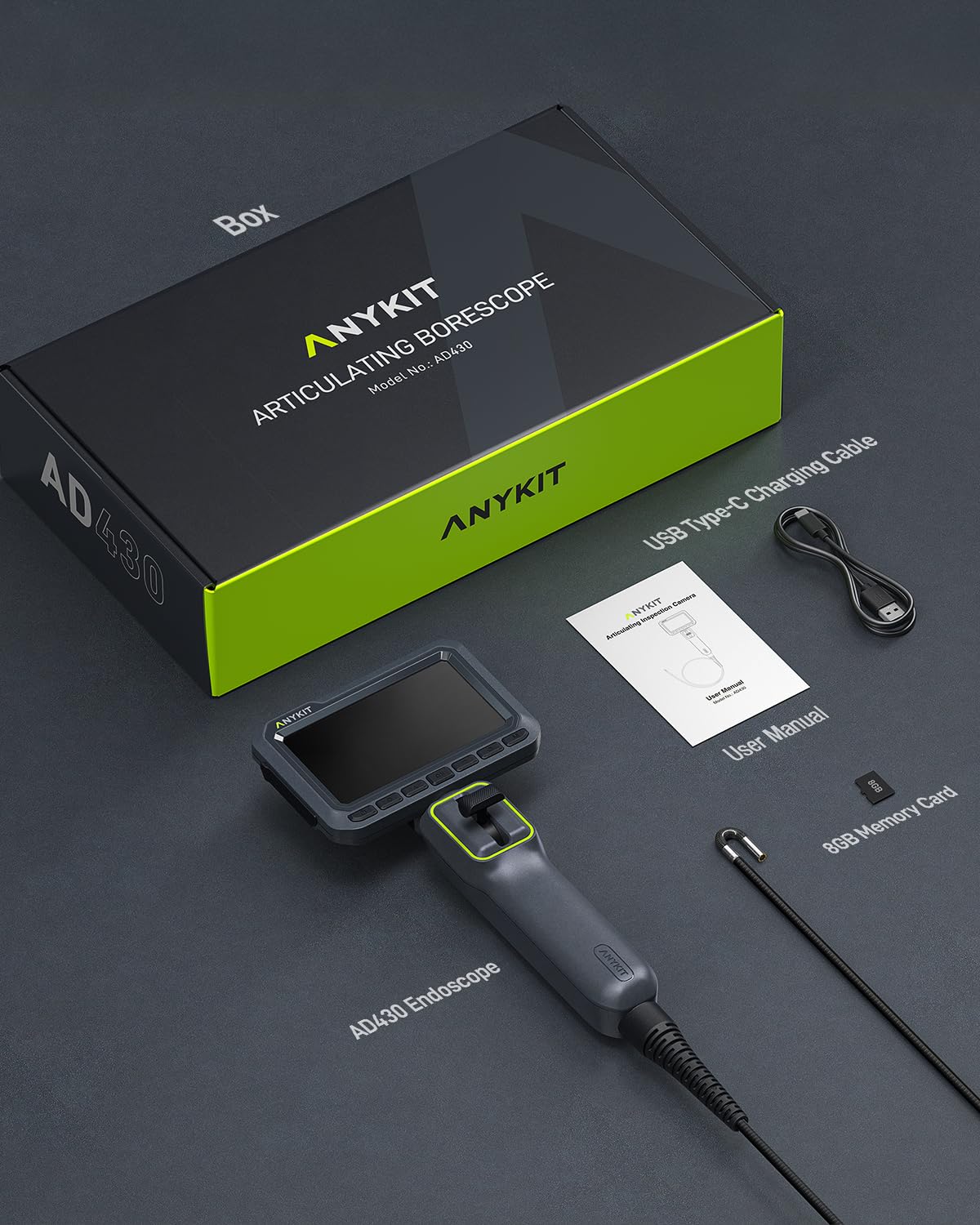
Image: The Anykit AD430 borescope, USB-C charging cable, user manual, and an 8GB TF card are included in the package.
Producte acabatview
Familiarize yourself with the components and controls of your borescope:
Image: A detailed diagram illustrating the various parts of the Anykit borescope, including the screen, control buttons, articulation joystick, probe, and ports.
- Botó d'encesa: Encén/apaga el dispositiu.
- Botó D'acord: Confirms selections or takes a photo/starts video recording.
- Botons amunt / avall: Navigates menus or adjusts settings.
- Botó de configuració: Accedeix al menú de configuració del dispositiu.
- Botó de control de la llum: Adjusts the brightness of the LED lights.
- Botó M: Canvia entre els modes de foto i vídeo.
- Joystick direccional: Controls the articulation of the probe tip.
- Botó de l'obturador: (Located on the back) Captures photos or starts/stops video recording.
- Port de càrrega: Port USB-C per carregar la bateria interna.
- Ranura per a targetes TF: For inserting the MicroSD card to store media.
- Articulation Probe: The flexible probe with the camera and LED lights.
- Semi-Rigid Gooseneck: The flexible yet shape-retaining section of the probe.
Configuració
- Carregueu el dispositiu: Connect the borescope to a power source using the provided USB-C cable. The charging indicator will show the charging status. Ensure the device is fully charged before first use for optimal battery life.
- Inseriu la targeta TF: Locate the TF card slot and insert the included 8GB TF card. Ensure it is inserted correctly until it clicks into place. This card is necessary for saving photos and videos.
- Encès: Press and hold the Power Button until the screen illuminates. The device will boot up and display the live camera feed.
Instruccions de funcionament
Funcionament bàsic
- Encès/apagat: Manteniu premut el botó d'engegada per encendre o apagar el dispositiu.
- Canvi de mode: Press the 'M' button to switch between photo capture mode and video recording mode.
- Captura de contingut multimèdia: In photo mode, press the OK button or the Shutter Button (on the back) to take a picture. In video mode, press the OK button or Shutter Button to start recording, and press again to stop.
- Reproducció: Accediu al menú de reproducció per tornar aview fotos i vídeos capturats.
Probe Articulation
The borescope features a 210° two-way articulating probe for enhanced maneuverability.

Image: The slim 0.22-inch probe tip bending in two directions, highlighting its articulation feature for navigating tight spaces.
- Utilitza el Joystick direccional to bend the probe tip left or right. The joystick provides smooth and precise control for navigating complex environments.
- The semi-rigid cable maintains its shape, allowing for stable positioning during inspection.
Adjusting LED Lights
The probe is equipped with high-brightness adjustable LED lights to illuminate dark inspection areas.

Image: The borescope probe tip with its bright LED lights, demonstrating the three adjustable brightness settings for various lighting conditions.
- Premeu el botó Botó de control de la llum to cycle through the three brightness levels: Low, Medium, and High.
- Select the appropriate brightness for clear visibility without overexposure.
Image Display Features
- 180° Image Flip: To correct image orientation, navigate to the settings menu and select the 180° image flip option. This is useful when the probe is rotated in tight spaces.
- 3-Level Zoom: Use the zoom function to get a closer look at details. Access this feature through the menu or dedicated buttons if available.
Alarma de sobreescalfament
The borescope includes a built-in temperature sensor to protect the device during operation in high-temperature environments.

Image: The borescope screen showing a temperature warning icon, indicating that the device has detected high temperatures and is alerting the user.
- If the probe encounters high temperatures (e.g., in an automotive engine), a red icon alert will appear on the screen.
- The device is designed to protect itself and may automatically shut down if temperatures exceed safe operating limits (e.g., 183°F / 84°C).
Classificació impermeable
The probe and camera are rated IP67 waterproof, making them suitable for use in wet or damp condicions.
Image: The borescope probe tip covered in water droplets, demonstrating its IP67 waterproof capability for use in wet environments.
- Avoid submerging the main unit (screen and handle) in water. Only the probe is waterproof.
Aplicacions
The Anykit borescope is versatile for various inspection tasks:

Image: A collage of images demonstrating the borescope's utility in various scenarios, including automotive engine checks, plumbing, wall cavity inspections, and dryer vent cleaning.
- Automotive Engine Inspection: Examine engine cylinders, valves, and other internal components.
- Sistemes de climatització: Inspect ducts, vents, and internal machinery for blockages or damage.
- Fontaneria: Check pipes for clogs, leaks, or corrosion.
- Wall Cavities: Explore behind walls for wiring, insulation, or pest issues.
Official Product Video: Anykit 3.94FT Two-Way Articulating Borescope
Video: An official product video from Anykit demonstrating the features and usage of the 3.94FT Two-Way Articulating Borescope. This video provides a visual guide to the device's capabilities.
Manteniment
- Neteja: Després de cada ús, netegeu suaument la sonda i la lent de la càmera amb un drap suau i sec. Per a la brutícia resistent, netegeu lleugeramentamp cloth can be used, ensuring no moisture enters the main unit.
- Emmagatzematge: Store the borescope in a cool, dry place, away from direct sunlight and extreme temperatures. Keep the probe coiled loosely to prevent damage.
- Cura de la bateria: Per allargar la durada de la bateria, eviteu descarregar-la completament amb freqüència. Torneu a carregar el dispositiu regularment, fins i tot si no l'utilitzeu durant períodes prolongats.
Resolució de problemes
| Problema | Causa possible | Solució |
|---|---|---|
| El dispositiu no s'encén | Bateria baixa; el botó d'engegada no s'ha premut correctament | Charge the device fully; Press and hold the Power button for a few seconds |
| Imatge borrosa | Camera lens dirty; Object too close/far; Insufficient lighting | Clean the camera lens; Adjust distance to object (optimal focal range 0.8-3.9 inches); Increase LED brightness |
| Probe articulation not working | Joystick not fully engaged; Mechanical obstruction | Ensure firm movement of the joystick; Check for any physical obstructions around the probe tip |
| No es poden desar fotos/vídeos | TF card full or not inserted; TF card error | Check TF card storage; Reinsert TF card; Format TF card (this will erase all data); Replace TF card |
| Overheat alarm triggers frequently | Operating in excessively hot environments | Allow the device to cool down; Avoid prolonged use in extreme temperatures |
Especificacions
- Número de model: AD430D55L1.2US
- Diàmetre de la sonda: 0.22 polzades (5.5 mm)
- Articulació: 210° Two-Way
- Pantalla: Pantalla IPS HD de 4.3 polzades
- Resolució de la càmera: 1920 x 1080 P
- Longitud del cable: 4 peus (1.2 metres)
- Llums LED: LEDs d'alta brillantor ajustables
- Classificació impermeable: IP67 (probe only)
- Bateria: 3000mAh (up to 5 hours continuous use)
- Emmagatzematge: Admet targetes TF (8 GB incloses)
- Port de càrrega: USB-C
- Pes de l'article: 1.57 lliures
- Dimensions del paquet: 15.16 x 8.78 x 3.31 polzades
Garantia i Suport
Anykit products are manufactured to high-quality standards. For warranty information, technical support, or service inquiries, please refer to the contact details provided in the packaging or visit the official Anykit weblloc web. Si us plau, conserveu el comprovant de compra per a reclamacions de garantia.