
Introducció
Thank you for choosing the PAXA 2-in-1 Ctbuds. This innovative audio solution offers the flexibility of both clip-on open-ear earbuds and traditional in-ear earbuds, designed to adapt to various scenarios from active workouts to focused work environments. Featuring Bluetooth 6.0 for stable connectivity and a unique 360° rotatable charging case, these earbuds provide a versatile and comfortable listening experience. This manual provides essential information on setting up, operating, and maintaining your PAXA Ctbuds to ensure optimal performance and longevity.
Què hi ha a la caixa
Upon opening your PAXA Ctbuds package, please verify that all the following components are included:
- Clip-on Earbuds (x2)
- In-Ear Earbuds (x2)
- Funda de càrrega (x1)
- Manual d'usuari (x1)
- Cable de càrrega tipus C (x1)

Image: All components included in the PAXA Ctbuds package.
Producte acabatview
The PAXA Ctbuds feature a unique design that allows you to switch between two distinct earbud types: clip-on open-ear for situational awareness and in-ear for immersive sound and privacy. The accompanying charging case is designed for convenience and includes a 360° rotatable metal ring for stress relief.

Imatge: Més deview of the PAXA Ctbuds, highlighting the two earbud types and the charging case.

Image: The unique 360° rotatable charging case, designed for both charging and stress relief.
Configuració
1. Càrrega dels auriculars i l'estoig
Before first use, it is recommended to fully charge the charging case and earbuds. The first full charge requires 6-8 hours to activate the battery. Subsequent full charges typically take about 2.5 hours.
- Connect the provided Type-C charging cable to the charging port on the case and a compatible USB power source.
- During charging, the red light on the earbud case will flash.
- Once fully charged, the red light will become steady.
- Place the earbuds into the charging case to charge them. The earbuds will indicate their charging status (refer to earbud specific indicators if available, otherwise assume case indicators apply).
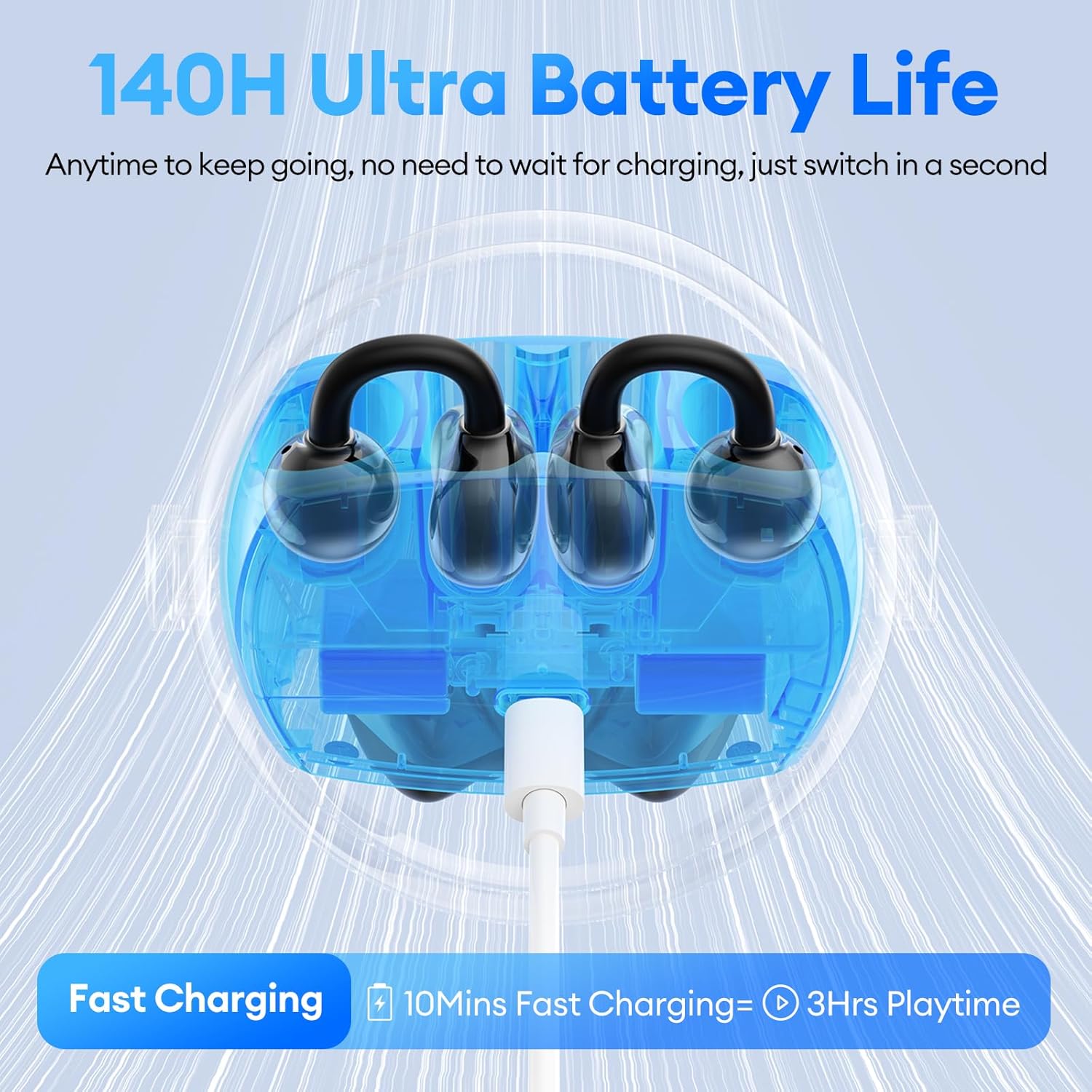
Image: Charging the PAXA Ctbuds case, which provides up to 140 hours of total playtime.
2. Emparellament Bluetooth
The PAXA Ctbuds utilize Bluetooth 6.0 for ultra-stable and low-latency connections.
- Assegureu-vos que els auriculars estiguin carregats i col·locats a l'estoig de càrrega.
- Obre l'estoig de càrrega. Els auriculars entraran automàticament en mode d'emparellament (indicat pels llums intermitents dels auriculars).
- Al dispositiu (telèfon intel·ligent, tauleta, ordinador), activeu el Bluetooth i cerqueu els dispositius disponibles.
- Select "PAXA Ctbuds" from the list of found devices.
- Once connected, the earbud lights will stop flashing, indicating a successful pairing.
- Els auriculars es tornaran a connectar automàticament a l'últim dispositiu emparellat quan es treguin de l'estoig, si el Bluetooth està activat al dispositiu.

Image: The advanced Bluetooth 6.0 chip ensures a stable and efficient wireless connection.
Instruccions de funcionament
1. Posar-se els auriculars
The PAXA Ctbuds offer two wearing styles for different needs:
- Clip-on Open-Ear Earbuds: These earbuds clip onto the outer ear, allowing you to hear your surroundings while enjoying audio. Ideal for outdoor activities, sports, or situations where situational awareness is crucial.
- In-Ear Earbuds: These earbuds fit directly into the ear canal, providing a more immersive audio experience and better noise isolation. Suitable for focused work, study, or private listening.

Image: Demonstrating the comfortable and ergonomic fit of the PAXA Ctbuds.
2. Controls bàsics
The earbuds feature touch controls for easy management of calls and music playback:
| Acció | Control |
|---|---|
| Encès | Manteniu premut durant 3 segons |
| Respondre/Finalitzar la trucada | Double click either earbud |
| Rebutja la trucada | Manteniu premut qualsevol dels auriculars durant 2 segons |
| Reproduir/Pausa | Double click either earbud |
| Cançó anterior | Triple-click the left (L) earbud |
| Següent Cançó | Triple-click the right (R) earbud |
| Assistent de veu | Hold both earbuds for 2 seconds |
| Restabliment de fàbrica | Click left (L) or right (R) earbud 5 times |

Image: Detailed touch control guide for PAXA Ctbuds.
Manteniment
1. Neteja
To maintain optimal sound quality and hygiene, regularly clean your earbuds:
- Netegeu suaument els auriculars i l'estoig de càrrega amb un drap suau, sec i sense borrissol.
- For in-ear earbuds, remove any earwax buildup from the ear tips using a small brush or cotton swab.
- Eviteu l'ús de materials abrasius, dissolvents o productes químics agressius.
2. Emmagatzematge
Quan no els utilitzeu, guardeu sempre els auriculars a la seva funda de càrrega per protegir-los de la pols i els danys, i per mantenir-los carregats.
3. Resistència a l'aigua (IPX5)
The PAXA Ctbuds are IPX5 water resistant, meaning they are protected against low-pressure water jets from any direction. This makes them suitable for workouts and light rain. However, they are not designed for submersion in water or exposure to high-pressure water jets.

Image: The IPX5 water resistance rating ensures durability during workouts and in light rain.
Resolució de problemes
If you encounter issues with your PAXA Ctbuds, please refer to the following common solutions:
| Problema | Possible solució |
|---|---|
| Els auriculars no s'emparellan/connecten |
|
| Sense so ni volum baix |
|
| Connexió intermitent/fallides d'àudio |
|
| Els auriculars no es carreguen |
|
Especificacions
| Característica | Detall |
|---|---|
| Nom del model | Ctbuds01 |
| Versió Bluetooth | 6.0 |
| Tecnologia de connectivitat | Sense fil |
| Col·locació de l'orella | Open Ear (Clip-on) / In-Ear |
| Factor de forma | Over Ear (Clip-on) |
| Nivell de resistència a l'aigua | IPX5 |
| Tipus de control | Control d'aplicacions / Control tàctil |
| Material | Metall, Plàstic, Silicona |
| Pes de l'article | 5 Ounces (total package) |
| Dimensions del producte | 3.05 x 0.98 x 2.78 polzades (caixa) |
| Fabricant | PAXA |
Garantia i Suport
For warranty information and customer support, please refer to the warranty card included in your product packaging or visit the official PAXA website. You may also contact PAXA customer service directly for assistance with product issues or inquiries.
PAXA Official Store: Visit the PAXA Store on Amazon