
CHROX 66510553-4GB+32GB
CHROX H96 MAX M9S Android 14 TV Box User Manual
Model: H96 MAX M9S (66510553-4GB+32GB)
1. Introducció
Thank you for choosing the CHROX H96 MAX M9S Android 14 TV Box. This device is designed to transform your television into a smart entertainment hub, offering access to a wide range of streaming content, applications, and media playback capabilities. Powered by the latest Android 14 operating system and a robust RK3576 Quad-Core processor, it supports advanced features like 8K video decoding, WIFI6 connectivity, and Bluetooth 5.0.
Contingut del paquet
Si us plau, verifiqueu que tots els elements siguin presents al paquet:
- 1 * Android 14.0 TV Box
- 1 * Comandament a distància IR
- 1 * Power Adapter (DC 5V/2A)
- 1 * Cable HDMI
- 1 * User Manual (this document)

Image: The CHROX H96 MAX M9S Android TV Box, a compact black rectangular device, is shown alongside its infrared remote control. The remote features standard navigation buttons, volume controls, and dedicated app buttons.
2. Informació de seguretat
To ensure safe operation and prevent damage to the device, please read and adhere to the following safety guidelines:
- Manipular amb cura: Eviteu deixar caure o sotmetre el dispositiu a forts impactes.
- Ventilació adequada: Assegureu-vos que el dispositiu estigui col·locat en una zona ben ventilada per evitar el sobreescalfament. No tapeu les obertures de ventilació.
- Font d'alimentació: Feu servir només l'adaptador de corrent proporcionat. L'ús d'adaptadors no autoritzats pot fer malbé el dispositiu i anul·lar la garantia.
- Exposició líquida: Mantingueu el dispositiu allunyat de l'aigua, la humitat i altres líquids.
- Neteja: Desconnecteu l'alimentació abans de netejar. Feu servir un drap suau i sec. No utilitzeu netejadors líquids ni en aerosol.
- Temperatura: Operate the device within recommended temperature ranges. Avoid extreme hot or cold environments.
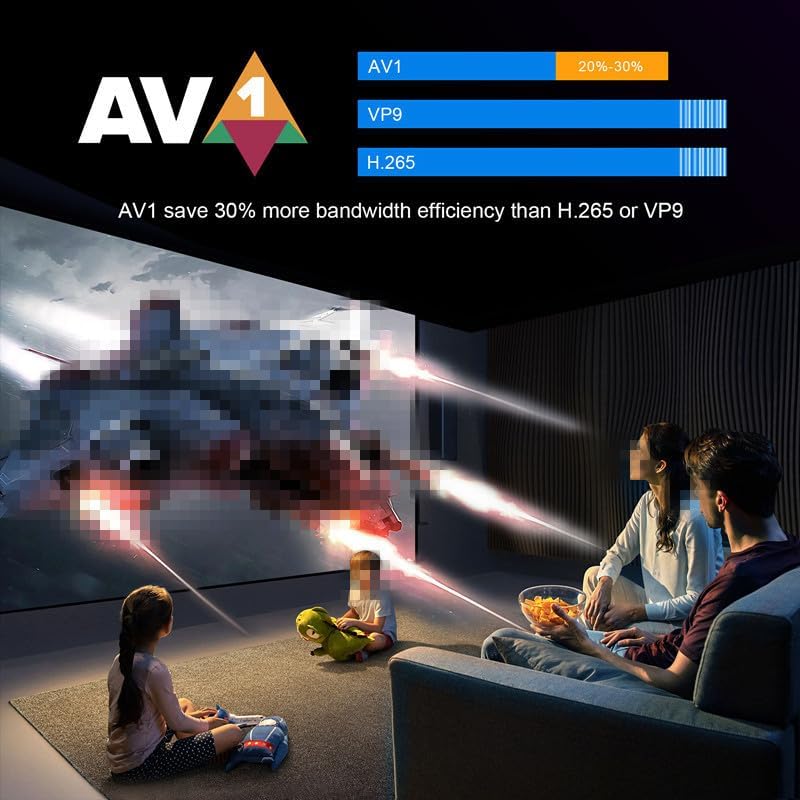
Image: A warning label on the product packaging advises users to "Handle with care and avoid drops and impacts!" and to "Please assemble the product securely before use!" This warning is provided in multiple languages.
3. Configuració
3.1 Connexió del descodificador de televisió
- Connectar-se al televisor: Insert one end of the provided HDMI cable into the HDMI port on the TV Box and the other end into an available HDMI input on your television.
- Connecteu-vos a l'alimentació: Plug the power adapter into the DC 5V/2A port on the TV Box, then plug the adapter into a wall outlet.
- Connectar-se a la xarxa (opcional):
- Connexió per cable: For a stable connection, connect an Ethernet cable from your router to the LAN port on the TV Box.
- Connexió sense fil: The device supports 2.4G/5G dual-band Wi-Fi 6. You can configure this after initial boot-up.
- Encès: The TV Box should automatically power on once connected to power. If not, press the power button on the remote control.
- Seleccioneu l'entrada: On your television, select the correct HDMI input source using your TV's remote control.
3.2 Assistent de configuració inicial
Upon first boot-up, the TV Box will guide you through an initial setup wizard. Follow the on-screen prompts to:
- Seleccioneu el vostre idioma.
- Connecteu-vos a una xarxa Wi-Fi (si no feu servir una connexió amb cable).
- Sign in with your Google account (optional, but recommended for app downloads).
- Accepteu els termes i condicions.
4. Instruccions de funcionament
4.1 Navegació per la interfície
Use the provided IR Remote Control to navigate the Android 14 interface. The remote features directional buttons, an OK button for selection, a Home button, Back button, Volume controls, and dedicated app buttons.
4.2 Connectivitat de xarxa
The H96 MAX M9S supports both wired Ethernet (10/100M) and wireless Wi-Fi 6 (2.4G/5G dual-band) connections. For optimal wireless performance, position the device near your router.

Image: The H96 Max M9S AI Smart TV Box is displayed with icons indicating its key features: Android 14.0, 8K video support, AI VisionPQ, WiFi6, 1000M Ethernet, RK3576 processor, and AV support.
4.3 Media Playback and Decoding
This TV Box supports advanced video decoding capabilities, including flawless 8K@60fps playback via H.265/HEVC/VP9. It also offers enhanced picture quality with vivid HDR contrast and optimized bandwidth efficiency.

Image: A large television screen displays a high-resolution image of a racing car, demonstrating the device's support for 8K video decoding. The text "Support 8K Video Decoding" is prominently featured.
The device also features AI-DC (Intelligent Denoising) and AI-SR (Super Resolution) technologies to enhance visual quality. AI-SR can upscale 720P/1080P video to 4K resolution.

Image: A split image demonstrating the effect of AI-DC (Intelligent Denoising). The left side shows a landscape image with noticeable noise, while the right side shows the same image with significantly reduced noise, labeled "AI-DC".
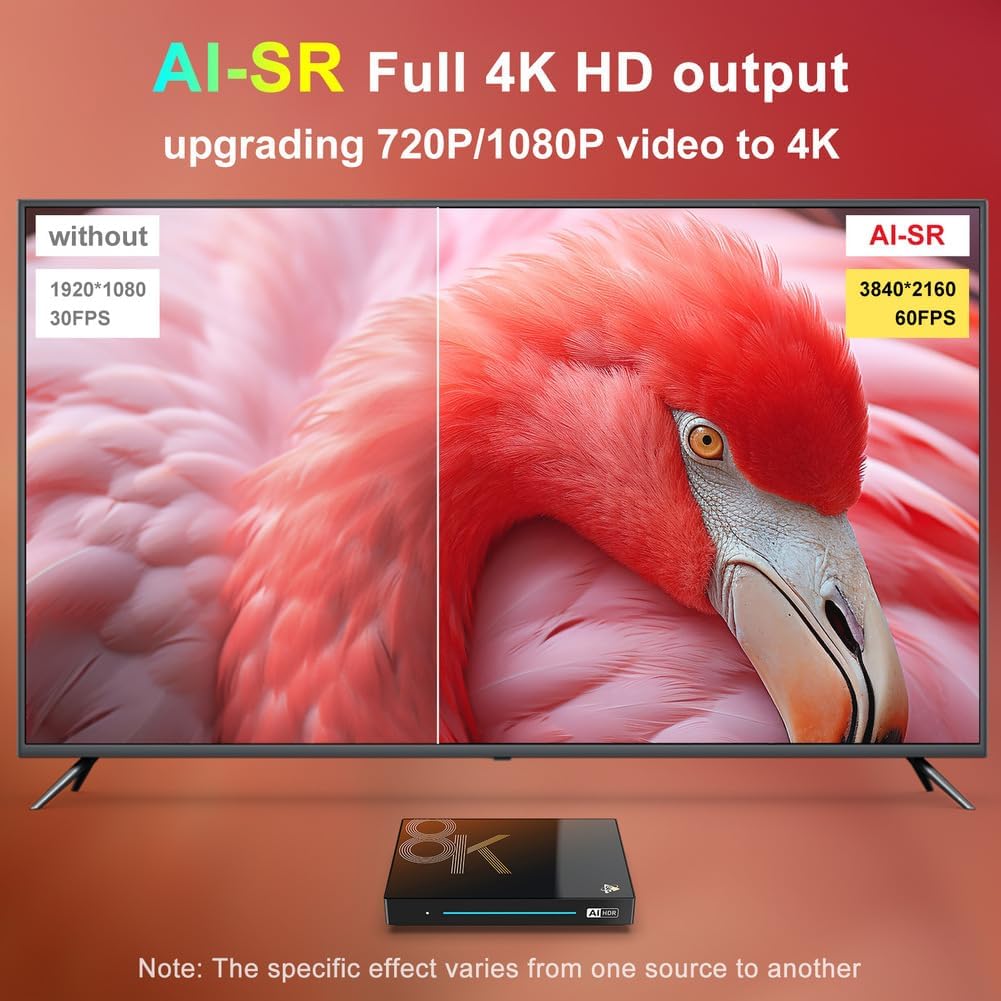
Image: A split image illustrating AI-SR (Super Resolution) technology. The left side shows a 1920x1080 30FPS image, while the right side shows the same content upscaled to 3840x2160 60FPS with improved clarity, labeled "AI-SR".
The device supports AV1 decoding, which can save up to 30% more bandwidth efficiency compared to H.265 or VP9, providing a smoother streaming experience.
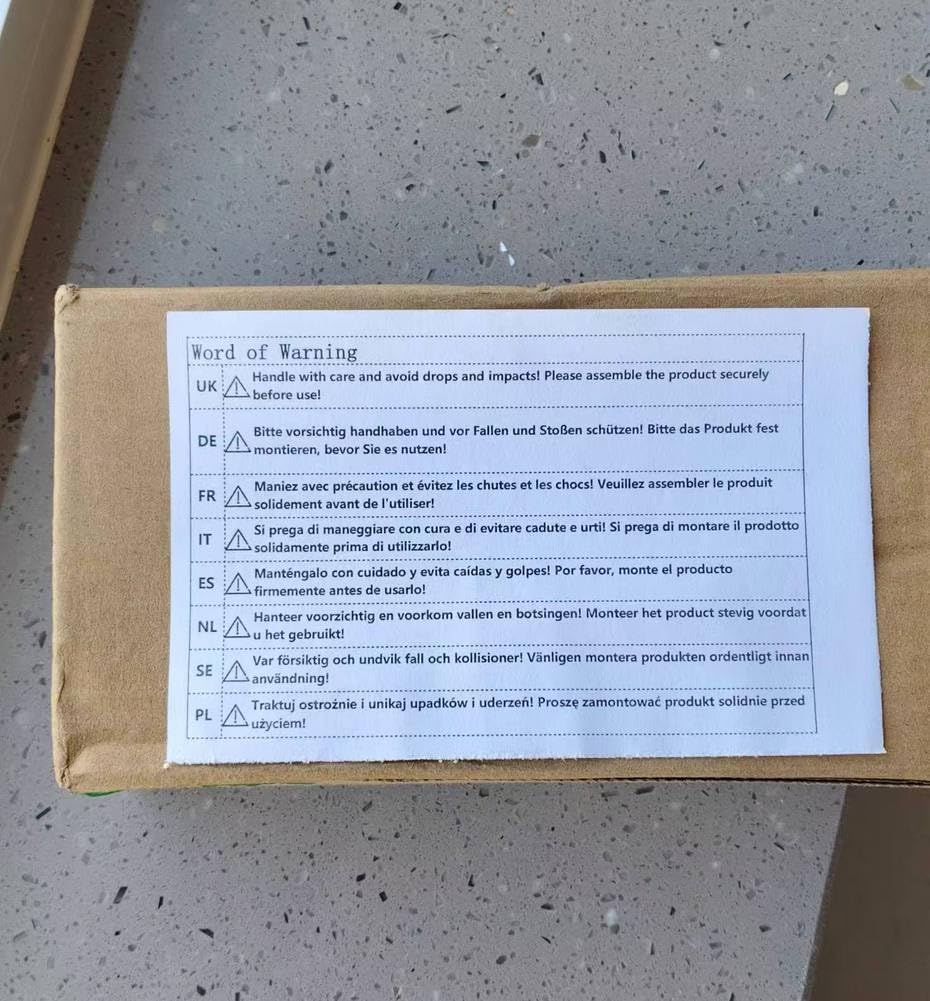
Image: A family is shown watching a movie projected onto a large screen, illustrating the benefit of AV1 codec. A graphic indicates that "AV1 save 30% more bandwidth efficiency than H.265 or VP9".
4.4 Projecció sense fil
The TV Box supports Aicscreen wireless mirroring, allowing you to project content from compatible devices (e.g., smartphones, tablets) onto your large display for fitness, gaming, or 4K streaming.
4.5 Connectivitat Bluetooth
With Bluetooth 5.0, you can connect various wireless devices such as keyboards, mice, game controllers, and audio equipment to your TV Box for an enhanced user experience.
5. Manteniment
5.1 Neteja del dispositiu
Ensure the TV Box is powered off and unplugged before cleaning. Use a soft, dry, lint-free cloth to wipe the exterior. Do not use abrasive cleaners, waxes, or solvents.
5.2 Actualitzacions de programari
Periodically check for system updates through the device's settings menu. Keeping your software updated ensures optimal performance, security, and access to new features.
6. Solució De Problemes
If you encounter issues with your CHROX H96 MAX M9S TV Box, please refer to the following common solutions:
| Problema | Causa possible | Solució |
|---|---|---|
| Sense poder | Adaptador de corrent no connectat; presa de corrent defectuosa. | Assegureu-vos que l'adaptador de corrent estigui connectat correctament al dispositiu i a una presa de corrent que funcioni. Proveu una altra presa de corrent. |
| Sense senyal a la televisió | Incorrect HDMI input selected; HDMI cable loose or faulty. | Verify your TV is on the correct HDMI input. Reconnect or replace the HDMI cable. |
| Problemes de connexió Wi-Fi | Incorrect password; Router too far; Interference. | Double-check Wi-Fi password. Move the TV Box closer to the router. Restart your router and the TV Box. |
| El control remot no respon | Low batteries; Obstruction; Not paired (if Bluetooth remote). | Replace batteries. Ensure no obstructions between remote and TV Box. Point directly at the TV Box. |
| Apps Crashing/Freezing | Insufficient memory; App bug; Outdated software. | Close background apps. Clear app cache/data. Update the app or system software. Restart the device. |
If the problem persists after trying these solutions, please refer to the Warranty & Support section for further assistance.
7. Especificacions
Detailed technical specifications for the CHROX H96 MAX M9S Android 14 TV Box:
| Característica | Detall |
|---|---|
| CPU | RK3576 Quad-Core 64bit Cortex-A53 |
| GPU | Mali 450 MP2 |
| Sistema operatiu | OS Android 14 |
| Memòria (RAM) | 4GB / 8GB RAM (model dependent) |
| Storage (EMMC) | 32GB / 128GB ROM (model dependent), expandable via SD card (up to 64GB) |
| Wi-Fi | 2.4G / 5G dual-band Wifi 802.11 a/b/g/n/ac/ax (Wi-Fi 6) |
| LAN | Ethernet: 10/100M |
| Bluetooth | V5.0 |
| Ports USB | 1 x Type-A USB3.0, 1 x Type-A USB2.0 |
| Font d'alimentació | INPUT: 100-240V 50/60HZ, OUTPUT: DC 5V/2A |
| Interfície AV | Admet |
| Decoder Formats | H.264/H.265/VP9 fins a 8K@30fps |
| Formats de mitjans de comunicació | Avi / Ts / Vob / Mkv / Mov / ISO / wmv / asf / flv / dat / mpg / mpeg |
| Formats fotogràfics | HD JPEG / BMP / GIF / PNG / TIFF |

Imatge: Un diagrama detallat que mostraasing the Rockchip RK3576 processor, highlighting its 8-core CPU, ARM Mali G52 MC3 GPU, AI 6TOPS NPU, and memory configurations (RAM: 4/8GB, ROM: 32/128GB).
8. Garantia i assistència
8.1 Garantia del producte
This CHROX product comes with a standard manufacturer's warranty. Please refer to the warranty card included in your package or contact the seller for specific details regarding warranty duration and coverage.
8.2 Atenció al client
For technical assistance, troubleshooting beyond this manual, or warranty claims, please contact the seller or CHROX customer support through the platform where you purchased the product. Provide your model number and a detailed description of the issue for faster service.
Ask a question about this manual
Ask about setup, troubleshooting, compatibility, parts, safety, or missing instructions. Manuals+ will review the question and use this page’s manual context to help answer it.