
Havit KB896L
Havit x VKS Keyd KB896L RGB Mechanical Gaming Keyboard User Manual
Model: KB896L
Introducció
Thank you for choosing the Havit x VKS Keyd KB896L RGB Mechanical Gaming Keyboard. This manual provides essential information for setting up, operating, maintaining, and troubleshooting your new keyboard. Please read it carefully to ensure optimal performance and longevity of your device.
Característiques clau
- Cos d'aliatge d'alumini resistent: Crafted from anodized aluminum for a solid, stable, and aesthetic design.
- Customizable Modular Design: Features a plug-in internal module for easy switch and frame replacement, allowing personalized setups.
- Resposta ràpida: Ultra-low 8ms latency, full N-key rollover, and anti-ghosting for precise and quick actions.
- Advanced VIA Software Customization: Powerful and user-friendly software for customizing game modes, lighting effects, macros, and more.
- Exclusive VKS x HAVIT Accessories: Includes official VKS team emblem and custom stickers.
- Il·luminació RGB: Customizable RGB illumination to enhance your gaming experience.
- Disseny compacte de 71 tecles: Efficient design for gaming and productivity.
- Interruptors intercanviables en calent: Easy keycap and switch replacement.

Figura 1: Mésview of the Havit KB896L's 8 core features, including aluminum casing, modular design, rapid response, gasket structure, VIA software, RGB lights, 71-key layout, and hot-swappable switches.

Figure 2: A gamer utilizing the Havit KB896L keyboard, demonstrating its rapid response capabilities in action.
Guia de configuració
- Descomprimir el teclat: Traieu amb cura el teclat i tots els accessoris de l'embalatge.
- Connexió al PC:
- Locate the USB-C cable provided with your keyboard.
- Plug the USB-C end into the port on the keyboard.
- Plug the USB-A end into an available USB port on your computer.
The keyboard is plug-and-play and should be recognized by your operating system automatically. No additional drivers are typically required for basic functionality.
- Install VIA Software (Optional but Recommended):
- For advanced customization of key assignments, macros, and RGB lighting, download the VIA software from the official Havit website or the provided link (if available).
- Seguiu les instruccions a la pantalla per instal·lar el programari.
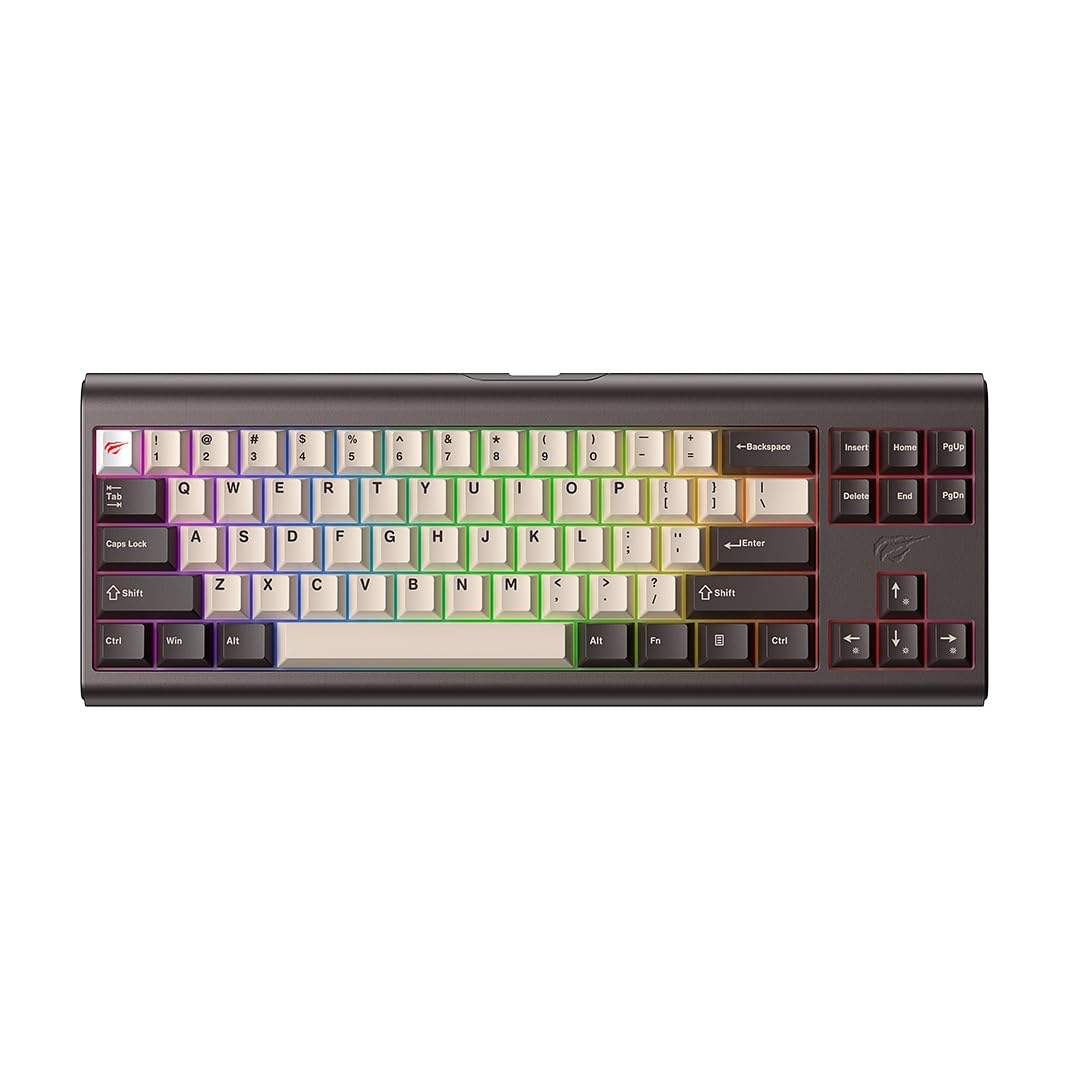
Figure 3: The Havit KB896L keyboard, ready for connection.
Instruccions de funcionament
Ús bàsic
The Havit KB896L functions as a standard QWERTY keyboard. Simply connect it to your PC, and it will be ready for use. The compact 71-key layout includes essential keys for gaming and general productivity.
Control d'il·luminació RGB
Your keyboard features customizable RGB lighting. You can cycle through various lighting effects and adjust brightness directly on the keyboard using function key combinations, or through the VIA software for more granular control.
- Canvi de modes d'il·luminació: Refer to the keyboard's specific key combinations (often Fn + a designated key like '\' or 'Ins') to cycle through pre-set RGB effects.
- Adjusting Brightness/Speed: Use Fn + arrow keys (up/down for brightness, left/right for speed) to modify lighting parameters.

Figure 4: The KB896L keyboard showcasing its vibrant RGB illumination.
VIA Software Customization
The VIA software unlocks the full potential of your keyboard, allowing you to:
- Remap Keys: Assign any key to a different function.
- Crea macros: Record and assign complex sequences of keystrokes to a single key.
- Customize RGB Effects: Design your own lighting patterns and colors.
- Manage Layers: Configure multiple key layouts for different applications or games.
For detailed instructions on using the VIA software, please refer to the software's built-in help or the official VIA documentation online.

Figure 5: The customizable design of the KB896L, highlighting hot-swappable switches and keycaps.
Interruptors intercanviables en calent
The KB896L features hot-swappable switches, allowing you to change individual switches without soldering. This enables customization of typing feel and sound.
- Treure la tapa de les tecles: Feu servir l'extractor de tecles inclòs per treure suaument la tecla desitjada.
- Treure l'interruptor: Use the included switch puller to carefully grip and pull out the switch.
- Insereix un nou interruptor: Alineeu els pins del nou interruptor amb els forats de la placa de circuit imprès i premeu fermament fins que encaixin al seu lloc. Assegureu-vos que els pins no estiguin doblegats.
- Substitueix la tapa de les tecles: Press the keycap onto the new switch stem.

Figure 6: Internal structure of the KB896L, illustrating the layers including switches, aluminum plate, and various foam dampeners for sound and feel optimization.
Manteniment i cura
- Neteja del teclat:
- Desconnecteu el teclat de l'ordinador abans de netejar-lo.
- Feu servir una llauna d'aire comprimit per eliminar la pols i les restes que hi ha entre les tecles.
- Netegeu les tecles i la superfície del teclat amb un drap suau i lleugerament dryamp, drap sense borrissol. Eviteu la humitat excessiva.
- No utilitzeu productes químics agressius, dissolvents ni netejadors abrasius.
- Cura de les tecles i els interruptors:
- Quan retireu les tecles o els interruptors, feu-ho amb cura per evitar danyar els components.
- Store spare keycaps and switches in a safe, dry place.
- Gestió de cables: Eviteu doblegar bruscament o estirar excessivament el cable USB-C per evitar danys.
Resolució de problemes
| Problema | Causa possible | Solució |
|---|---|---|
| El teclat no respon | Connexió de cable fluixa, port USB defectuós, problema amb el controlador. |
|
| La il·luminació RGB no funciona o és incorrecta | Lighting mode not selected, software conflict, power issue. |
|
| Tecles específiques que no funcionen | Faulty switch, bent switch pin, software remapping. |
|
| VIA software not detecting keyboard | Software not installed correctly, firmware issue, connection problem. |
|
Especificacions
| Característica | Detall |
|---|---|
| Marca | Havit |
| Número de model | KB896L - VKS |
| Tecnologia de connectivitat | USB-C |
| Dispositius compatibles | PC |
| Descripció del teclat | Mecànica |
| Tipus de canvi | Mechanical (Longhua Red) |
| Característiques especials | Customizable RGB lighting, VIA customization software |
| Disposició del teclat | QWERTY |
| Color | BRONZE/BLACK |
| Material | Aliatge d'alumini |
| Dimensions de l'article (L x A x A) | 36 cm x 13.2 cm x 4 cm |
| Pes de l'article | 1.8 kg |
| Nombre de claus | 71 |
| Vol. Operatiutage | 5V ± 0.5V |
| Corrent de funcionament | ≤350mA |
| Vida útil de la clau | 50,000,000 vegades |
| Longitud del cable | 1.2m (2.4m when stretched) |
| País d'origen | Xina |
Informació de la garantia
The Havit x VKS Keyd KB896L RGB Mechanical Gaming Keyboard comes with a Garantia del fabricant de 1 anys. This warranty covers defects in materials and workmanship under normal use. It does not cover damage caused by misuse, accidents, unauthorized modifications, or normal wear and tear.
Please retain your proof of purchase for warranty claims. For specific warranty terms and conditions, refer to the documentation included with your product or visit the official Havit weblloc.
Suport
If you encounter any issues not covered in the troubleshooting section or require further assistance, please contact Havit customer support:
- Havit oficial Weblloc: www.havit.com (Check for support contact information, FAQs, and driver/software downloads)
- Suport per correu electrònic: Refer to the Havit weblloc web per obtenir l'adreça electrònica d'assistència més actualitzada.
- Recursos en línia: Look for community forums or support pages related to Havit products.
When contacting support, please have your product model (KB896L) and proof of purchase ready.
Ask a question about this manual
Ask about setup, troubleshooting, compatibility, parts, safety, or missing instructions. Manuals+ will review the question and use this page’s manual context to help answer it.