
1. Introducció
Thank you for choosing the NBD K200 64MP 4K Digital Camera. This manual provides essential information for setting up, operating, and maintaining your camera to ensure optimal performance. Please read this manual thoroughly before using the camera and retain it for future reference.
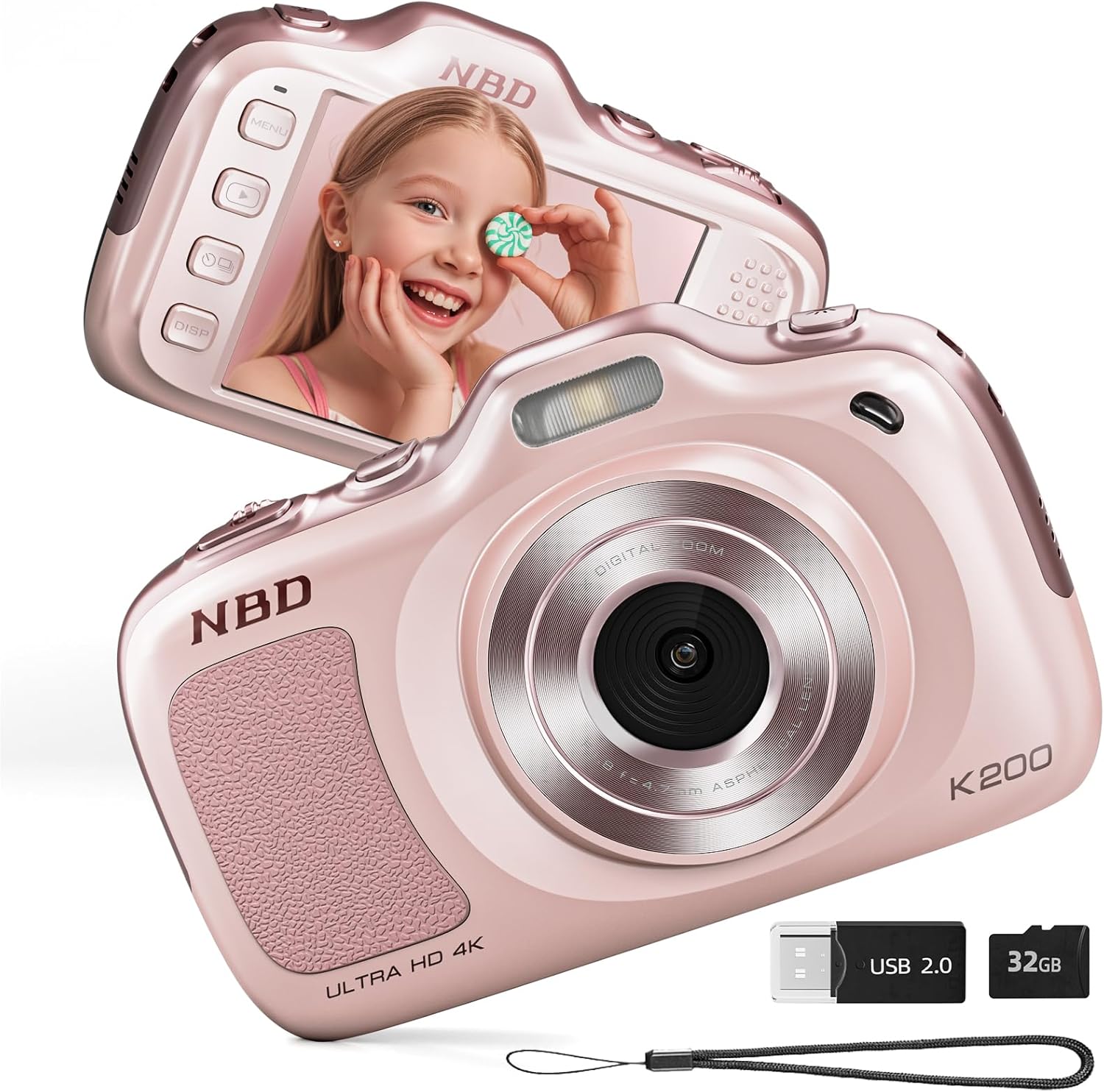
Imatge 1.1: Davant i darrere view of the NBD K200 Digital Camera.
2. Producte acabatview
2.1 Què hi ha a la caixa
- NBD K200 Camera Body
- Targeta TF de 32 GB (preinstal·lada o per separat)
- Cable USB-C
- Corretja per al coll
- Drap de neteja de lents
- Lector de targetes

Image 2.1: Included accessories with the NBD K200 camera.
2.2 Característiques clau
- 64 Megapixel Photos: Captura imatges fixes d'alta resolució.
- Gravació de vídeo 4K: Record videos in Ultra HD resolution.
- Zoom digital 16X: Magnify distant subjects for detailed shots.
- Enfocament automàtic: Ensures subjects are sharp and clear.
- Estabilització anti-shake: Redueix el desenfocament causat pel moviment de la càmera.
- Múltiples modes d'escena: Includes Sport, Portrait, Night, Beauty, and Burst modes.
- Disseny compacte i portàtil: Lightweight for easy carrying.
- High-Speed USB Transfer: Facilitates quick transfer of files to other devices.
3. Configuració
3.1 Instal·lació i càrrega de la bateria
- Locate the battery compartment cover on the camera.
- Open the cover and insert the two included Lithium-Ion batteries, ensuring correct polarity.
- Tanqueu bé la tapa del compartiment de la bateria.
- Connect the camera to a power source using the provided USB-C cable to fully charge the batteries before first use. A full charge allows for approximately 300 photos.
3.2 Instal·lació de la targeta de memòria
- Locate the TF card slot on the side of the camera.
- Insert the included 32GB TF card into the slot until it clicks into place. Ensure the card is inserted in the correct orientation.
- To remove the card, gently press it inward until it springs out.
3.3 Fixació de la corretja del coll
Thread the neck strap through the designated loop on the camera body to prevent accidental drops and for convenient carrying.

Image 3.1: The NBD K200 camera with an attached neck strap for portability.
4. Instruccions de funcionament
4.1 Encès/Apagat
- Per engegar-lo, premeu i manteniu premut el botó d'engegada fins que la pantalla s'il·lumini.
- Per apagar l'aparell, premeu i manteniu premut el botó d'engegada de nou fins que la pantalla s'apagui.
4.2 Fer fotos
- Ensure the camera is in photo mode (indicated on the LCD screen).
- Frame your shot using the LCD screen. The camera features auto-focus to ensure clarity.
- Press the shutter button halfway to activate auto-focus, then press fully to capture the image.

Image 4.1: Demonstrating autofocus and timer for capturing photos.
4.3 Gravació de vídeos
- Switch the camera to video mode using the Multi-Functional Roller Button or menu options.
- Press the shutter button to start recording. A red indicator will typically appear on the screen.
- Torneu a prémer el botó de l'obturador per aturar la gravació.

Image 4.2: Capturing 4K video with the NBD K200 camera.
4.4 Funció de zoom
Utilize the 16X digital zoom by adjusting the Multi-Functional Roller Button. Roll it left to zoom out and right to zoom in. The zoom level will be displayed on the screen.
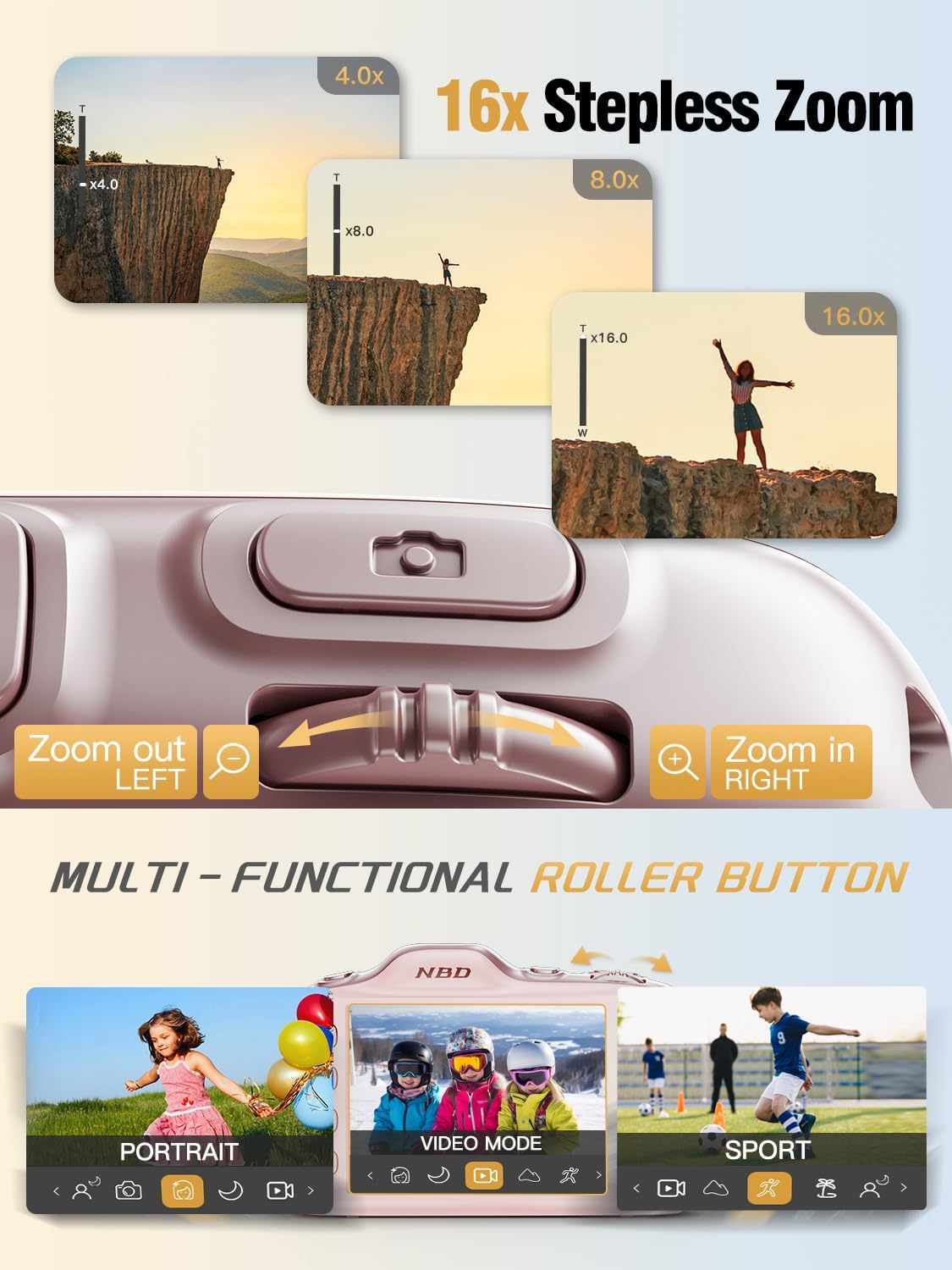
Image 4.3: Using the 16X stepless zoom feature.
4.5 Shooting Modes and Filters
The NBD K200 offers various shooting modes and built-in filters to enhance your photography:
- Mode esportiu: Optimized for capturing fast-moving subjects.
- Mode de retrat: Enhances facial features and softens backgrounds.
- Mode nocturn: Improves image quality in low-light conditions.
- Mode de bellesa: Applies subtle enhancements to portraits.
- Mode de ràfega: Captura una seqüència ràpida de fotos.
- Built-in Filters: Apply effects like Vintage, Warm Tone, Cool Tone, Sepia, Sketch, and Japan Style.

Imatge 4.4: acabatview of K200's multiple shooting modes.
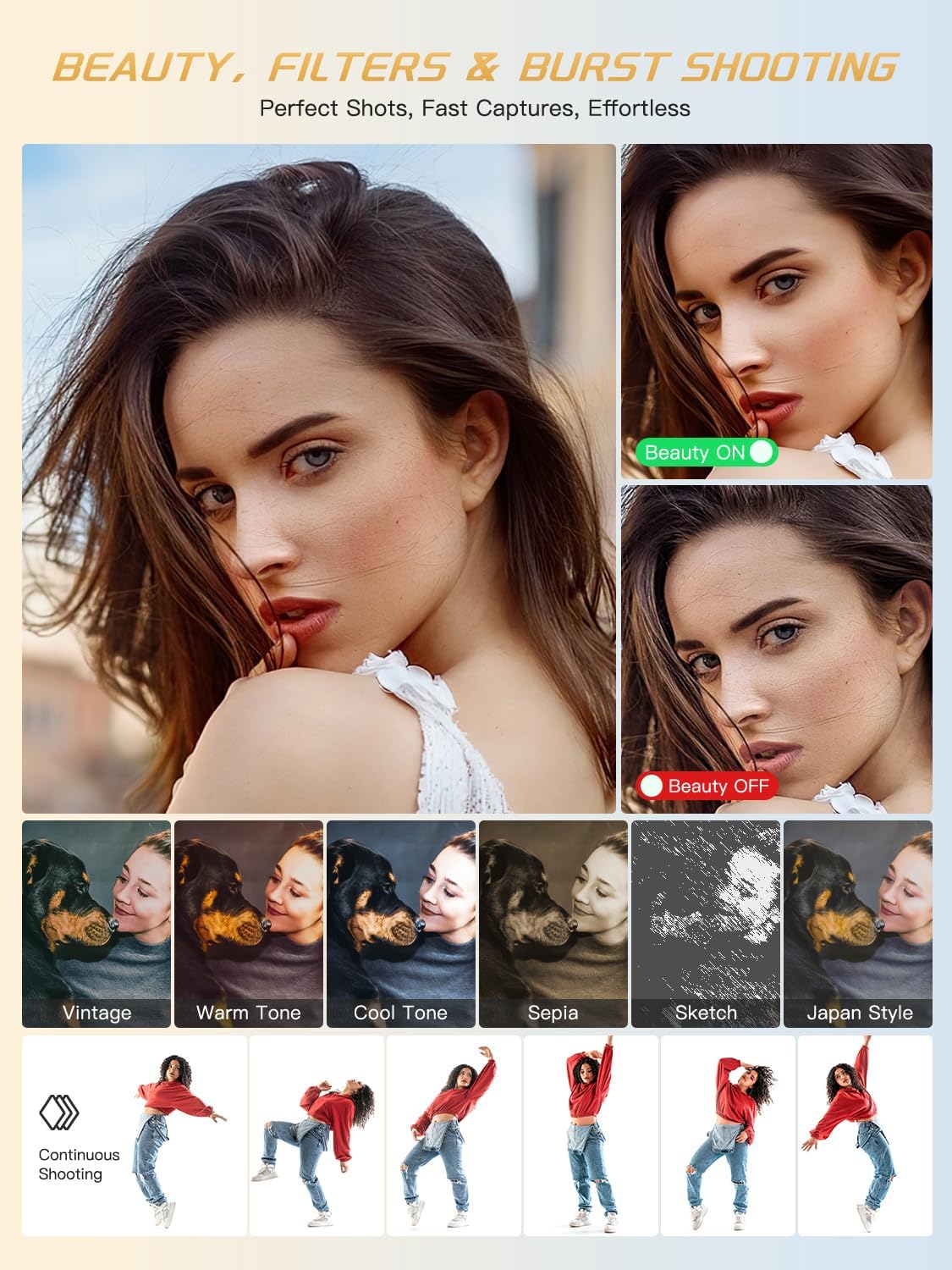
Imatge 4.5: Ex.amples of beauty mode, filters, and burst shooting.
4.6 Ús del flaix
The camera features a built-in flash for illuminating subjects in low-light conditions. The flash can be activated or deactivated via a dedicated physical button or through the camera's menu settings.
4.7 Transferència Files
To transfer photos and videos to a computer or smartphone:
- Connect the camera to your device using the provided USB-C cable.
- The camera will appear as a removable drive on your computer.
- Arrossegueu i deixeu anar files from the camera's memory card to your desired location.
- Alternatively, remove the TF card and use the included card reader to transfer files.
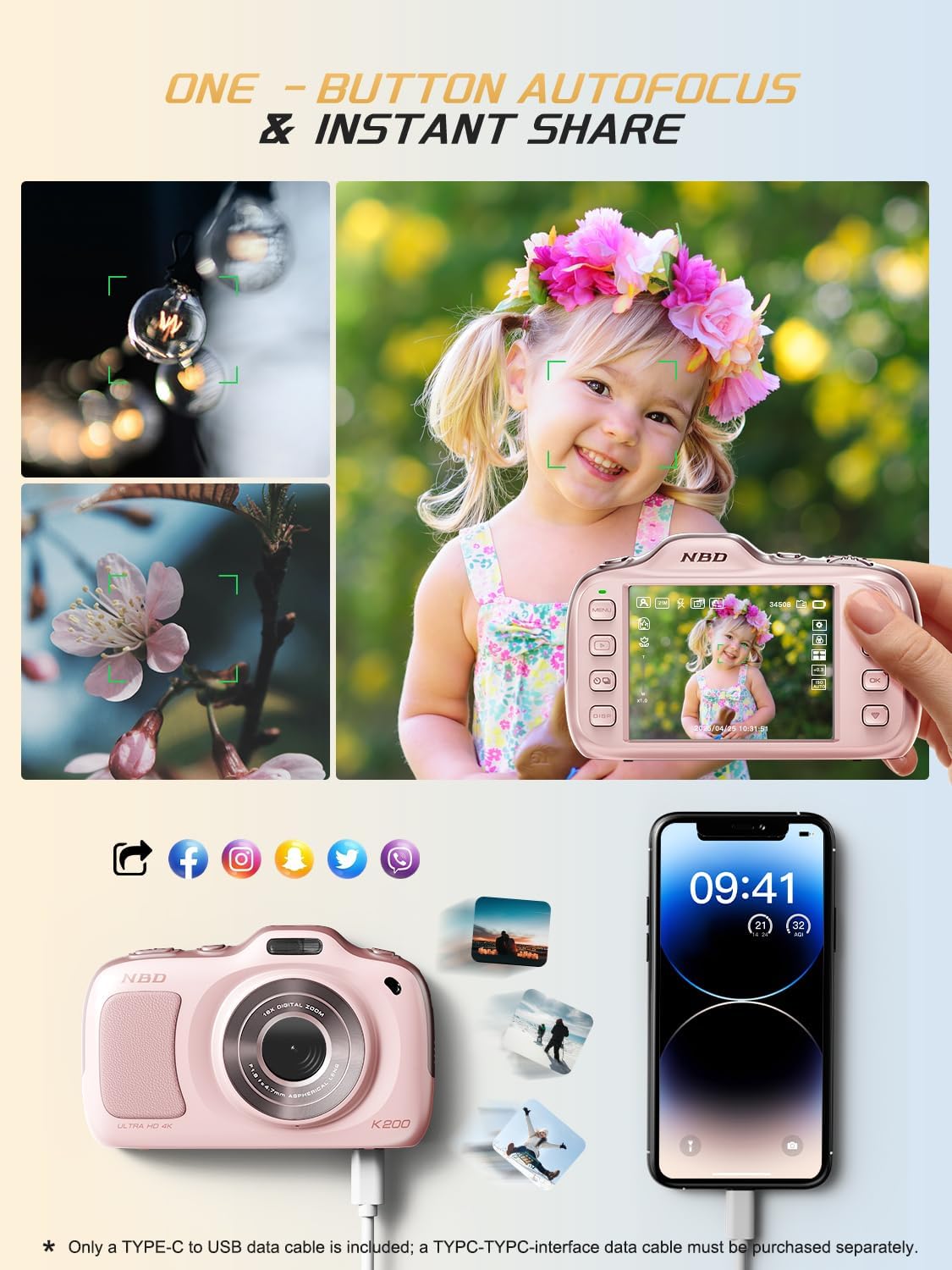
Image 4.6: One-button autofocus and instant sharing capabilities.
5. Manteniment
5.1 Neteja de la càmera
- Feu servir el drap de neteja d'objectius inclòs per netejar suaument l'objectiu i la pantalla.
- For the camera body, use a soft, dry cloth. Avoid using harsh chemicals or abrasive materials.
5.2 Emmagatzematge
- Guardeu la càmera en un lloc fresc i sec, allunyat de la llum solar directa i de temperatures extremes.
- Traieu les piles si no fareu servir la càmera durant un període prolongat.
6. Solució De Problemes
| Problema | Possible solució |
|---|---|
| La càmera no s'encén. | Ensure batteries are correctly inserted and fully charged. Try charging the camera for at least 30 minutes. |
| Missatge d'error "Sense targeta". | Check if the TF card is inserted correctly. Reinsert the card or try a different compatible TF card. |
| Les imatges són borroses. | Ensure auto-focus is engaged. Clean the lens. Use anti-shake stabilization if available. Ensure sufficient lighting. |
| No es pot transferir files a l'ordinador. | Verify the USB-C cable connection. Try a different USB port or computer. Ensure the camera is powered on during transfer. |
7. Especificacions
| Característica | Detall |
|---|---|
| Nom del model | K200 |
| Tecnologia del sensor fotogràfic | CMOS |
| Resolució màxima de la foto | 64 MP |
| Resolució de vídeo | 2160p (4K) a 30 FPS |
| Zoom digital | 16x |
| Estabilització d'imatge | Òptic |
| Tecnologia d'enfocament automàtic | Contrast Detection (19 points) |
| Abertura | F1.8 |
| Mida de la pantalla | LCD de 3 polzades |
| Emmagatzematge de memòria | 32 GB TF Card (included) |
| Admet File Format | JPEG, MP4 |
| Tipus de bateria | 2 bateries d'ions de liti (incloses) |
| Pes de l'article | 0.26 quilos |
| Tecnologia de connectivitat | USB-C |
| Nivell de resistència a l'aigua | No resistent a l'aigua |
8. Garantia i Suport
NBD products are manufactured to high-quality standards. For information regarding warranty coverage, technical support, or service inquiries, please refer to the contact information provided with your purchase or visit the official NBD weblloc web. Si us plau, conserveu el comprovant de compra per a reclamacions de garantia.