
1. Introducció
This manual provides detailed instructions for the installation, operation, and maintenance of your VSYSTO Q3 Pro Motorcycle Dash Cam. Please read this manual thoroughly before using the product to ensure proper function and safety. Keep this manual for future reference.
2. Producte acabatview
The VSYSTO Q3 Pro is a dual-channel motorcycle dash cam system designed to record your rides in 1080P HD. It features 5G WiFi connectivity for fast video downloads, intelligent parking monitoring, and an all-weather waterproof design for reliable operation in various conditions.

Imatge 2.1: acabatview of the VSYSTO Q3 Pro system components and key features including dual cameras, 1080P resolution, recording alerts, 5.8GHz WiFi, waterproof design, parking mode, loop recording, and collision detection.
Característiques principals:
- Auto-Sync Dual Cam Recording: Records front and rear views simultaneously upon motorcycle startup.
- Vídeo HD 1080P: Captures clear footagel dia i la nit.
- Connectivitat WiFi 5G: Enables faster video downloads and sharing via smartphone app.
- Intelligent Parking Monitoring: Automatically records impacts or unusual vibrations when parked, with low-voltagprotecció.
- Wired Control Unit with OLED Display: Provides real-time system status, recording alerts, and manual video lock.
- Fiabilitat en tot temps: IP67 waterproof cameras and IP65-rated main unit for durability in diverse weather conditions.
- Gravació en bucle i sensor G: Ensures continuous recording and automatically locks collision footage.
Contingut del paquet:
- Q3 Pro Main Unit ×1
- Joc de suports de la unitat principal ×1
- OLED Wired Controller + 6.6ft Extension Cable ×1
- Joc de suports de controlador amb cable × 1
- Camera + 6.56ft Extension Cable ×2
- Suport de càmera × 2
- ACC Power Cable (6.6ft) ×1
- USB Test Cable (1.64ft) ×1
- Other Accessories: Small Wrench + Screws ×1 (for TF Card Slot), Short Cable Ties ×8, Cable Clips ×2
3. Configuració i instal·lació
Proper installation is crucial for the optimal performance of your dash cam. It is recommended to have the system installed by a professional if you are unfamiliar with motorcycle electrical systems.
3.1 Instal·lació de la targeta MicroSD
- Ensure the main unit is powered off.
- Locate the MicroSD card slot on the main unit.
- Insert a compatible MicroSD card (up to 512GB, Class 10 or higher recommended) into the slot until it clicks into place.
- Per treure-la, premeu suaument la targeta fins que surti.
3.2 Main Unit and Camera Mounting
- Choose a secure, discreet location for the main unit, protected from direct impact and excessive heat. Use the provided bracket set.
- Munteu les càmeres frontal i posterior en posicions que proporcionin una visió clara i sense obstacles view of the road. Ensure they are securely fastened with their respective brackets.
- Route camera cables carefully, avoiding moving parts and heat sources. Use cable ties and clips to secure them.
3.3 Instal·lació del controlador per cable
- Attach the OLED wired controller to your handlebar using its bracket set, ensuring it is easily accessible and visible.
- Connect the controller's extension cable to the main unit.
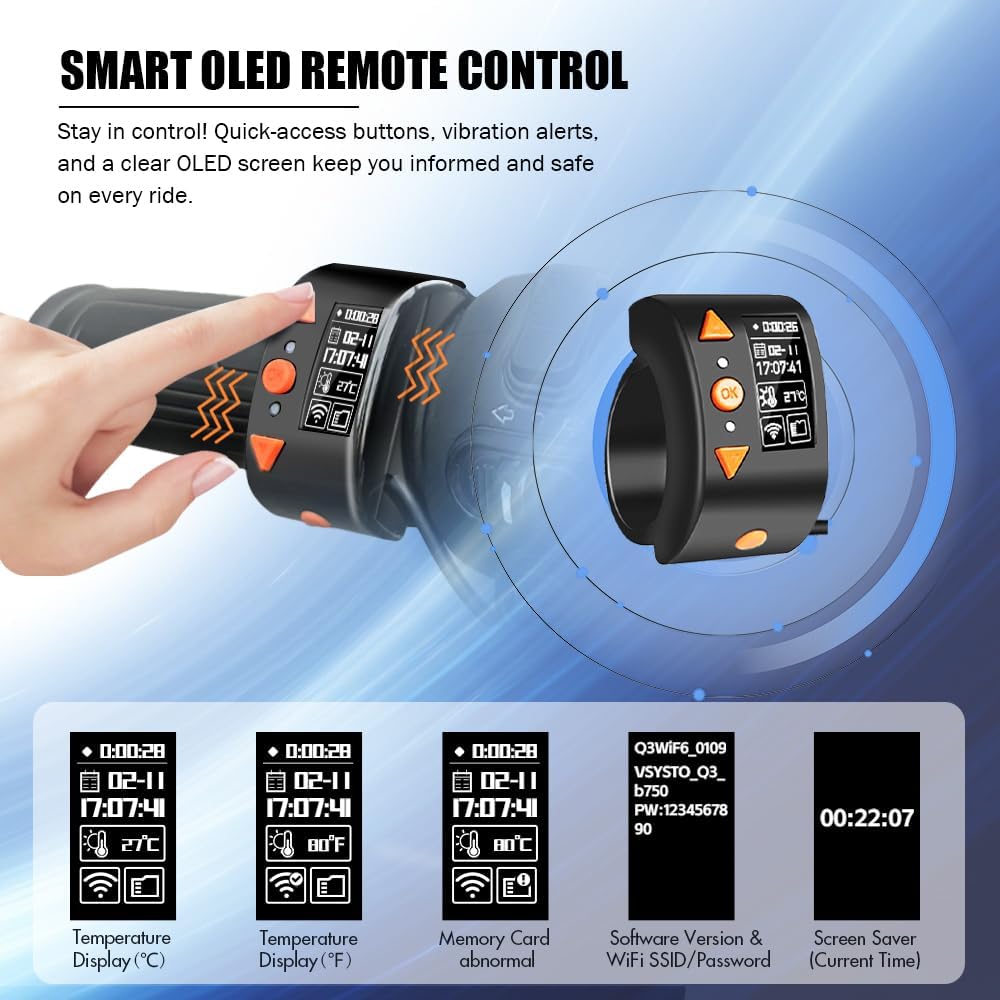
Image 3.1: The Smart OLED Remote Control provides instant information and control, displaying temperature, memory card status, software version, WiFi SSID/password, and current time.
3.4 Connexió d'alimentació
- Connect the ACC power cable to your motorcycle's power source. The red wire typically connects to an ACC (switched) power source, and the black wire to ground.
- Use the provided USB test cable for initial testing before final wiring.
- Ensure all connections are secure and waterproofed where necessary.
4. Instruccions de funcionament
4.1 Enregistrament automàtic
The Q3 Pro dash cam automatically starts recording both front and rear cameras when your motorcycle's ignition is turned on. Recording stops automatically when the ignition is turned off.
4.2 Funcions del controlador amb cable
The OLED wired controller provides real-time information and allows for manual control:
- Pantalla OLED: Shows recording time, temperature, WiFi status, memory card status, and other system information.
- Botó d'emergència: Press this button to manually lock the current video file, evitant que es sobreescrigui amb l'enregistrament en bucle.
- Alertes de vibració: The controller provides vibration alerts for recording errors or system status changes.
4.3 5G WiFi and App Control
The Q3 Pro features 5G WiFi for fast connection to your smartphone via the dedicated app.
- Download the VSYSTO app from your smartphone's app store.
- Enceneu la càmera de tauler.
- Enable WiFi on your smartphone and connect to the dash cam's 5G WiFi network (SSID and password can be viewed on the OLED controller).
- Open the VSYSTO app to view viu footage, download recorded videos, adjust settings, and share content.

Image 4.1: The 5.8GHz WiFi allows for significantly faster video downloads to your smartphone compared to 2.4GHz WiFi, enabling quick review and sharing of footage.
4.4 Monitorització d'aparcaments
The intelligent parking monitoring feature provides security when your motorcycle is parked.
- When an impact or unusual vibration is detected, the dash cam automatically activates and records a 30-second video.
- Volum baixtage Protecció: The system includes low-voltage protection. If your motorcycle's battery voltage drops below 11.5V, parking monitoring will not activate to ensure sufficient power for engine startup.

Image 4.2: Intelligent 24-Hour Parking Monitoring triggers a 30-second recording upon impact and features low-voltage protection to safeguard your motorcycle's battery.
4.5 Enregistrament en bucle i sensor G
The Q3 Pro continuously records by overwriting the oldest files when the MicroSD card is full. The G-Sensor detects sudden movements or impacts.
- Enregistrament en bucle: Videos are recorded in segments (1/2/3/5 minutes, configurable via app). When the card is full, the oldest unlocked files es sobreescriuen.
- Sensor G: In the event of a collision or sudden braking, the G-Sensor automatically locks the current video file, evitant que se sobreescrigui.

Image 4.3: The dash cam features a Gravity Sensor for automatic collision footage locking, a Manual Video Lock button for saving important moments, and Loop Recording for continuous operation.
5. Manteniment
5.1 Neteja
- Wipe the camera lenses and main unit with a soft, damp tela. No utilitzeu productes químics o materials abrasius.
- Ensure all ports and connections are free from dirt and moisture.
5.2 Gestió de targetes MicroSD
- Regularly format the MicroSD card (at least once a month) to maintain optimal performance and prevent data corruption. This can usually be done via the VSYSTO app.
- Replace the MicroSD card if you notice frequent errors or reduced performance.
5.3 actualitzacions de microprogramari
Consulteu periòdicament el lloc web oficial de VSYSTO website or app for available firmware updates. Keeping your dash cam's firmware up-to-date ensures the latest features and bug fixes.
6. Solució De Problemes
If you encounter issues with your VSYSTO Q3 Pro, refer to the following common solutions:
- La càmera del salpicader no s'encén: Check all power connections. Ensure the ACC power cable is correctly wired and receiving power from the motorcycle's ignition.
- Not Recording: Verify that a MicroSD card is inserted and properly formatted. Check the OLED display for any memory card error alerts.
- Problemes de connexió WiFi: Ensure the dash cam's WiFi is enabled. Restart both the dash cam and your smartphone. Confirm you are connecting to the correct 5G WiFi network.
- Poca qualitat de vídeo: Clean camera lenses. Ensure cameras are securely mounted and not vibrating excessively.
- Mode d'aparcament no activat: Check your motorcycle's battery voltage. If it's below 11.5V, parking mode will not activate due to low-voltagprotecció.
- OLED Display Errors: Refer to the specific error message on the OLED display for guidance.
If problems persist, contact VSYSTO customer support for further assistance.
7. Especificacions
| Característica | Especificació |
|---|---|
| Model | Q3 Pro |
| Resolució de vídeo | 1080P (Front & Rear) |
| Velocitat de fotogrames | 30 fps |
| Lent View Angle (FOV) | ~140° |
| Banda Wi-Fi | 5 GHz |
| Control d'aplicacions | Admet |
| Mode d'aparcament | Admet |
| Intervals d'enregistrament en bucle | 1/2/3/5 minuts |
| Sensor G | Integrat |
| Micròfon | Integrat |
| Unitat de control amb cable | Pantalla OLED de 0.96" (64x128) |
| Compatibilitat amb targetes MicroSD | Fins a 512 GB (no inclòs) |
| Bateria | Supercondensador + RTC |
| Waterproof Level (Main Unit) | Classificació IP65 |
| Waterproof Level (Cameras) | Classificació IP67 |
| Temperatura de funcionament | -10 °C a 65 °C (de 14 °F a 140 °F) |
| Humitat de funcionament | 15% - 60% HR |
| Format de vídeo | MP4 (H.264) |
| Dimensions del producte (unitat principal) | 0.79 "P x 2.44" W x 2.28" H |
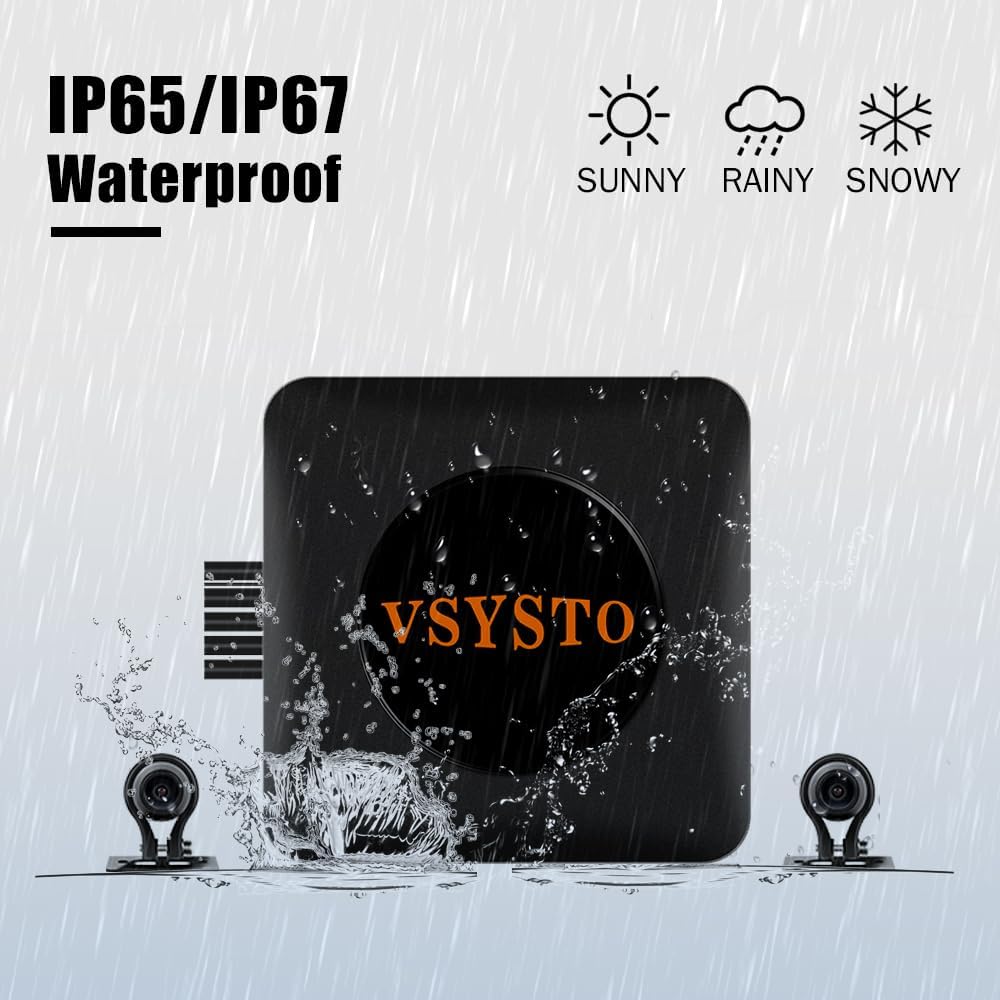
Image 7.1: The VSYSTO Q3 Pro main unit is IP65 rated, and its cameras are IP67 rated, ensuring reliable operation in various weather conditions including sun, rain, and snow.
8. Garantia i Suport
For warranty information and customer support, please refer to the official VSYSTO weblloc web o contacteu directament amb el seu servei d'atenció al client. Conserveu el rebut de compra com a comprovant de compra.
You can visit the VSYSTO store for more information: Botiga VSYSTO