
1. Introducció
Welcome to the user manual for your DOOGEE Note58 Pro Android 16 Smartphone. This guide provides essential information to help you set up, operate, maintain, and troubleshoot your device. Please read this manual thoroughly to ensure optimal performance and longevity of your smartphone.
2. Característiques clau
- Sistema operatiu Android 16: Experience the latest Android 16 OS, optimized for 64-bit applications, offering enhanced startup and response times. Enjoy a user-friendly interface with features like Private Space for sensitive data and App Pair for efficient multitasking.
- Generous Memory & Storage: Equipped with 32GB RAM (8GB physical + 24GB expandable virtual RAM) and 256GB internal storage, expandable up to 2TB via a TF card. This configuration supports smooth multitasking and ample space for all your files.
- Immersive 90Hz HD+ Display: Features a 6.75-inch HD+ IPS display with a 90Hz refresh rate and 1600x720 resolution for a fluid visual experience. Includes two eye-care modes to reduce strain during extended use.
- High-Resolution Camera System: Capture vivid images with the 16MP main camera and natural selfies with the 8MP front camera. Additional depth and macro cameras enhance photographic capabilities.
- Bateria de llarga durada: A large 6250mAh battery provides extended usage, allowing you to comfortably use your phone for photography, gaming, and work throughout the day without frequent recharging.
- Advanced Connectivity & Navigation: Supports Bluetooth 5.2 for stable, low-power connections and Wi-Fi 5 for fast data transfer. Integrated GPS, GLONASS, Galileo, and BeiDou systems ensure accurate navigation in diverse environments.
- Disseny elegant: Boasts an ultra-thin 8.6mm profile with a dirt-resistant finish and a smooth sand-textured back cover for a stylish and comfortable grip.
3. Configuració
3.1 Inserció de targetes SIM i targeta TF
- Localitza la safata de la targeta SIM al lateral del dispositiu.
- Introduïu l'eina d'expulsió de la SIM proporcionada al forat petit que hi ha al costat de la safata i premeu suaument fins que la safata surti.
- Place your Nano-SIM cards and/or TF card into the designated slots on the tray. Ensure the gold contacts face downwards.
- Empenyeu amb cura la safata cap a dins del dispositiu fins que quedi al mateix nivell.
3.2 Engegada/apagada
- To power on: Press and hold the Power button (located on the right side) until the DOOGEE logo appears.
- Per apagar: manteniu premut el botó d'engegada i, a continuació, seleccioneu "Apagar" de les opcions que apareixen a la pantalla.
- To restart: Press and hold the Power button, then select "Restart" from the options on the screen.
3.3 Assistent de configuració inicial
En engegar-lo per primera vegada, seguiu les instruccions que apareixen a la pantalla per completar la configuració inicial, inclosa la selecció d'idioma, la connexió Wi-Fi, l'inici de sessió al compte de Google i la configuració de seguretat.
4. Instruccions de funcionament
4.1 Gestos de pantalla tàctil
- Toca: Toqueu la pantalla una vegada per seleccionar un element, obrir una aplicació o prémer un botó.
- Toca i mantén premut: Touch and hold an item to access contextual menus or drag items.
- Llisca: Arrossega el dit per la pantalla per desplaçar-te, canviar de pantalla o ignorar notificacions.
- Pessigar: Feu servir dos dits per ampliar o reduir les fotos i web pàgines.
4.2 Barra de navegació
The navigation bar at the bottom of the screen typically includes:
- Botó enrere: Torna a la pantalla anterior.
- Botó d'inici: Torna a la pantalla d'inici.
- Recents button: Mostra les aplicacions utilitzades recentment.
4.3 Funcions de seguretat
The Note58 Pro supports multiple security options:
- Desbloqueig de les empremtes digitals: Register your fingerprint for quick and secure unlocking. The fingerprint sensor is typically integrated into the power button.
- Desbloqueig facial: Use the front camera to unlock your device with facial recognition.
- Patró, PIN, Contrasenya: Opcions de seguretat estàndard d'Android.

Image: Face Unlock and Fingerprint Sensor
5. Ús de la càmera
The DOOGEE Note58 Pro features a versatile camera system to capture your moments.
5.1 Main Camera (16MP)
The 16MP main camera captures clear and detailed photos. Open the Camera app and select "Photo" mode for standard shots.

Image: Rear Camera Setup
5.2 Front Camera (8MP)
The 8MP front camera is ideal for natural-looking selfies and video calls. Switch to the front camera within the Camera app.

Image: 8MP Front Camera
5.3 AI Camera Features
Utilize Google AI Camera features for enhanced photography, including object recognition, text extraction, and scene analysis.

Image: Google AI Camera Features
6. Connectivitat
6.1 Connexió Wi-Fi
Per connectar-se a una xarxa Wi-Fi:
- Vés a Configuració > Xarxa i Internet > Wi-Fi.
- Activa la Wi-Fi.
- Seleccioneu la xarxa desitjada de la llista i introduïu la contrasenya si cal.

Image: High-Speed Wi-Fi 5
6.2 Vinculació Bluetooth
Per sincronitzar amb un dispositiu Bluetooth:
- Vés a Configuració > Dispositius connectats > Bluetooth.
- Activa el Bluetooth.
- Make sure your other device is in pairing mode.
- Select the device from the list and follow any on-screen prompts.
6.3 Funcionalitat NFC
The Note58 Pro supports NFC for contactless payments and data transfer. Ensure NFC is enabled in settings to use this feature.

Image: Multifunctional NFC
*Note: Mobile payment services like Google Pay may not be supported in all regions.
7. Gestió de la bateria
The DOOGEE Note58 Pro is equipped with a 6250mAh large-capacity battery for extended use.
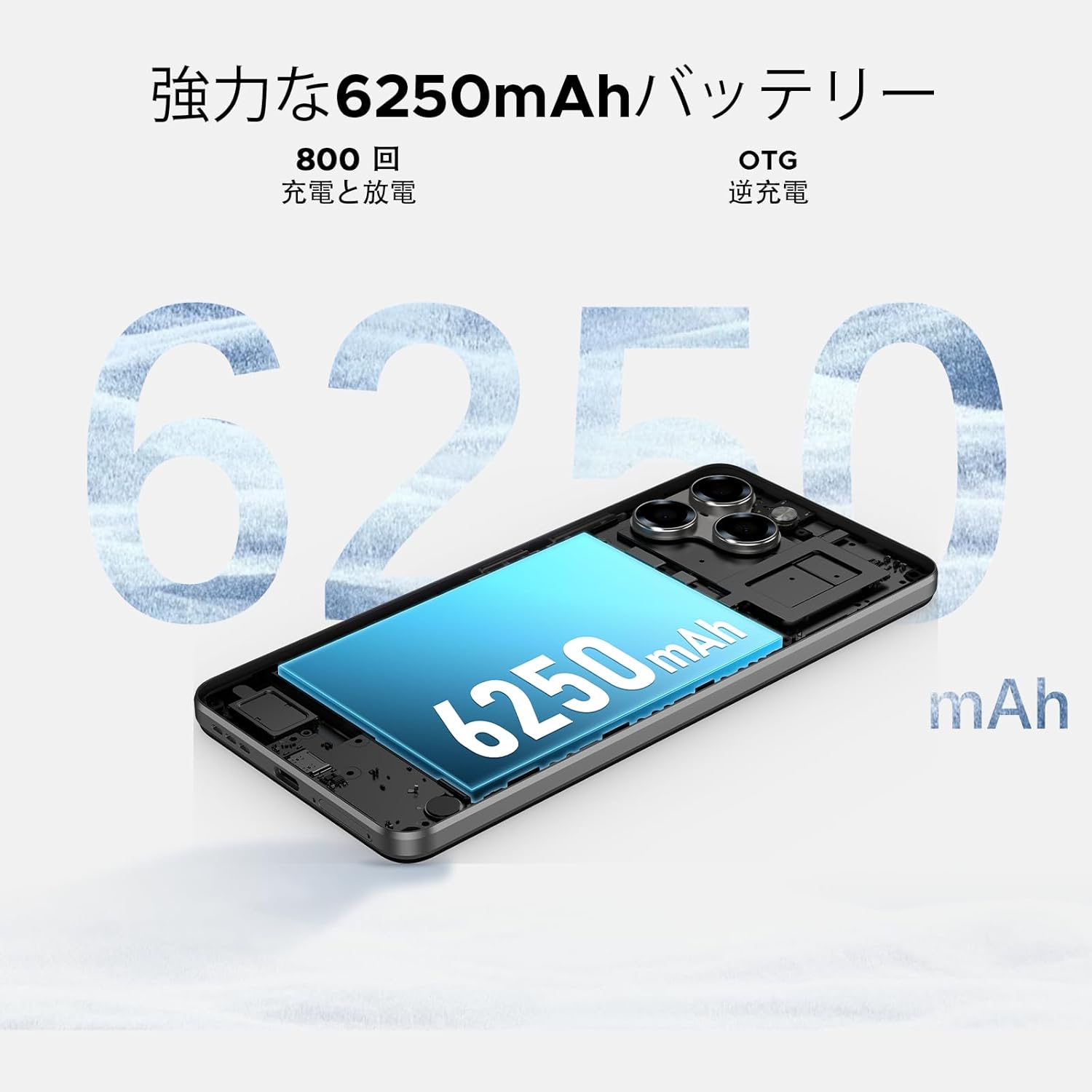
Image: 6250mAh Large Capacity Battery
7.1 Càrrega del dispositiu
Use the provided Type-C cable and charger to charge your smartphone. Connect the Type-C end to the phone's charging port and the adapter to a power outlet. The battery icon on the screen will indicate charging status.
7.2 Optimització de la bateria
Per maximitzar la durada de la bateria, tingueu en compte el següent:
- Redueix la brillantor de la pantalla.
- Desactiva la Wi-Fi, el Bluetooth i el GPS quan no estiguis en ús.
- Tanca les aplicacions en segon pla.
- Enable battery saver mode in Settings.
8. Storage & Performance
The Note58 Pro offers robust performance and ample storage for your needs.
8.1 Memory (RAM)
With 32GB of RAM (8GB physical + 24GB expandable virtual RAM), the device ensures smooth multitasking and efficient app handling, even under heavy usage.
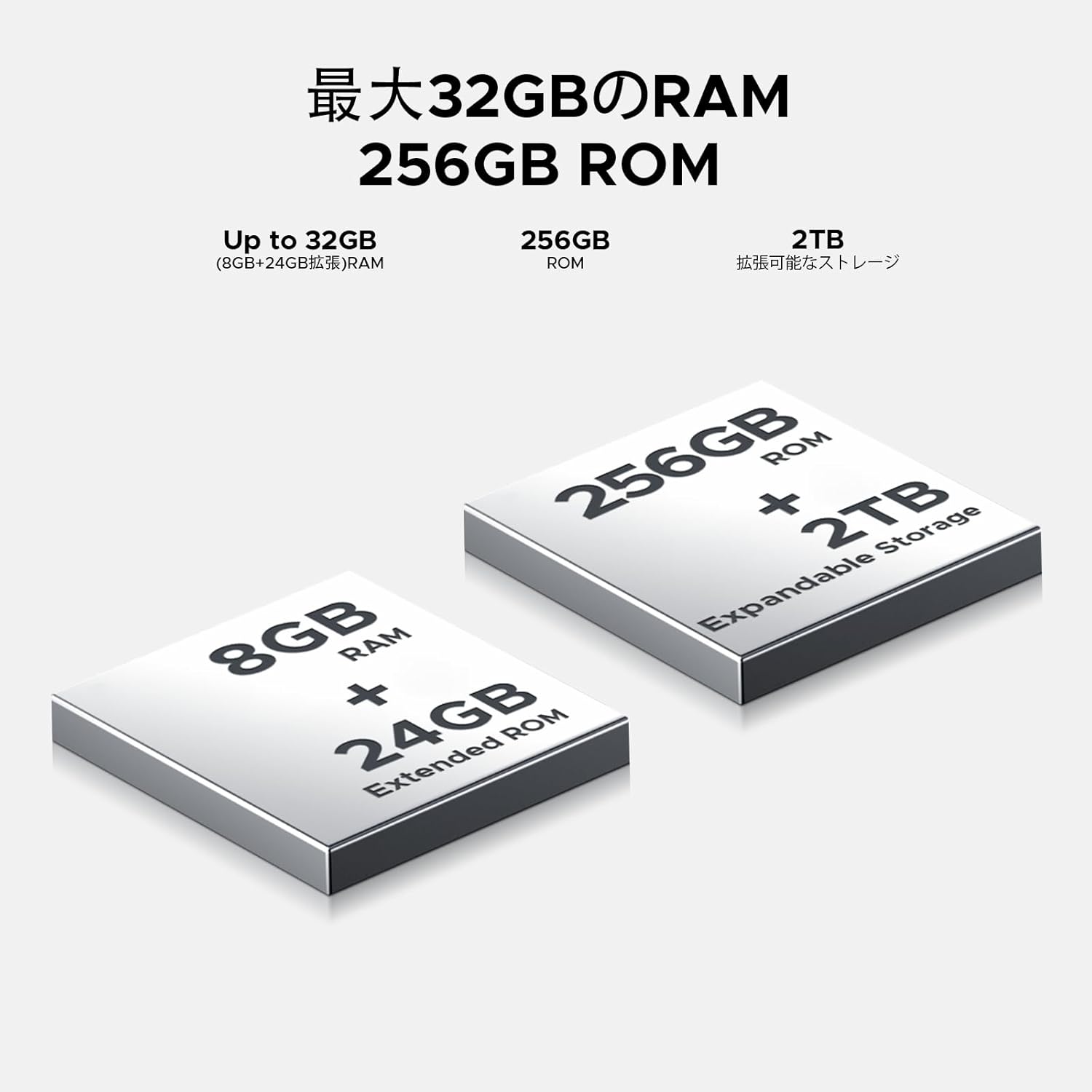
Image: 32GB RAM + 256GB ROM
8.2 Internal Storage (ROM)
The 256GB internal storage provides sufficient space for your apps, photos, and videos. For additional storage, you can expand it up to 2TB using a TF (microSD) card.

Image: 256GB ROM with 2TB Expandable Storage
Processador 8.3
Powered by the Unisoc T7250 Octa-core processor, the device delivers reliable performance for daily tasks, gaming, and multimedia consumption.

Image: Powerful T7250 Octa-core Processor
9. Visualització
The DOOGEE Note58 Pro features a 6.75-inch HD+ IPS display with a 90Hz refresh rate, providing a smooth and vibrant visual experience.
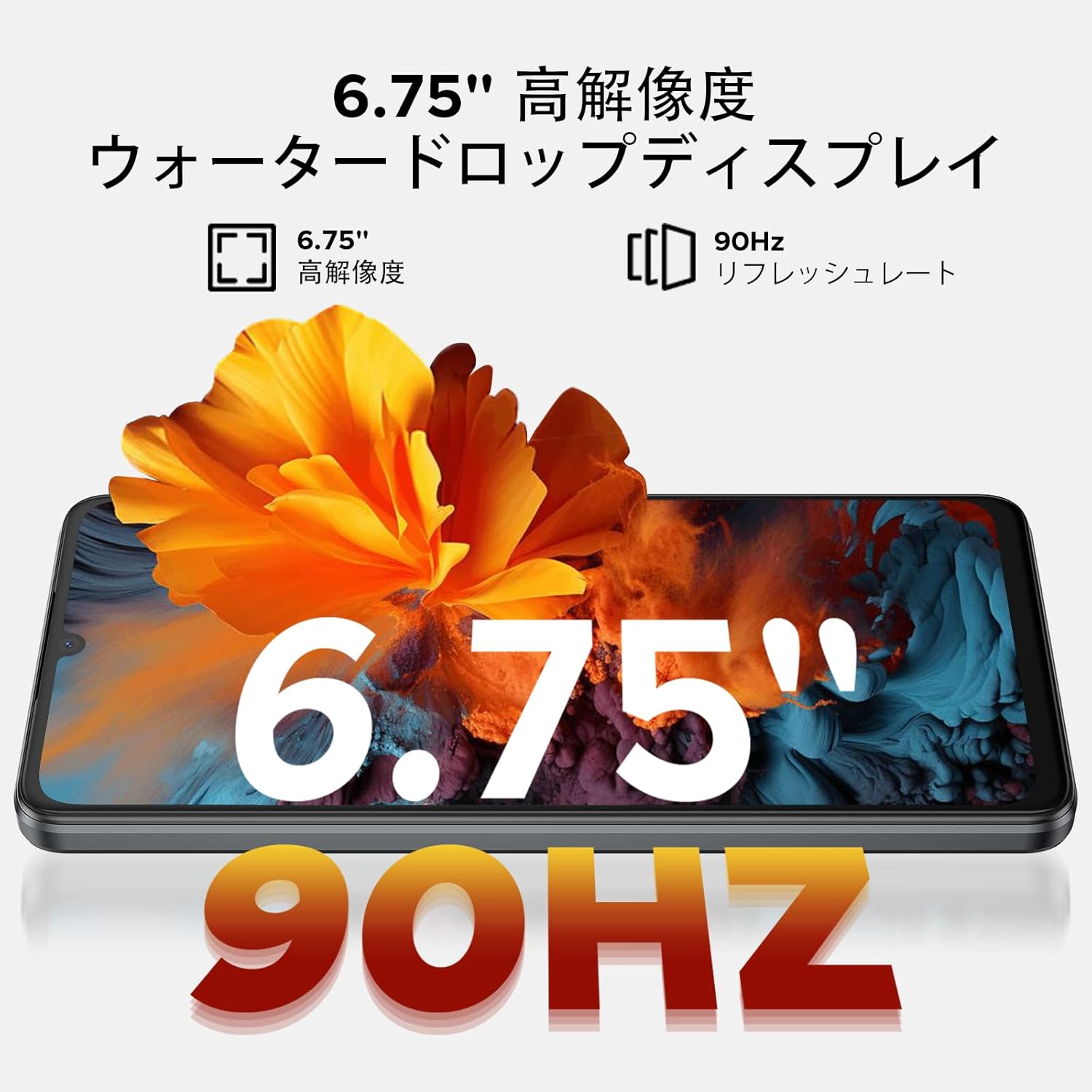
Image: 6.75-inch 90Hz HD+ Display
9.1 Eye-Care Modes
To reduce eye strain, activate the eye-care modes available in the display settings. These modes adjust color temperature to provide a more comfortable viewing experience, especially in low light.
9.2 Suport Widevine L1
The device supports Widevine L1, allowing you to stream high-definition content from popular platforms like Hulu, Amazon Prime Video, and HBO Max.

Image: Seamless Visual Experience with Widevine L1
10. Navegació
The DOOGEE Note58 Pro integrates four major global positioning systems for accurate navigation.

Image: Precise Navigation System
10.1 Supported Systems
- GPS: Sistema de posicionament global
- GLONASS: Globalnaya Navigatsionnaya Sputnikovaya Sistema
- Galileu: European satellite navigation system
- Beidou: Chinese satellite navigation system
These systems ensure reliable location tracking and navigation whether you are in urban areas, mountainous regions, or remote locations.
11. Manteniment
11.1 Neteja del vostre dispositiu
To clean your smartphone, use a soft, lint-free cloth. Avoid using harsh chemicals or abrasive materials, as these can damage the screen and finish. For stubborn smudges, lightly dampNetegeu el drap amb aigua o un netejador de pantalles dissenyat per a electrònica.
11.2 Actualitzacions de programari
Comproveu i instal·leu regularment si hi ha actualitzacions de programari per assegurar-vos que el dispositiu tingui les darreres funcions, pegats de seguretat i millores de rendiment. Aneu a Configuració > Sistema > Actualització del sistema per comprovar si hi ha actualitzacions.
11.3 Gestió d'emmagatzematge
Periòdicament review el vostre emmagatzemat files and applications. Delete unnecessary items to free up space and maintain optimal device performance. You can also offload large files to cloud storage or an external TF card.
12. Solució De Problemes
If you encounter issues with your DOOGEE Note58 Pro, try the following common troubleshooting steps:
- El dispositiu no s'encén: Assegureu-vos que la bateria estigui carregada. Connecteu el carregador i espereu uns minuts abans d'intentar tornar-lo a engegar.
- Les aplicacions es bloquegen o es bloquegen: Close the problematic app and reopen it. If the issue persists, restart your device. Clear the app's cache and data in Configuració > Aplicacions > [Nom de l'aplicació] > Emmagatzematge i memòria cau.
- Poor Wi-Fi/Bluetooth connection: Ensure Wi-Fi/Bluetooth is enabled and you are within range of the network/device. Try forgetting the network/device and reconnecting. Restart your router if it's a Wi-Fi issue.
- Rendiment lent: Close unnecessary background apps. Clear cached data. Check for available software updates. Consider performing a factory reset as a last resort (back up your data first).
- No s'ha detectat la targeta SIM: Ensure the SIM card is correctly inserted and that your carrier's frequency bands are supported by the device. Restart the phone.
- La bateria s'esgota ràpidament: Review ús de la bateria en Configuració > Bateria to identify power-hungry apps. Reduce screen brightness, disable unnecessary features (GPS, Bluetooth, Wi-Fi), and enable battery saver mode.
Si aquests passos no resolen el problema, consulteu la secció Garantia i assistència per obtenir més ajuda.
13. Especificacions
| Característica | Especificació |
|---|---|
| Marca | DOOGEE |
| Número de model | N58 Pro |
| Sistema operatiu | Android 16 |
| Mida de la pantalla | 6.75 polzades |
| Tipus de visualització | LCD |
| Mida de la memòria RAM instal·lada | 32 GB |
| Capacitat d'emmagatzematge de memòria | 256 GB (ampliable fins a 2 TB amb targeta TF) |
| Capacitat de la bateria | 6250 mAh |
| Càmera principal | 16 MP |
| Càmera frontal | 8 MP |
| Tecnologia de connectivitat | Bluetooth 5.2, Wi-Fi 5, 4G Dual SIM, NFC |
| Sistemes de navegació | GPS, GLONASS, Galileo, BeiDou |
| Pes de l'article | 199 grams |
| Dimensions del paquet | 19.2 x 10.4 x 5.2 cm |
| Any de llançament | 2025 |
14. Garantia i assistència
The DOOGEE Note58 Pro comes with a one-year warranty from the date of purchase.
14.1 Frequency Band Compatibility
Before purchase, please verify that the device's supported frequency bands are compatible with your local carrier. Supported bands include:
- GSM: B2/3/5/8
- WCDMAB: 1/2/4/5/8
- TDD: 38/40/41
- FDD: B1/2/3/4/5/7/8/18/19/20/25/26/28A/28B/66
14.2 Suport tècnic
Should you encounter any issues or require technical assistance, please contact our customer support. Our technical specialists are committed to responding within 48 hours.

Image: Customer Service Information
15. Contingut del paquet
The following items are included in your DOOGEE Note58 Pro package:
- 1x Telèfon intel·ligent DOOGEE Note58 Pro
- 1 cable tipus C
- 1x Carregador
- 1x SIM Card Pin
- 1x Caixa d'embalatge
- 1 funda de telèfon

Imatge: Contingut del paquet
16. Opcions de color
The DOOGEE Note58 Pro is available in the following colors:
- Inkstone Black
- Amber Gold
- Silver (as seen in product videos)

Image: Color Options
17. Vídeos de productes
17.1 DOOGEE Note58 Pro Overview
Video: This video provides a quick overview of the DOOGEE Note58 Pro, showcasing its unboxing, design, camera features, and multimedia capabilities. It highlights the phone's sleek appearance and user experience.