
1. Informació de seguretat
Please read all instructions carefully before using the NICRON C1 EDC Rechargeable Flashlight. Keep this manual for future reference.
- Seguretat de la bateria: Ensure the insulating sheet is removed from the battery compartment before first use. Use only the specified 16340 Li-ion rechargeable battery. Do not attempt to use CR123A batteries.
- Avís de calor: The flashlight may become warm during prolonged use, especially on higher brightness modes. Avoid direct contact with the hot surface for extended periods.
- Protecció ocular: Do not shine the light directly into eyes. The high lumen output can cause temporary vision impairment.
- Resistència a l'aigua: The flashlight is IPX8 waterproof, meaning it can be submerged up to 2 meters for 30 minutes. Ensure the USB-C charging port cover is securely closed before exposure to water.
2. Producte acabatview
The NICRON C1 is a compact and powerful Everyday Carry (EDC) flashlight designed for various applications, from outdoor adventures to daily tasks. It features a durable aluminum body, multiple lighting modes, and convenient USB-C recharging.
Característiques principals:
- Alt Brillantor: Sortida de fins a 1200 lúmens.
- Disseny compacte: Lightweight and pocket-sized for easy portability.
- Tap de cua magnètic: Allows attachment to metal surfaces for hands-free operation.
- Dual-Way Clip: Securely attach to clothing, hats, or gear.
- USB-C recarregable: Convenient charging with a Type-C cable.
- Múltiples modes d'il·luminació: Moonlight, Low, Medium, High, Max, Strobe, and SOS.
- Funció de memòria: Recalls the last used mode (excluding Strobe/SOS).
- Impermeable: IPX8 rated for reliable performance in wet conditions.
Components:
- 1. Flashlight Body: Construcció d'alumini resistent.
- 2. Side Switch: Controls power and mode selection.
- 3. Port de càrrega USB-C: Per recarregar la bateria interna.
- 4. Magnetic Tail Cap: Provides magnetic attachment.
- 5. Dual-Way Pocket Clip: For versatile attachment.
- 6. Lanyard: For secure carrying.
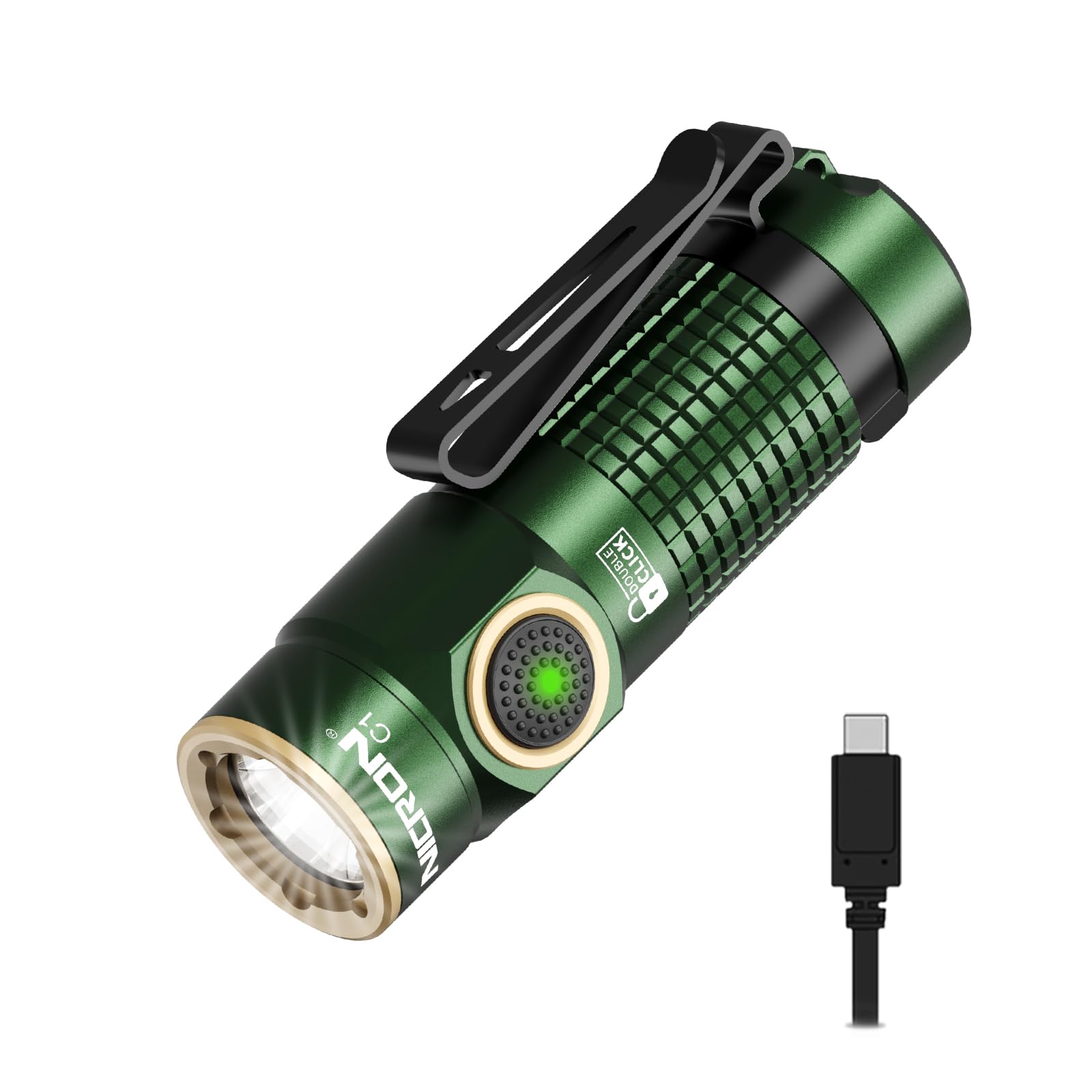
3. Configuració
- Remove Insulating Sheet: Before first use, unscrew the tail cap and remove the plastic insulating sheet located between the battery and the contact point. Re-tighten the tail cap securely.
- Càrrec inicial: It is recommended to fully charge the flashlight before its first use. Refer to the 'Charging' section for detailed instructions.
- Attach Lanyard/Clip: Attach the included lanyard to the tail cap for added security, or utilize the dual-way clip for hands-free carrying options.

4. Instruccions de funcionament
The NICRON C1 features a single side switch for all operations.
- Encès/apagat: Single click the side switch to turn the flashlight ON or OFF.
- Selecció del mode: When the flashlight is ON, press and hold the side switch to cycle through the brightness modes: Moonlight → Low → Medium → High → Max. Release the switch to select the desired mode.
- Special Modes (Strobe/SOS): Double-click the side switch from any state (ON or OFF) to activate Strobe mode. Double-click again to switch to SOS mode. Single click to turn OFF or return to the previously used general mode.
- Lock/Unlock Function: Double-click the switch from the OFF state to lock the flashlight. This prevents accidental activation. Double-click again to unlock.
- Funció de memòria: The flashlight will remember the last used general brightness mode (Moonlight, Low, Medium, High, Max) when turned off and will return to that mode when turned on again. Strobe and SOS modes are not memorized.

5. Càrrega
The NICRON C1 is equipped with a convenient USB-C charging port.
- Connectar el cable: Open the rubber cover on the side of the flashlight to expose the USB-C charging port. Insert the provided USB-C cable into the port and connect the other end to a USB power source (e.g., wall adapter, power bank, computer).
- Indicador de càrrega: The switch indicator light will illuminate VERMELL while the flashlight is charging.
- Indicació de càrrega completa: El llum indicador s'encén VERD quan la bateria estigui completament carregada.
- Temps de càrrega: El temps de càrrega pot variar segons la font d'alimentació.
- Coberta de port segura: After charging, ensure the rubber cover is firmly pressed back into place to maintain the flashlight's IPX8 water resistance.

6. Manteniment
- Neteja: Netegeu el cos de la llanterna amb un drap suau iamp tela. No utilitzeu netejadors abrasius ni dissolvents.
- juntes tòriques: Periodically inspect the O-rings for wear and tear. Replace them if damaged to maintain water resistance. A spare O-ring is included.
- Lubricació: Apply a thin layer of silicone grease to the O-rings and screw threads occasionally to ensure smooth operation and water resistance.
- Emmagatzematge: Store the flashlight in a cool, dry place when not in use for extended periods. Recharge the battery every few months to maintain its health.
7. Solució De Problemes
If you encounter issues with your NICRON C1 flashlight, please refer to the following common solutions:
- La llanterna no s'encén:
- Ensure the battery insulating sheet has been removed.
- Comproveu si la bateria està carregada. Torneu-la a carregar si cal.
- Verify the tail cap is fully tightened. A loose tail cap can prevent electrical contact.
- Check if the flashlight is in lock mode (double-click to unlock).
- Light Output is Weak or Flickering:
- Pot ser que el nivell de bateria sigui baix. Torneu a carregar la bateria.
- Assegureu-vos que la bateria estigui ben inserida.
- Fuga d'aigua:
- Ensure the USB-C charging port cover is fully sealed.
- Check the O-rings for damage or improper seating.
If the issue persists, please contact NICRON customer support.
8. Especificacions
| Característica | Detall |
|---|---|
| Model | C1 |
| Brillantor (màx.) | 1200 lúmens |
| Font de llum | LED |
| Distància del feix | Fins a 148 metres |
| Intensitat | 5500 cd |
| Font d'alimentació | Battery Powered (1x 16340 Lithium Ion, included) |
| Port de càrrega | USB tipus C |
| Runtime (Moonlight) | Up to 90 hours (1 Lumen) |
| Runtime (Max) | 2 hours (1200 Lumens) |
| Resistència a l'aigua | IPX8 (Submersible up to 2 meters for 30 minutes) |
| Resistència a les caigudes | 1 metre |
| Material | Aliatge d'alumini de grau aeroespacial |
| Dimensions (L x P) | 69 mm x 25 mm (2.7" x 0.98") |
| Pes | 56 grams (with battery) |
| Components inclosos | Flashlight, Li-ion Battery, USB-C Cable, Lanyard |

9. Garantia i Suport
The NICRON C1 EDC Rechargeable Flashlight comes with a Garantia limitada del fabricant d'2 any. For warranty claims, technical support, or any inquiries, please contact NICRON customer service through your retailer or the official NICRON weblloc.