
MageGee V920
Manual d'usuari del combinat de teclat i ratolí sense fil MageGee V920
Model: V920
Introducció
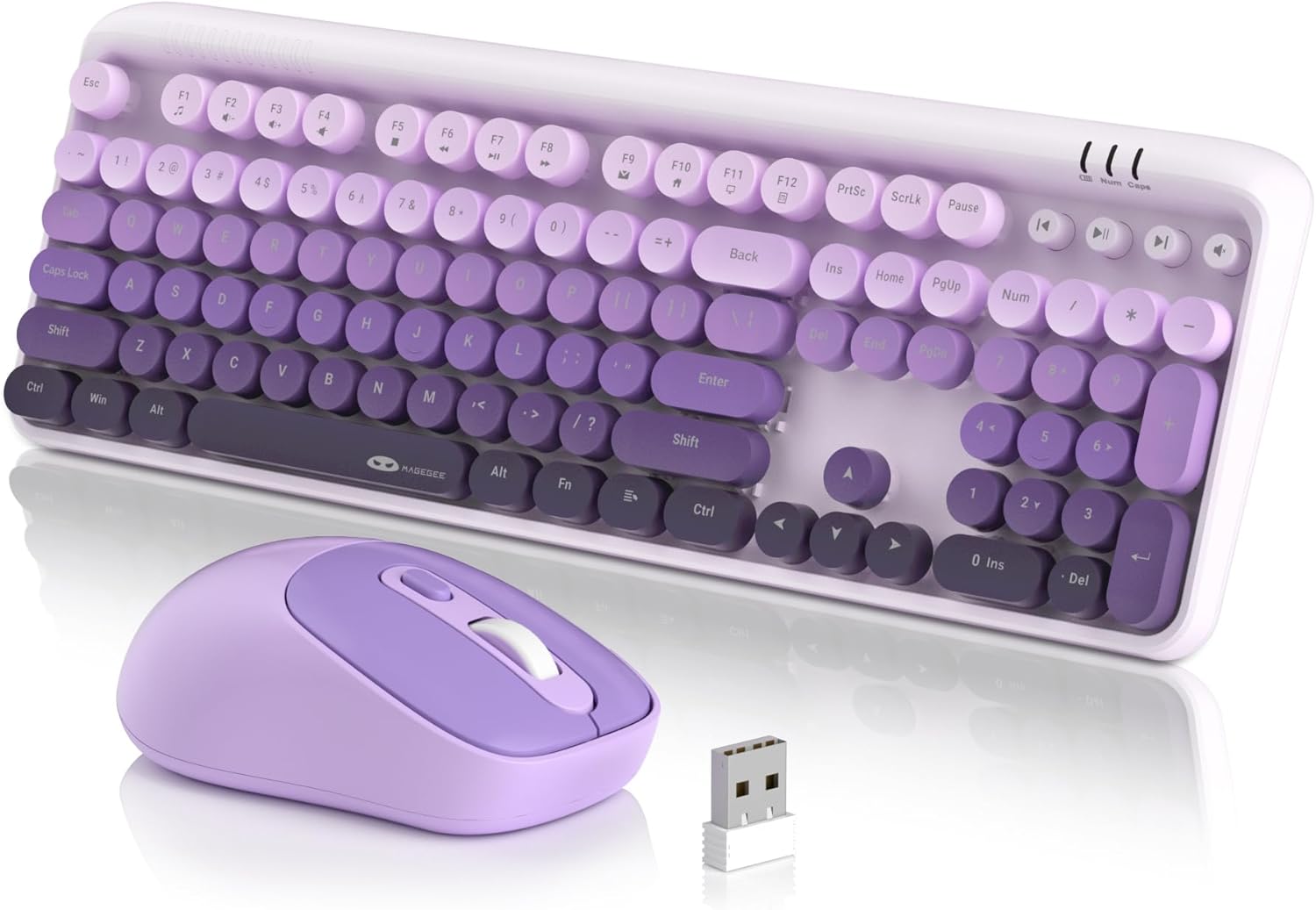
Thank you for choosing the MageGee V920 Wireless Keyboard and Mouse Combo. This product offers a seamless 2.4GHz wireless connection, a full-sized retro-style keyboard with round keycaps, and an ergonomic optical mouse. This manual provides detailed instructions for setup, operation, maintenance, and troubleshooting to ensure optimal performance and longevity of your device.
Contingut del paquet
- 1 x teclat sense fils
- 1 x ratolí sense fil
- 1 x Receptor USB de 2.4 G
- 1 x Manual d'usuari

Instruccions de configuració
1. Instal·lació de la bateria
The keyboard and mouse each require one AA battery (not included). Follow these steps to install the batteries:
- Locate the battery compartment on the underside of the keyboard and the mouse.
- Obriu la tapa del compartiment de la bateria.
- Insert one AA battery into each device, ensuring correct polarity (+/-).
- Tanqueu les cobertes del compartiment de la bateria de manera segura.
2. Connexió del receptor USB
The keyboard and mouse share a single 2.4G USB receiver for connection to your computer.
- The USB receiver is stored in a slot at the bottom of the mouse for convenience. Gently remove it.
- Connecteu el receptor USB a un port USB-A disponible del vostre ordinador (portàtil o PC).
- The system will automatically detect and install the necessary drivers. No manual driver installation is required.

3. Encès
- Teclat: The keyboard does not have a separate power switch. It will activate once batteries are installed and the receiver is connected.
- Ratolí: Locate the independent power switch on the bottom of the mouse. Slide it to the 'ON' position.
Your MageGee V920 combo is now ready for use.
Instruccions de funcionament
Connexió sense fils a 2.4 GHz
The V920 combo utilizes a stable 2.4GHz wireless connection, offering a transmission range of up to 33 feet (10 meters). This ensures reliable performance without significant lag or dropouts.

Característiques del teclat
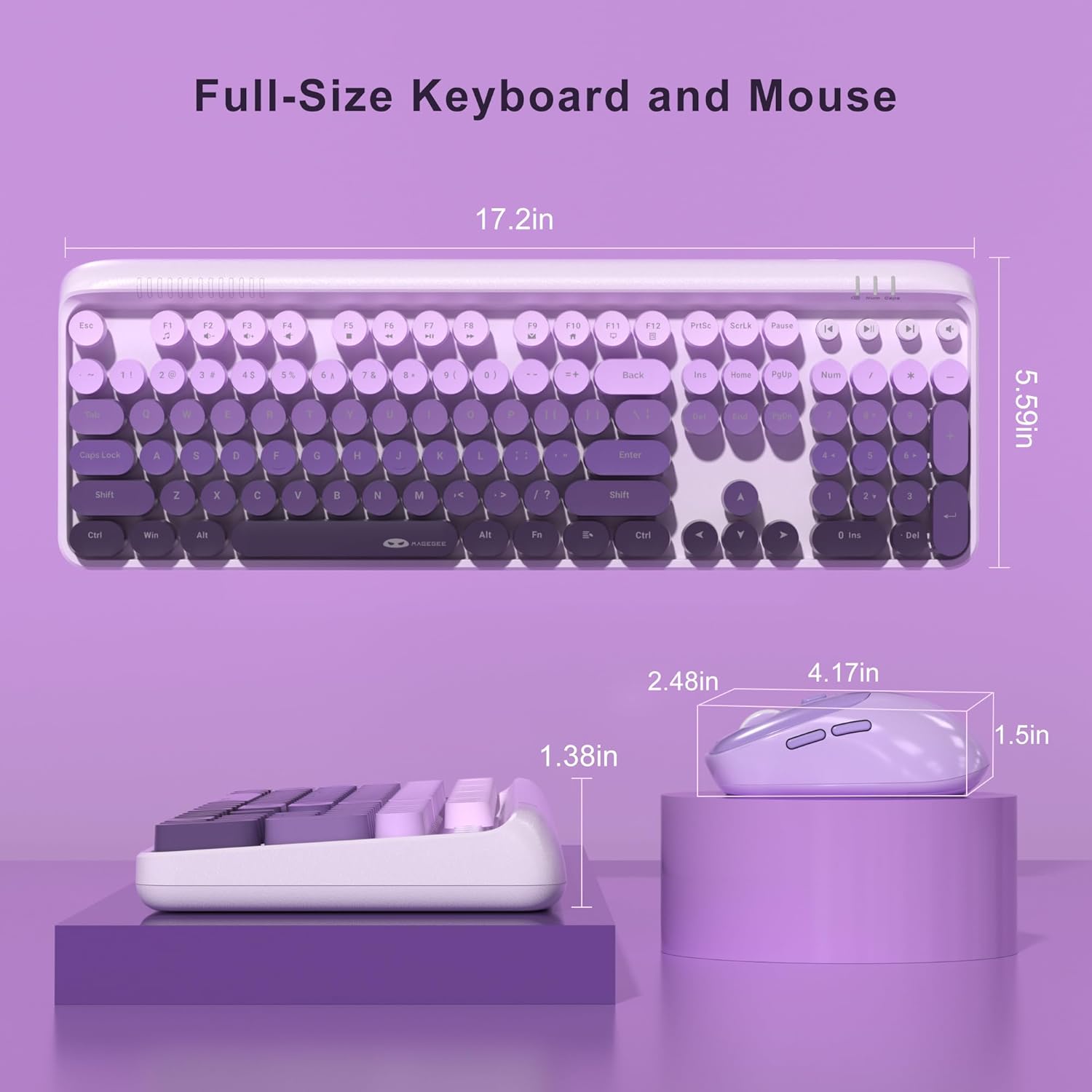
- Full-Sized Layout: The keyboard features a 104-key layout, including a numeric keypad for efficient data entry.
- Tecles rodones retro: Designed for comfortable typing and a unique aesthetic.
- Potes inclinables ajustables: Two-step keyboard feet allow you to set the keyboard at 3 different tilt angles to reduce wrist pressure and enhance ergonomic comfort.

Tecles de drecera multimèdia
The keyboard includes 12 standard multimedia shortcut keys and 4 dedicated one-touch hotkeys for quick access to various functions. Note: Some functions may not be available on Mac systems.
- FN + F1-F12 Combinations: Use the 'FN' key in combination with F1 through F12 for functions such as media playback control, volume adjustment, and opening applications.
- Tecles d'accés directe dedicades: Four independent keys provide instant control for Previous Track, Play/Pause, Next Track, and Mute.


Funcions del ratolí
- 6 Botons: The ergonomic mouse features 6 buttons for enhanced functionality.
- 3 Tracking Speed Levels (DPI): Adjust the mouse sensitivity to 800, 1200, or 1600 DPI to match your work demands and personal preference. Press the DPI button located behind the scroll wheel to cycle through the settings.
- Clics silenciosos: Designed for quiet operation, ensuring you do not disturb others in shared environments.

Smart Auto-Sleep Mode
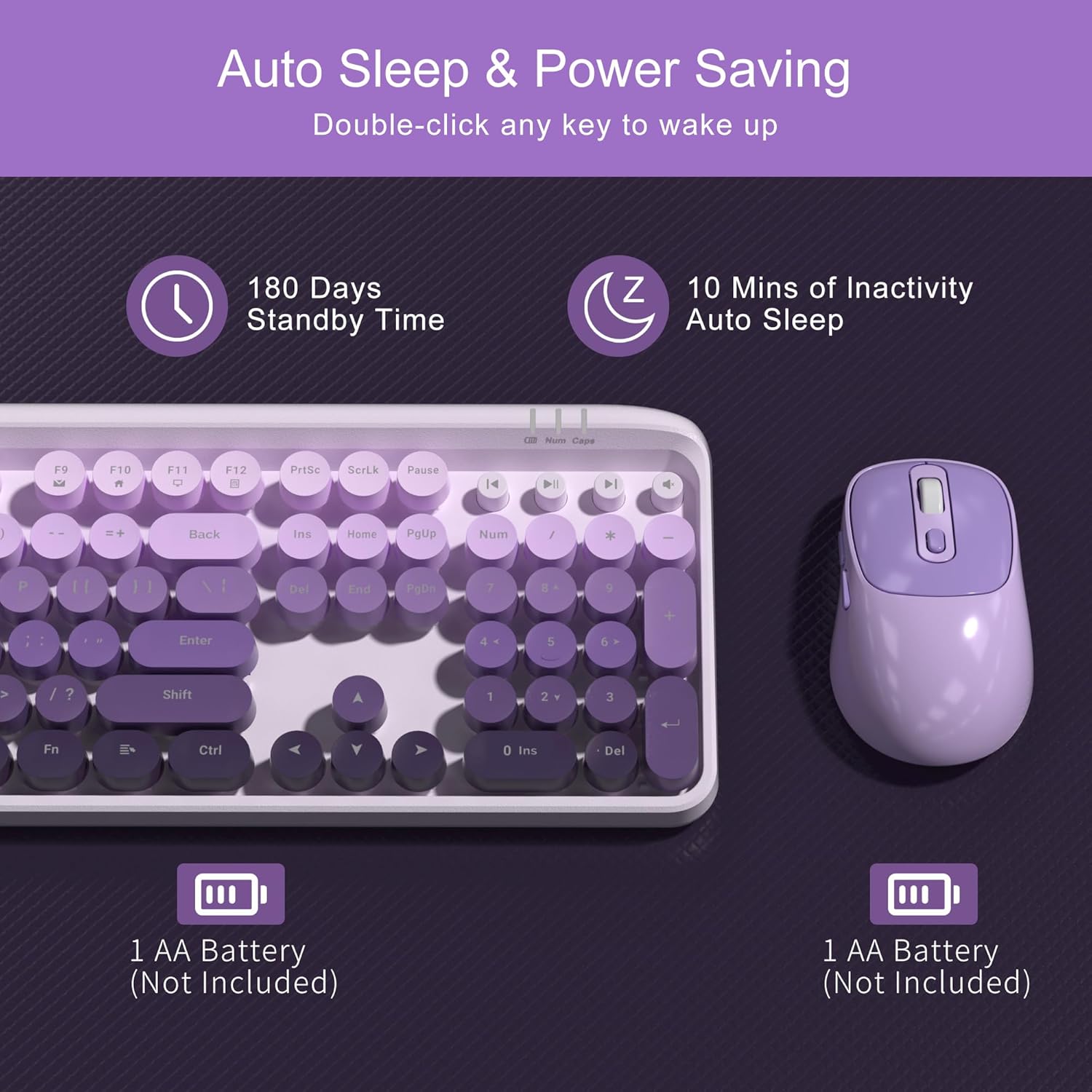
To conserve battery life, both the keyboard and mouse automatically enter an energy-saving sleep mode after 10 minutes of inactivity. To wake them up, simply double-click any key on the keyboard or any button on the mouse. The mouse also has an independent power switch for manual shutdown when not in use for extended periods.
Manteniment
Neteja del teclat
The V920 keyboard features removable round keycaps, making cleaning simple:
- Gently pull up on the keycaps to remove them.
- Use a soft brush or compressed air to remove dust and debris from under the keycaps and from the keyboard base.
- Wipe the keycaps with a damp cloth and mild cleaning solution if necessary. Ensure they are completely dry before reattaching.
- Align the keycaps with their respective switches and press down firmly until they click into place.

Canvi de bateria
When the keyboard or mouse becomes unresponsive or exhibits intermittent connection issues, it may be time to replace the batteries. Follow the battery installation steps outlined in the Setup Instructions section.
Resolució de problemes
- No Connection / Unresponsive Device:
- Assegureu-vos que el receptor USB estigui connectat correctament a un port USB que funcioni de l'ordinador.
- Check if the batteries in both the keyboard and mouse are correctly installed and have sufficient charge. Replace them if necessary.
- Assegureu-vos que l'interruptor d'engegada del ratolí estigui en la posició "ON".
- Acosteu el teclat i el ratolí al receptor USB per descartar problemes d'abast.
- Prova de connectar el receptor USB a un port USB diferent de l'ordinador.
- Reinicieu l'ordinador.
- Connexió endarrerida o intermitent:
- Reduce interference by moving other wireless devices (e.g., Wi-Fi routers, cordless phones) away from the receiver.
- Ensure there are no large metal objects between the keyboard/mouse and the receiver.
- Comproveu els nivells de la bateria i substituïu-la si és baixa.
- El cursor del ratolí salta o és inexacte:
- Netegeu el sensor òptic de la part inferior del ratolí.
- Assegureu-vos que feu servir el ratolí sobre una superfície adequada. Eviteu superfícies molt reflectants o transparents.
- Ajusteu la configuració de DPI amb el botó DPI del ratolí.
- Multimedia Keys Not Working on Mac:
- Some multimedia functions may not be fully supported on macOS due to system-specific configurations. This is expected behavior.
Especificacions
| Característica | Detall |
|---|---|
| Número de model | V920 |
| Tecnologia de connectivitat | 2.4G sense fil |
| abast sense fils | Fins a 33 peus (10 metres) |
| Disposició del teclat | Full-Sized (104 keys) |
| Estil de tecla | Retro Round, Removable |
| Configuració de DPI del ratolí | 800 / 1200 / 1600 |
| Botons del ratolí | 6 Botons |
| Font d'alimentació | 1 pila AA (teclat), 1 pila AA (ratolí) |
| Mode de repòs automàtic | Després de 10 minuts d'inactivitat |
| Dimensions del producte (teclat) | 17.2 x 5.59 x 1.38 polzades |
| Pes de l'article | 1.5 lliures |
| Dispositius compatibles | Ordinador portàtil, ordinador personal |

Garantia i Suport
MageGee products are designed for reliability and performance. This product comes with a standard manufacturer's warranty against defects in materials and workmanship. Please refer to the warranty card included in your package for specific terms and conditions.
For technical support, warranty claims, or any questions regarding your MageGee V920 Wireless Keyboard and Mouse Combo, please contact MageGee customer service through the retailer's platform or visit the official MageGee weblloc per obtenir informació de contacte.
Informació de seguretat
- Do not expose the device to liquids or excessive humidity.
- Eviteu temperatures extremes.
- No intenteu desmuntar ni reparar el dispositiu vosaltres mateixos. Això podria anul·lar la garantia.
- Eliminar les bateries segons la normativa local.
- Mantenir fora de l'abast dels nens.
Ask a question about this manual
Ask about setup, troubleshooting, compatibility, parts, safety, or missing instructions. Manuals+ will review the question and use this page’s manual context to help answer it.