
Introducció
Thank you for choosing the ILIFE V5s Plus Robot Vacuum and Mop. This device is designed to provide efficient cleaning for your home, combining both vacuuming and mopping functions. It features smart navigation, app control, and automatic self-charging for convenience. Please read this manual thoroughly before use to ensure proper operation and maintenance.
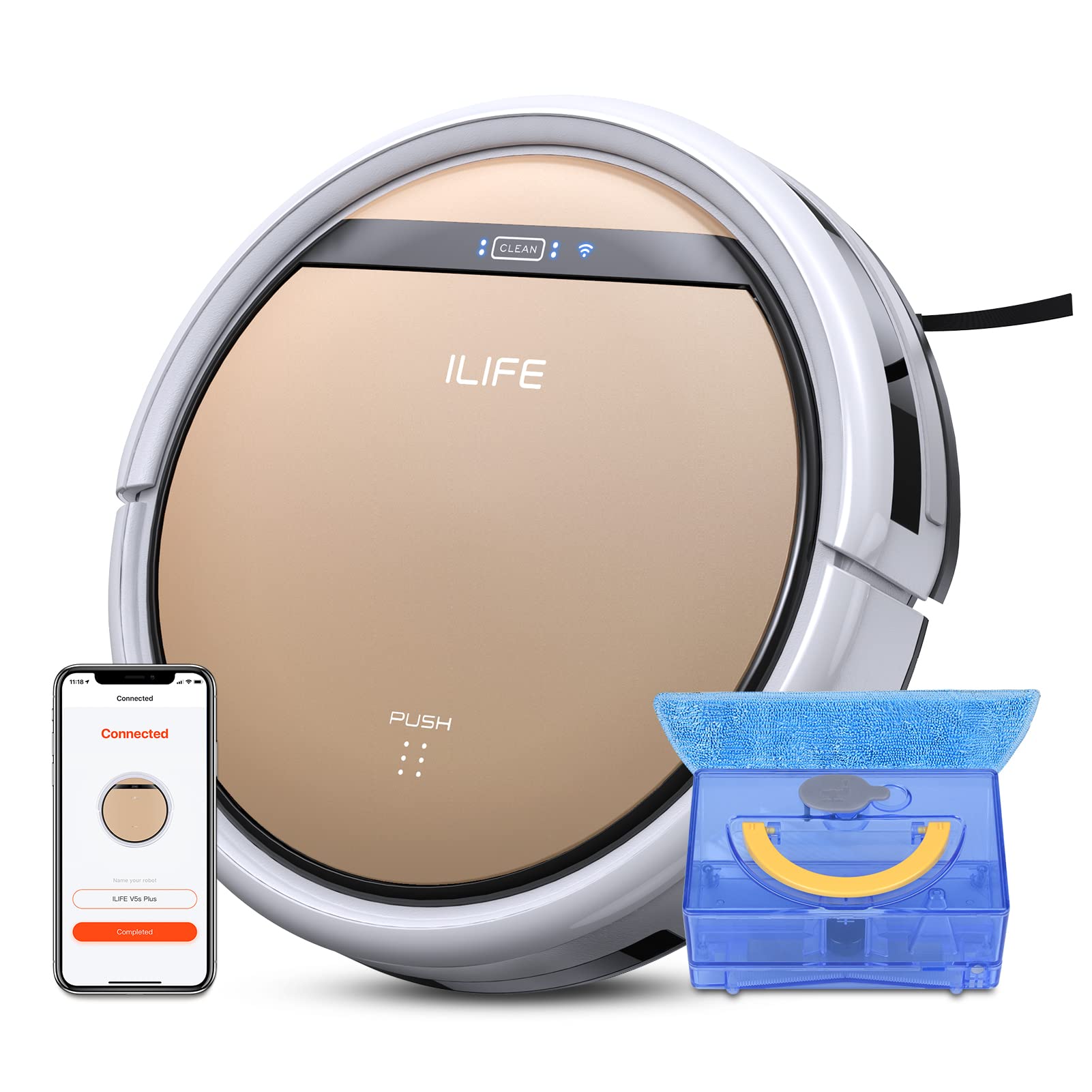
The ILIFE V5s Plus Robot Vacuum and Mop, ready for use.
Instruccions de seguretat
Before operating the ILIFE V5s Plus, please observe the following safety precautions:
- Llegiu atentament totes les instruccions abans d'utilitzar l'aparell.
- Keep the robot and its accessories out of reach of children.
- No feu funcionar el robot en ambients humits ni a prop de l'aigua.
- Ensure the charging dock is placed on a flat surface against a wall, with clear space around it.
- Remove any loose cables, small objects, or fragile items from the cleaning path to prevent entanglement or damage.
- No feu servir el robot per recollir deixalles grans, objectes punxeguts o líquids que no siguin aigua per fregar.
- Only use the original power adapter and charging dock provided with the robot.
Què hi ha a la caixa
Verifiqueu que tots els components siguin presents al paquet:
- Cos principal (bateria inclosa)
- Base de càrrega
- Comandament a distància (bateria no inclosa)
- Adaptador de CA
- Eina de neteja
- Drap de fregona
- Dipòsit d'aigua
- Manual d'usuari
- Filtre d'alt rendiment
- Raspalls laterals addicionals
Configuració
1. Càrrega inicial
Place the charging dock against a wall in an open area. Connect the AC adapter to the charging dock and plug it into a power outlet. Place the robot onto the charging dock, ensuring the charging pins align. The robot will begin charging automatically. Allow for a full charge before first use (approximately 3-5 hours).
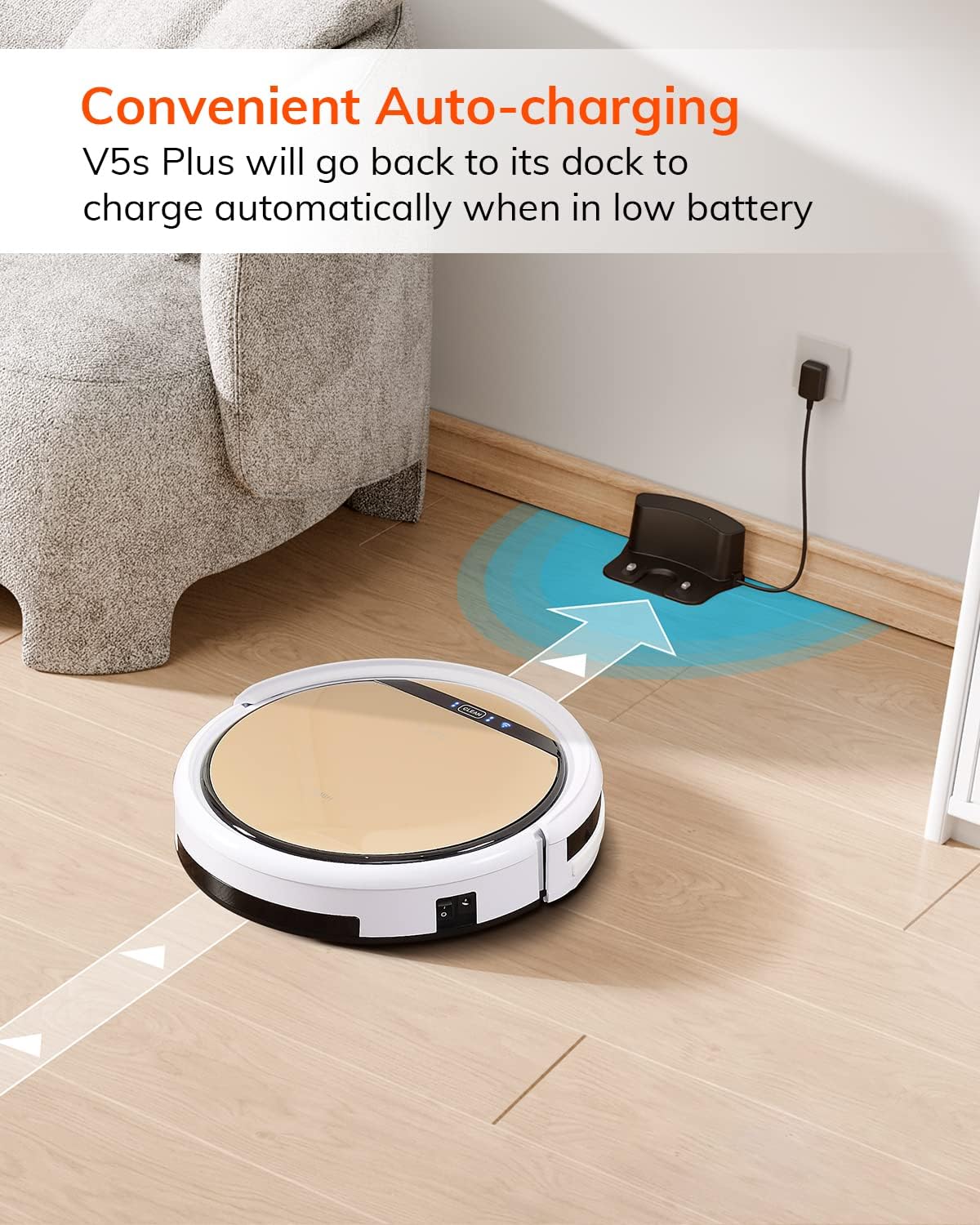
The robot automatically returns to its charging dock when the battery is low.
2. App Download and WiFi Connection
Download the 'ILIFEHOME' app from your smartphone's app store. Follow the in-app instructions to connect your robot to your home WiFi network. Ensure your WiFi is 2.4GHz, as the app does not support 5G WiFi.

Control the robot and schedule cleaning via the ILIFEHOME app.
3. Preparació de la zona de neteja
Before each cleaning cycle, clear the floor of any obstacles such as cables, toys, or small rugs that could entangle the robot. For mopping, ensure the water tank is filled and the mop cloth is attached.
Instruccions de funcionament
1. Encendre/apagar
To power on the robot, press the 'CLEAN' button on the robot or use the remote control/app. To power off, press and hold the 'CLEAN' button until the indicator lights turn off, or use the app.
2. Modes de neteja
The ILIFE V5s Plus offers multiple cleaning modes:
- Mode automàtic: The robot automatically cleans the area, adjusting its path as needed.
- Mode local: Se centra en una zona bruta específica, netejant en espiral.
- Mode de vora: Neteja les parets i les vores dels mobles.
- Mode màxim: Augmenta la potència d'aspiració per a una neteja més profunda.
- Scheduling Cleaning Mode: Set a cleaning schedule via the app for automated cleaning.

The robot utilizes various cleaning modes to suit different needs.
3. Aspirar i fregar
The V5s Plus functions as both a vacuum and a mop. For vacuuming, ensure the dustbin is installed. For mopping, replace the dustbin with the water tank and attach a clean mop cloth. The intelligent control water tank offers three-level water outlet: gentle, standard, and strong, which can be controlled by the App.

The ILIFE V5s Plus offers both vacuuming and mopping capabilities.
4. Control per veu
The ILIFE V5s Plus is compatible with Amazon Alexa and Google Assistant. Connect your robot to your smart home system to start or stop cleaning tasks using voice commands.

Control your robot with voice commands through Alexa or Google Assistant.
5. Automatic Charging
When the battery is low or a cleaning cycle is complete, the robot will automatically return to its charging dock. Ensure the charging dock is accessible and free from obstructions.

The robot automatically returns to its charging base when power is low.
Manteniment
Regular maintenance ensures optimal performance and extends the lifespan of your ILIFE V5s Plus.
1. Buidar i netejar el contenidor d'escombraries
Open the top cover of the robot and remove the dustbin. Empty the dustbin into a trash receptacle. Clean the dustbin and filter with the provided cleaning tool or a soft brush. Rinse the dustbin with water if necessary, ensuring it is completely dry before reinstallation.
2. Filling and Cleaning the Water Tank
Remove the water tank from the robot. Open the water tank cap and fill it with clean water. Securely close the cap and reinsert the water tank into the robot. After mopping, empty any remaining water and rinse the tank. Allow it to air dry.

The water tank for the mopping function.
3. Neteja dels raspalls laterals
Regularly check the side brushes for tangled hair or debris. Remove any obstructions using the cleaning tool or scissors. Replace worn-out side brushes with new ones.
4. Neteja dels sensors
Wipe the anti-drop sensors and anti-collision sensors on the robot's underside and front bumper with a clean, dry cloth to ensure proper navigation.
Resolució de problemes
If you encounter issues with your ILIFE V5s Plus, refer to the following common problems and solutions:
- Robot does not power on: Ensure the battery is charged. Check if the power switch on the side of the robot is turned on.
- El robot no es carrega: Verify the charging dock is powered and the robot is correctly aligned with the charging pins. Clean the charging contacts on both the robot and the dock.
- El robot es queda encallat sovint: Clear the cleaning area of obstacles. Check for tangled hair in the side brushes or wheels.
- Mal rendiment de neteja: Empty the dustbin and clean the filter. Clean the side brushes. Ensure the water tank is properly filled for mopping.
- Unable to connect to App:
- Make sure to select the correct Wi-Fi and login with the correct Wi-Fi password.
- The ILIFE Robot does not support 5G Wi-Fi. Make sure to use a 2.4G Wi-Fi connection.
- Make sure the Wi-Fi signal is covered and strong.
- Allow the ILIFEHOME APP to have access to your location services and wireless data.
Especificacions
| Característica | Detall |
|---|---|
| Marca | ILIFE |
| Nom del model | V5s Plus |
| Recomanació de superfície | Sòl dur |
| Potència d'aspiració | 2 kpa |
| Temps d'ús | Fins a 110 minuts |
| Capacitat del dipòsit d'aigua | 300 ml |
| Capacitat de caixa de pols | 300 ml |
| Dust Box Filter Type | High efficiency filter + nylon mesh |
| Modes de neteja | Auto/Spot/Edge/Max |
| Tipus de control | Remote Control/ App Control/ Alexa/ Google Assistant |
| Dimensions del producte | 30 L x 30 W x 8.1 H centímetres |
| Tipus de bateria | Ió de liti |
| Voltage | 110 Volts |
Garantia
The ILIFE V5s Plus Robot Vacuum and Mop comes with a Garantia del fabricant de 1 anysSi us plau, conserveu el comprovant de compra per a reclamacions de garantia. La garantia cobreix els defectes de materials i fabricació en condicions d'ús normal. No cobreix els danys causats per mal ús, accidents, modificacions no autoritzades o desgast normal.
Suport
For further assistance, technical support, or warranty inquiries, please contact ILIFE customer service:
- Correu electrònic: service_us_ca@iliferobot.com
Producte acabatview Vídeo
Mireu aquest vídeo per a una visió generalview of the ILIFE V5s Plus features and operation.
Producte oficial acabatview of the ILIFE V5s Plus Robot Vacuum and Mop.