
Xbox EP2-29563
Xbox Wireless Controller Storm Breaker Special Edition
Model: EP2-29563
Marca: Xbox
Introducció
The Xbox Wireless Controller Storm Breaker Special Edition is designed to provide an enhanced gaming experience across multiple platforms. This controller features a unique aesthetic with classic grays and blacks, offset with whites, along with textured grips for improved handling. It offers seamless connectivity and customizable controls to optimize your gameplay.
Característiques clau
- Storm Breaker Special Edition Design: Features a distinctive gray, black, and white pattern.
- Textured Triggers: Provides enhanced grip and control during gameplay.
- Empunyadures de goma: Located on the back cases for secure handling.
- Wireless & Bluetooth Connectivity: Easily pairs with Xbox consoles, PCs, and mobile devices.
- Botó Compartir: Seamlessly capture and share screenshots and game recordings.
- Mapa de botons personalitzable: Personalize controls using the Xbox Accessories app.
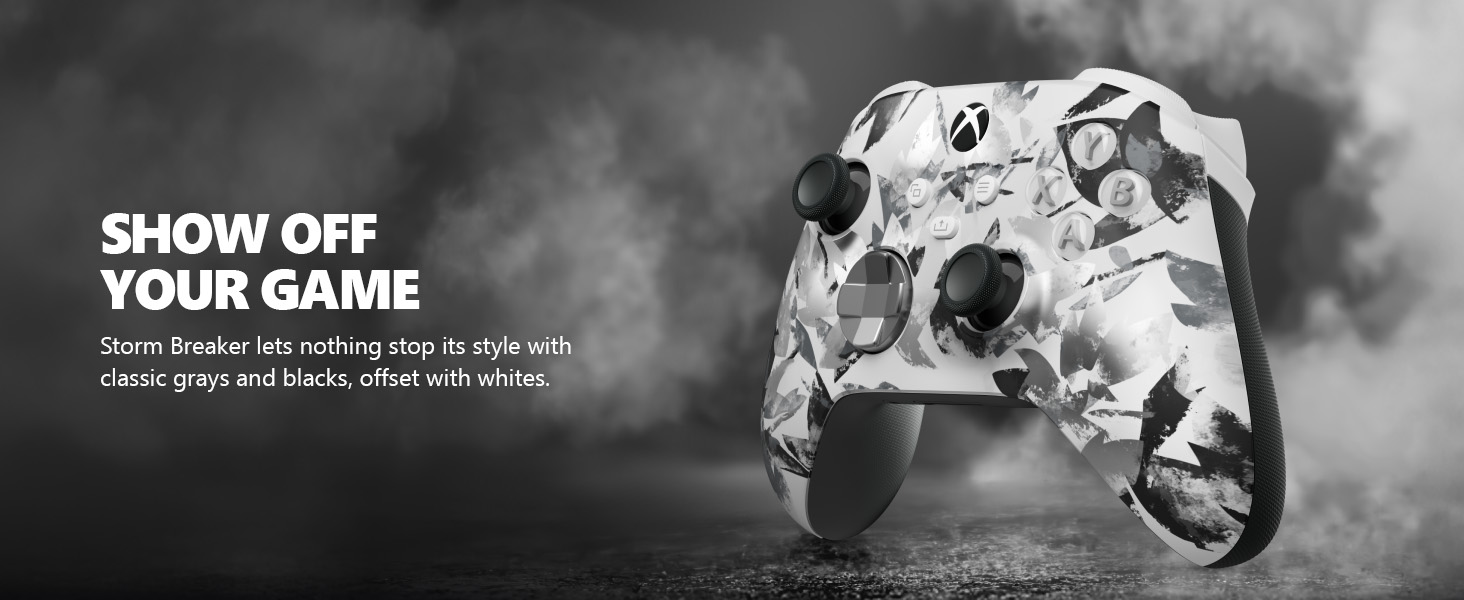
Image: The Xbox Wireless Controller Storm Breaker Special Edition showcasing its distinctive color scheme.
Configuració
1. Instal·lació de la bateria
The controller requires two AA batteries (included). To install:
- Localitza el compartiment de la bateria a la part posterior del controlador.
- Press the small tab and lift the battery cover.
- Introduïu les dues piles AA, assegurant-vos de la polaritat correcta (+ i -).
- Torneu a col·locar la tapa de la bateria fins que quedi al seu lloc.
2. Vinculació amb dispositius
The controller supports both Xbox Wireless and Bluetooth for versatile connectivity.
- For Xbox Console:
- Engega la consola Xbox.
- Press the Xbox button on your controller to turn it on.
- Manteniu premut el botó de vinculació (⏚) on the top of the controller until the Xbox button flashes rapidly.
- Press the Pair button on your Xbox console (usually near the USB port or on the front).
- The Xbox button on the controller will become solid when connected.
- For PC (Windows 10/11) via Bluetooth:
- Assegureu-vos que el vostre ordinador tingui el Bluetooth habilitat.
- Press the Xbox button on your controller to turn it on.
- Manteniu premut el botó de vinculació (⏚) on the top of the controller until the Xbox button flashes rapidly.
- Al vostre ordinador, aneu a Configuració > Dispositius > Bluetooth i altres dispositius.
- Seleccioneu "Afegeix Bluetooth o un altre dispositiu" i després "Bluetooth".
- Choose "Xbox Wireless Controller" from the list and follow on-screen prompts.
- For Mobile Devices (Android/iOS):
- Activa el Bluetooth al teu dispositiu mòbil.
- Press the Xbox button on your controller to turn it on.
- Manteniu premut el botó de vinculació (⏚) on the top of the controller until the Xbox button flashes rapidly.
- On your mobile device, search for Bluetooth devices and select "Xbox Wireless Controller" to pair.
Vídeo: Un overview of the Xbox Wireless Controller, demonstrating its physical features and ports, useful for understanding setup.
Funcionament del controlador
1. Controls bàsics
- Polzes: Use for movement and camera control.
- D-Pad: Ideal for precise directional input in games and menu navigation.
- Botons A, B, X, Y: Primary action buttons for in-game commands.
- Disparadors (LT/RT) i amortidors (LB/RB): Used for various actions like shooting, accelerating, or menu selection.
2. Share Button
The dedicated Share button (⤓) allows you to quickly capture and share your gaming moments:
- Press once to take a screenshot.
- Press and hold to record the last 30 seconds of gameplay.
3. Conector d'auriculars
A 3.5mm audio jack is located at the bottom of the controller, allowing you to connect compatible headsets for in-game audio and chat.
4. Customization with Xbox Accessories App
Download the Xbox Accessories app on your Xbox console or Windows PC to customize button mapping and create personalized controller profiles.
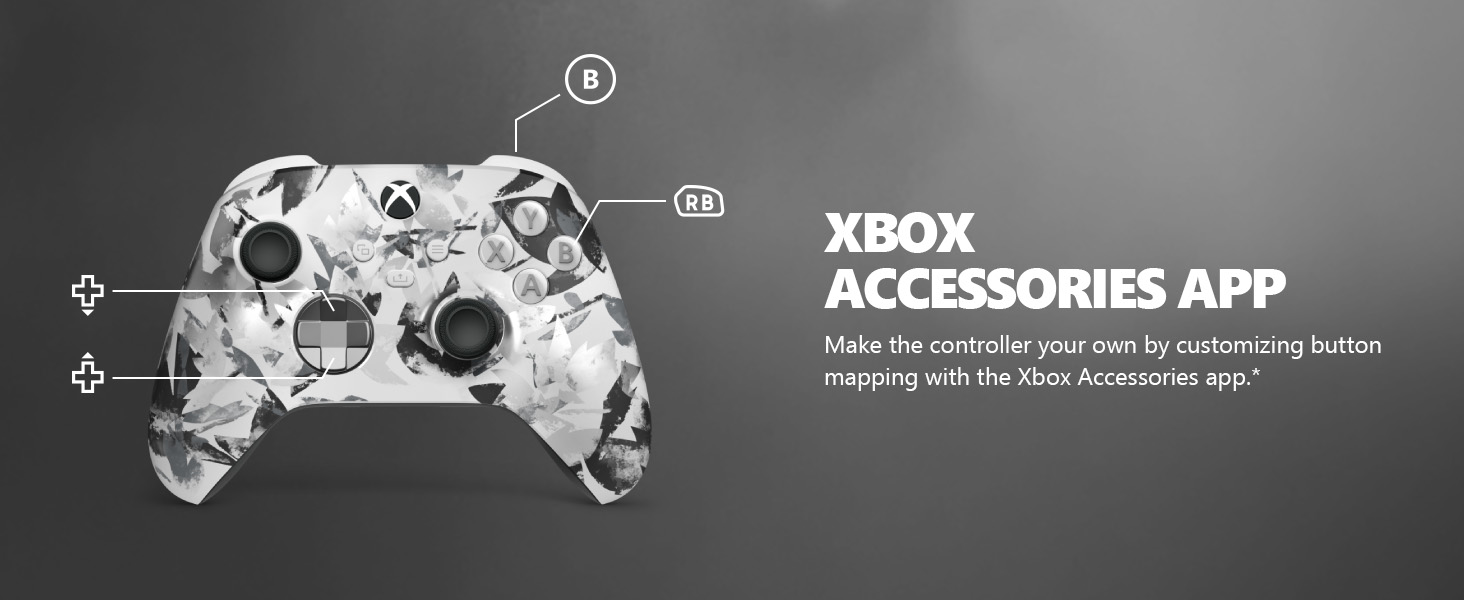
Image: The Share button and an illustration of button mapping customization via the Xbox Accessories app.
Manteniment
- Neteja: Feu servir un drap suau i sec per netejar el controlador. Eviteu productes de neteja o dissolvents abrasius.
- Cura de la bateria: Traieu les piles si no heu d'utilitzar el controlador durant un període prolongat per evitar fuites.
- Emmagatzematge: Guardeu el controlador en un lloc fresc i sec, allunyat de la llum solar directa i de temperatures extremes.
Resolució de problemes
- El controlador no es connecta:
- Assegureu-vos que les bateries estiguin instal·lades i carregades correctament.
- Torneu a intentar el procés d'emparellament tal com es descriu a la secció Configuració.
- Comproveu si hi ha interferències d'altres dispositius sense fil.
- Update controller firmware via the Xbox Accessories app.
- Botons que no responen:
- Netegeu els botons per eliminar qualsevol residu.
- Test the controller with another device or game to isolate the issue.
- Durada de la bateria curta:
- Utilitzeu piles AA noves i d'alta qualitat.
- Consider using a rechargeable battery pack (sold separately) for extended play.
Especificacions
| Característica | Detall |
|---|---|
| Número de model | EP2-29563 |
| Connectivitat | Xbox Wireless, Bluetooth |
| Compatibilitat | Xbox Series X|S, Xbox One, Windows 10/11, Android, iOS |
| Font d'alimentació | 2 piles AA (incloses) |
| Port d'àudio | Conector d'auriculars de 3.5 mm |
| Dimensions | 6.91 x 5.61 x 2.76 polzades |
| Pes | 14.1 unces |
| Fabricant | Microsoft |
Garantia i Suport
For warranty information and technical support, please refer to the documentation included with your product or visit the official Xbox support weblloc web. Conserveu el comprovant de compra per a reclamacions de garantia.
Assistència en línia: support.xbox.com
Ask a question about this manual
Ask about setup, troubleshooting, compatibility, parts, safety, or missing instructions. Manuals+ will review the question and use this page’s manual context to help answer it.