1. Introducció
Gràcies per la compraasing the TOPTRO TP2 Mini Projector. This manual provides essential information for setting up, operating, and maintaining your projector. Please read it thoroughly before use and keep it for future reference.
2. Informació de seguretat
- No mireu directament a la lent del projector quan estigui encès.amp està activat.
- Assegureu-vos una ventilació adequada per evitar el sobreescalfament. No obstruïu les obertures de ventilació.
- Utilitzeu només l'adaptador d'alimentació subministrat amb el dispositiu.
- Mantingueu el projector allunyat de l'aigua, la humitat i les temperatures extremes.
- Eviteu deixar caure el projector ni sotmetre'l a impactes forts.
- No intenteu desmuntar ni reparar el projector vosaltres mateixos. Poseu-vos en contacte amb el servei d'atenció al client per obtenir ajuda.
3. Contingut del paquet
Verifiqueu que tots els elements siguin presents al vostre paquet:
- TOPTRO TP2 Mini Projector
- Control remot
- Adaptador d'alimentació
- Cable HDMI
- Kit de neteja
- Manual d'usuari (aquest document)
4. Producte acabatview
The TOPTRO TP2 Mini Projector is a compact and versatile device designed for various entertainment and presentation needs. It features an Android 13 operating system, Wi-Fi 6, Bluetooth 5.4, and automatic image correction.
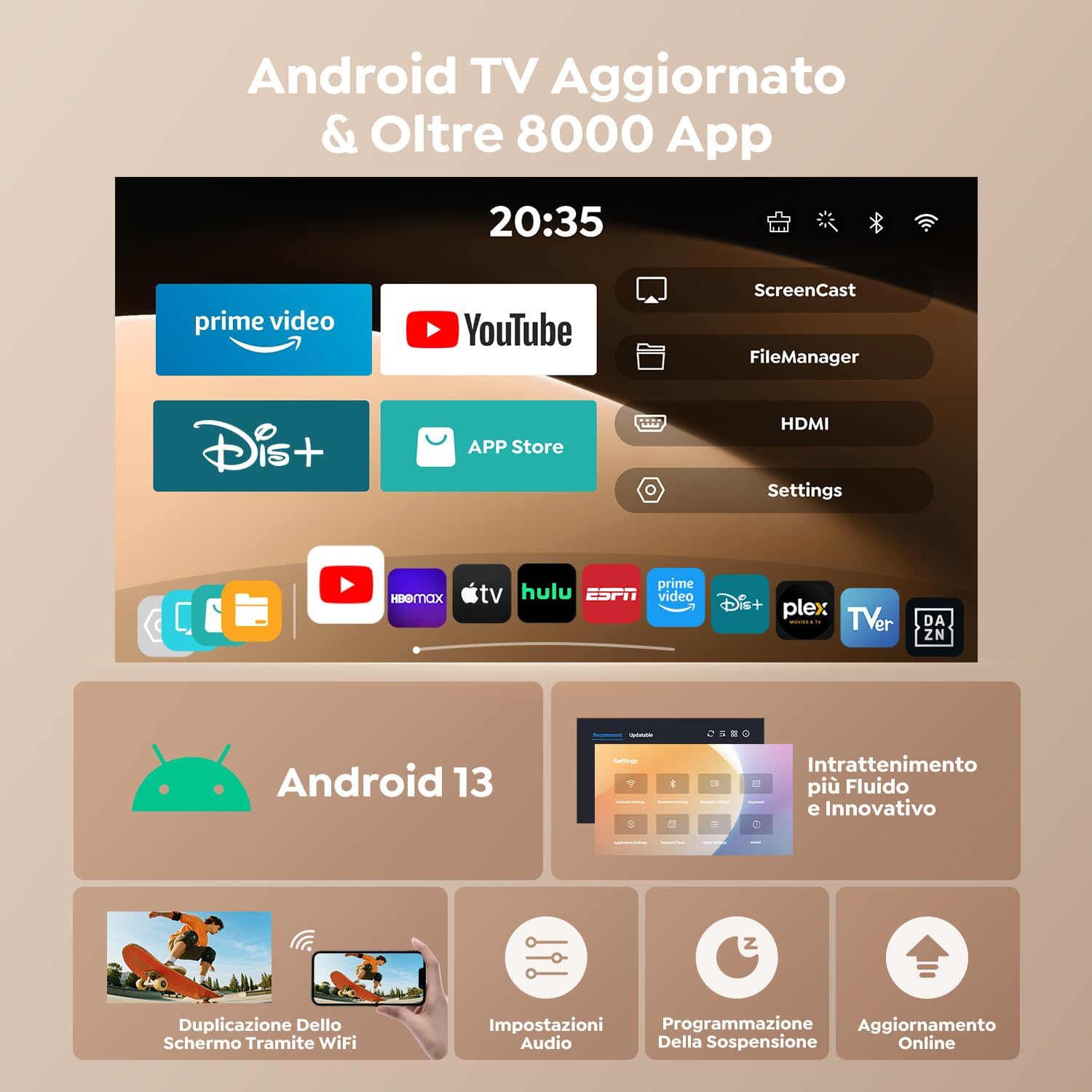
Figura 1: Frontal view of the TOPTRO TP2 Mini Projector, showcasing el seu disseny compacte i la seva lent.
4.1. Ports i connexions
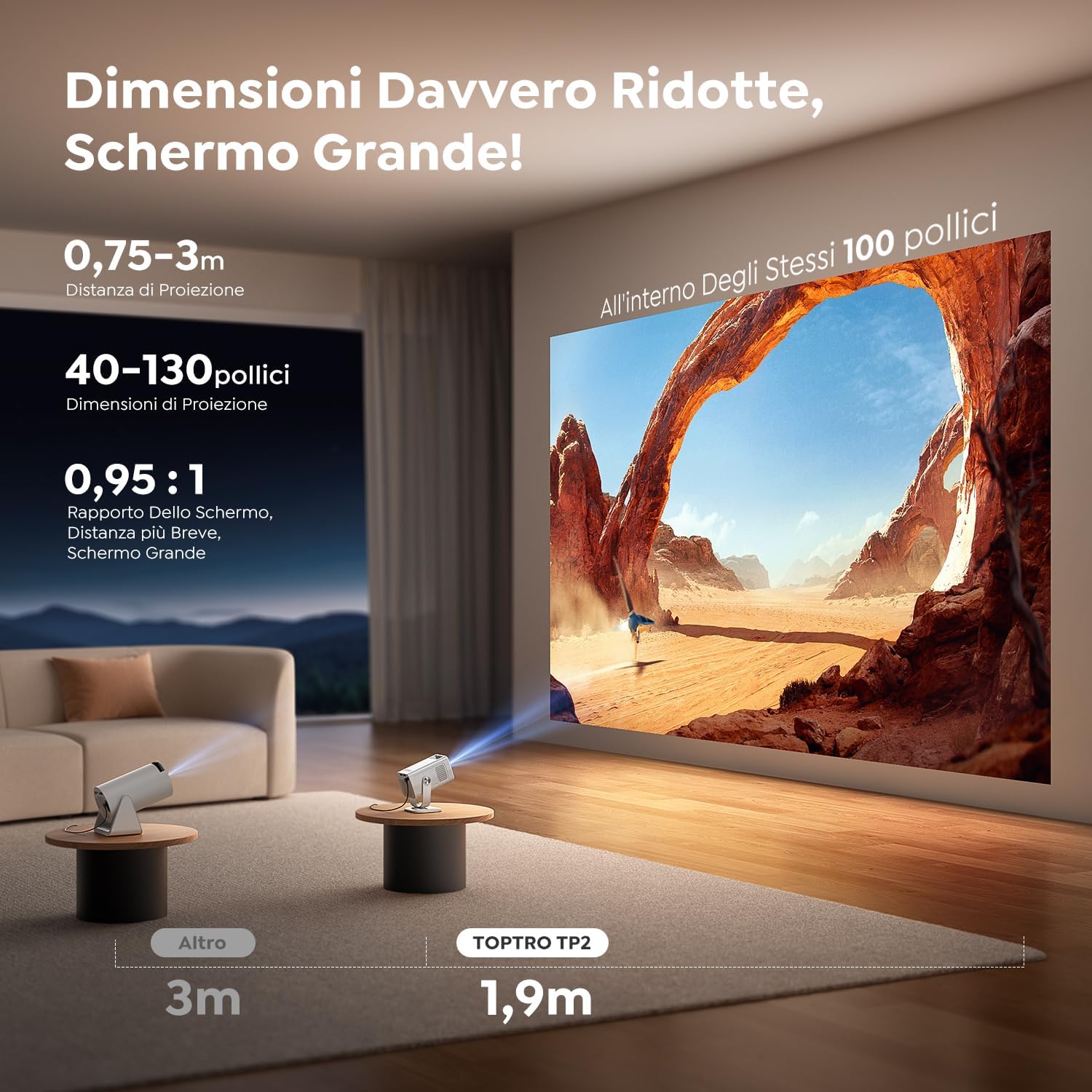
Figura 2: posterior view of the TOPTRO TP2 Mini Projector, showing the various input and output ports.
- Port HDMI: Connect to laptops, gaming consoles, TV sticks, etc.
- Ports USB: Connect USB drives for media playback or external devices.
- Conector d'àudio de 3.5 mm: Connecteu altaveus externs o auriculars.
- Entrada d'alimentació: Connecteu l'adaptador de corrent proporcionat.
4.2. Característiques clau
- Sistema operatiu Android 13: Access to over 8,000 official apps including streaming services.
- Disseny giratori de 270°: Flexible projection angles for various setups.
- Relació de tir curt (0.95:1): Projecta imatges grans des de curta distància.
- 1080P Native Resolution (4K Support): Delivers clear and vivid images.
- Wi-Fi 6 i Bluetooth 5.4: Fast and stable wireless connectivity.
- Correcció trapezoidal vertical automàtica: Instantly corrects image distortion.
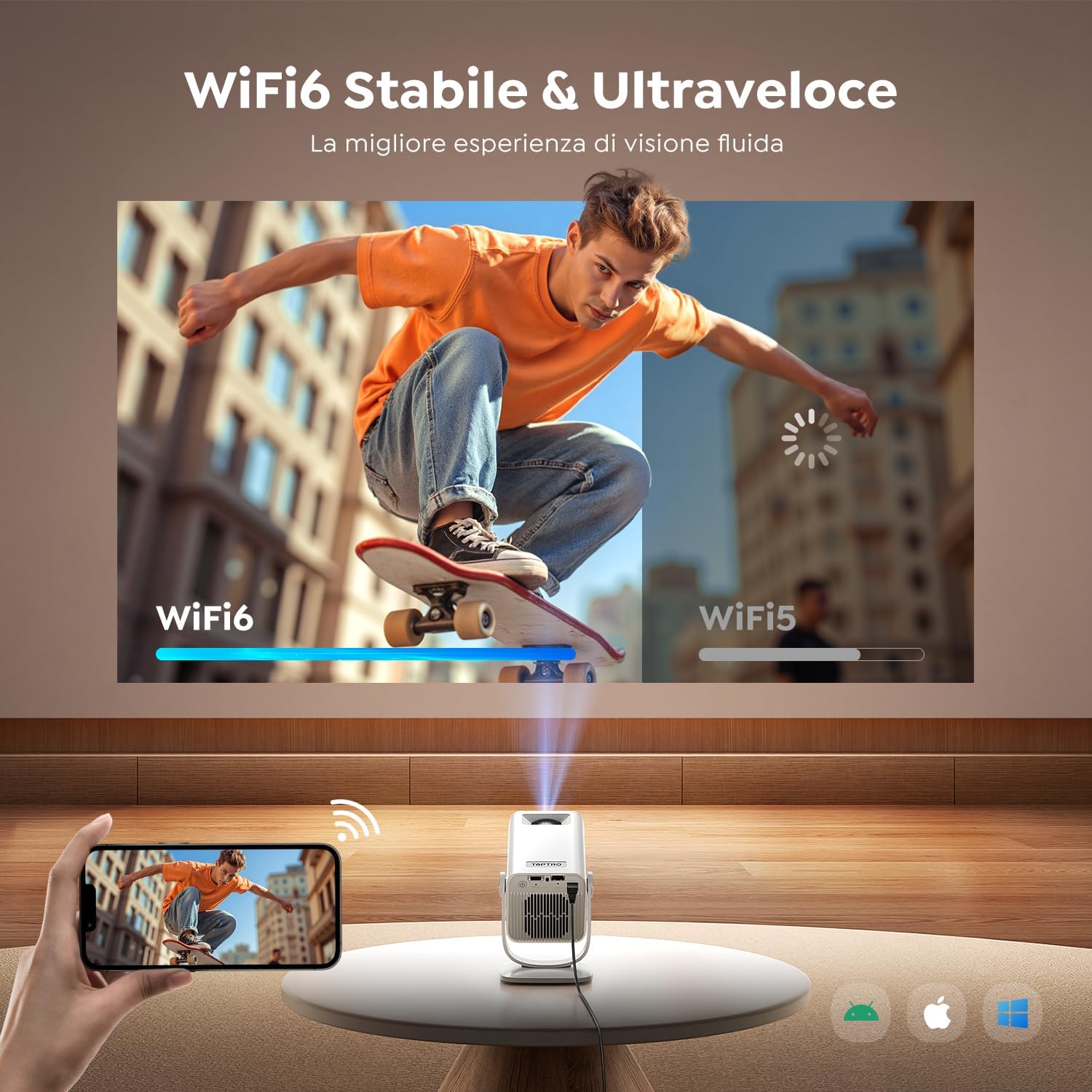
Figure 3: The projector's 270° rotatable design allows for flexible projection onto walls or ceilings.
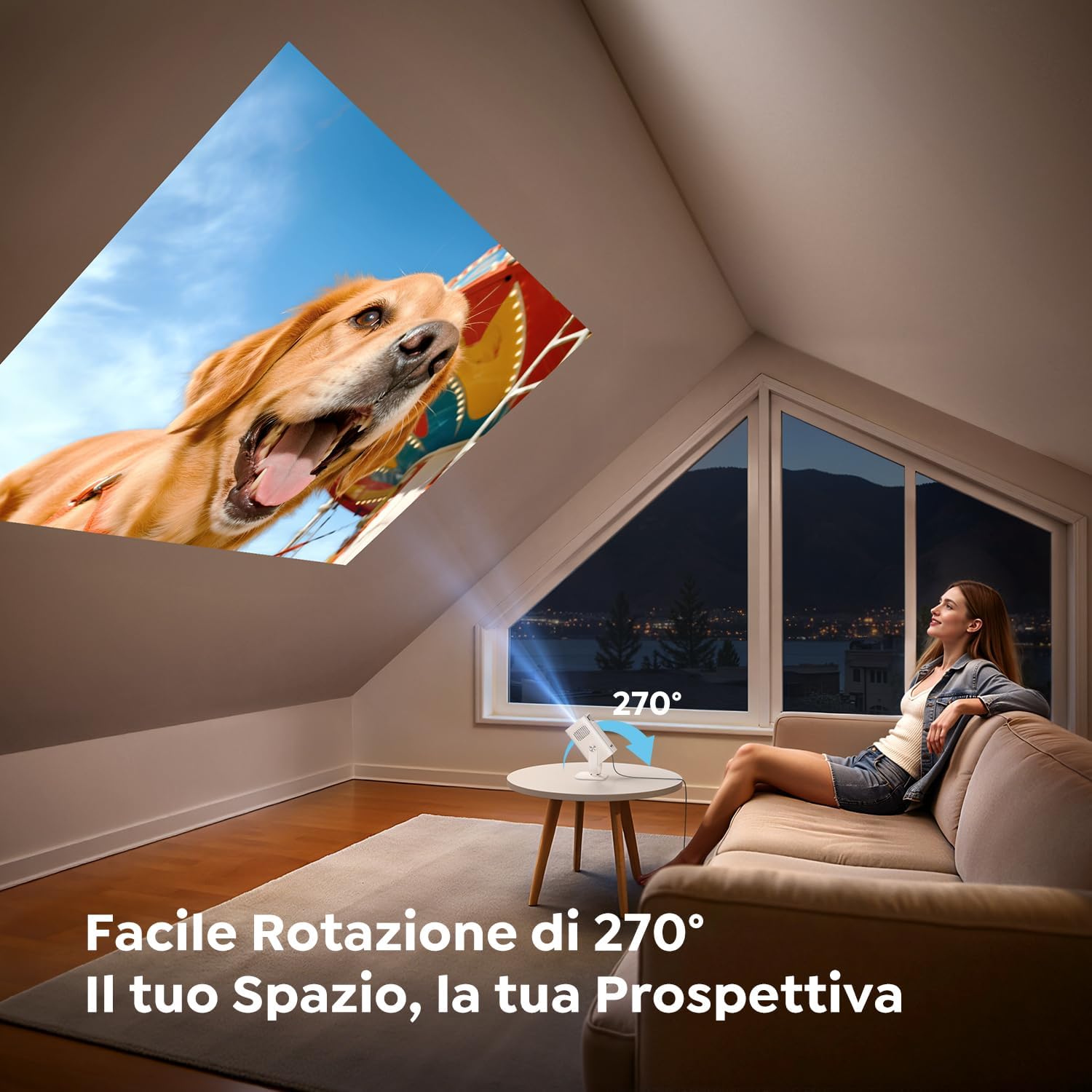
Figure 4: Illustration of the short throw capability, projecting a large image from a close distance.

Figure 5: The compact and portable design of the TOPTRO TP2, shown next to a soda can for size comparison.
5. Configuració
5.1. Connexió d'alimentació
- Connecteu l'adaptador de corrent al port d'entrada d'alimentació del projector.
- Connecteu l'adaptador de corrent a una presa de corrent.
5.2. Col·locació i ajust d'angle
Position the projector on a stable surface. Utilize the 270° rotatable design to adjust the projection angle as needed for wall, ceiling, or table projection.
5.3. Ajust del focus
The projector features automatic vertical keystone correction. For fine-tuning, use the manual focus wheel or the remote control.
Video 1: Demonstrates the motorized focus adjustment feature of the projector, ensuring a clear image.
5.4. Connectivitat
- HDMI: Connect an HDMI cable from your source device (e.g., laptop, game console) to the projector's HDMI port.
- USB: Insert a USB drive into a USB port for direct media playback.
- Wi-Fi 6: Navigate to the network settings to connect to your Wi-Fi network for online streaming and screen mirroring.
- Bluetooth 5.4: Pair with Bluetooth headphones or external speakers for enhanced audio. The projector can also act as a Bluetooth speaker for your phone.
6. Instruccions de funcionament
6.1. Encendre/apagar
Premeu el botó d'engegada del projector o del comandament a distància per encendre o apagar el dispositiu.
6.2. Navegació per la interfície d'Android 13
The TOPTRO TP2 runs on Android 13, providing a user-friendly interface. Use the remote control to navigate through menus, select apps, and adjust settings.

Figure 6: The Android 13 user interface of the TOPTRO TP2, displaying pre-installed applications like Prime Video and YouTube.
Video 2: Illustrates the Android 14 interface (similar to Android 13) and its functionalities, including app access and navigation.
6.3. App Installation and Streaming
The projector comes with Android TV pre-installed, offering access to over 8,000 official apps. Simply connect to Wi-Fi and download your preferred streaming services (e.g., Dazn, Prime Video, Disney+, YouTube, HBO Max).
6.4. Mirall de pantalla
Use the Wi-Fi 6 feature to wirelessly mirror content from your smartphone, tablet, or laptop to the projector for a larger display.
6.5. Ajust de la imatge
- Automatic Vertical Keystone: The built-in precision sensor automatically corrects image distortion in less than 2 seconds.
- Funció de zoom: Adjust projection size from 100% to 80% without compromising image quality.
Video 3: Shows automatic focus, keystone correction, and screen adaptation features, enhancing ease of use.
7. Manteniment
7.1. Neteja
Use the provided cleaning kit to gently clean the lens and exterior of the projector. Do not use abrasive cleaners or solvents.
7.2. Emmagatzematge
When not in use, store the projector in a cool, dry place, away from direct sunlight and dust. Ensure the lens is covered to protect it from scratches.
8. Solució De Problemes
- Sense energia: Check if the power adapter is securely connected to both the projector and the power outlet.
- Sense imatge: Ensure the input source is correctly selected (HDMI, USB, or streaming app). Check cable connections.
- Imatge borrosa: Adjust the focus using the manual wheel or remote. Ensure the projector is placed within the recommended projection distance.
- Distorsió de la imatge: The projector has automatic vertical keystone correction. If issues persist, check projector placement.
- Sense so: Check the volume settings on both the projector and the source device. Ensure Bluetooth audio is correctly paired if using external speakers/headphones.
- Problemes de connexió Wi-Fi/Bluetooth: Restart the projector and your router/Bluetooth device. Ensure the projector is within range.
9. Especificacions
| Característica | Especificació |
|---|---|
| Marca | TOPTRO |
| Model | TP2 |
| Dimensions del producte | 13.5 x 9 x 17.8 cm |
| Pes | 400 grams |
| Any model | 2025 |
| Interfície del maquinari | Àudio de 3.5 mm, HDMI, USB |
| Dispositius compatibles | Speaker, Laptop, Game Console, Smartphone, Tablet |
| Característiques addicionals | Llançament curt |
| Tecnologia de pantalla | LCD |
| Relació de contrast de la imatge | 15000:1 |
| Relació d'aspecte | 16:10, 16:9, 4:3 |
| Native Screen Resolution | 1280 x 720 (720 P) |
| Resolució màxima de pantalla | 4096 x 2160 (4K Support) |
| Nivell de soroll | 32 decibels |
| Wattage | 60 watts-hora |
| Tipus de connectivitat | Bluetooth, HDMI, IR, USB, Wi-Fi |
| Factor de forma | De butxaca |
| Tipus d'instal·lació | Ceiling Mount/Floor Mount/Table Mount/Tripod Mount/Wall Mount |
| Usos recomanats | Business, Educational, Home Cinema, Video Games |
10. Garantia i Suport
TOPTRO projectors come with comprehensive support:
- Suport 24/7: Assistència disponible les 24 hores del dia.
- Política de devolució sense complicacions d'2 any: For peace of mind.
- 3 any de garantia: Cobertura de defectes de fabricació.
- Suport tècnic de tota la vida: Ongoing assistance for any technical queries.
For any questions or support, please contact TOPTRO customer service.