
BAOFENG GT-5R Mini
BAOFENG GT-5R Mini Dual Band Portable Radio Instruction Manual
Model: GT-5R Mini
1. Introducció i finalview
The BAOFENG GT-5R Mini is a compact and versatile 5W dual-band portable radio designed for reliable communication across various environments. It offers both UHF and VHF transmission and reception capabilities, alongside FM and Airband reception. This radio is equipped with advanced features such as wireless programming via a dedicated mobile application, a large memory capacity for 999 channels, and dual Push-To-Talk (PTT) buttons for enhanced operational flexibility. Its convenient USB-C charging port ensures easy power replenishment, making it suitable for outdoor activities, emergency preparedness, and daily use.

Image 1.1: The BAOFENG GT-5R Mini in an outdoor environment, highlighting its portability.

Imatge 1.2: acabatview of the BAOFENG GT-5R Mini's main features.
2. Què hi ha a la caixa
En obrir el paquet, comproveu que hi hagi tots els components següents:
- BAOFENG GT-5R Mini Radio Unit(s)
- Antena(s)
- Lithium-Ion Battery(ies)
- Cable(s) de càrrega USB-C
- Clip(s) de cinturó
- Manual d'usuari

Image 2.1: All components included in the BAOFENG GT-5R Mini package.
3. Configuració
3.1 Instal·lació de la bateria
- Alineeu el paquet de bateries amb les ranures de la part posterior de la unitat de ràdio.
- Feu lliscar la bateria cap amunt fins que encaixi fermament al seu lloc.
- Per treure-la, premeu el pestell d'alliberament (si n'hi ha) i feu lliscar la bateria cap avall.
3.2 Fixació de l'antena
Enrosqueu l'antena en sentit horari al connector de la part superior de la ràdio fins que quedi ben ajustada amb els dits. No l'estrengueu massa.
3.3 Càrrega inicial
Before first use, fully charge the radio's battery. Connect the provided USB-C cable to the radio's USB-C port and the other end to a compatible USB power source (e.g., wall adapter, power bank, car charger, or computer USB port). The charging indicator will typically show charging status and turn off or change color when fully charged.

Image 3.1: USB-C charging options for the BAOFENG GT-5R Mini.
3.4 Opcions de programació
The BAOFENG GT-5R Mini offers multiple programming methods:
- Wireless App Programming: Use the dedicated iOS/Android application for convenient channel and setting adjustments via Bluetooth.
- PC Software (CPS/CHIRP): For advanced or bulk programming, connect the radio to a computer using a programming cable (sold separately) and use compatible software like CPS or CHIRP.
- Manual Keypad Programming: Basic settings and channel adjustments can be made directly using the radio's keypad.
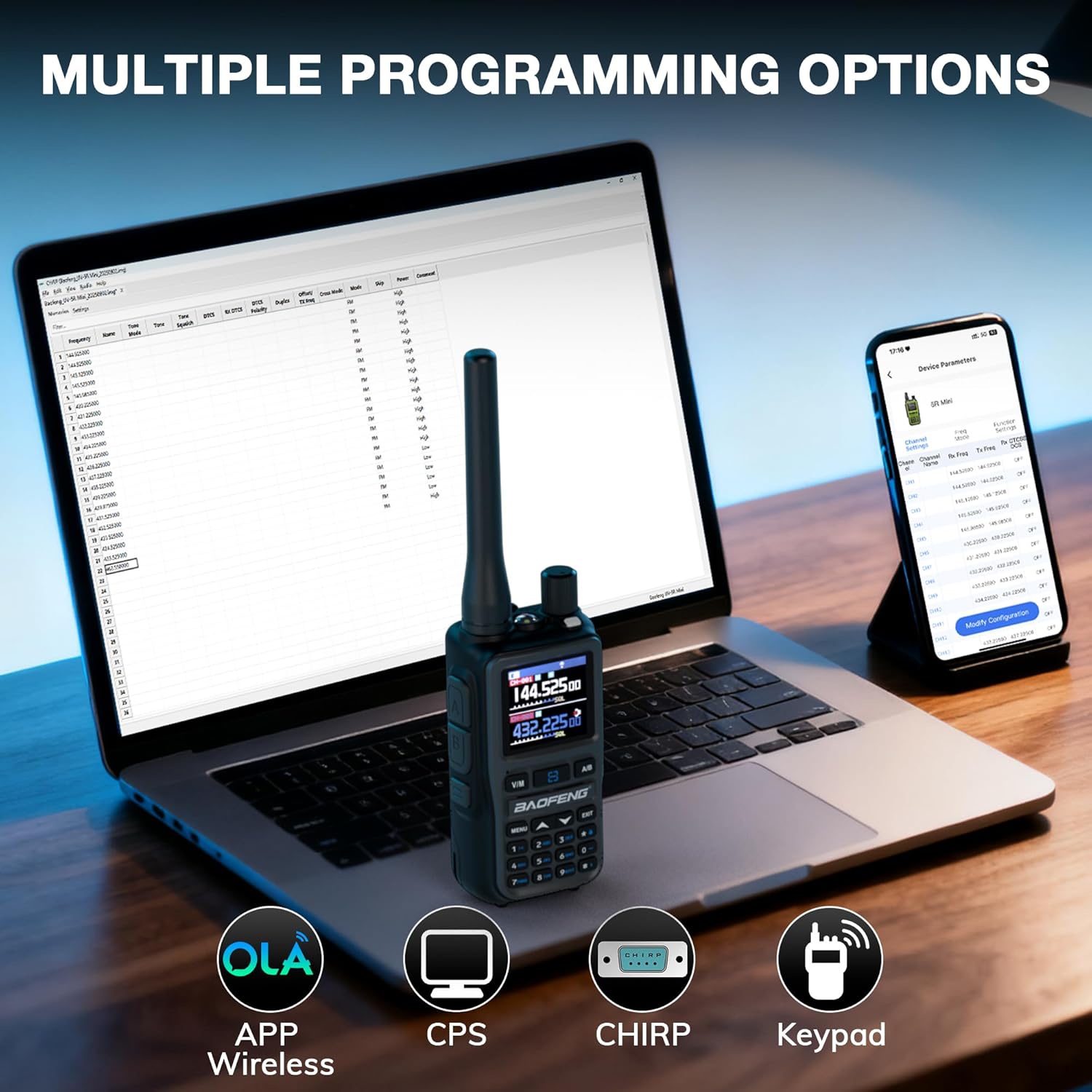
Image 3.2: Various programming methods available for the radio.
4. Instruccions de funcionament
4.1 Encès/Apagat
Per encendre la ràdio, gireu el botó de volum en sentit horari fins que sentiu un clic. Per apagar-la, gireu-lo en sentit antihorari fins que sentiu un clic.
4.2 Channel Selection and Frequency Mode
The radio supports up to 999 channels. Use the up/down arrow keys or the numeric keypad to select a channel. Press the V/M button to switch between Frequency (VFO) mode and Channel (Memory) mode.
4.3 Transmitting and Receiving (Dual PTT)
The radio features dual PTT buttons (A and B) for transmitting on two different frequencies or channels. Press the corresponding PTT button for the desired frequency/channel to transmit. Release the PTT button to receive.

Image 4.1: Dual PTT buttons for flexible transmission.
4.4 Multi-Band Reception (FM, Airband, UHF, VHF)
The GT-5R Mini can receive signals across multiple bands. Use the menu options to switch between standard UHF/VHF, FM radio (65-108MHz), and Airband (108-136MHz) reception modes.

Image 4.2: Multi-band transmit and receive capabilities.

Image 4.3: Airband reception feature.
4.5 VOX (centralita operada per veu)
Activate the VOX function through the menu to enable hands-free transmission. The radio will automatically transmit when it detects your voice and stop when you cease speaking. Adjust VOX sensitivity as needed.
4.6 Llanterna
The integrated flashlight can be activated via a dedicated button or menu option for illumination in low-light conditions.
4.7 Tecla lateral personalitzable
The radio features a customizable side key that can be programmed for quick access to frequently used functions, such as FM radio, alarm, or monitor mode. Refer to the programming section for details on customization.
4.8 Cronòmetre
A built-in stopwatch function is available for timing various activities. Access it through the radio's menu.
4.9 Clonació de canal fàcil
The Easy Channel Clone feature allows you to quickly copy channel settings from one GT-5R Mini radio to another without needing a computer. Follow the on-screen prompts to initiate the cloning process between two compatible radios.

Image 4.4: Easy Channel Clone in action.
4.10 One-Key Reverse Repeater Frequency
This function allows for quick reversal of repeater frequencies, useful for direct communication or checking the repeater's input frequency. Activate this feature via a dedicated button or menu option.

Image 4.5: One-Key Reverse Repeater Frequency function.
5. Manteniment
5.1 Neteja
Netegeu l'exterior de la ràdio amb un drap suauamp drap. No utilitzeu productes químics agressius ni netejadors abrasius. Assegureu-vos que la tapa del port USB-C estigui tancada quan no es carregui per evitar l'entrada de pols i humitat.
5.2 Cura de la bateria
- Eviteu descarregar completament la bateria amb freqüència.
- Guardeu la ràdio i la bateria en un lloc fresc i sec quan no les feu servir durant períodes prolongats.
- No exposeu la bateria a temperatures extremes.
- Si no feu servir la bateria durant molt de temps, carregueu-la periòdicament per mantenir-ne el bon estat.
6. Solució De Problemes
| Problema | Causa possible | Solució |
|---|---|---|
| La ràdio no s'encén. | La bateria està baixa o no està instal·lada correctament. | Carregueu la bateria. Torneu a instal·lar la bateria, assegurant-vos que encaixi al seu lloc amb un clic. |
| No es pot transmetre ni rebre. | Freqüència/canal incorrecte, antena no connectada o bateria baixa. | Verifiqueu la configuració de freqüència/canal. Assegureu-vos que l'antena estigui ben connectada. Carregueu la bateria. |
| Mala qualitat d'àudio. | Senyal feble, nivell de silenciador incorrecte o problema amb l'antena. | Move to an area with better signal. Adjust squelch level. Check antenna connection. |
| App programming issues. | Bluetooth not enabled, incorrect app version, or radio not in pairing mode. | Ensure Bluetooth is active on both devices. Download the latest app. Follow app instructions for pairing. |
7. Especificacions
| Característica | Detall |
|---|---|
| Marca | BAOFENG |
| Model | GT-5R Mini |
| Color | Gris |
| Nombre de canals | 999 |
| Característica especial | Portàtil |
| Abast màxim de conversa | 3 quilòmetres |
| Voltage | 7.4 Volts |
| Piles necessàries | 2 ió de liti (inclòs) |
| Protocol de connectivitat | Bluetooth |
| Sistema de difusió | Digital |
8. Garantia i Suport
The BAOFENG GT-5R Mini radio comes with a standard manufacturer's warranty. Please refer to the warranty card included in your package or visit the official BAOFENG weblloc web per obtenir informació detallada sobre els termes i condicions de la garantia.
For technical support, troubleshooting assistance, or inquiries regarding your product, please contact the seller or the official BAOFENG customer service. Contact information can typically be found on the product packaging or the manufacturer's weblloc.
Documents relacionatsGT-5R Mini


Ask a question about this manual
Ask about setup, troubleshooting, compatibility, parts, safety, or missing instructions. Manuals+ will review the question and use this page’s manual context to help answer it.