
1. Producte acabatview
The JEYI Magnetic 2230 M.2 NVMe SSD Enclosure (Model i9-M2230R) is designed to expand storage for compatible devices, particularly iPhones with MagSafe. It supports 2230 M.2 NVMe SSDs up to 2TB and offers high-speed data transfer via USB 3.2 Gen 2 (10Gbps).

Figure 1.1: Magnetic NVMe Enclosure with built-in magnetic rings compatible with MagSafe.
This enclosure features a full aluminum alloy case for efficient heat dissipation, ensuring stable performance during intensive use. It is compatible with various operating systems including Windows, Mac OS, Linux, Android, and iOS.
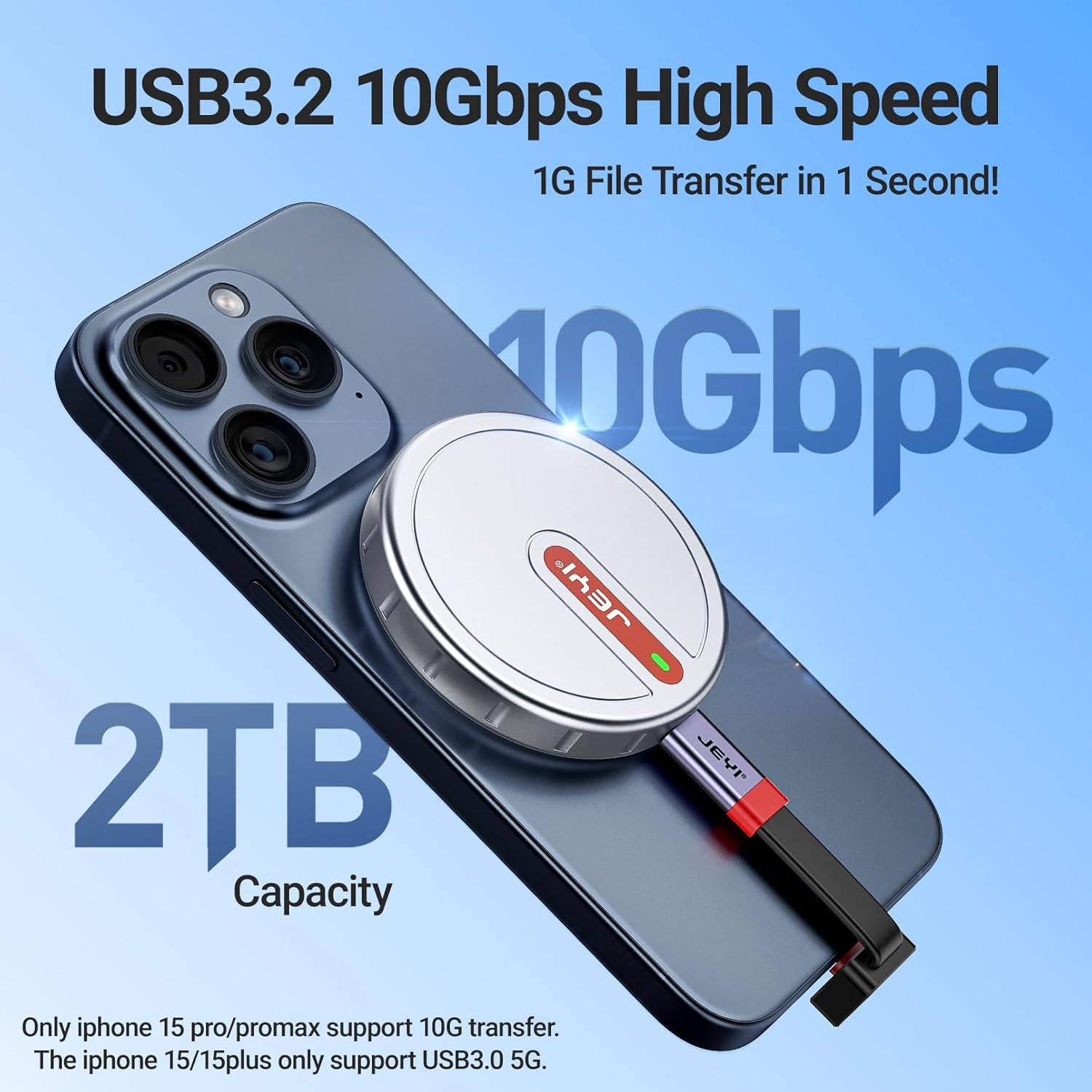
Figure 1.2: High-speed data transfer (10Gbps) and up to 2TB storage capacity.
The enclosure is specifically designed for 2230 M.2 NVMe SSDs (M-Key and B&M-Key). It is not compatible with B-Key (SATA) M.2 SSDs or other form factors like 2242, 2260, or 2280.

Figure 1.3: NVMe compatibility, showing support for M-Key and B&M-Key 2230 NVMe SSDs only.
2. Contingut del paquet
Verifiqueu que tots els elements siguin presents al paquet:
- Magnetic SSD Enclosure
- Tornavís
- Anell magnètic
- Coixinet de silicona
- Coixinet tèrmic
- Long USB-C Cable
- Cable USB-C curt

Figura 2.1: Contingut inclòs al paquet del producte.
3. Instruccions de configuració
Segueix aquests passos per instal·lar el teu SSD NVMe M.2 a la carcassa:
- Loosen the Screw: Use the provided screwdriver to loosen the screw on the enclosure cover.
- Insert the 2230 SSD: Carefully insert your 2230 M.2 NVMe SSD into the M.2 slot inside the enclosure. Ensure it is seated correctly.
- Aplicar coixinet tèrmic: Place the thermal pad over the SSD to ensure proper heat transfer to the enclosure.
- Cover and Fix: Replace the enclosure cover and tighten the screw to secure the SSD.
- Enganxeu un anell magnètic (si cal): If your device does not have built-in MagSafe compatibility or you are using a non-MagSafe case, glue the protective magnetic ring to the back of your phone case for a secure magnetic attachment.

Figure 3.1: Visual guide for SSD installation and magnetic ring attachment.
Important: Before first use, format the SSD to exFAT via Windows/macOS Disk Utility for cross-platform compatibility. NTFS requires third-party drivers on Mac.
4. Instruccions de funcionament
The JEYI Magnetic 2230 M.2 NVMe SSD Enclosure offers versatile usage across various devices.
4.1. Usage with iPhone 15 Pro/Pro Max
For iPhone 15 Pro/Pro Max (and future compatible models), the enclosure attaches magnetically to the back of the phone. Connect the enclosure to your iPhone using the provided USB-C cable. This allows direct recording of ProRes 4K video to the external SSD, expanding your phone's storage capacity.

Figure 4.1: Magnetic attachment for iPhone, enabling convenient handheld use.

Figure 4.2: Recording 4K ProRes video directly to the external SSD.
4.2. Usage with Other Phones/Devices
For other smartphones or devices without built-in MagSafe, use the included metal magnetic plate. Attach this plate to your phone case to enable magnetic compatibility with the enclosure. Connect the enclosure via the appropriate USB-C cable.

Figure 4.3: Enclosure use with a phone case requiring an additional magnetic ring.
4.3. Usage with Laptops, Tablets, and Game Consoles
The enclosure can be connected to laptops, tablets, and handheld game consoles (e.g., Steam Deck) via the USB-C cable for external storage. The magnetic attachment can be utilized on compatible surfaces or with additional magnetic accessories.

Figure 4.4: Connecting the enclosure to a laptop for data transfer.

Figure 4.5: Enclosure attached to a tablet for expanded storage.

Figure 4.6: Using the enclosure with a handheld game console.
5. Manteniment
The JEYI SSD Enclosure is designed with a full aluminum alloy case and thermal pads for superior heat dissipation. This design helps maintain optimal operating temperatures for the NVMe SSD, which can generate significant heat during high-speed data transfers.

Figure 5.1: Triple heat dissipation mechanism for efficient cooling.
- Neteja: Feu servir un drap suau i sec per netejar l'exterior de la carcassa. Eviteu netejadors líquids o materials abrasius.
- Gestió tèrmica: During prolonged high-volume data transfers, the enclosure may become warm to the touch. This is normal and indicates effective heat dissipation. Ensure adequate airflow around the device.
- Emmagatzematge: Guardeu la caixa en un lloc fresc i sec, allunyat de la llum solar directa i de temperatures extremes.
6. Solució De Problemes
If you encounter issues with your JEYI SSD Enclosure, refer to the following common solutions:
| Problema | Causa possible | Solució |
|---|---|---|
| Enclosure not recognized by device | SSD not properly installed, incorrect cable, unformatted SSD, incompatible SSD type. | Ensure SSD is securely seated. Try a different USB-C cable. Format the SSD to exFAT (see Setup Instructions). Verify your SSD is a 2230 M.2 NVMe (M-Key or B&M-Key). |
| Velocitats de transferència de dades lentes | USB port limitation, cable quality, SSD throttling due to heat. | Ensure you are using a USB 3.2 Gen 2 (10Gbps) port. Use the provided high-quality USB-C cable. Allow the enclosure to cool if it becomes excessively hot during large transfers. |
| La fixació magnètica és feble | Thick phone case, no magnetic ring applied. | Ensure the magnetic ring is properly attached to your phone case if your device lacks MagSafe. Consider a thinner phone case. |
| Enclosure gets hot | Funcionament normal durant una transferència de dades elevada. | This is expected behavior as the aluminum case dissipates heat from the NVMe SSD. The enclosure is designed to manage heat effectively. If performance degrades, allow it to cool. |
7. Especificacions
| Número de model | i9-M2230R |
| SSD compatibles | M.2 NVMe 2230 (M-Key, B&M-Key) |
| Capacitat màxima d'emmagatzematge | 2 TB |
| Velocitat de transferència de dades | Fins a 10 Gbps (USB 3.2 Gen 2) |
| Interfície | USB-C |
| Material | Aliatge d'alumini |
| Dimensions | 59 mm x 59 mm x 10 mm (2.32 x 2.32 x 0.39 polzades) |
| Pes de l'article | 55.2 g (1.95 unces) |
| Compatibilitat | Windows, Mac OS, Linux, Android, iOS (iPhone 15 Pro/Pro Max, 16 Pro/Pro Max, 17 Pro/Pro Max) |
8. Garantia i Suport
For warranty information and technical support, please refer to the product packaging or contact JEYI customer service directly. Details regarding specific warranty periods and support channels are typically provided with your purchase.
You can often find additional support resources, FAQs, and contact information on the official JEYI weblloc web o a través del venedor on es va comprar el producte.