
1. Producte acabatview
The Ring Wired Doorbell (2nd Gen) provides advanced home security with continuous power and comprehensive monitoring features. This device offers Retinal 2K video resolution, a wide-angle view, and up to 6x enhanced zoom for clear visuals. It includes two-way talk functionality, real-time motion detection alerts, and seamless integration with Alexa-enabled devices. Designed for hardwired installation, it ensures nonstop power for reliable protection.

2. Què hi ha a la caixa
Verifiqueu que tots els components siguin presents abans de començar la instal·lació:
- Ring Wired Doorbell (2nd Gen)
- Placa de muntatge
- Eines i maquinari d'instal·lació
- Guia de configuració
- Etiqueta adhesiva de seguretat
3. Configuració i instal·lació
The average installation time for the Ring Wired Doorbell is approximately 15 minutes. This device requires a standard doorbell system or a compatible transformer for power.
Requisits d'energia de 3.1
The Ring Wired Doorbell connects directly to your home's existing doorbell wiring. It is compatible with:
- Standard doorbell systems
- Ring plug-in adapter (not included)
- Ring hardwired transformer (not included) with 16 or 24VAC, 10 to 40VA (30 to 40VA recommended for optimal performance), 50/60Hz or 24VDC 12W.
Important: Do not use halogen or garden-lighting transformers. Ensure your existing doorbell system meets these power specifications for proper operation.

3.2 Passos d'instal·lació
- Apagueu l'alimentació: Before starting, turn off the power to your existing doorbell at the circuit breaker.
- Treure el timbre antic: Disconnect and remove your existing doorbell button.
- Instal·leu la placa de muntatge: Use the provided tools and hardware to secure the mounting plate to your wall.
- Connecteu els cables: Connect the doorbell wires to the terminals on the back of your Ring Doorbell.
- Muntar el timbre de la porta: Attach the Ring Doorbell to the mounting plate.
- Restaura l'alimentació: Torneu a encendre l'alimentació al disjuntor.
- Configuració dins l'aplicació: Follow the instructions in the Ring app to complete the setup, connect to Wi-Fi, and configure settings.
4. Instruccions de funcionament
4.1 Monitorització de vídeo
The Ring Wired Doorbell features Retinal 2K video with a 140° horizontal and 140° vertical field of view. You can utilize up to 6x enhanced zoom to focus on specific details within the video feed.

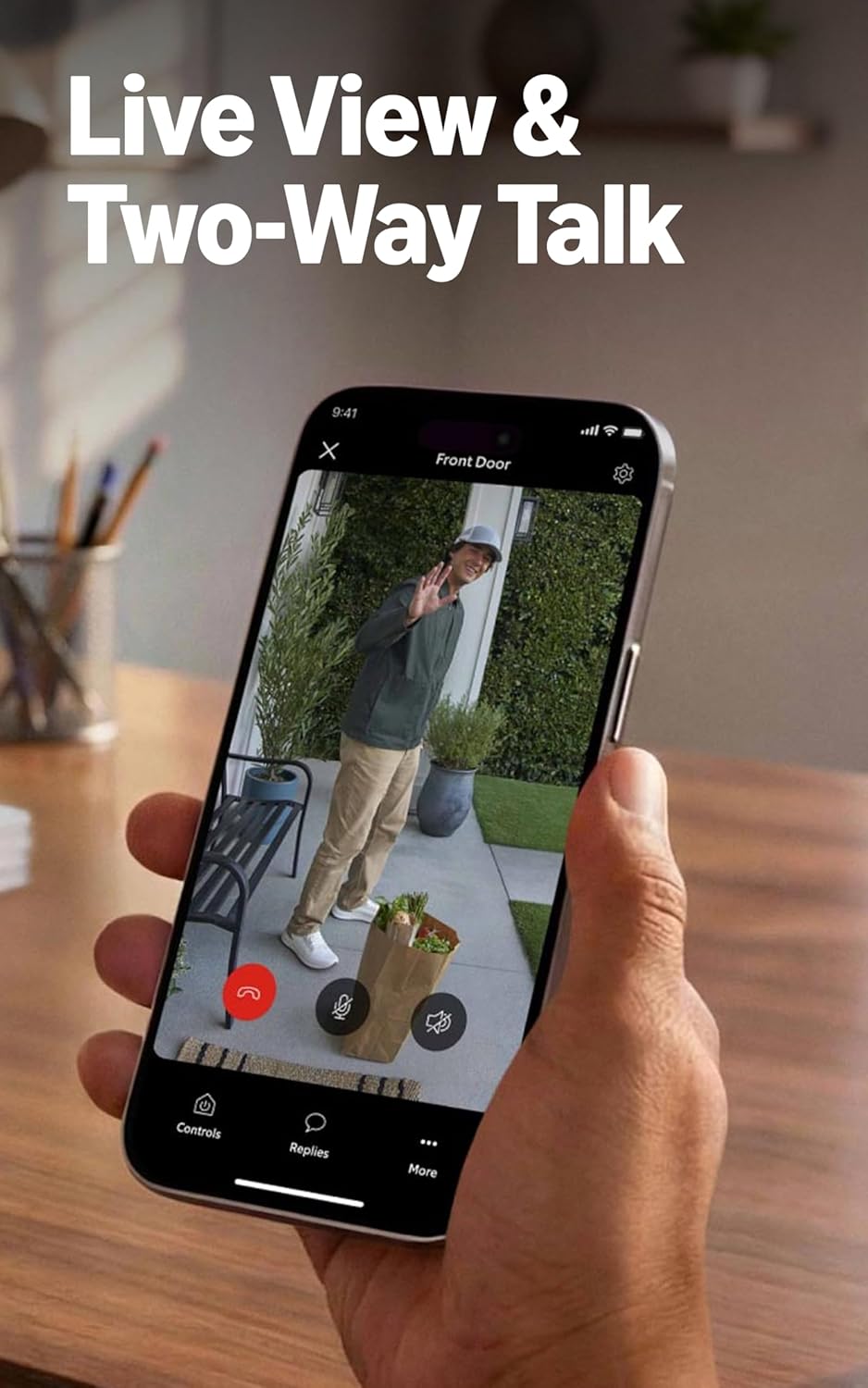
4.2 Conversa bidireccional
Engage in real-time conversations with visitors at your door using the Live View and Two-Way Talk feature through the Ring app on your smartphone or tablet.
4.3 Detecció de moviment
The doorbell is equipped with motion detection technology that sends real-time notifications to your phone when activity is detected in the monitored area. You can customize motion zones and sensitivity settings within the Ring app to optimize alerts.

4.4 Connectivitat
The Ring Wired Doorbell connects to your home network via WiFi 4 (2.4GHz single band WiFi). A minimum upload speed of 10 Mbps is recommended for optimal performance with Ring 2K devices. Video resolution may vary based on internet bandwidth.
4.5 Integració d'Alexa
Integrate your Ring Doorbell with Alexa-enabled devices for enhanced convenience. You can receive custom notifications from Echo Dot devices, launch video feeds on Echo Show devices, and utilize hands-free home monitoring features.
4.6 Subscripció a Ring Protect (es ven per separat)
A compatible Ring Protect subscription unlocks additional features, including the ability to review recorded motion events, access AI-powered alerts, and more. Video storage duration in the cloud can be up to 180 days, depending on your subscription plan. Features like Quick Replies recordings, AI Video Descriptions, and Familiar Faces may require a subscription and are subject to regional availability and legislation.
5. Manteniment
To ensure optimal performance and longevity of your Ring Wired Doorbell, follow these maintenance guidelines:
- Neteja: Netegeu periòdicament la lent de la càmera i l'exterior del timbre amb un drap suau i sec.amp drap per eliminar la pols i la brutícia. Eviteu utilitzar productes químics o materials abrasius.
- Condicions de funcionament: The doorbell is designed to operate in temperatures ranging from -5°F to 120°F (-20.5°C to 48.5°C) and is weather-resistant with an IP65 rating. Ensure it is not exposed to conditions outside this range.
- Actualitzacions de programari: Keep your device's software updated. The Ring app will notify you of available updates. Regular updates ensure optimal performance, security, and access to new features.
6. Solució De Problemes
If you encounter issues with your Ring Wired Doorbell, consider the following troubleshooting steps:
6.1 Poor Motion Detection Performance
- Adjust Motion Zones: In the Ring app, review and adjust your motion zones to cover the desired areas accurately.
- Configuració de sensibilitat: Increase the motion sensitivity in the app settings. If you have Smart Alerts enabled, try disabling them temporarily to see if it improves detection.
- Obstruccions: Ensure there are no physical obstructions blocking the doorbell's field of view.
6.2 Problemes de connectivitat
- Intensitat del senyal Wi-Fi: Check the Wi-Fi signal strength in the Ring app. If it's weak, consider moving your Wi-Fi router closer or using a Wi-Fi extender.
- Reinici de l'encaminador: Try restarting your home Wi-Fi router.
- Restablir la connexió: In the Ring app, attempt to reconnect your doorbell to your Wi-Fi network.
6.3 No Power or Intermittent Power
- Comproveu l'interruptor: Ensure the circuit breaker supplying power to your doorbell is on.
- Verifiqueu el cablejat: Double-check that the doorbell wires are securely connected to the terminals.
- Compatibilitat del transformador: Confirm that your existing doorbell transformer meets the specified power requirements (16-24VAC, 10-40VA).
For further assistance, refer to the Ring support weblloc o contacteu amb el servei d'atenció al client.
7. Especificacions
| Característica | Detall |
|---|---|
| Dimensions | 2.1 cm x 5.2 cm x 1.02 cm (5.36 polzades x 13.25 polzades x 2.6 polzades) |
| Colors disponibles | Speckled Gray |
| Vídeo | Retinal 2K with 6x Enhanced Zoom |
| Detecció de moviment | Detecció de moviment avançada |
| Camp de View | 140° horitzontal x 140° vertical |
| Àudio | Xerrada bidireccional |
| Poder | Standard doorbell system, Ring plug-in adapter (not included), or Ring hardwired transformer (not included) with 16 or 24VAC, 10 to 40VA (30 to 40VA recommended), 50/60Hz or 24VDC 12W. No halogen or garden-lighting transformers. |
| Requisits d'Internet | Minimum 10 Mbps upload speed recommended for 2K devices. |
| Connectivitat | WiFi 4, 2.4Ghz Single Band WiFi |
| Temps mitjà d'instal·lació | ~15 minuts |
| Condicions de funcionament | -5°F to 120°F (-20.5°C to 48.5°C), Weather Resistant IP65 |
| Requisit de configuració | Standard doorbell/transformer system. |
8. Garantia i Suport
8.1 Garantia del producte
The Ring Wired Doorbell (2nd Gen) comes with a one-year limited warranty. Please retain your proof of purchase for warranty claims.
8.2 Software Security Updates
Ring provides ongoing software security updates for your device. For information specific to your device and to learn more about these updates, visit the Software Security Updates section in the Ring Control Center within the Ring app.
8.3 Atenció al client
For additional support, technical assistance, or to access frequently asked questions, please visit the official Ring support website or contact Ring customer service directly.