
Introducció
This manual provides detailed instructions for the assembly, operation, and maintenance of your HLDIRECT 32-inch Computer Desk with Storage Bag. Please read this manual thoroughly before assembly and use to ensure proper setup and safe operation. Keep this manual for future reference.
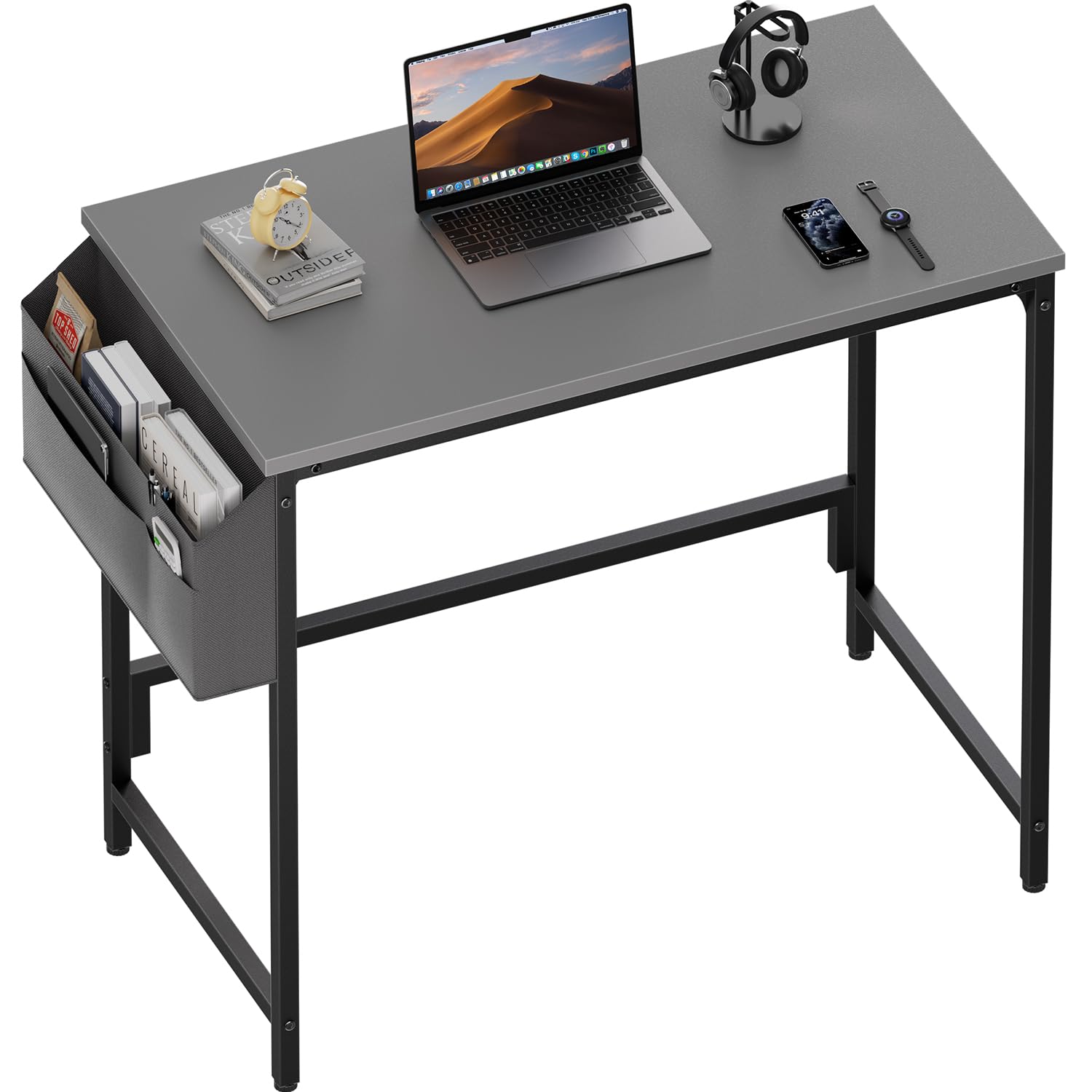
Image: The HLDIRECT 32-inch computer desk in grey, featuring a side storage bag, suitable for home office or study use.
Informació de seguretat
Si us plau, observeu les precaucions de seguretat següents:
- Assegureu-vos que totes les peces estiguin presents i que no estiguin danyades abans de començar el muntatge.
- Munta l'escriptori sobre una superfície suau i neta per evitar ratllades.
- No estrenyeu massa els cargols durant el muntatge per evitar danys als components.
- Mantingueu les peces petites allunyades dels nens per evitar perills d'asfixia.
- No us poseu drets ni asseguts a l'escriptori.
- Distribuïu el pes uniformement sobre l'escriptori.
- Reviseu regularment tots els elements de fixació per assegurar-vos que romanen ajustats.
Contingut del paquet
Verifiqueu que tots els components que s'enumeren a continuació s'inclouen al paquet. Si falta alguna peça o hi ha alguna peça danyada, poseu-vos en contacte amb el servei d'atenció al client.
| Part | Descripció | Quantitat |
|---|---|---|
| A | Panell d'escriptori | 1 |
| B | Desk Legs (Left & Right) | 2 |
| C | Barres de suport | 2 |
| D | Side Storage Bag | 1 |
| E | Coixinets ajustables | 4 |
| F | Assembly Hardware (Screws, Wrench) | 1 Set |
Instruccions de muntatge i muntatge
Follow these steps for quick and easy assembly. All necessary tools are included.
- Step 1: Attach the Support Bars. Secure the support bars (C) under the desktop panel (A) using the provided screws. Ensure they are aligned correctly.
- Step 2: Connect the Frame. Attach the desk legs (B) to the desktop panel (A) and the support bars (C). Fasten all screws securely but do not overtighten.
- Step 3: Install Adjustable Footpads. Screw the adjustable footpads (E) into the bottom of each desk leg.
- Step 4: Add the Side Fabric Bag. Attach the side storage bag (D) to either the left or right side of the desk frame using the designated attachment points.

Image: Visual guide demonstrating the four-step assembly process for the desk, including attaching support bars, connecting the frame, installing footpads, and adding the storage bag.
Instruccions de funcionament
Using the Side Storage Bag
The integrated side storage bag provides convenient access to your essentials. It features multiple pockets for organizing items such as notebooks, pens, tablets, or headphones. The bag can be installed on either the left or right side of the desk during assembly to suit your preference.

Imatge: Un primer pla view of the fabric storage bag, showing its multiple compartments holding various office supplies and personal items.
Adjusting Footpads for Stability
The desk is equipped with adjustable footpads to ensure stability on uneven floors. To adjust, simply rotate each footpad clockwise or counter-clockwise until the desk is level and stable. This also helps protect your floor from scratches.

Imatge: Una imatge detallada view of an adjustable footpad at the base of a desk leg, illustrating how it can be rotated to level the desk.
Manteniment
To maintain the appearance and longevity of your HLDIRECT computer desk, follow these simple maintenance guidelines:
- Neteja: Netegeu la superfície de l'escriptori amb un drap suau iamp drap. Per a taques difícils, utilitzeu una solució de sabó suau i eixugueu immediatament. Eviteu productes químics agressius o netejadors abrasius.
- Vessaments: Immediately wipe up any spills to prevent water damage or staining, especially on the particleboard surface.
- Elements de fixació: Periodically check all screws and bolts to ensure they are tight. Retighten if necessary to maintain desk stability.
- Eviteu condicions extremes: Do not place the desk in direct sunlight or near heat sources, as this can cause material degradation or discoloration.
Resolució de problemes
Si teniu algun problema amb el vostre escriptori, consulteu els següents problemes i solucions habituals:
| Problema | Causa possible | Solució |
|---|---|---|
| L'escriptori està inestable | Uneven floor or loose fasteners. | Adjust the footpads until the desk is stable. Check and tighten all assembly screws. |
| Les peces no s'alineen durant el muntatge | Orientació incorrecta de les peces o cargols massa ajustats. | Loosen screws slightly, re-align parts, then retighten. Refer to the assembly diagram. |
| Side storage bag is loose | Improper attachment. | Ensure the bag is securely fastened to the designated attachment points on the desk frame. |

Image: A visual comparison highlighting the enhanced stability provided by the desk's triangular structure, contrasting it with a wobbly, unstable desk.
Especificacions
| Característica | Detall |
|---|---|
| Marca | HLDIRECT |
| Número de model | 1 |
| Color | Grey (for this variant) |
| Dimensions del producte | 80W x 40D x 74H cm (32W x 16D x 30H inches) |
| Material | Wood (Particleboard) with Alloy Steel Frame |
| Pes de l'article | 7 kg |
| Característiques especials | Adjustable Footpads, Compact Design, Side Storage Bag |
| Disseny d'escriptori | Escriptori d'ordinador |
| Tipus d'acabat | Laminated (Scratch and Water Resistant) |

Image: A diagram illustrating the key dimensions of the HLDIRECT 32-inch computer desk, including length, width, and height.

Image: A visual comparison demonstrating the quality of the premium particle board used for the desktop, contrasting it with lower density materials prone to cracking.
Garantia i Suport
For warranty information or technical support, please refer to the contact details provided with your purchase documentation or visit the official HLDIRECT weblloc web. Conserveu el rebut de compra com a comprovant de compra.