
1. Introducció
This manual provides essential instructions for setting up, operating, maintaining, and troubleshooting your MIRO A1 Unlocked 4G Cell Phone. Please read this guide thoroughly to ensure proper use and to maximize the device's performance.

Figure 1: MIRO A1 Smartphone
2. Contingut del paquet
Verifiqueu que tots els elements siguin presents al paquet:
- MIRO A1 Smartphone (1 unit)
- Bateria (1 unitat)
- Carregador (1 unitat)
- Cable USB (1 unitat)
- Manual d'usuari (1 unitat)

Figura 2: Accessoris inclosos
3. Configuració
3.1. Instal·lació de la bateria
- Traieu amb cura la tapa posterior del telèfon.
- Alineeu els contactes de la bateria amb els terminals de l'interior del telèfon.
- Premeu suaument la bateria al seu lloc fins que quedi fixada.
- Torneu a col·locar la coberta posterior, assegurant-vos que encaixi en el seu lloc amb un clic.

Figura 3: Instal·lació de la bateria
3.2. Instal·lació de la targeta SIM i la targeta MicroSD
The MIRO A1 supports Dual SIM cards and a MicroSD card for expandable storage.
- With the back cover removed, locate the SIM card slots and the MicroSD card slot.
- Insert your Nano SIM card(s) into the designated SIM slots with the gold contacts facing down.
- If using a MicroSD card for additional storage (up to 256GB), insert it into the MicroSD card slot.
- Ensure all cards are seated correctly.
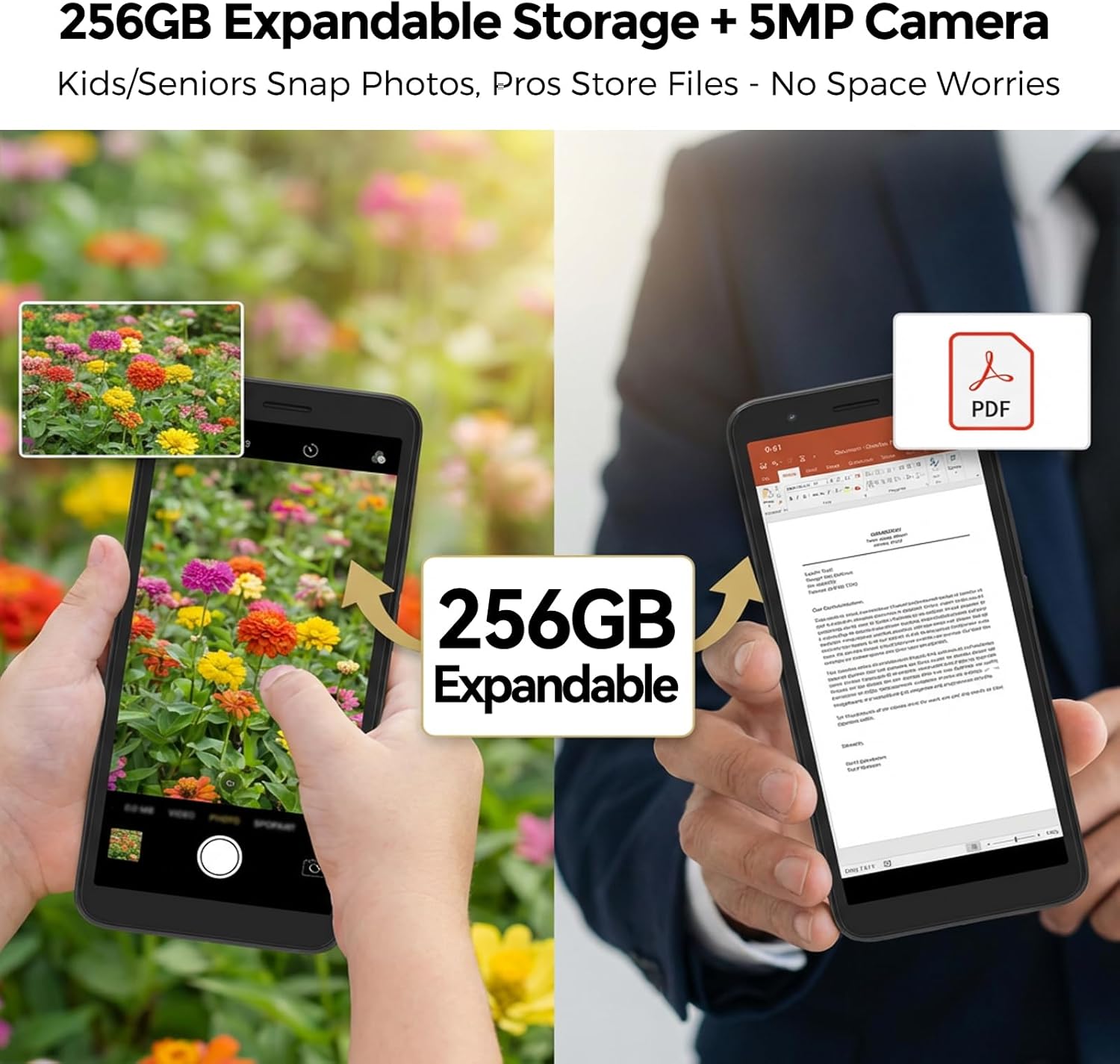
Figura 4: Instal·lació de la targeta SIM
3.3. Càrrega inicial i engegada
- Connect the USB cable to the phone's USB Type C port and the charger.
- Plug the charger into a power outlet. Allow the phone to charge for at least 30 minutes before first use.
- Press and hold the Power button (usually on the side) until the MIRO logo appears.
- Follow the on-screen prompts to complete the initial setup of the Android 14 Go Edition operating system.
4. Instruccions de funcionament
4.1. Navegació bàsica
The MIRO A1 runs on Android 14 Go Edition, designed for efficient performance. Use touch gestures to navigate:
- Toca: Selecciona un element o obre una aplicació.
- Llisca: Desplaçar-se per pantalles o llistes.
- Pessigar: Apropa o allunya les fotos i web pàgines.
- Premsa llarga: Accediu als menús contextuals o moveu les icones de les aplicacions.
4.2. Fer trucades i enviar missatges
- Open the 'Phone' app to dial numbers or access contacts.
- Open the 'Messages' app to send and receive SMS/MMS.
- For Dual SIM users, you can select which SIM to use for calls or messages before initiating them.
4.3. Ús de la càmera
The MIRO A1 features a 5MP rear camera and a 2MP front camera.
- Obre l'aplicació "Càmera" des de la pantalla d'inici o des del calaix d'aplicacions.
- Toqueu el botó de l'obturador per fer una foto.
- Canvia entre la càmera frontal i la posterior amb la icona de commutació de la càmera.

Figure 5: Camera Module
4.4. Gestió de l'emmagatzematge
Your MIRO A1 comes with 32GB of internal storage, expandable up to 256GB via a MicroSD card.
- To check storage usage, go to Configuració > Emmagatzematge.
- Mou fotos, vídeos i altres files to the MicroSD card to free up internal space.

Figure 6: Expandable Storage
4.5. Connectivitat Wi-Fi
- Vés a Configuració > Xarxa i Internet > Wi-Fi.
- Activa la Wi-Fi.
- Seleccioneu la xarxa desitjada de la llista i introduïu la contrasenya si se us demana.
5. Manteniment
5.1. Cura de la bateria
- Eviteu les temperatures extremes, que poden reduir la durada de la bateria.
- No deixeu el telèfon carregant-se durant períodes prolongats després que hagi arribat al 100%.
- Si la bateria és extraïble, assegureu-vos que estigui correctament col·locada.
5.2. Neteja del dispositiu
- Feu servir un drap suau i sense borrissol per netejar la pantalla i la carcassa del telèfon.
- Eviteu utilitzar productes químics o materials abrasius.
- Mantingueu els ports nets de pols i deixalles.
5.3. Actualitzacions de programari
Periodically check for system updates to ensure your phone has the latest features and security patches. Go to Configuració > Sistema > Actualització del sistema.
6. Solució De Problemes
6.1. El telèfon no s'encén
- Assegureu-vos que la bateria estigui instal·lada i carregada correctament.
- Connect the phone to the charger and wait a few minutes before attempting to power on again.
- If the battery is removable, try removing and reinserting it.
6.2. Network Issues
- Comproveu si la targeta SIM està inserida correctament.
- Verify that your mobile data is enabled in Configuració > Xarxa i Internet > Xarxa mòbil.
- Reinicieu el telèfon.
- Confirm with your carrier that your plan is active and compatible with an unlocked 4G device.
6.3. Storage Full
- Delete unnecessary apps, photos, and videos.
- Mou-te files to a MicroSD card if one is installed.
- Esborra les dades de la memòria cau de les aplicacions a Configuració > Aplicacions i notificacions > [Nom de l'aplicació] > Emmagatzematge i memòria cau.
6.4. Restabliment de fàbrica
If persistent issues occur, a factory reset may be necessary. This will erase all data on your phone. Back up important data before proceeding.
- Vés a Configuració > Sistema > Opcions de restabliment.
- Seleccioneu Esborra totes les dades (restabliment de fàbrica).
- Confirmeu la vostra decisió.
7. Especificacions
| Característica | Especificació |
|---|---|
| Marca | MIRO |
| Nom del model | MIRO A1 |
| Sistema operatiu | Android 14 Go Edition |
| Memòria RAM | 2 GB |
| Emmagatzematge intern | 32 GB |
| Emmagatzematge ampliable | Fins a 256 GB (MicroSD) |
| Mida de la pantalla | 5.99 polzades |
| Resolució | 576 x 1152 |
| Càmera posterior | 5 MP |
| Càmera frontal | 2 MP |
| Capacitat de la bateria | 3000 mAh |
| Nombre de ranures per a targetes SIM | Dual SIM (Nano) |
| Connectivitat | 4G, Wi-Fi, Bluetooth, 3.5mm Headphone Jack, USB Type C |
| Seguretat biomètrica | Reconeixement d'empremtes digitals |
| Pes | 182 g (6.42 oz) |
8. Garantia i Suport
8.1. Informació de la garantia
The MIRO A1 smartphone comes with a Garantia limitada de 1 anys from the date of purchase. This warranty covers manufacturing defects. It does not cover damage caused by misuse, accidents, unauthorized modifications, or normal wear and tear.
8.2. Atenció al client
For technical assistance, warranty claims, or further inquiries, please contact MIRO customer support through the retailer where you purchased the device or refer to the official MIRO weblloc per obtenir informació de contacte.