
Introducció
This manual provides essential instructions for the safe and efficient use of your LG MyView Smart Monitor (Model 27SR5BF-P). Please read this manual thoroughly before operating the product and retain it for future reference. This monitor integrates a Full HD IPS display with smart features powered by WebOS, including wireless connectivity and built-in speakers, designed for both productivity and entertainment.
Informació de seguretat
Always follow these basic safety precautions to reduce the risk of fire, electric shock, and personal injury:
- No exposeu el monitor a la pluja ni a la humitat.
- No obriu el monitor casing; demaneu totes les tasques de manteniment a personal qualificat.
- Assegureu-vos una ventilació adequada al voltant del monitor.
- Feu servir només el cable d'alimentació i l'adaptador que s'inclouen amb el monitor.
- Eviteu col·locar el monitor en superfícies inestables.
- Desendolleu el monitor durant tempestes o quan no l'utilitzeu durant períodes prolongats.
Què hi ha a la caixa
Verifiqueu que tots els components siguin presents abans de continuar amb la configuració:
- LG MyView Smart Monitor (27SR5BF-P)
- Suport de monitor (base i coll)
- Teclat sense fil
- Ratolí sense fil
- Cable d'alimentació
- HDMI Cable (5ft)
- Comandament a distància i bateries
- Owner's Manual & Warranty Card

Image showing the LG MyView Smart Monitor, its stand, wireless keyboard, wireless mouse, and a list of included items and dimensions.

Image displaying the included LG wireless keyboard and mouse, both in a matching pink finish.
Configuració
1. Muntatge del suport
- Traieu amb cura el monitor del seu embalatge, col·locant-lo cara avall sobre una superfície suau i neta per evitar ratllades.
- Attach the stand neck to the monitor's rear panel. Secure with screws if provided.
- Fixeu la base del suport al coll del suport. Estrenyeu el cargol o cargols de polze a la part inferior de la base.
2. Potència de connexió
- Connecteu el cable d'alimentació al port d'entrada d'alimentació del monitor.
- Connecteu l'altre extrem del cable d'alimentació a una presa de corrent.
3. Connexió de perifèrics
The monitor features multiple ports for connectivity:
- Ports HDMI (x2): Connect your PC, laptop, gaming console, or other HDMI-enabled devices using the supplied HDMI cable.
- Ports USB-A (x2): Use these ports to connect the wireless keyboard and mouse dongle, or other USB devices.
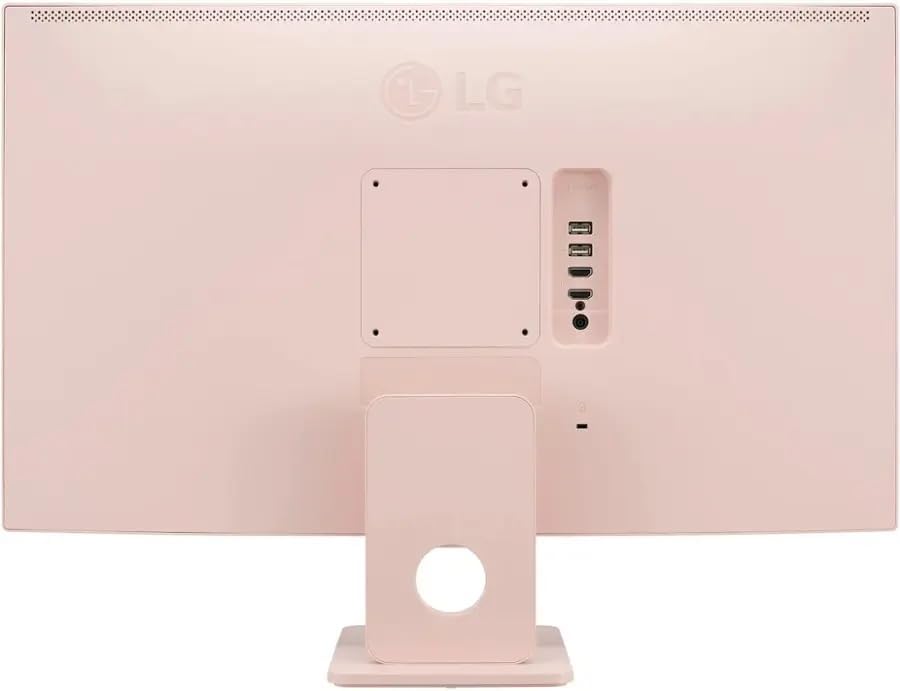
posterior view of the LG MyView Smart Monitor, highlighting the power input, HDMI ports, and USB-A ports.
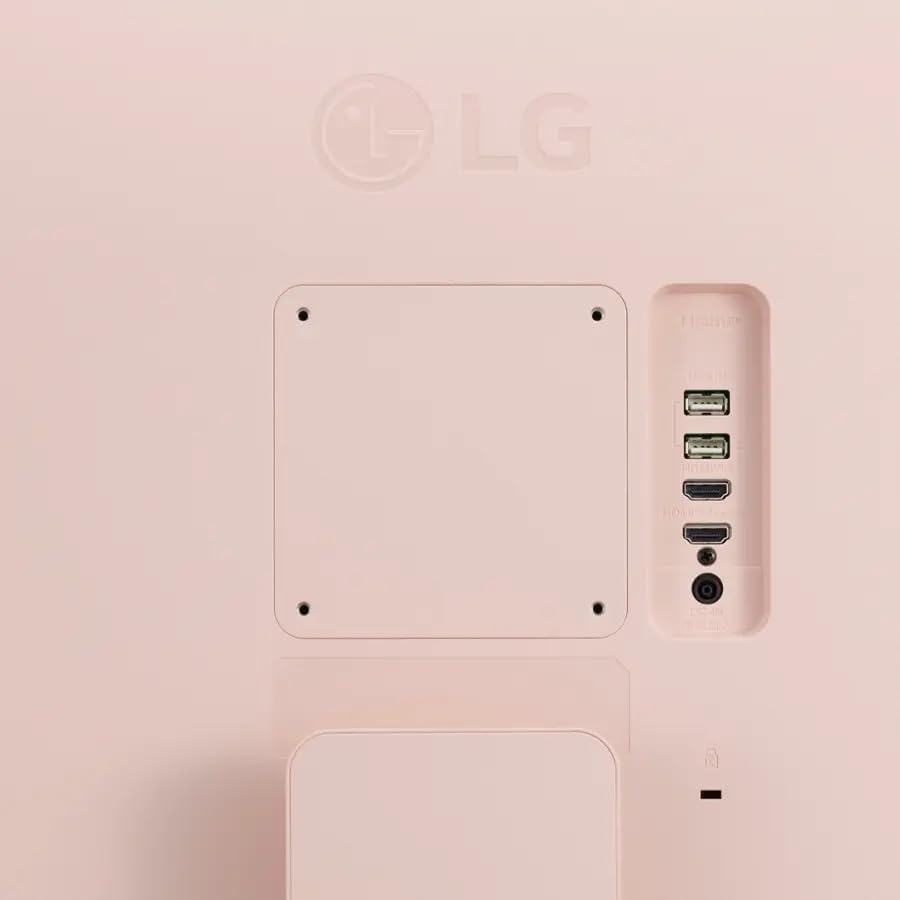
A close-up image of the connectivity ports on the back of the LG MyView Smart Monitor, including HDMI and USB-A.
4. Engegada inicial
- Press the power button located on the monitor or use the remote control to turn on the monitor.
- Seguiu les instruccions que apareixen a la pantalla per a la configuració inicial, inclosa la selecció d'idioma i la configuració de xarxa.
Funcionament del monitor
1. Funcions bàsiques
- Encès/apagat: Use the power button on the monitor or the remote control.
- Font d'entrada: Press the 'Input' button on the remote to switch between HDMI inputs or the WebOS smart interface.
- Control de volum: Use the volume buttons on the remote to adjust the built-in speakers' output.
2. Navegació WebOS
El LG MyView Smart Monitor runs on WebOS, providing access to various smart features and applications. Use the remote control or the connected wireless keyboard and mouse to navigate the interface.
- The home screen displays a launcher bar with quick access to apps, inputs, and settings.
- Customize the launcher bar by adding or removing applications.

El LG MyView Smart Monitor displaying its WebOS interface with various streaming apps and content options.

A view of the LG MyView Smart Monitor in a home office setting, showcasing el WebOS interface and the included wireless keyboard and mouse.
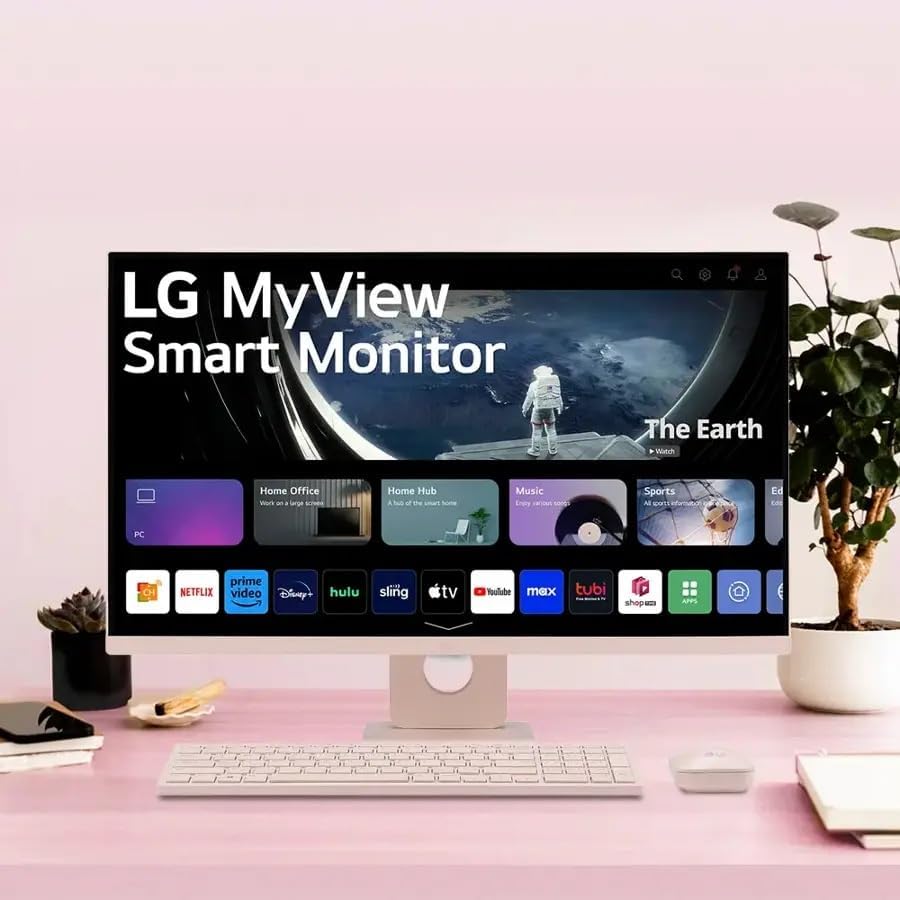
El LG MyView Smart Monitor displaying content titled 'The Earth' on its screen, with the WebOS launcher bar visible at the bottom.
3. Connectivitat de xarxa
- Wi-Fi: Vés a Settings > Network > Wi-Fi Connection to connect to your wireless network.
- Bluetooth: Pair Bluetooth devices like headphones or external speakers via Settings > Sound > Sound Out > Bluetooth Device.
4. Screen Sharing and AirPlay 2
- AirPlay 2: For Apple devices, use AirPlay 2 to mirror your screen or stream content directly to the monitor. Ensure both devices are on the same Wi-Fi network.
- Compartir pantalla: For other compatible devices, use the Screen Share feature within WebOS to mirror your device's display.
5. Configuració de la pantalla
Access display settings via the WebOS menu to adjust:
- Mode d'imatge: Select from various presets (e.g., Vivid, Standard, Cinema, Game, HDR Effect).
- Brillantor/Contrast: Fine-tune display levels.
- HDR10: The monitor supports HDR10 for enhanced contrast and color when viewing compatible content.
- Confort ocular: Utilize Flicker-Free and Low Blue Light features to reduce eye strain during prolonged use.
Manteniment
1. Neteja del monitor
- Desconnecteu sempre el monitor abans de netejar-lo.
- Utilitzeu un drap suau i sense pelusa lleugerament dampnetejat amb aigua o amb un netejador de pantalles especialitzat.
- No ruixeu el netejador directament sobre la pantalla.
- Eviteu utilitzar netejadors abrasius, ceres o dissolvents.
2. Atenció general
- Mantingueu el monitor allunyat de la llum solar directa, de fonts de calor i de l'excés de pols.
- Assegureu-vos que hi hagi un flux d'aire adequat al voltant del monitor per evitar el sobreescalfament.
- When moving the monitor, handle it carefully and avoid applying pressure to the screen.
Resolució de problemes
Si teniu problemes amb el monitor, consulteu les solucions habituals següents:
| Problema | Possible solució |
|---|---|
| Sense poder | Comproveu si el cable d'alimentació està connectat correctament tant al monitor com a la presa de corrent. Assegureu-vos que la presa de corrent funciona. |
| Sense senyal / Pantalla en blanc | Verify the HDMI cable is correctly connected to both the monitor and the source device. Select the correct input source using the remote control. |
| Sense so | Check the monitor's volume settings and ensure it's not muted. If using external speakers, verify their connection and power. |
| La imatge està distorsionada o borrosa | Adjust the resolution settings on your connected device to match the monitor's native resolution (1920x1080). Check display settings for picture mode. |
| Wireless keyboard/mouse not working | Ensure the USB dongle is plugged into a USB-A port on the monitor. Check batteries in the keyboard and mouse. |
Especificacions
| Característica | Especificació |
|---|---|
| Marca | LG |
| Número de model | 27SR5BF-P (LG 27 MyView Smart Monitor) |
| Mida de la pantalla | 27 polzades |
| Tipus de panell | IPS |
| Resolució | 1920 x 1080 (Full HD) |
| Relació d'aspecte | 16:9 |
| Freqüència d'actualització | 60 Hz |
| Temps de resposta | 5 mil·lisegons |
| Brillantor | 250 nits (cd/m²) |
| Relació de contrast | 1000:1 |
| Viewangle ing | 178° (Horitzontal/Vertical) |
| Suport HDR | HDR10 |
| Sistema operatiu | WebOS |
| Connectivitat | 2 x HDMI, 2 x USB-A |
| Connectivitat sense fil | Wi-Fi, Bluetooth, AirPlay 2, Screen Share |
| Altaveus incorporats | Sí (2x) |
| Característiques de confort ocular | Sense parpelleig, poca llum blava |
| Dimensions (amb suport) | 24.1" d'amplada x 17.8" d'alçada x 8.3" de profunditat |
| Pes (amb suport) | 12.3 lliures |
| Color | Rosa |
Informació de la garantia
Your LG MyView Smart Monitor is covered by a limited warranty. Please refer to the warranty card included in your product packaging for specific terms, conditions, and duration of coverage. Keep your proof of purchase for warranty claims.
Suport
Per a més ajuda, assistència tècnica o consultes de servei, visiteu el lloc web oficial d'assistència de LG. weblloc web o contacteu amb el servei d'atenció al client de LG:
- Suport LG Weblloc: www.lg.com/us/support
- Atenció al client: Refer to your warranty card or the LG weblloc per als números de contacte regionals.