
1. Introducció
This manual provides essential information for the safe and efficient operation of your Kaiser KSB-4012 Speaker System. Please read these instructions thoroughly before using the product and retain them for future reference.
2. Informació de seguretat
- Font d'alimentació: Use only the specified power adapter for charging. Ensure the voltage és compatible amb la teva regió.
- Aigua i humitat: No exposeu l'altaveu a l'aigua, la pluja o la humitat excessiva. Aquest producte no és impermeable.
- Ventilació: Ensure adequate ventilation around the speaker. Do not block any ventilation openings.
- Calor: Mantingueu l'altaveu allunyat de fonts de calor com ara radiadors, registres de calor, estufes o altres aparells (inclosos amplificadors) que produeixen calor.
- Neteja: Desconnecteu l'alimentació abans de netejar. Feu servir un drap sec i suau. No utilitzeu netejadors líquids ni netejadors en aerosol.
- Manteniment: No intenteu atendre aquest producte vosaltres mateixos. Consulteu tots els serveis a personal de servei qualificat.
- Col·locació: Col·loqueu l'altaveu sobre una superfície estable i plana per evitar que caigui.
- Volum: L'exposició prolongada a nivells de volum elevats pot causar danys auditius permanents. Ajusteu el volum a un nivell còmode.
3. Contingut del paquet
- Kaiser KSB-4012 Speaker System
- Micròfon sense fil
- Control remot
- Adaptador d'alimentació
- Manual d'usuari
4. Producte acabatview
Davant View
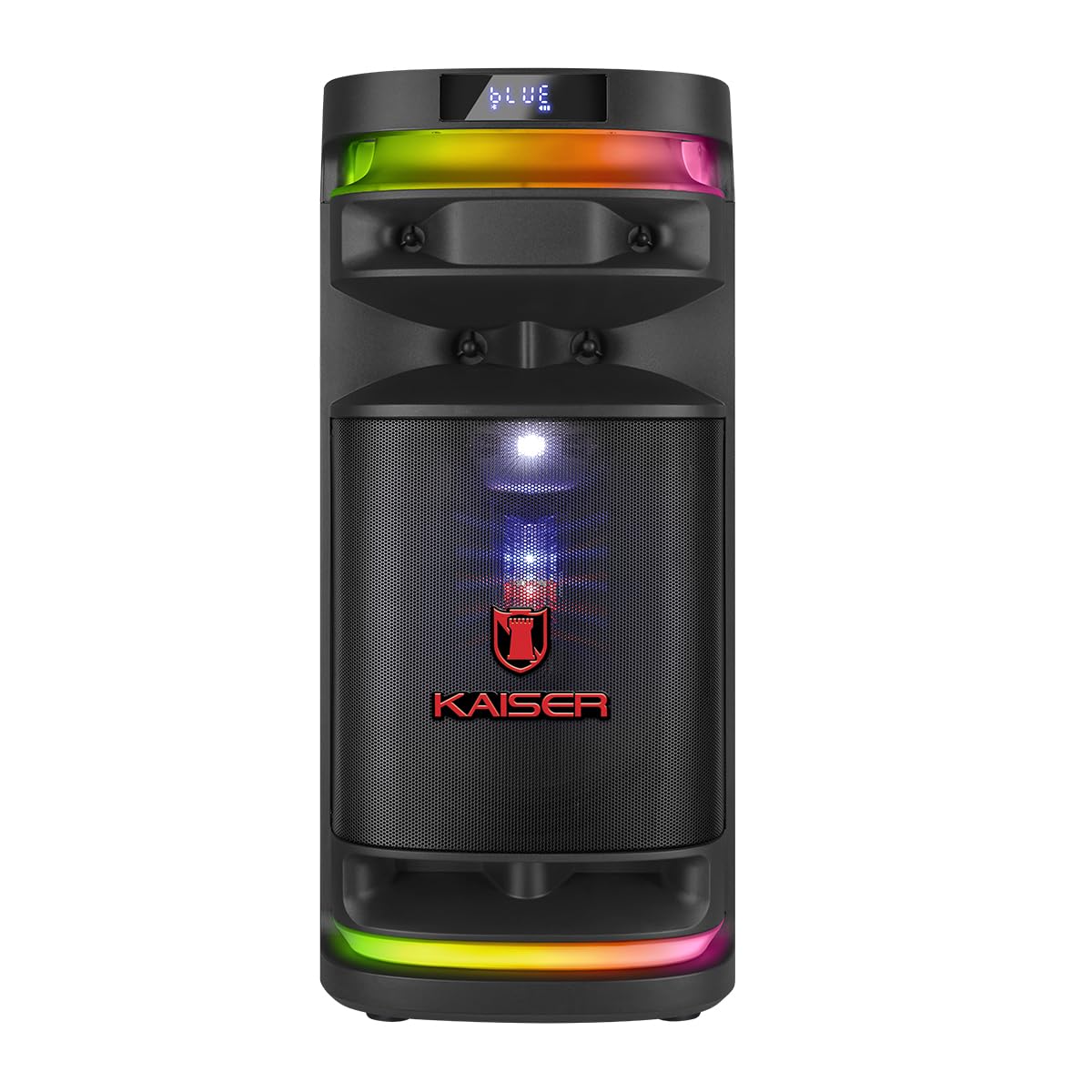
Figura 4.1: Frontal view of the KSB-4012 speaker, showcasing the 12-inch woofer, 2-inch tweeter, 4-inch midrange, and integrated RGB LED lighting.
posterior View
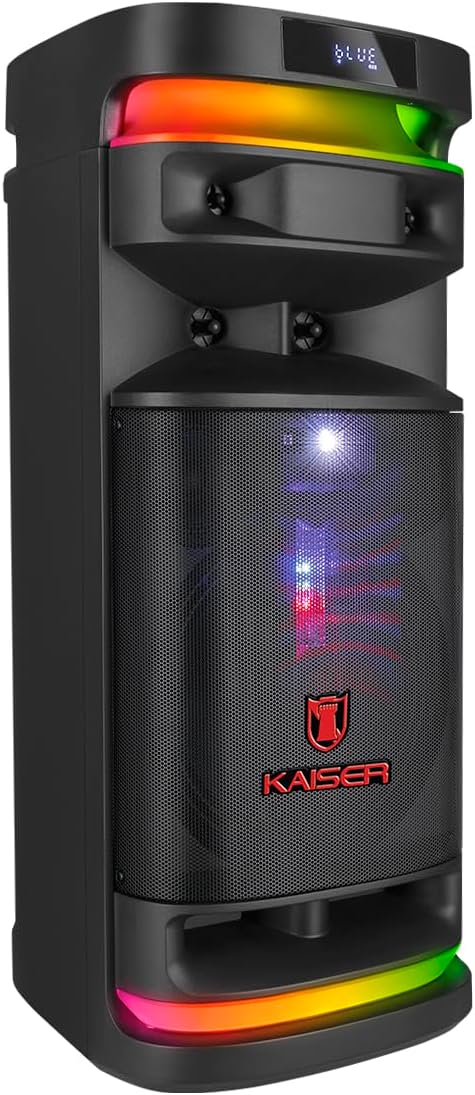
Figura 4.2: posterior view of the KSB-4012 speaker, showing the bass reflex port and access panel.
Tauler de control

Figura 4.3: Detallada view of the top control panel, including inputs for microphones, USB, Micro SD, AUX, and various control knobs and buttons for volume, equalization, and mode selection.
Micròfon sense fil

Figure 4.4: The wireless microphone and its USB charging cable, designed for use with the KSB-4012 speaker.
5. Configuració
- Desembalatge: Traieu amb cura tots els components de l'embalatge. Conserveu l'embalatge per a futurs transports o emmagatzematges.
- Col·locació: Position the speaker on a stable, flat surface. Ensure there is enough space for ventilation.
- Càrrega: Before first use, fully charge the speaker using the provided power adapter. Connect the adapter to the speaker's power input and a suitable wall outlet. The charging indicator will show the charging status.
- Configuració del micròfon: Ensure the wireless microphone is charged. Turn on the microphone and the speaker. The microphone should automatically pair with the speaker.
6. Instruccions de funcionament
6.1 Encès/Apagat
Press and hold the 'POWER' button on the control panel to turn the speaker on or off.
6.2 Connexió Bluetooth
- Turn on the speaker. The display will show 'BLUE' or 'BT' indicating Bluetooth mode. If not, press the 'MODE' button to select Bluetooth.
- Activa el Bluetooth al teu dispositiu (telèfon intel·ligent, tauleta, etc.).
- Cerca available devices and select 'Kaiser KSB-4012' (or similar name) from the list.
- Once paired, the speaker will emit a confirmation sound. You can now play audio from your device.
6.3 USB/Micro SD Playback
- Insert a USB flash drive or Micro SD card into the corresponding port on the control panel.
- The speaker will automatically switch to USB or Micro SD mode and begin playing audio files. Si no és així, premeu el botó «MODE» per seleccionar la font correcta.
- Use the playback controls (Play/Pause, Next/Previous Track) on the control panel or remote control.
6.4 Ràdio FM
- Press the 'MODE' button to select FM radio mode.
- Premeu el botó "Reprodueix/Pausa" per escanejar i desar automàticament les emissores de FM disponibles.
- Use the 'Next/Previous Track' buttons to navigate between saved stations.
6.5 Entrada AUX
- Connect an external audio device (e.g., MP3 player, laptop) to the 'AUX' input using a 3.5mm audio cable (not included).
- Press the 'MODE' button to select AUX input mode.
- Controla la reproducció i el volum des del dispositiu connectat.
6.6 Ús del micròfon
- Ensure the wireless microphone is powered on and paired.
- Adjust the microphone volume using the 'VOL MIC' knob on the control panel.
- For wired microphones, connect them to the 'MIC 1' or 'MIC 2' input.
6.7 KSR-Link (True Wireless Stereo)
The KSR-Link function allows you to connect two KSB-4012 speakers wirelessly for a stereo sound experience.
- Assegureu-vos que tots dos altaveus estiguin encesos i en mode Bluetooth.
- On one speaker (this will be the primary speaker), press and hold the 'KSR-Link' button. The speaker will search for another KSB-4012 unit.
- Un cop connectats, els dos altaveus reproduiran àudio en estèreo.
6.8 Llums LED RGB
Press the 'LED' button on the control panel to cycle through different RGB lighting modes or to turn the lights off.
6.9 Recording Function (REC)
The speaker can record audio from the microphone to a connected USB drive or Micro SD card.
- Insert a USB drive or Micro SD card.
- Ensure a microphone is connected and active.
- Press the 'REC' button to start recording. Press it again to stop recording.
- Gravat files will be saved to the USB drive or Micro SD card.
6.10 Equalitzador (EQ)
The speaker features both manual and pre-defined equalization settings. Use the 'EQ' button to cycle through pre-set equalizer modes or adjust the individual frequency sliders for manual control.
7. Manteniment
- Neteja: Netegeu les superfícies exteriors amb un drap suau i sec. No utilitzeu productes de neteja abrasius ni dissolvents.
- Emmagatzematge: Quan no l'utilitzeu durant períodes prolongats, guardeu l'altaveu en un lloc fresc i sec, allunyat de la llum solar directa i de temperatures extremes.
- Cura de la bateria: Per allargar la durada de la bateria, eviteu descarregar-la completament amb freqüència. Carregueu l'altaveu regularment, fins i tot si no l'esteu fent servir.
8. Solució De Problemes
| Problema | Causa possible | Solució |
|---|---|---|
| Sense poder | Battery discharged; Power adapter not connected. | Charge the speaker; Ensure power adapter is securely connected. |
| Sense so | Volum massa baix; Mode d'entrada incorrecte; Dispositiu no connectat. | Increase volume; Select correct input mode (BT, USB, AUX); Reconnect device. |
| Bluetooth no emparellat | L'altaveu no està en mode d'emparellament; el Bluetooth del dispositiu està desactivat; massa lluny de l'altaveu. | Ensure speaker is in BT mode; Turn on device Bluetooth; Move device closer (within 10m). |
| El micròfon no funciona | Microphone off; Microphone battery low; Microphone volume low. | Turn on microphone; Charge microphone; Increase 'VOL MIC' knob. |
| KSR-Link not connecting | Speakers too far apart; One speaker not in BT mode. | Ensure speakers are close; Both speakers must be in Bluetooth mode before initiating KSR-Link. |
9. Especificacions

Figure 9.1: Dimensions of the KSB-4012 speaker: 86 cm height, 35 cm depth, 36 cm width.
| Característica | Detall |
|---|---|
| Nom del model | KSB-4012 |
| Sistema d'altaveus | 3-way (12" Woofer, 2" Tweeter, 4" Midrange) |
| Potència de sortida | 80W RMS |
| Tecnologia de connectivitat | Bluetooth, USB, Micro SD, AUX |
| Tecnologia sense fils | Bluetooth |
| Resposta de freqüència | 2.4 GHz (Bluetooth) |
| Mode de sortida d'àudio | Envoltant |
| Font d'alimentació | Bateria (recarregable) |
| Mètode de control | Remote Control, On-device controls |
| Accessoris inclosos | Micròfon sense fil |
| Dimensions (P x A x A) | 37.4 x 36.2 x 80 cm |
10. Garantia i Suport
This product comes with a 90-day manufacturer's warranty. For warranty claims or technical support, please contact Kaiser customer service through their official channels or the retailer where the product was purchased. Keep your proof of purchase for warranty validation.
Per obtenir més informació o ajuda, visiteu la Kaiser Brand Store.