
1. Introducció
The EWEADN F61 is a compact 60% wired gaming keyboard designed for efficiency and performance. It features vibrant RGB backlighting, durable PBT keycaps, and an ergonomic design for comfortable extended use. This manual provides detailed instructions for setting up, operating, and maintaining your keyboard.
2. Contingut del paquet
- EWEADN F61 60% Wired RGB Gaming Keyboard
- Cable USB-C desmuntable
- Manual d'usuari
3. Configuració
To begin using your EWEADN F61 keyboard, follow these simple steps:
- Connecteu el cable USB-C: Plug the detachable USB-C cable into the Type-C port on the keyboard and the other end into an available USB port on your computer (PC, laptop, gaming console, smartphone, or tablet). The keyboard is plug-and-play, requiring no additional drivers.
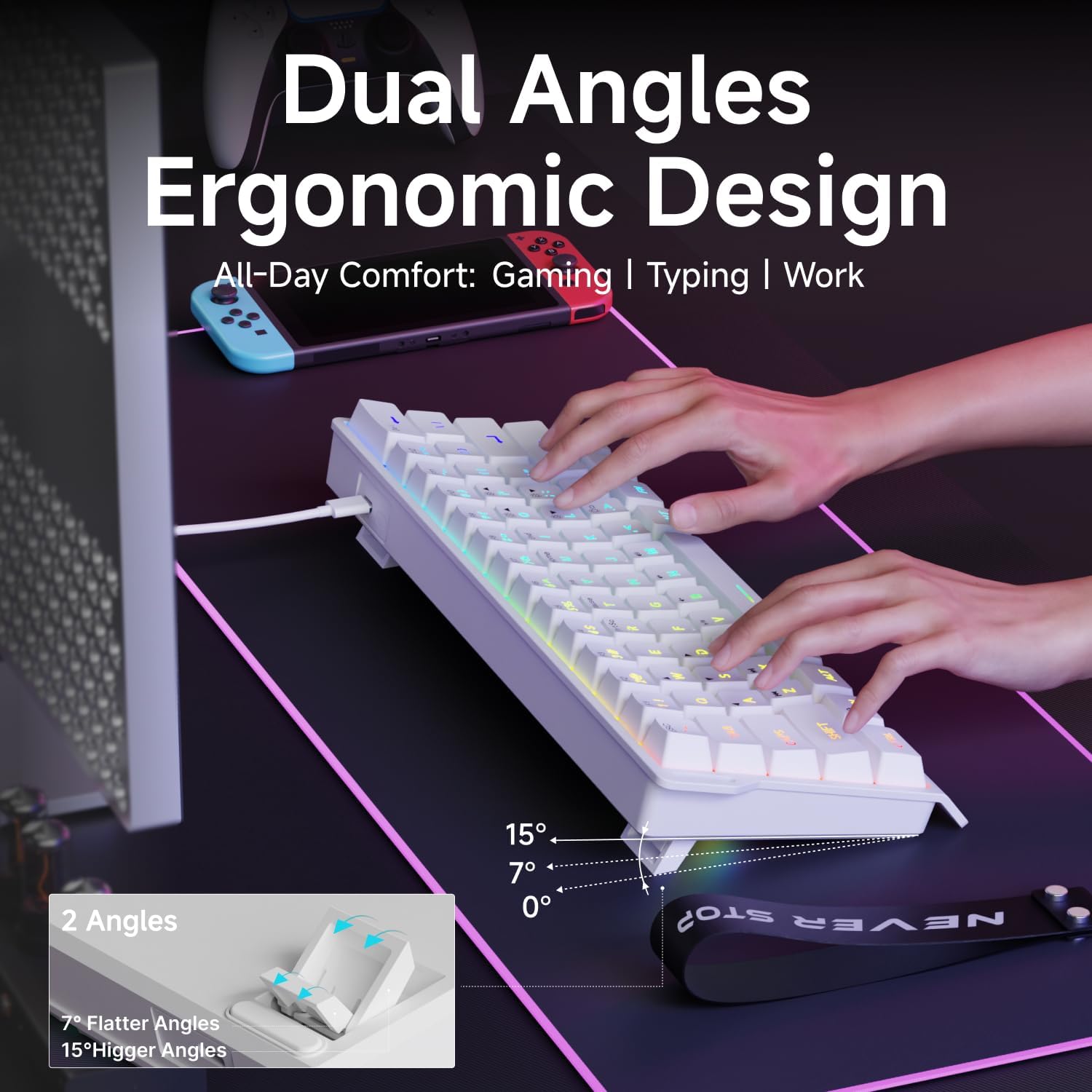
- Adjust Ergonomic Kickstands: The keyboard features dual-layer feet support with two adjustable angles (7° and 15°) for enhanced typing comfort. Flip out the kickstands on the underside of the keyboard to your preferred height.
- Compatibilitat del sistema: The keyboard is compatible with both Windows and Mac operating systems. To switch between modes, hold down the 'FN' key and press 'A' for Windows or 'S' for Mac.
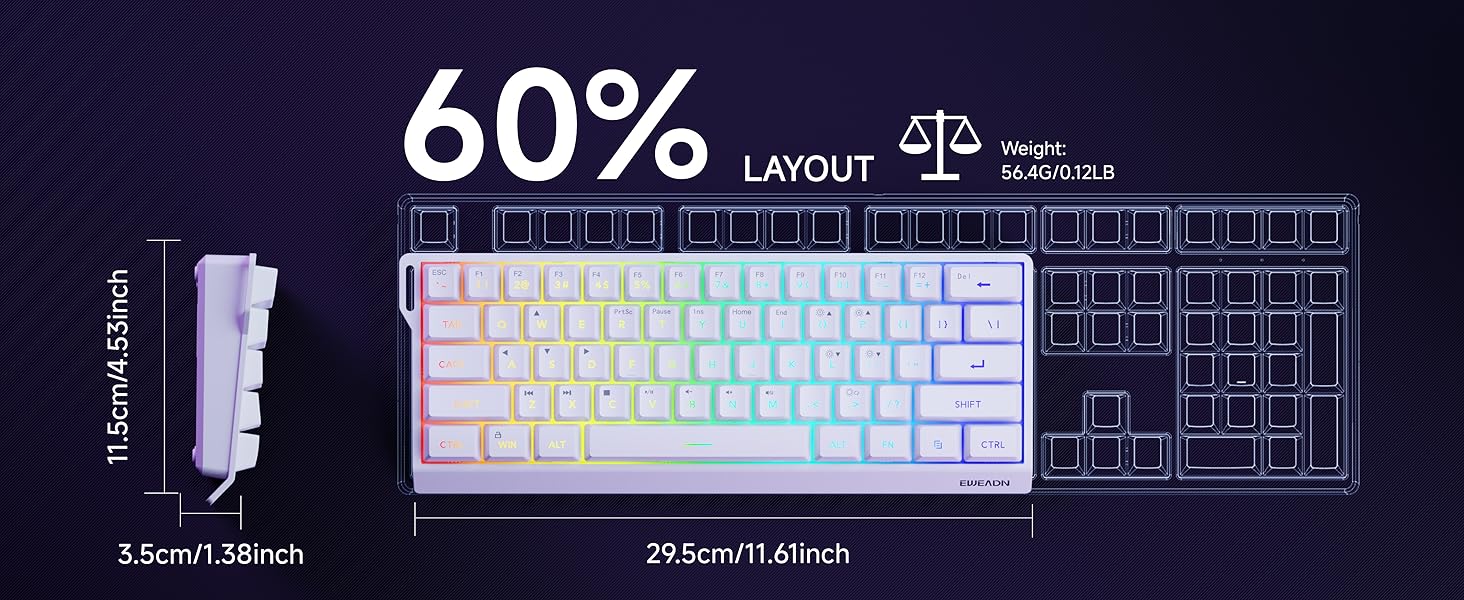
Video: Demonstrates the compact 60% design of the EWEADN F61 keyboard, highlighting its portability and suitability for gaming and travel. Shows the keyboard being connected and used.
4. Instruccions de funcionament
4.1 Control d'il·luminació RGB
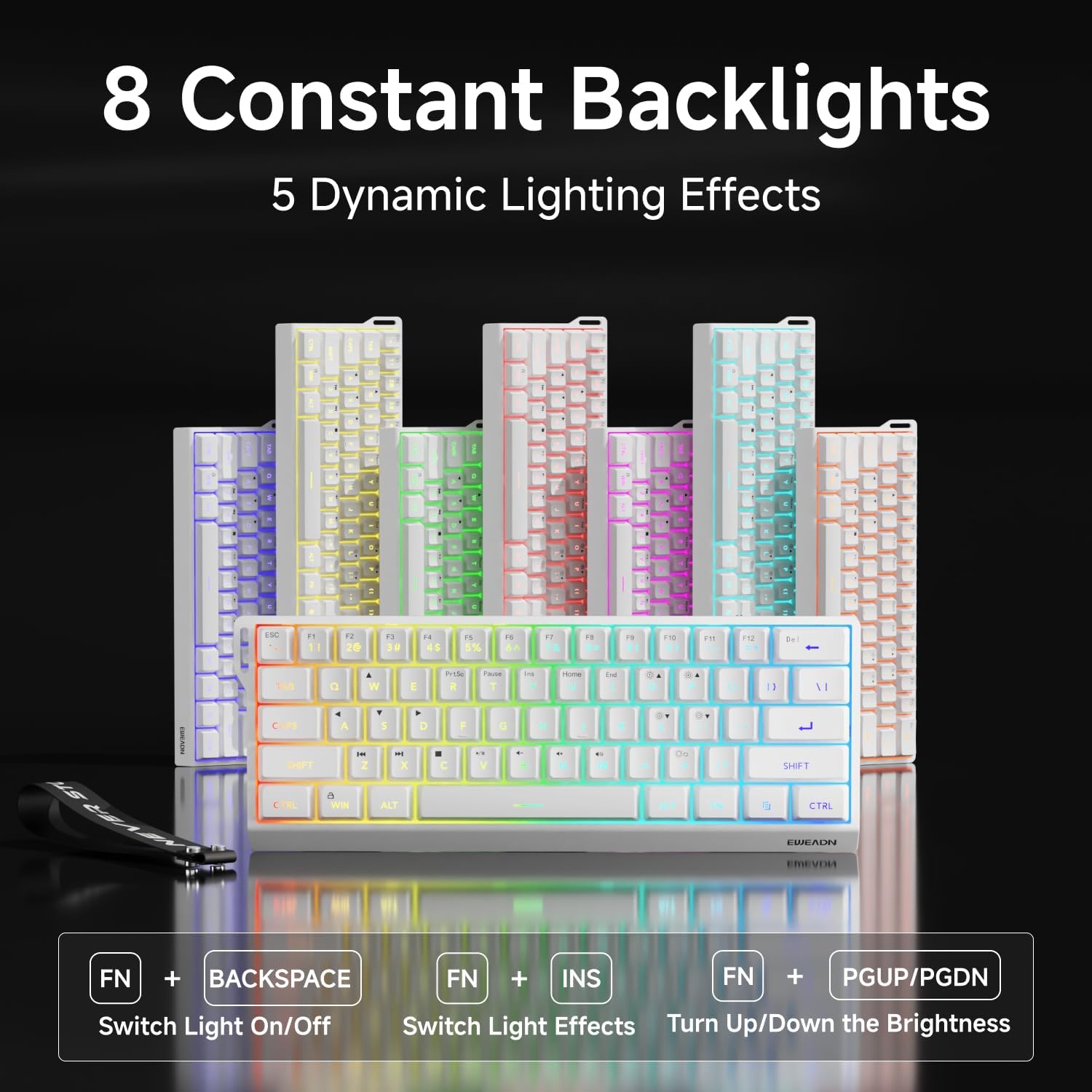
The EWEADN F61 features 16.8 million RGB backlight colors with 6 effects and 5 brightness levels. Use the following key combinations to customize your lighting:
- Canvia els efectes de la llum de fons: Aguanta FN + INS to cycle through the 6 available lighting effects.
- Ajusta la brillantor: Aguanta FN + P (to increase brightness) or FN + ;: (to decrease brightness). There are 5 brightness levels.
- Ajusta la velocitat de la il·luminació: Aguanta FN + O (to increase speed) or FN + L (to decrease speed).
- Encendre/apagar els llums: Aguanta FN + Retrocés per activar o desactivar la retroiluminació.

Video: A vertical video showcasing the EWEADN F61 60% Wired RGB Backlit Gaming Keyboard, demonstrating its compact size and various RGB lighting effects.
4.2 Key Functions and Layout
The F61 features a 60% compact layout, which means some keys are accessed via the 'FN' (Function) key. This design saves desk space while retaining essential functionality.
- Lockable Win Key: Prevent accidental interruptions during gaming by locking the Windows key. Press FN + Guanyar to toggle the Win key lock.
- Tecles PBT: The keyboard is equipped with dual-layer injection PBT keycaps, ensuring durability and clear, translucent characters that resist fading.
- Silent Membrane Switches: Experience quieter keystrokes for a more comfortable and less disruptive typing or gaming session.


5. Manteniment
To ensure the longevity and optimal performance of your EWEADN F61 keyboard, follow these maintenance guidelines:
- Neteja regular: Use a soft, dry cloth to wipe down the keycaps and keyboard surface. For deeper cleaning, you can use a can of compressed air to remove dust and debris from between the keys.
- Eviteu els vessaments de líquids: While durable, direct exposure to liquids can damage the internal components. In case of a spill, immediately disconnect the keyboard and allow it to dry completely before reconnecting.
- Cura del cable: Handle the detachable USB-C cable with care. Avoid sharp bends or excessive pulling to prevent damage to the cable or port.
6. Solució De Problemes
If you encounter any issues with your EWEADN F61 keyboard, refer to the following troubleshooting tips:
- El teclat no respon:
- Assegureu-vos que el cable USB-C estigui connectat correctament tant al teclat com a l'ordinador.
- Prova de connectar el teclat a un port USB diferent de l'ordinador.
- Reinicieu l'ordinador.
- Llums RGB no funcionen/incorrectes:
- Check if the backlight is turned off (FN + Backspace).
- Cycle through lighting effects (FN + INS) to see if they respond.
- Adjust brightness levels (FN + P / ;:).
- Keys Not Functioning as Expected (e.g., Esc, Delete):
- Remember that due to the 60% layout, many functions are accessed via the 'FN' key in combination with other keys. Refer to the keycap legends or the user manual for specific combinations.
- Ensure the correct system compatibility mode is selected (FN + A for Windows, FN + S for Mac).
7. Especificacions
| Característica | Detall |
|---|---|
| Fabricant | EWEADN |
| Número de model | F61 |
| Disseny | 60% Compact |
| Connectivitat | Cablejat (USB-C) |
| Material de claus | PBT (injecció de doble capa) |
| Tipus de canvi | Membrane (Silent) |
| Il·luminació de fons | RGB (6 efectes, 5 nivells de brillantor) |
| Ergonomia | Dual-Angle Adjustable Feet (7°, 15°) |
| Dispositius compatibles | Consola de jocs, ordinador portàtil, PC, telèfon intel·ligent, tauleta |
| Sistemes operatius | Windows, Mac |
| Dimensions | 11.61 x 4.53 x 1.93 polzades (29.5 x 11.5 x 4.9 cm) |
| Pes de l'article | 1.32 lliures (0.6 kg) |
8. Garantia i Suport
For any product inquiries, technical assistance, or warranty claims, please contact EWEADN customer support:
- Suport per correu electrònic: eweadnkeyboard@outlook.com
Please have your product model number (F61) and purchase details ready when contacting support.
