
1. Introducció i finalview
This manual provides essential information for setting up, operating, maintaining, and troubleshooting your ACEMAGIC AX16 16.0-inch laptop. Please read this guide thoroughly to ensure optimal performance and longevity of your device.
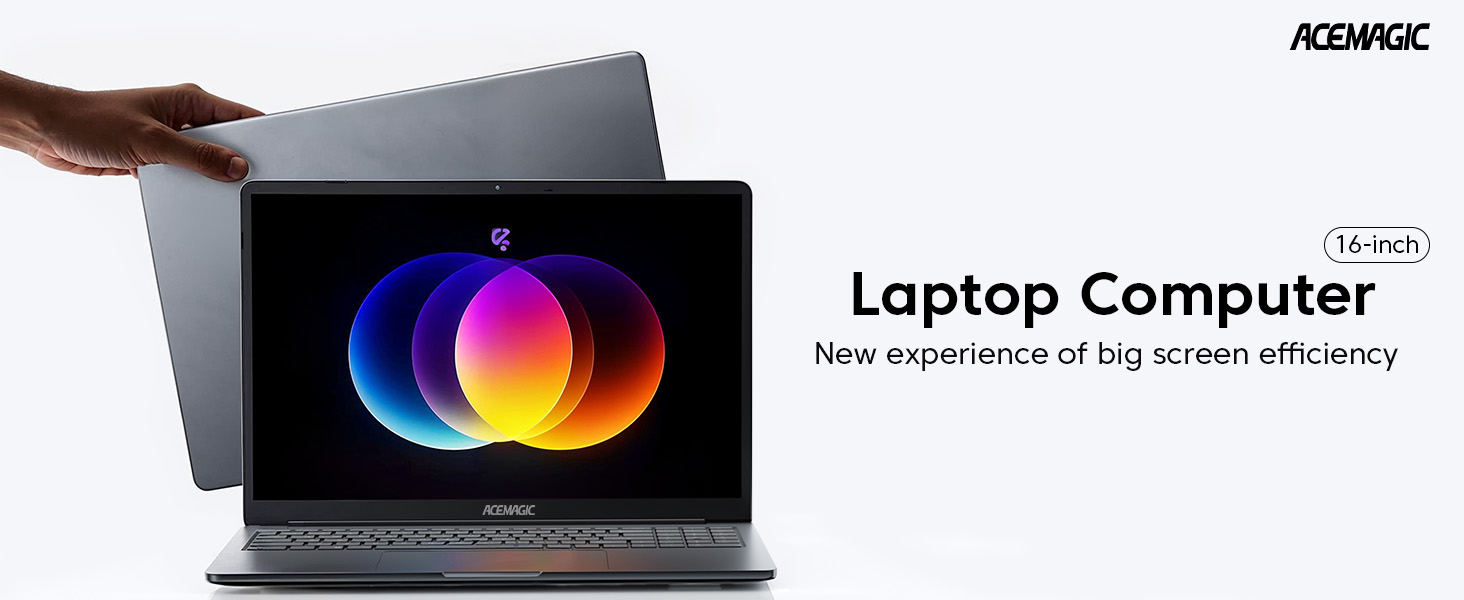
Figure 1: ACEMAGIC AX16 Laptop Overview
Característiques principals:
- Rendiment eficient: Equipped with an Intel 12th Gen Alder Lake Quad-Core processor (up to 3.6GHz) for robust multitasking.
- Powerful Configuration: Features 16GB DDR4 RAM and a 512GB M.2 SSD, expandable up to 2TB.
- Pantalla FHD de 16.0 polzades: Immersive 1920x1200 resolution with thin bezels for enhanced viewing.
- Llarga vida útil de la bateria: 38Wh battery provides up to 8 hours of usage.
- Interfícies riques: Includes USB 3.2, Type-C, HDMI, 3.5mm headphone jack, and SD card socket.
2. Guia de configuració
2.1 Desembalatge i inspecció inicial
Carefully remove the laptop and all accessories from the packaging. Verify that all components are present: laptop, power adapter, and documentation. Inspect the laptop for any physical damage.
2.2 Connexió de l'adaptador de corrent
Connect the power adapter to the DC-IN port on the side of the laptop and then plug it into a power outlet. It is recommended to fully charge the battery before the first use.

Figura 2: lateral view of the ACEMAGIC AX16 laptop, showing the DC-IN port and other connections.
2.3 Primer arrencada i configuració del sistema operatiu
- Premeu el botó d'engegada que es troba al teclat per engegar el portàtil.
- Seguiu les instruccions que apareixen a la pantalla per completar la configuració inicial de Windows, inclosa la selecció d'idioma, la regió, la connexió de xarxa i la creació d'un compte d'usuari.
- Ensure you connect to a stable Wi-Fi network during setup to download necessary updates.
3. Instruccions de funcionament
3.1 Engegada/Apagada i Mode de repòs
- Encès: Premeu el botó d'encesa.
- Apagar: Click the Start menu, then Power > Shut down.
- Mode de repòs: Click the Start menu, then Power > Sleep, or close the laptop lid.
3.2 Teclat i touchpad
The laptop features a full QWERTY keyboard with a numeric keypad for enhanced typing efficiency. The integrated touchpad supports multi-touch gestures for navigation.
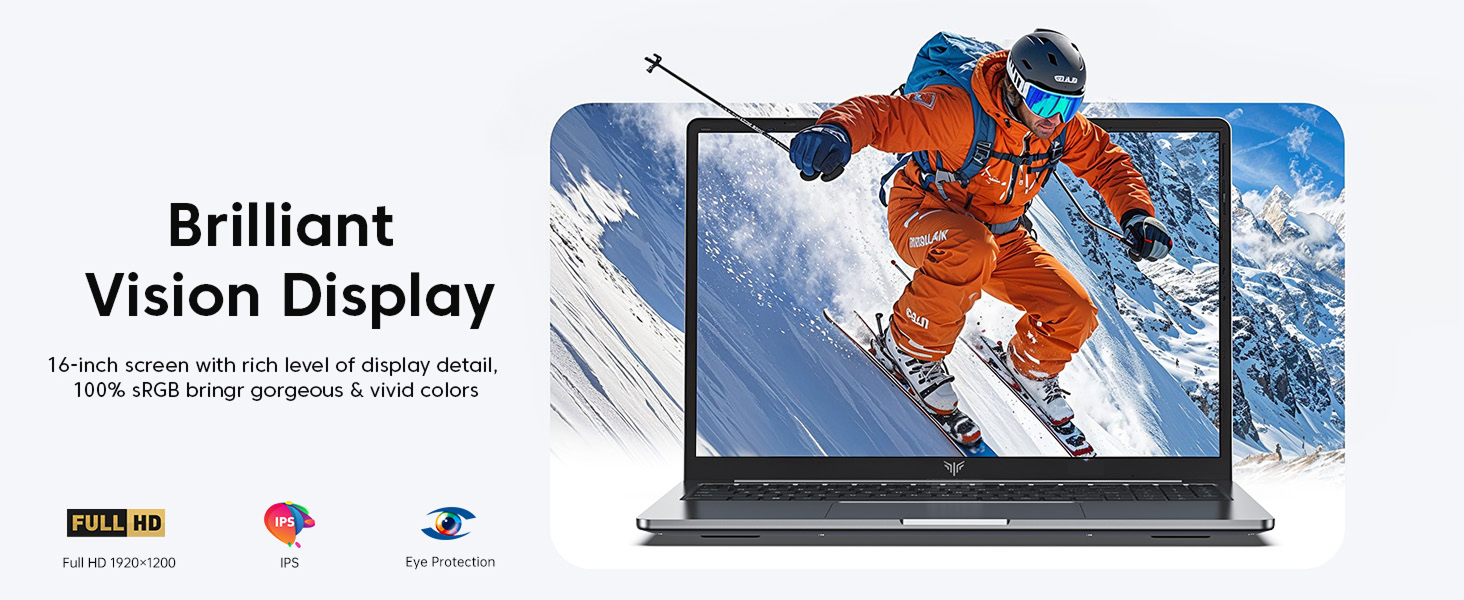
Figure 3: The ACEMAGIC AX16 laptop display, showcasinles seves capacitats visuals.
3.3 Connecting to Networks and Devices
- Wi-Fi: Click the network icon in the taskbar, select your desired network, and enter the password.
- Bluetooth: Go to Settings > Devices > Bluetooth & other devices to pair with Bluetooth peripherals.
- External Display (HDMI): Connect an HDMI cable from the laptop's HDMI port to an external monitor or TV. Press
Windows key + Pto configure display settings. - Dispositius USB: Insert USB devices into the available USB 3.2 ports.
- Type-C Devices: Use the Type-C port for compatible devices.
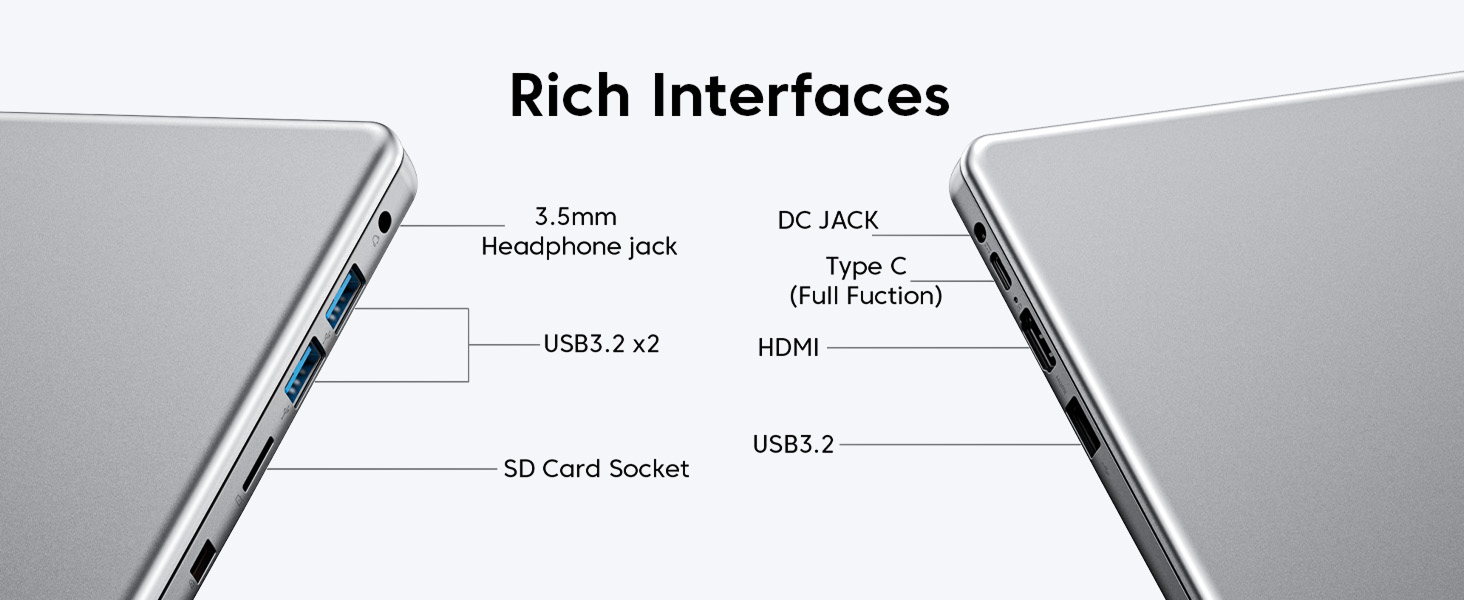
Figura 4: Detallada view of the ACEMAGIC AX16 laptop's various ports and interfaces.
4. Manteniment
4.1 Neteja del portàtil
- Utilitzeu un drap suau i sense pelusa dampened with a small amount of water or screen cleaner for the display.
- Per al teclat i el xassís, feu servir un drap suau. Eviteu productes químics agressius.
- Periodically use compressed air to clear dust from vents to ensure efficient cooling.
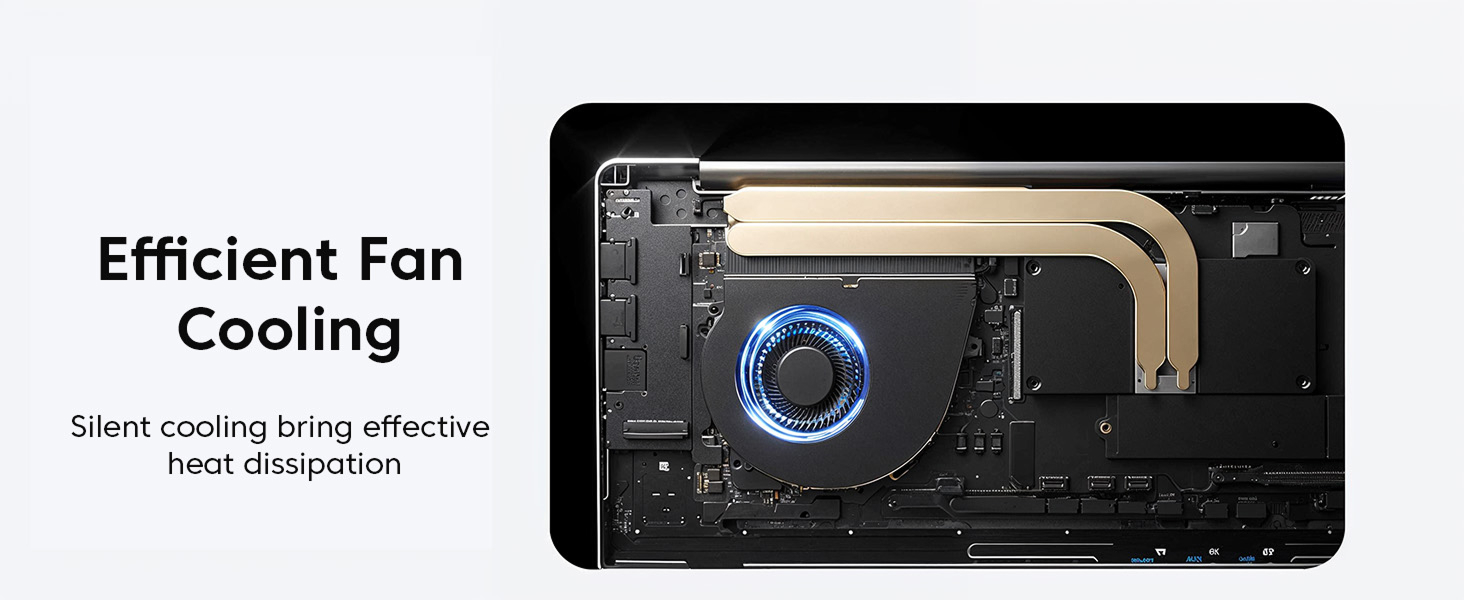
Figura 5: Intern view of the laptop's efficient fan cooling system.
4.2 Cura de la bateria
- Eviteu descarregar completament la bateria amb freqüència.
- Guardeu el portàtil en un lloc fresc i sec si no el feu servir durant períodes prolongats.
- No exposeu la bateria a temperatures extremes.
4.3 Software Updates and Storage Management
- Comproveu i instal·leu regularment si hi ha actualitzacions de Windows per garantir l'estabilitat i la seguretat del sistema.
- Netegeu periòdicament allò innecessari files i aplicacions per alliberar espai d'emmagatzematge.
- The 512GB M.2 SSD can be replaced with a maximum SSD of 2TB for increased storage capacity.
5. Solució De Problemes
5.1 Problemes comuns i solucions
- El portàtil no s'encén:
Ensure the power adapter is securely connected and the power outlet is functional. Try a different outlet. If the battery is completely drained, it may take a few minutes to respond after plugging in. - Sense connexió Wi-Fi:
Check if Wi-Fi is enabled in Windows settings. Restart your router and the laptop. Verify your Wi-Fi password. - Problemes de visualització (no hi ha imatge, parpelleig):
Ensure the laptop lid is fully open. If using an external monitor, check the cable connection and display settings (Windows key + P). Restart the laptop. - Rendiment lent:
Close unnecessary applications. Check Task Manager for processes consuming high CPU or RAM. Ensure Windows is updated. Consider running a disk cleanup. - El touchpad no respon:
Ensure the touchpad is not disabled (check function keys, e.g., Fn + F10). Restart the laptop.
For persistent issues or problems not listed here, please refer to the Warranty and Support section.
6. Especificacions
Below are the detailed technical specifications for the ACEMAGIC AX16 laptop:
| Característica | Especificació |
|---|---|
| Marca | ACEMAGIC |
| Nom del model | AX16 |
| Mida de la pantalla | 16 polzades |
| Resolució | 1920 x 1200 píxels |
| Marca del processador | Intel |
| CPU Model Number | i7-1260P (12th Gen Alder Lake Quad-Core) |
| Velocitat de la CPU | 1.7 GHz (up to 3.6 GHz Turbo) |
| Mida instal·lada de la memòria RAM | 16 GB DDR4 SDRAM |
| Mida del disc dur | SSD NVMe M.2 de 512 GB |
| Sistema operatiu | Windows 10 Home |
| Descripció de la targeta gràfica | Gràfics Intel UHD integrats |
| Tecnologia de connectivitat | Wi-Fi (802.11ac), Bluetooth, HDMI, USB-A, Type-C |
| Ports USB totals | 3 |
| Contingut d'energia de la bateria | 38 watts-hora |
| Pes de l'article | 2.56 quilos |
| Dimensions (L x A x A) | 14.25" x 9.9" x 0.7" |
| Entrada de la interfície humana | Touch Pad, Numeric Keypad |
7. Garantia i Suport
ACEMAGIC ofereix assistència completa per al vostre portàtil AX16.
7.1 Informació de la garantia
Your ACEMAGIC AX16 laptop comes with a 12-month repair warranty des de la data de compra. Aquesta garantia cobreix defectes de fabricació i avaries de maquinari en condicions d'ús normal. Conserveu el comprovant de compra per a reclamacions de garantia.
7.2 Suport tècnic
Unlimited technical support is available for all customers. If you encounter any issues or have questions regarding your laptop, please do not hesitate to reach out to ACEMAGIC customer service.
For assistance, please visit the official ACEMAGIC website or contact their support team through the contact information provided with your product packaging.