1. Introducció
This manual provides essential instructions for the safe and effective use of your 4S Body Camera. Please read it thoroughly before operating the device and retain it for future reference. The 4S Body Camera is a compact, wearable action camera designed for capturing high-quality video and photos in various environments, including outdoor activities and pet walking.
Les característiques clau inclouen:
- Compact, thumb-sized design for portability.
- 170° wide-angle lens for comprehensive scene capture.
- 4K video recording for clear, high-resolution footage.
- IP68 waterproof rating, submersible up to 30 meters.
- Llarga durada de la bateria per a un ús prolongat.
- Multiple mounting options for hands-free recording.
2. Contingut del paquet
Verifiqueu que tots els elements siguin presents al vostre paquet:
- 1x POV Camera
- 1x Side Bracket
- 1x 360 Degree Adapter
- 1x Curved/Flat Base
- 1x Helmet Bracket
- 1x Rotating Back Clip
- 1x marc
- 1x Waterproof Box
- 1x Magnetic Lanyard
- 1x Data Cable (Type-C)
- 1x Bicycle Bracket
- 1x Memory Card (32G/64G/128G/256G, as purchased) + Card Reader
- 1 x manual d'instruccions
3. Configuració
3.1 Càrrega de la càmera
Before first use, fully charge the camera. Connect the provided Type-C data cable to the camera's charging port and a USB power source. The charging time is approximately 120 minutes. The LED indicator will turn off once charging is complete.
3.2 Inserció de la targeta de memòria
Locate the memory card slot on the camera. Insert the provided TF (Micro SD) card into the slot until it clicks into place. Ensure the card is inserted correctly to avoid damage. The camera supports up to 256GB TF cards.
3.3 Opcions de muntatge
The 4S Body Camera offers versatile mounting for various activities:
- Magnetic Lanyard: Use the magnetic lanyard for easy, hands-free POV shots around your neck.
- Rotating Back Clip: Attach the rotating back clip to clothing, backpacks, or pet collars.
- Helmet/Bicycle Brackets: Utilize the specialized brackets for secure attachment to helmets or bicycle handlebars.
- Waterproof Box: For underwater activities, place the camera inside the waterproof box. This allows submersion up to 30 meters.

Figure 3.3.1: Camera worn with magnetic lanyard.

Figure 3.3.2: Illustration of magnetic pendant, easy clip, and safety cord mounting.
4. Instruccions de funcionament
4.1 Engegada/Apagada i Enregistrament
To power on the camera, long-press the main button. The LED indicator will illuminate. To start recording, press the button once. Press it again to stop recording. To power off, long-press the button until the LED turns off.
Figure 4.1.1: Power On/Off and Recording controls.
4.2 Mode Wi-Fi
After powering on the camera, double-click the main button to activate Wi-Fi mode. The LED indicator will flash blue-green. This allows for one-click download and sharing of content to your mobile phone via a dedicated app (app details not provided in product information, refer to packaging or manufacturer's website for app name and download instructions).

Figure 4.2.1: Built-in Wi-Fi for mobile connectivity.
4.3 Ús impermeable
When using the camera in or near water, ensure it is securely enclosed within the provided waterproof box. The camera itself is IP68 rated, but the waterproof box provides additional protection for submersion up to 30 meters. Always check that the waterproof box is properly sealed before exposing it to water.

Figure 4.3.1: Camera in waterproof shell for underwater use.
5. Manteniment
5.1 Neteja
Wipe the camera body with a soft, dry cloth. For the lens, use a specialized lens cleaning cloth to avoid scratches. Do not use harsh chemicals or abrasive materials.
5.2 Emmagatzematge
Store the camera in a cool, dry place away from direct sunlight and extreme temperatures. If storing for an extended period, ensure the battery is partially charged (around 50%) to prolong its lifespan.
5.3 Waterproof Box Care
After each use in water, rinse the waterproof box with fresh water and allow it to air dry completely. Inspect the seals for any debris or damage that could compromise its waterproof integrity.
6. Solució De Problemes
- Camera will not power on: Ensure the battery is fully charged. If the issue persists, try connecting to a different charging cable or power adapter.
- Camera will not record: Check if a memory card is properly inserted and has sufficient free space. The camera may also require a reset if unresponsive.
- Poca qualitat de vídeo: Ensure the lens is clean and free from smudges. Verify that the camera is set to the desired resolution (e.g., 4K).
- Problemes de connexió Wi-Fi: Ensure Wi-Fi mode is activated on the camera (blue-green LED flash). Check your mobile device's Wi-Fi settings and ensure you are within range.
- Camera not charging: Verify the charging cable and adapter are functioning correctly. Ensure the charging port on the camera is clean and free of debris.
7. Especificacions
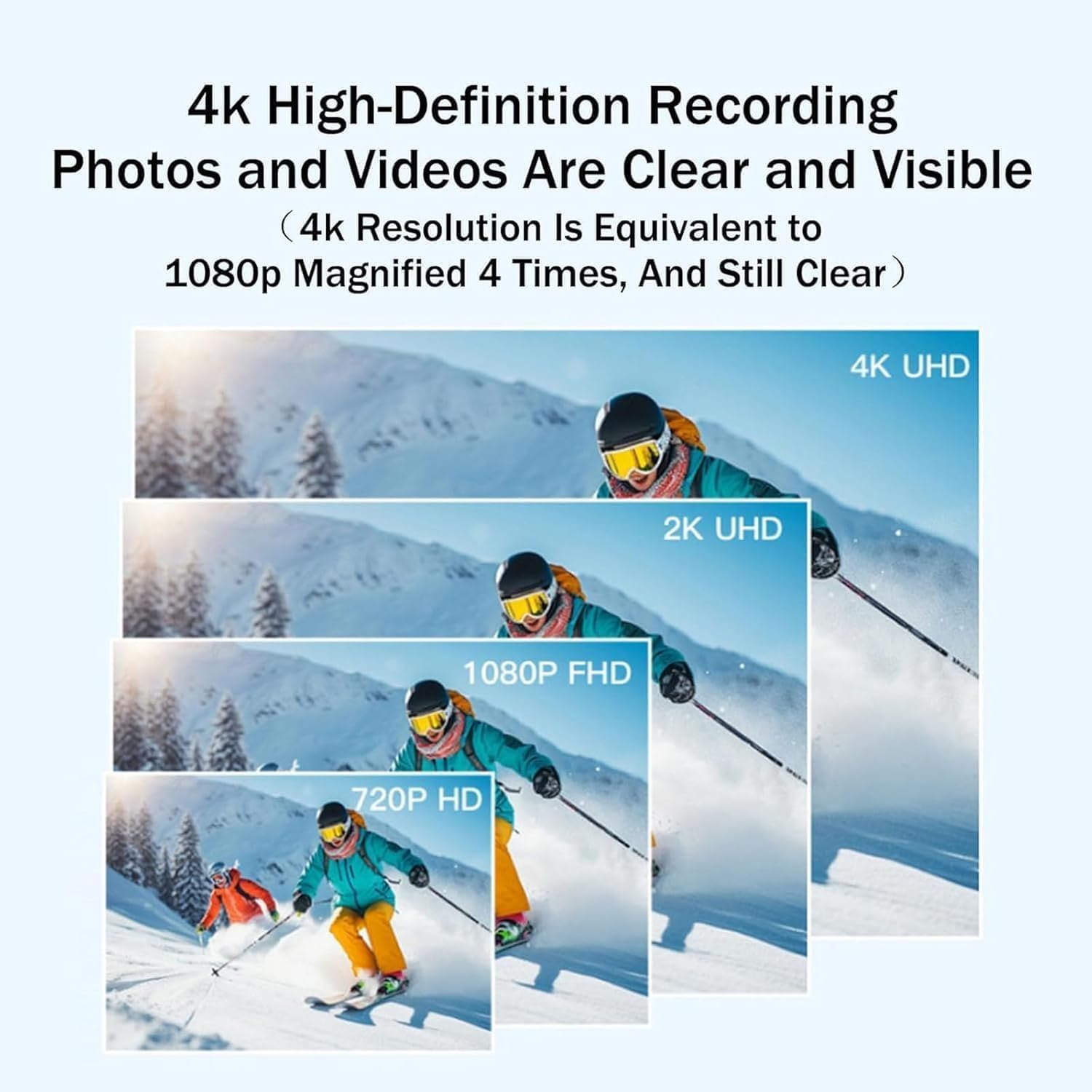
Figure 7.1.1: 4K High-Definition Recording capability.

Figure 7.1.2: HD Sport Camera with Wide-Angle Lens.
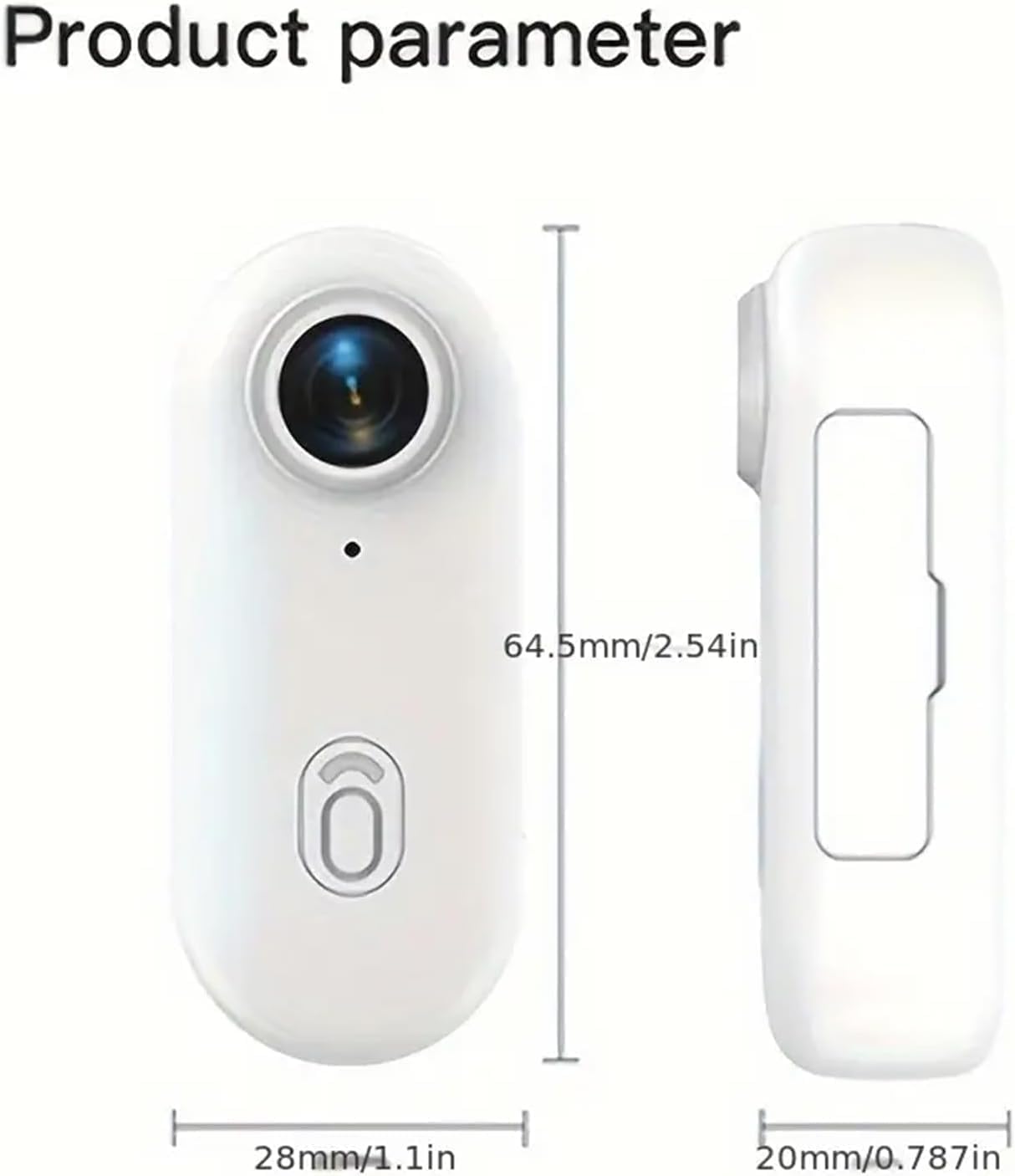
Figura 7.1.3: Dimensions del producte.
| Característica | Especificació |
|---|---|
| Número de model | 1 |
| Color | 4K Black-B |
| Resolució de vídeo | 3840*2160 (4K) |
| Format de vídeo | MP4 |
| Velocitat de fotogrames | 30 FPS |
| Tipus d'interfície | Tipus-C |
| Temps de càrrega | Uns 120 minuts |
| Dimensions (L*W*H) | 64.5 mm * 28 mm * 20 mm (2.54 polzades * 1.10 polzades * 0.79 polzades) |
| Pes | Aproximadament 35.7 g (1.25 oz) |
| Suport d'emmagatzematge | TF Card up to 256GB (Micro SD) |
| Classificació impermeable | IP68 (Submersible up to 30 meters with waterproof box) |
| Tecnologia del sensor fotogràfic | CMOS BSI |
| Distància focal màxima | 300 |
| Format de captura de vídeo | ASF |
| Format d'àudio compatible | AAC, MP3, PCM |
| Mida de la pantalla | 1 polzades |
| Tecnologia de connectivitat | USB, Wi-Fi |
8. Informació de la garantia
Specific warranty details for this product are not provided in the available information. Please refer to your purchase documentation, the product packaging, or contact the seller directly for information regarding warranty coverage and terms.
9. Suport
For technical assistance, troubleshooting beyond this manual, or inquiries about your product, please contact the seller or manufacturer through the platform where the product was purchased. Ensure you have your product model number (1) and ASIN (B0FKHC9ZN9) ready when seeking support.


