
1. Introducció
This manual provides essential information for setting up, operating, and maintaining your ASUS Zenbook 14 OLED Laptop. This device is designed for business, multimedia, gaming, and student use, offering a powerful computing experience with its Intel 16-core Ultra 7 255H processor, vibrant 14-inch WUXGA Lumina OLED Touch display, 16GB DDR5 memory, and 512GB SSD storage. Please read this manual thoroughly to ensure proper use and longevity of your laptop.
2. Què hi ha a la caixa
Carefully unpack your ASUS Zenbook 14 OLED Laptop and ensure all items are present:
- Portàtil OLED ASUS Zenbook 14
- Adaptador d'alimentació
- Auth 3-in-1 USB Cable

Image: Packaging for the included Auth 3-in-1 USB Cable.
3. Producte acabatview
The ASUS Zenbook 14 OLED Laptop combines performance with a sleek design. Key features include:
- Processador: Intel 16-core Ultra 7 255H with up to 5.1 GHz clock speed.
- Gràfics: Integrated Intel Arc 140T GPU.
- Visualització: 14-inch WUXGA (1920x1200) Lumina OLED Touch display with 500 nits HDR brightness and 100% DCI-P3 color gamut.
- Memòria: 16 GB de memòria SDRAM DDR5.
- Emmagatzematge: 512GB Solid State Drive (SSD).
- Sistema operatiu: Windows 11 Professional.
- Connectivitat: Wi-Fi 7, Bluetooth, 2x Thunderbolt 4, 1x USB-A 3.2, 1x HDMI 2.1 TMDS.
- Àudio: Harman Kardon speakers with Dolby Atmos support.
- Seguretat: Fingerprint reader and FHD IR Privacy Camera.
- Teclat: Backlit keyboard.

Imatge: Més deview of key features including Intel Ultra 7 255H, Intel Arc 140T GPU, 14" WUXGA OLED Touch, up to 16GB RAM, up to 2TB SSD, Windows 11 Pro, Wi-Fi 7, Dolby Atmos, Harman Kardon, FHD IR Privacy Camera, and Bluetooth 5.4.

Imatge: Detallada view of the Intel Core Ultra 7 255H processor, highlighting its 16-core, 16-thread architecture with up to 5.1 GHz speed.

Image: The 14-inch OLED Touch display with a 16:10 aspect ratio and 1920 x 1200 resolution.

Imatge: De dalt a baix view of the laptop's backlit keyboard and large touchpad.
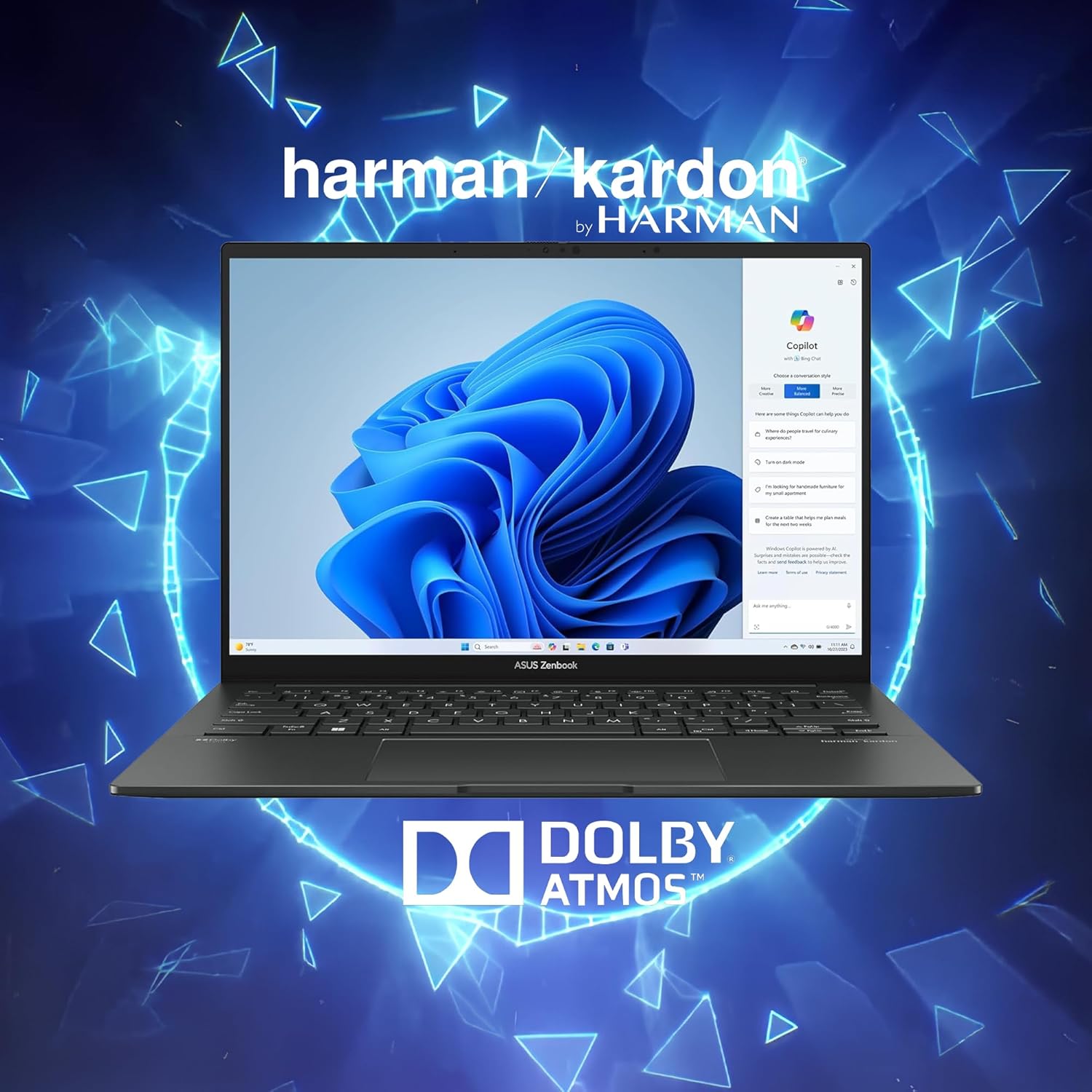
Image: Laptop display showing Windows 11 with Copilot, emphasizing Dolby Atmos and Harman Kardon audio features.
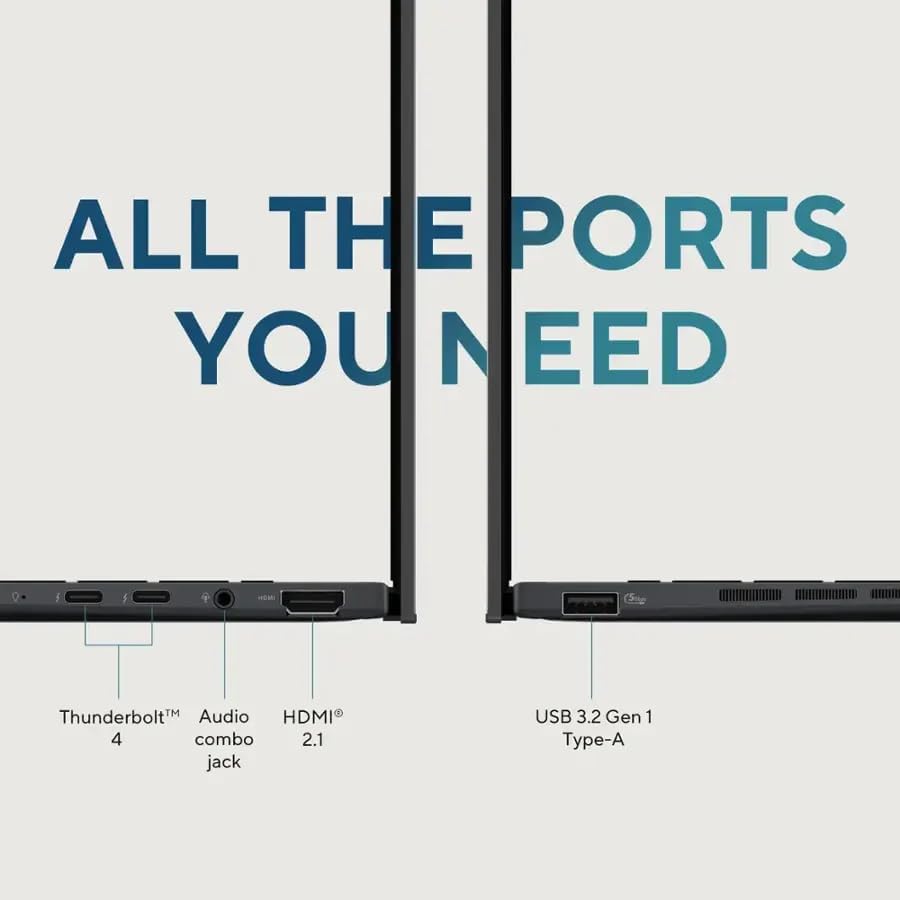
Image: Close-up of the laptop's ports, including Thunderbolt 4, Audio combo jack, HDMI 2.1, and USB 3.2 Gen 1 Type-A.

Image: Laptop showcasing Wi-Fi 7 capabilities for fast connectivity and an FHD IR privacy webcam for clear video conferencing.
4. Configuració
- Charge the Laptop: Connect the power adapter to the laptop's charging port and a power outlet. Allow the battery to charge fully before first use.
- Encès: Open the laptop lid and press the power button, typically located on the top right of the keyboard or side.
- Configuració inicial: Seguiu les instruccions que apareixen a la pantalla per completar la configuració del Windows 11 Pro, inclosa la selecció d'idioma, la connexió de xarxa i la creació d'un compte d'usuari.
- Connecteu els perifèrics: Connect any external devices such as a mouse, external display, or USB drives to the available ports.
5. Instruccions de funcionament
5.1 Encès/Apagat
- Per encendre: Premeu el botó d'encesa.
- Per apagar: Feu clic al botó Inici i, a continuació, a Energia > Apagar.
- Per reiniciar: Feu clic al botó Inici i, a continuació, a Energia > Reinicia.
- Per dormir: Tanqueu la tapa o feu clic al botó Inici i, a continuació, a Engegada > Suspensió.
5.2 Teclat i touchpad
The laptop features a full-sized backlit keyboard and a responsive touchpad for navigation.
- Teclat retroil·luminat: Adjust keyboard backlight brightness using the dedicated function keys (Fn + F7, typically).
- Gestos del touchpad: Supports multi-touch gestures for scrolling, zooming, and switching applications. Refer to Windows settings for customization.
5.3 Pantalla
The 14-inch WUXGA OLED Touch display offers vivid colors and deep blacks. It supports touch input for intuitive interaction with Windows 11 Pro.
- Funcionalitat tàctil: Use your fingers to navigate, select, and interact with applications directly on the screen.
- Configuració de la pantalla: Adjust resolution, brightness, and color profiles via Windows Display Settings.
5.4 Connectivitat
Your Zenbook 14 OLED provides various ports and wireless options for connecting to other devices and networks.
- Wi-Fi 7: Connect to high-speed wireless networks. Configure Wi-Fi settings in Windows.
- Bluetooth: Pair with Bluetooth-enabled devices like headphones or mice.
- Thunderbolt 4: Use these versatile ports for high-speed data transfer, video output, and power delivery.
- USB-A 3.2: Connecteu dispositius USB estàndard.
- HDMI 2.1: Connecteu-vos a monitors o televisors externs per a una visualització més llarga.
6. Manteniment
- Neteja: Feu servir un drap suau i sense borrissol per netejar la pantalla i el xassís. Eviteu productes químics agressius.
- Actualitzacions de programari: Regularly update Windows and ASUS drivers to ensure optimal performance and security.
- Cura de la bateria: Per allargar la durada de la bateria, eviteu temperatures extremes i descarregueu-la completament amb freqüència.
- Emmagatzematge: Guardeu el portàtil en un lloc fresc i sec quan no l'utilitzeu.
7. Solució De Problemes
- El portàtil no s'encén: Assegureu-vos que l'adaptador de corrent estigui ben connectat i que la bateria tingui prou càrrega. Proveu una altra presa de corrent.
- Problemes de visualització: Si la pantalla està en blanc, prova de connectar un monitor extern per comprovar si el problema és a la pantalla del portàtil. Ajusta la configuració de la brillantor.
- Problemes de connectivitat: Per problemes de Wi-Fi, reinicieu l'encaminador i el portàtil. Per al Bluetooth, assegureu-vos que el dispositiu es pugui detectar i estigui dins del seu abast.
- Rendiment lent: Tanqueu les aplicacions innecessàries, comproveu si hi ha programari maliciós i assegureu-vos que hi hagi prou espai d'emmagatzematge lliure.
- Keyboard/Touchpad Unresponsive: Restart the laptop. If the issue persists, check for driver updates.
8. Especificacions
| Característica | Detall |
|---|---|
| Marca | ASUS |
| Nom del model | ASUS Zenbook 14 OLED |
| Mida de la pantalla | 14 polzades |
| Color | Jasper Gray |
| Mida del disc dur | SSD de 512 GB |
| Model de CPU | Intel Ultra 7 255H (16-core, 2 GHz) |
| Mida instal·lada de la memòria RAM | 16 GB DDR5 |
| Sistema operatiu | Windows 11 Pro |
| Característica especial | Teclat retroil·luminat, lector d'empremtes dactilars |
| Coprocessador gràfic | Intel Arc 140T GPU |
| Pes de l'article | 2.7 lliures |
| Dimensions (L x W x Thickness) | 8.67" x 12.3" x 0.59" |
| Sortida de vídeo | HDMI, Thunderbolt |
| Resolució de pantalla màxima | 1920 x 1200 |
| Tipus de visualització | OLED, Touchscreen (capacitive) |
| Ports USB totals | 3 (2x Thunderbolt 4, 1x USB-A 3.2) |
| Total Number of HDMI Ports | 1 |
| Tecnologia de connectivitat | Thunderbolt 4, USB-A 3.2, HDMI 2.1 TMDS, Wi-Fi 7, Bluetooth |
| Webcam Capability | FHD IR Privacy Camera |
9. Garantia i Suport
Per obtenir informació sobre la garantia i assistència tècnica, consulteu la documentació inclosa amb el producte o visiteu el lloc web d'assistència oficial d'ASUS. weblloc. Conserveu el rebut de compra per a reclamacions de garantia.