This manual provides detailed instructions for the setup, operation, maintenance, and troubleshooting of your CNBRO AI Smart Glasses, model L802. Please read this manual thoroughly before using the device to ensure proper functionality and to maximize your user experience.
2. Producte acabatview
The CNBRO AI Smart Glasses L802 integrate advanced features such as an 8MP HD camera, AI voice assistant, real-time translation, open-ear audio, and object recognition into a wearable form factor. Designed for convenience and enhanced interaction with your environment, these glasses offer a hands-free experience for various activities.
Image 2.1: CNBRO AI Smart Glasses L802 (Black-Sunglasses variant).
Característiques principals:
Càmera HD de 8MP: Records 1080P/30FPS videos and captures photos with EIS stabilization and a 105° wide-angle lens.
AI Assistant & Visual Recognition: Utilizes advanced AI for object identification, scene analysis, and answering queries.
Real-Time Translation: Supports translation of spoken and visual text.
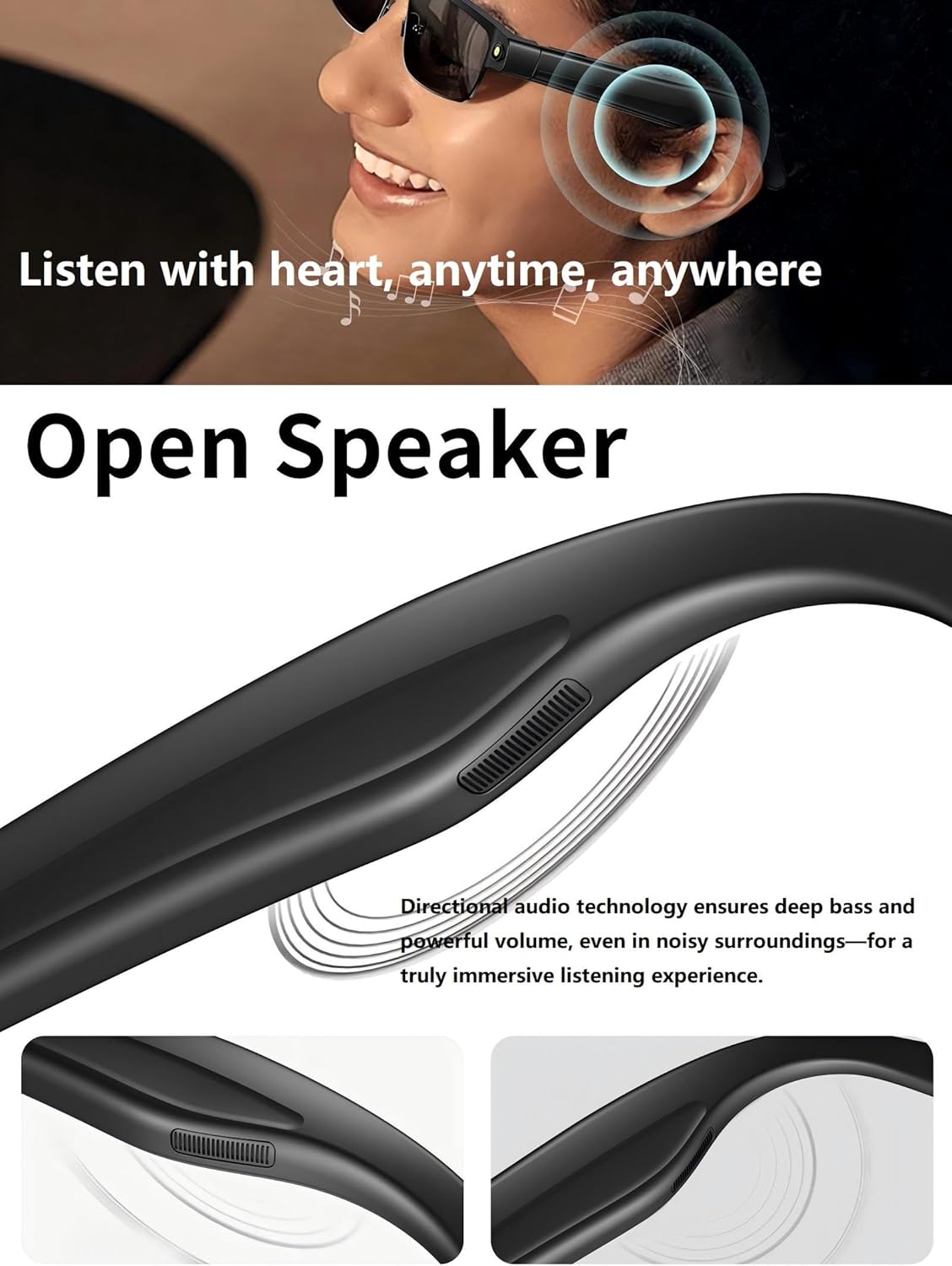
Àudio d'orella oberta: Directional speakers provide sound without obstructing ambient noise.
Micròfons amb doble cancel·lació de soroll: Ensures clear audio for calls and recordings.
Control de veu: Activate functions and manage media playback using voice commands.
Llarga vida útil de la bateria: Integrated 270mAh battery for extended use.
Compatibilitat de l'aplicació: Works with iOS and Android via the free HeyCyan app.
3. Configuració
3.1. Unboxing i Inspecció Inicial
Traieu amb cura tots els elements de l'embalatge. Verifiqueu que hi hagi els components següents:
1x CNBRO AI Smart Glasses L802
1x cable de càrrega
1x Manual d'usuari (aquest document)
3.2. Càrrega de les ulleres
Connect the provided magnetic charging cable to the charging port on the glasses.
Connecteu l'altre extrem del cable de càrrega a un adaptador de corrent USB (no inclòs) o al port USB d'un ordinador.
The charging indicator light will illuminate during charging. A full charge typically takes approximately 1-2 hours.
Un cop completament carregat, l'indicador lluminós pot canviar de color o apagar-se. Desconnecteu el cable de càrrega.
Image 3.1: Magnetic charging port on the smart glasses.
3.3. Instal·lació i emparellament de l'aplicació
Download the "HeyCyan" app from your device's app store (available for iOS and Android).
Assegureu-vos que el Bluetooth estigui habilitat al vostre telèfon intel·ligent.
Power on the CNBRO AI Smart Glasses by pressing and holding the power button (refer to the diagram in Section 2 for button location).
Open the HeyCyan app and follow the on-screen instructions to pair your glasses. The app will guide you through the connection process.
Once paired, the glasses are ready for use.
4. Instruccions de funcionament
4.1. Funcionament de la càmera
The integrated 8MP HD camera allows for hands-free photo and video capture.
Fent fotos: Briefly press the camera button once to capture a still image.
Gravació de vídeos: Press and hold the camera button for 2 seconds to start video recording. Press again briefly to stop recording.
All captured media is stored internally and can be transferred to your smartphone via the HeyCyan app.
Image 4.1: Detail of the 8MP HD camera lens.
Imatge 4.2: Ex.amples of smart glasses usage in daily life.
4.2. AI Assistant and Real-Time Translation
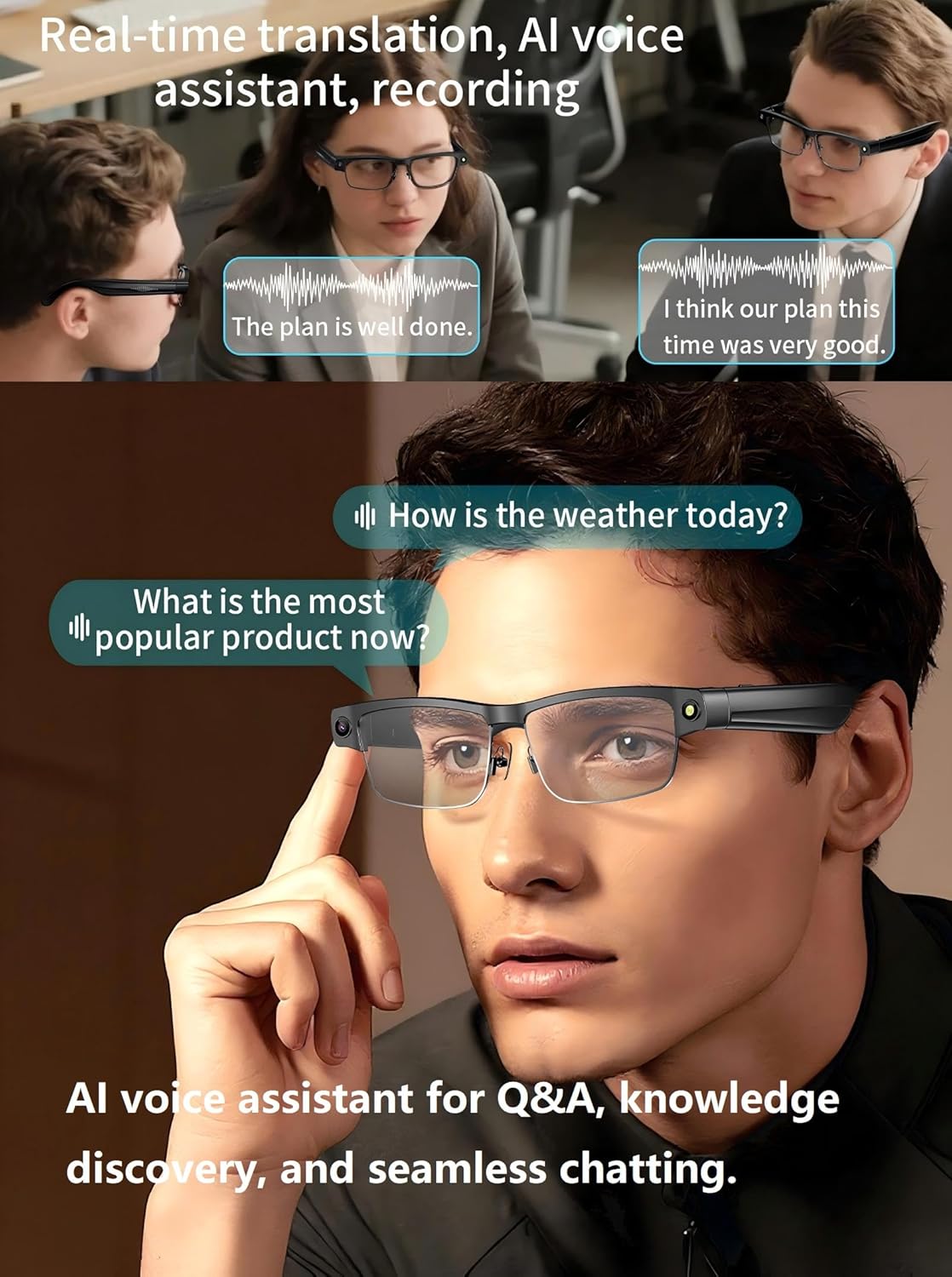
The glasses feature an integrated AI assistant and real-time translation capabilities.
Activació de l'Assistent d'IA: Use a predefined voice command (e.g., "HeyCyan") or a specific button press (refer to app settings for configuration) to activate the AI assistant.
Reconeixement d'objectes: Point your gaze at an object and activate the AI assistant to identify it and provide information.
Real-Time Translation: The glasses can translate spoken conversations or text seen through the lenses. Activate the translation feature via voice command or app.
Image 4.3: Smart glasses facilitating real-time translation and AI interaction.
Image 4.4: AI visual recognition identifying landmarks and providing information.
4.3. Open-Ear Audio and Bluetooth Calls
The open-ear audio system allows you to listen to music or take calls while remaining aware of your surroundings.
Reproducció de música: Once paired with your smartphone, audio will stream directly to the glasses. Use the touch controls on the temple arm or voice commands to play, pause, skip tracks, and adjust volume.
Respondre / finalitzar trucades: When a call comes in, press the designated button on the temple arm (or use a voice command) to answer. Press again to end the call.
Rebutjar trucades: Press and hold the designated button (or use a voice command) to reject an incoming call.
Image 4.5: Open-ear speaker design for ambient awareness.
Image 4.6: Hands-free Bluetooth calling feature in use.
4.4. HeyCyan App Usage
The HeyCyan app serves as the central hub for managing your smart glasses.
Media Transfer: Easily transfer photos and videos captured by the glasses to your smartphone.
Personalització de la configuració: Adjust camera settings, AI assistant preferences, language for translation, and audio profiles.
Actualitzacions de firmware: Receive and install firmware updates for improved performance and new features.
Transcripció: Access auto-transcribed recordings of meetings or lectures.
Vídeo 4.7: Acabatview of CNBRO AI Smart Glasses features, including app integration and media transfer.
5. Manteniment
Neteja: Use a soft, lint-free cloth to clean the lenses and frame. Avoid abrasive materials or harsh chemicals.
Emmagatzematge: Guardeu les ulleres a la seva funda protectora quan no les feu servir per evitar ratllades i danys.
Resistència a l'aigua: The glasses are designed for everyday use but are not fully waterproof. Avoid submerging them in water or exposing them to heavy rain.
Temperatura: Avoid exposing the glasses to extreme temperatures (hot or cold) to prevent damage to the battery and electronic components.
6. Solució De Problemes
Problema
Causa possible
Solució
Glasses do not power on
Bateria baixa; Mal funcionament del dispositiu
Charge the glasses fully. If issue persists, contact support.
No es pot emparellar amb el telèfon intel·ligent
Bluetooth off; Glasses not in pairing mode; App issue
Ensure Bluetooth is on. Restart glasses and phone. Reinstall HeyCyan app.
Mala qualitat d'àudio
Low volume; Environmental noise; Bluetooth interference
Adjust volume. Move away from noisy environments. Ensure no obstructions between glasses and phone.
Camera not recording/taking photos
Insufficient storage; Software glitch
Check available storage via app. Restart glasses.
AI features not responding
No internet connection; App not running; Software glitch
Ensure stable internet connection. Verify HeyCyan app is open and connected. Restart app and glasses.
7. Especificacions
Característica
Detall
Número de model
US-X-L802blksungls
Càmera
8MP HD, 1080P/30FPS Video Recording, EIS Stabilization, 105° Wide-Angle Lens
For warranty information and customer support, please refer to the documentation included with your purchase or visit the official CNBRO website. If you encounter any issues not covered in this manual, please contact CNBRO customer service for assistance. They are available to provide solutions and further guidance.
Ask a question about this manual
Ask about setup, troubleshooting, compatibility, parts, safety, or missing instructions. Manuals+ will review the question and use this page’s manual context to help answer it.