
1. Introducció
Thank you for choosing the AVMATRIX SD1242-4K HDMI Splitter. This device is designed to distribute a single HDMI 2.0 input signal to four HDMI 2.0 outputs, supporting resolutions up to 4K@60Hz with RGB 4:4:4 color space. It features EDID management and dual power supply options (USB-C and DC) for versatile use in various professional and home environments.
2. Informació de seguretat
- Assegureu-vos que el dispositiu estigui col·locat en una zona ben ventilada per evitar el sobreescalfament.
- No exposeu el dispositiu a la humitat, la pluja ni a temperatures extremes.
- Feu servir només l'adaptador de corrent proporcionat o una font d'alimentació compatible.
- Avoid disassembling the unit; refer all servicing to qualified personnel.
- Mantingueu el dispositiu allunyat de camps magnètics forts.
3. Contingut del paquet
Si us plau, comproveu el paquet per veure si hi ha els elements següents:
- AVMATRIX SD1242-4K HDMI Splitter Unit
- Adaptador d'alimentació
- Cable USB-Type C
- Manual d'usuari (aquest document)
4. Producte acabatview
The AVMATRIX SD1242-4K is a compact and robust HDMI splitter designed for high-quality video distribution. It features one HDMI input and four HDMI outputs, allowing a single source to be displayed on up to four screens simultaneously.
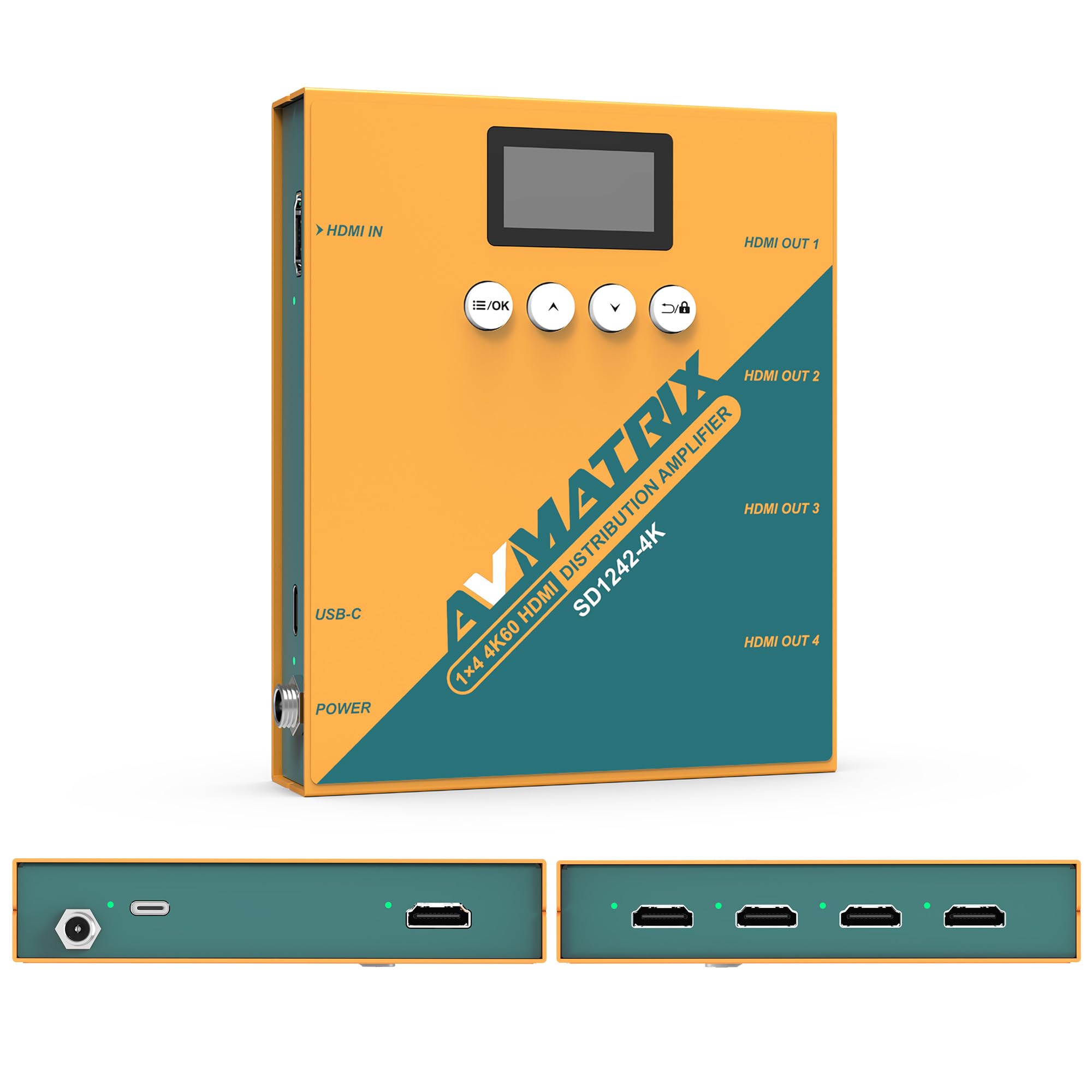
Figura 1: Davant i darrere view of the AVMATRIX SD1242-4K HDMI Splitter, showing HDMI input, four HDMI outputs, USB-C, and DC power ports.

Figure 2: The AVMATRIX SD1242-4K HDMI Splitter highlighting its HDMI 2.0 inputs/outputs and support for up to 4K@60Hz resolution for ultra-high-definition picture quality.
4.1 Característiques
- 1 HDMI 2.0 input to 4 HDMI 2.0 outputs.
- Supports resolutions up to 4K@60Hz (RGB 4:4:4).
- EDID management with Auto, Standard, Customize, and EDID Copy modes.
- Dual power supply: USB Type-C and DC 12V.
- Built-in OLED display for real-time status.
- Control via front panel buttons or PC software.
5. Configuració
Follow these steps to set up your AVMATRIX SD1242-4K HDMI Splitter:
- Connecteu la font HDMI: Connect your HDMI source device (e.g., PS4, Blu-ray player, computer) to the HDMI IN port on the splitter using a high-quality HDMI 2.0 cable.
- Connecteu pantalles HDMI: Connect up to four HDMI display devices (e.g., HDTVs, monitors, projectors) to the HDMI OUT 1-4 ports on the splitter using high-quality HDMI 2.0 cables.
- Connectar l'alimentació: Connect the provided power adapter to the DC 12V port on the splitter, or connect a USB Type-C cable to the USB-C port and a compatible USB power source. The device supports both power options.
- Encès: Ensure all devices (source, splitter, displays) are powered on. The splitter's OLED display will show its status.
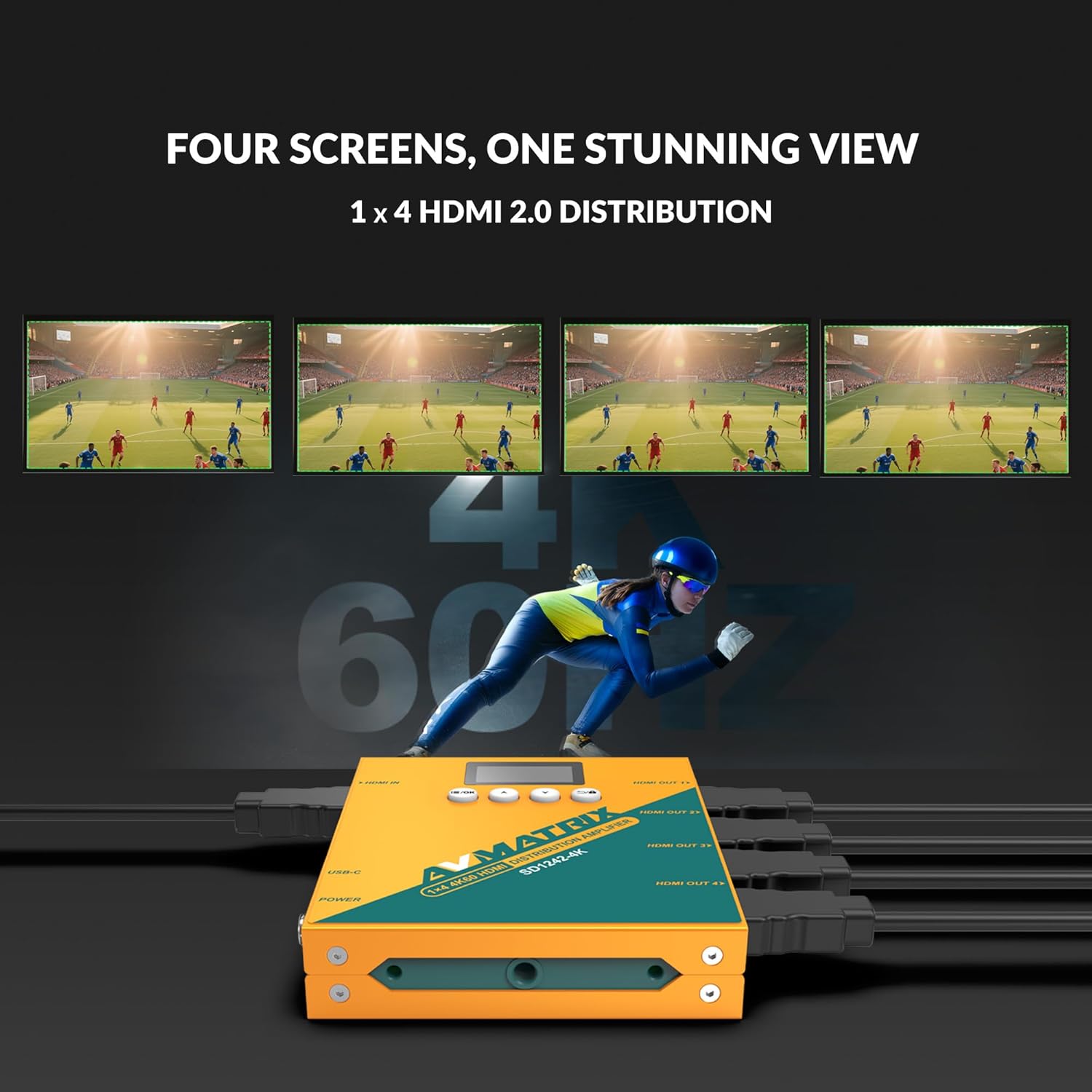
Figure 3: Illustration of the AVMATRIX SD1242-4K HDMI Splitter distributing a single video source to four separate display screens, demonstrating its 1x4 distribution capability.
6. Instruccions de funcionament
6.1 Gestió EDID
The SD1242-4K features EDID management to ensure optimal compatibility and performance between your source and display devices. You can configure EDID settings using the front panel buttons or the PC control software.

Figure 4: Comparison of a display without EDID management (left, showing potential compatibility issues) and with EDID management (right, showing seamless communication and optimal display).
There are four EDID modes available:
- Automàtic: The splitter automatically detects and selects the best EDID settings based on the connected displays.
- Estàndard: Uses a default, common EDID setting for broad compatibility.
- Personalitza: Allows users to upload a custom EDID file via PC software.
- Còpia EDID: Copies the EDID from a specific output display (e.g., Output 1) to be used for all outputs.
6.2 Opcions de control
The device can be controlled via its front panel buttons or through dedicated PC software.

Figure 5: Demonstrates the two primary control methods for the AVMATRIX SD1242-4K: direct interaction with the front panel buttons and comprehensive control via PC software interface.
- Front Button: Use the buttons located on the front panel to navigate menus on the OLED display and adjust basic settings, including EDID modes.
- Control de programari per a PC: Connect the splitter to a computer via its USB port. Install the AVMATRIX control software to access advanced settings, customize EDID, and monitor device status.
6.3 Opcions d'alimentació
The SD1242-4K offers flexible power options for convenience.

Figure 6: Illustrates the dual power supply capabilities of the AVMATRIX SD1242-4K, showing both the traditional DC power input and the modern USB Type-C power input.
- Font d'alimentació de CC: Use the included 12V DC power adapter for stable and continuous power.
- USB Type-C Power Supply: For portability or when a DC outlet is unavailable, power the device using a standard USB Type-C cable connected to a compatible USB power source (e.g., power bank, computer USB port).
7. Manteniment
- Neteja: Feu servir un drap suau i sec per netejar l'exterior del dispositiu. No utilitzeu netejadors líquids ni en aerosol.
- Emmagatzematge: Quan no l'utilitzeu durant períodes prolongats, guardeu el dispositiu en un lloc fresc i sec, allunyat de la llum solar directa.
- Actualitzacions de firmware: Check the AVMATRIX official website periodically for firmware updates to ensure optimal performance and compatibility.
8. Solució De Problemes
If you encounter issues with your AVMATRIX SD1242-4K, refer to the following common problems and solutions:
| Problema | Causa possible | Solució |
|---|---|---|
| No video output on displays. | Loose HDMI cables, incorrect EDID setting, power issue. | Check all HDMI cable connections. Ensure the splitter is powered on. Try different EDID modes (Auto or Standard). Test with a different HDMI source or display. |
| Video flickering or unstable image. | Poor quality HDMI cables, signal interference, EDID mismatch. | Use certified high-speed HDMI 2.0 cables. Ensure cables are not excessively long. Adjust EDID settings. Reduce cable length if possible. |
| Displays show different resolutions. | EDID setting not optimized for all displays. | Use EDID Copy mode from the lowest resolution display or a custom EDID that all displays can support. |
| El dispositiu no s'encén. | Power adapter not connected, faulty power source. | Verify power adapter is securely connected to both the splitter and a working power outlet. Try the USB-C power option if DC fails, or vice-versa. |
9. Especificacions
| Característica | Detall |
|---|---|
| Model | SD1242-4K |
| Entrada de vídeo | 1x HDMI tipus A. |
| Sortida de vídeo | 4x HDMI tipus A. |
| Estàndard HDMI | HDMI 2.0 |
| Resolució màxima | 4096x2160p 60/59.94/50/30/29.97/25/24/23.98 |
| Color Space & Precision | RGB 4:4:4 8 bit, YUV 4:2:2 8 bit, YUV 4:4:4 8 bit |
| Font d'alimentació | DC 12V / USB-C |
| Consum d'energia | 6W |
| Voltage Range (USB) | USB 5V-5.5V |
| VoltagInterval e (DC) | DC 5.5V-24V |
| Dimensions (LWD) | 125.5 x 104 x 24.5 mm |
| Pes net | 471 g |
| Temperatura de funcionament | -20 °C ~ 60 °C |
| Temperatura d'emmagatzematge | -30 °C ~ 70 °C |
10. Informació de la garantia
AVMATRIX products are covered by a limited warranty against defects in materials and workmanship. The warranty period typically begins from the date of purchase. Please retain your proof of purchase for warranty claims. For specific warranty terms and conditions, refer to the warranty card included with your product or visit the official AVMATRIX weblloc.
This warranty does not cover damage caused by improper installation, accident, misuse, abuse, natural disaster, or unauthorized modification of the product.
11. Atenció al client
If you require further assistance or have questions not covered in this manual, please contact AVMATRIX customer support:
- Weblloc: www.avmatrix.net (for product information, drivers, and firmware updates)
- Correu electrònic: Consulteu l'oficial weblloc web per a adreces de correu electrònic d'assistència específiques.
- Telèfon: Consulteu l'oficial weblloc per als números de contacte regionals.
When contacting support, please have your product model (SD1242-4K) and a detailed description of your issue ready.