
1. Introducció
Welcome to the realme Buds T200 True Wireless Earbuds user manual. This guide provides detailed instructions on how to set up, operate, maintain, and troubleshoot your earbuds. Please read this manual carefully before using the product to ensure optimal performance and longevity.

Image: realme Buds T200 True Wireless Earbuds and Charging Case in Mystic Grey.
2. Què hi ha a la caixa
Upon opening your realme Buds T200 package, you should find the following items:
- realme Buds T200 Earbuds (Left and Right)
- Estoig de càrrega
- Puntes d'orella (diverses mides)
- Manual d'usuari
- Cable de càrrega USB (tipus C)
3. Producte acabatview
The realme Buds T200 are designed for comfort and high-quality audio. Familiarize yourself with the components:
- Auriculars: Each earbud features a 12.4mm dynamic bass driver, multiple microphones for call noise cancellation, and touch control areas.
- Estoig de càrrega: Houses and charges the earbuds. It includes a charging port, an LED indicator for battery status, and a pairing button.
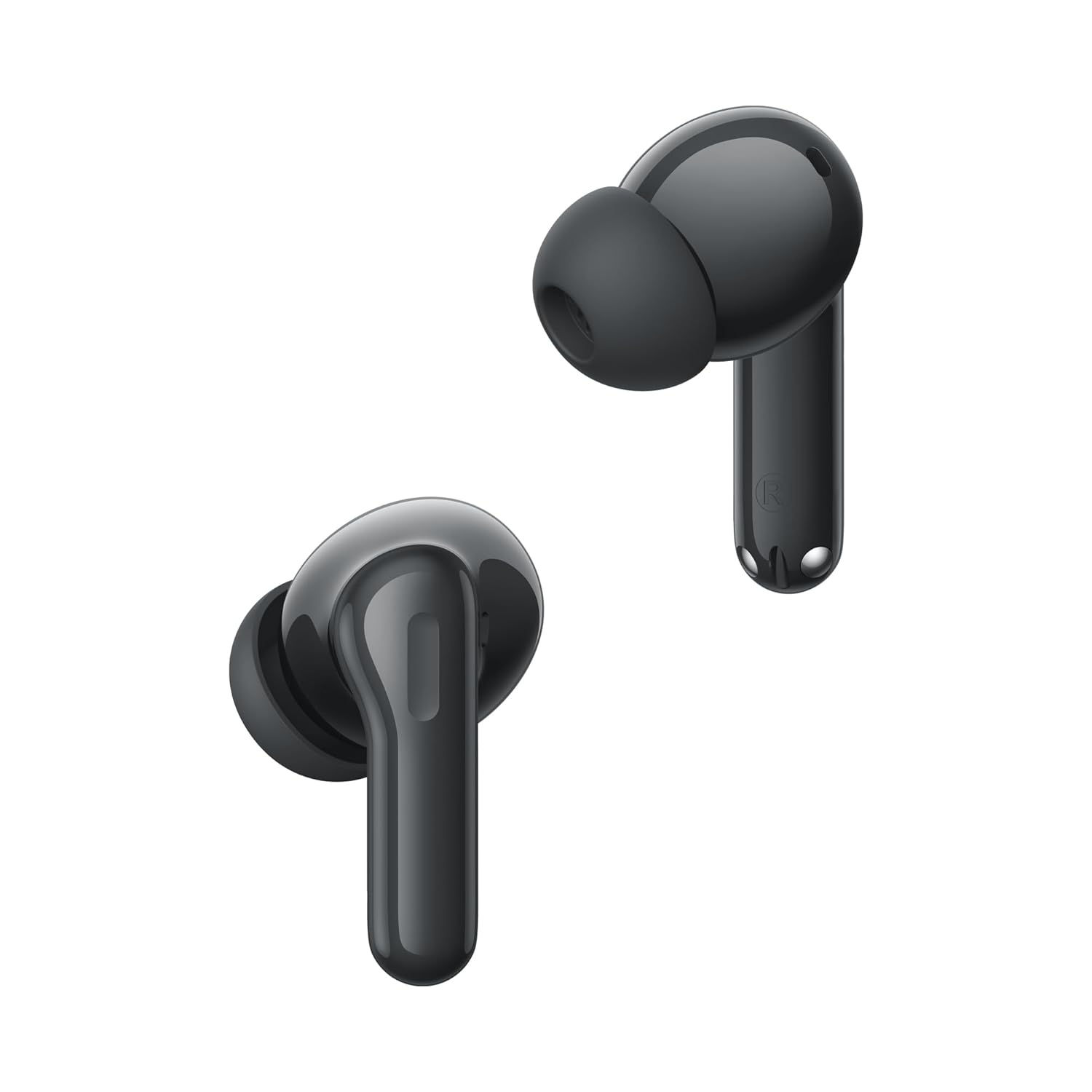
Imatge: Primer pla view of the realme Buds T200 earbuds, highlighting their design.
Vídeo del producteview
Vídeo: Un breu resumview espectacleasing the realme Buds T200 True Wireless Earbuds, their design, and key features.
4. Configuració
4.1 Càrrega dels auriculars i l'estoig
Abans del primer ús, carregueu completament els auriculars i l'estoig de càrrega.
- Col·loca els auriculars a l'estoig de càrrega. Assegura't que estiguin correctament col·locats.
- Connect the USB Type-C charging cable to the charging port on the case and to a power adapter.
- The LED indicator on the case will show charging status. A full charge typically takes about 2 hours.
4.2 Vinculació amb un dispositiu
Primera parella:
- Open the charging case. The earbuds will automatically enter pairing mode, and the indicator light will flash.
- Al dispositiu (telèfon intel·ligent, tauleta, ordinador portàtil), activeu el Bluetooth.
- Cerca dispositius disponibles i seleccioneu "realme Buds T200" de la llista.
- Once connected, the indicator light on the case will turn solid.
Re-pairing or Connecting to a New Device:
- Col·loqueu els dos auriculars a la caixa de càrrega i deixeu la tapa oberta.
- Press and hold the function button on the charging case for 3 seconds until the indicator light flashes rapidly. This indicates pairing mode.
- Follow steps 2-4 from the "First-time Pairing" instructions on your desired device.
5. Instruccions de funcionament
The realme Buds T200 offer various features for an enhanced audio experience.
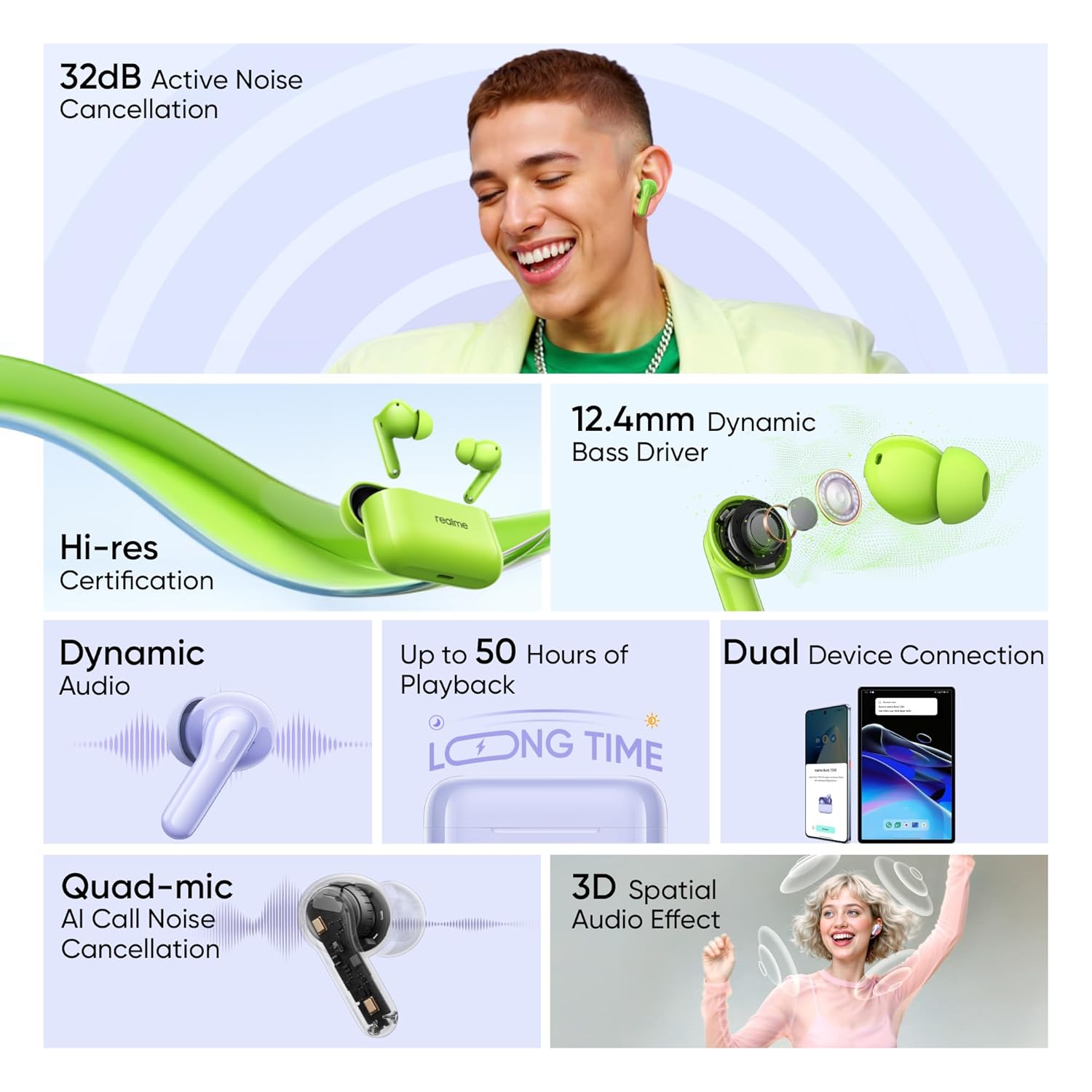
Image: Visual representation of key features: 32dB ANC, 12.4mm Dynamic Bass Driver, Hi-Res Certification, Dynamic Audio, up to 50 Hours of Playback, Dual Device Connection, Quad-mic AI Call Noise Cancellation, and 3D Spatial Audio Effect.
5.1 Controls tàctils
The earbuds feature intuitive touch controls. The default controls are:
- Doble toc: Reproduir/Pausar música, Respondre/Finalitzar trucada.
- Toca tres vegades: Cançó següent.
- Press and Hold (one earbud): Switch between Noise Cancellation modes (ANC On/Transparency/ANC Off).
- Press and Hold (both earbuds simultaneously): Enter/Exit Gaming Mode (Low Latency).
Note: These controls can often be customized via the realme Link app.
5.2 Cancel·lació activa del soroll (ANC)
The realme Buds T200 feature 32dB Active Noise Cancellation to reduce ambient noise.
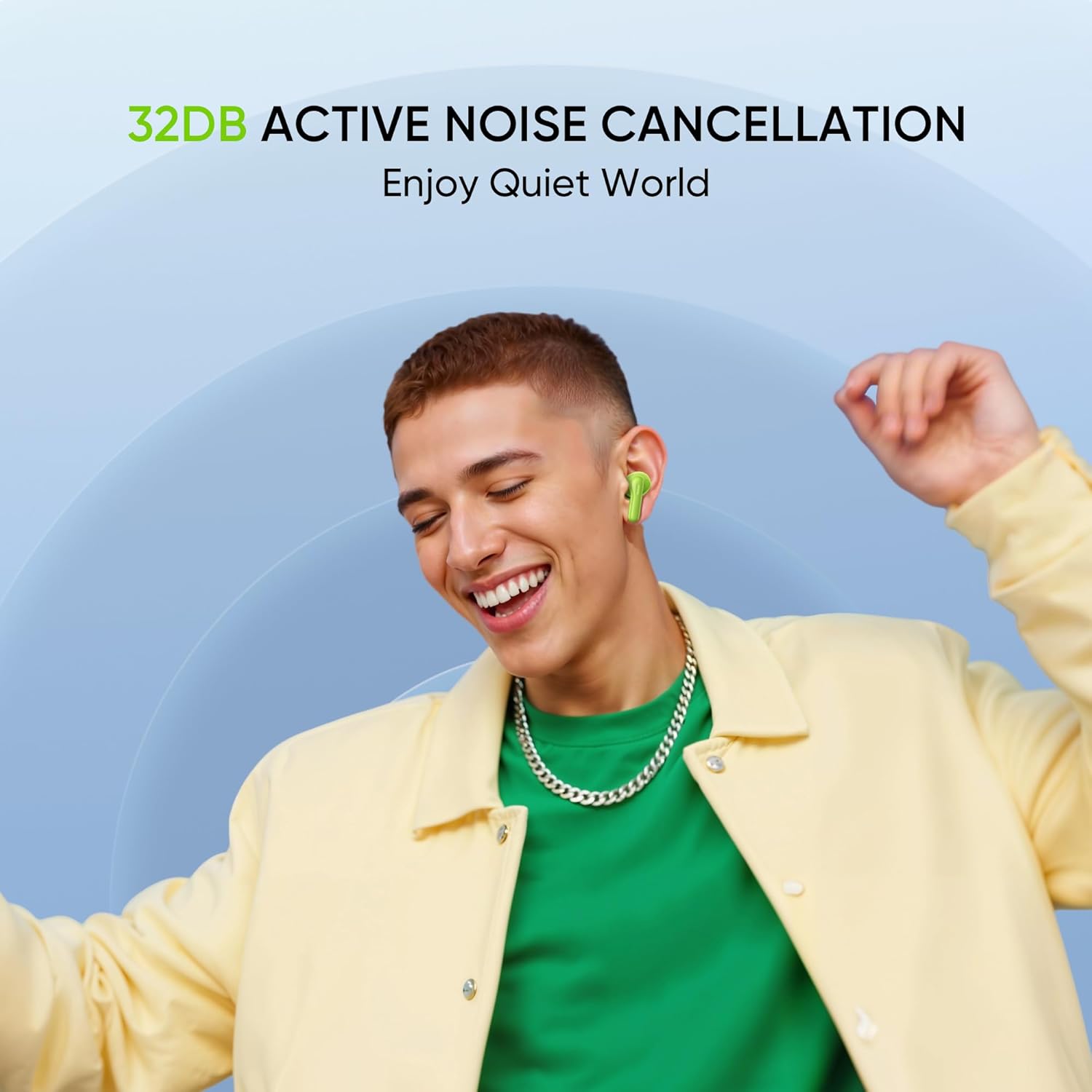
Image: A person smiling while wearing the earbuds, illustrating the benefit of 32dB Active Noise Cancellation for a quiet listening experience.
To cycle through ANC On, Transparency Mode, and ANC Off, press and hold the touch area on either earbud. Transparency Mode allows you to hear your surroundings while still enjoying your audio.
5.3 Funcions de trucada
The Quad-mic AI Call Noise Cancellation ensures clear voice transmission during calls.

Image: An internal diagram of an earbud highlighting the FF Mic and Talk Mic, demonstrating the Quad-Mic AI Call Noise Cancellation technology for clear calls.
- Respondre/Finalitzar la trucada: Toca dues vegades qualsevol dels auriculars.
- Rebutja la trucada: Manteniu premut qualsevol dels auriculars durant 2 segons.
5.4 Battery Life and Fast Charging
The earbuds and charging case provide up to 50 hours of total playback.
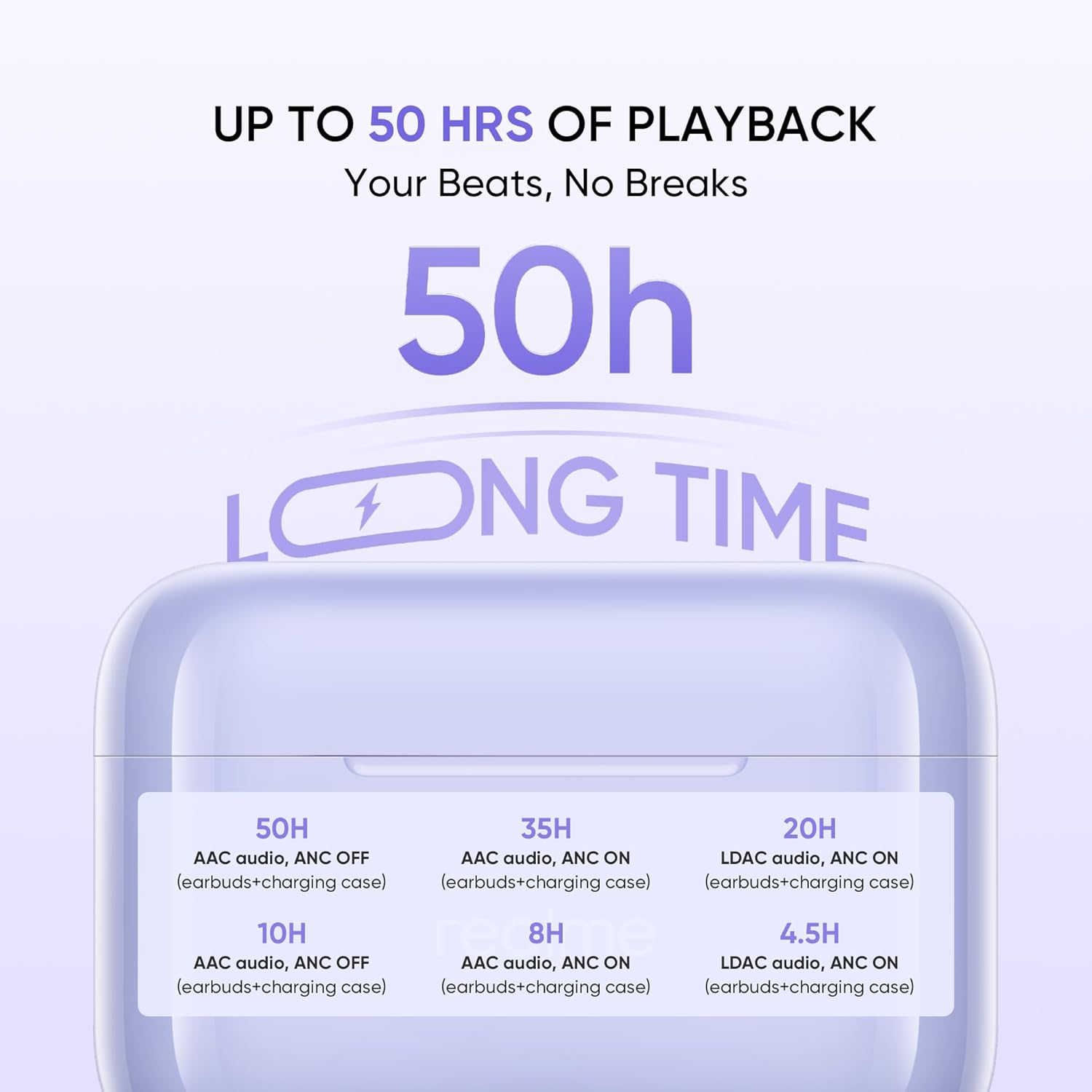
Image: A graphic detailing the battery life: 50H (AAC audio, ANC OFF with case), 35H (AAC audio, ANC ON with case), 20H (LDAC audio, ANC ON with case). Individual earbud playback times are also shown.
The fast charge feature allows for quick power-ups when you're short on time.
5.5 Hi-Res Audio
Experience superior sound quality with Hi-Res Audio certification.

Image: The realme Buds T200 earbuds and case with a 'Hi-Res Audio Wireless' and 'LDAC' logo, indicating professional audio certification for clear and detailed sound.
6. Manteniment
Proper maintenance ensures the longevity and performance of your realme Buds T200.
6.1 Neteja
- Feu servir un drap suau, sec i sense borrissol per netejar els auriculars i l'estoig de càrrega.
- Per a la brutícia persistent, lleugerament dampNetegeu el drap amb aigua o un netejador suau i no abrasiu. Eviteu la humitat excessiva.
- Gently clean the eartips and speaker mesh to prevent wax buildup, which can affect sound quality.
- Ensure all components are completely dry before placing earbuds back into the case or charging.
6.2 Emmagatzematge
- Guarda sempre els auriculars a la seva funda de càrrega quan no els facis servir per protegir-los i mantenir-los carregats.
- Store the device in a cool, dry place, away from direct sunlight, extreme temperatures, and humidity.
7. Solució De Problemes
If you encounter issues with your realme Buds T200, try the following solutions:
7.1 Earbuds Not Pairing or Connecting
- Ensure both earbuds are charged and placed correctly in the charging case.
- Open the case lid and press the function button for 3 seconds to enter pairing mode.
- Desactiva i activa el Bluetooth al dispositiu.
- Forget/delete "realme Buds T200" from your device's Bluetooth list and try pairing again.
- Assegureu-vos que el dispositiu estigui dins de l'abast del Bluetooth (10 metres).
7.2 Sense so o volum baix
- Comprova el nivell de volum tant del dispositiu com dels auriculars.
- Assegureu-vos que els auriculars estiguin correctament col·locats a les orelles.
- Netegeu qualsevol residu o cerumen de la malla de l'altaveu.
- Prova de tornar a emparellar els auriculars amb el dispositiu.
7.3 Problemes de càrrega
- Verifiqueu que el cable de càrrega estigui connectat correctament tant a la carcassa com a la font d'alimentació.
- Prova d'utilitzar un cable USB tipus C i un adaptador de corrent diferents.
- Assegureu-vos que els contactes de càrrega dels auriculars i de l'interior de la funda estiguin nets i lliures d'obstruccions.
7.4 La cancel·lació activa de soroll no funciona
- Ensure ANC is activated via the touch controls (press and hold either earbud).
- Check if the earbuds are properly sealed in your ear. Try different sized eartips for a better fit.
- Ensure the earbuds are clean and free from debris.
8. Especificacions
| Característica | Especificació |
|---|---|
| Marca | realme |
| Nom del model | Brots T200 |
| Número de model | RMA2410 |
| Color | Mystic Grey |
| Col·locació de l'orella | A l'orella |
| Factor de forma | True Wireless |
| Impedància | 32 ohms |
| Control de soroll | Active Noise Cancellation (32 dB) |
| Tipus de controlador d'àudio | Conductor dinàmic |
| Mida del controlador d'àudio | 12.4 Mil·límetres |
| Latència d'àudio | 45 mil·lisegons |
| Interval de freqüència | 20 - 20000 hertz |
| Versió Bluetooth | 5.4 |
| Interval Bluetooth | 10 metres |
| Tipus de control | Control tàctil |
| Mètode de control | App (realme Link) |
| Durada mitjana de la bateria | 50 hores (amb estoig de càrrega) |
| Temps de càrrega de la bateria | 2 hores |
| Nivell de resistència a l'aigua | Resistent a l'aigua (classificació IP55) |
| Pes de l'article | 47 grams |
| Fabricant | Guang xi Tonly Electronics Technology Co., Ltd |
9. Garantia i Suport
9.1 Informació de la garantia
The realme Buds T200 come with a 1 anys de garantia del fabricant des de la data de compra. Aquesta garantia cobreix els defectes de fabricació en condicions d'ús normal. Conserveu el rebut de compra com a comprovant de compra per a reclamacions de garantia.
La garantia no cobreix els danys causats per:
- Danys accidentals, mal ús o abús.
- Reparacions o modificacions no autoritzades.
- Desgast normal.
- No seguir les instruccions d'aquest manual.
9.2 Atenció al client
For further assistance, technical support, or warranty claims, please contact realme customer service through their official weblloc web o la informació de contacte que es proporciona a l'embalatge del producte.
Importer Contact Information: REALME MOBILE TELECOMMUNICATIONS (INDIA) PRIVATE LIMITED