
1. Introducció
El Negreview MP60 Mini PC is a compact and powerful computing solution designed for various applications, including office work, multimedia creation, and home server use. Featuring the Intel Twin Lake N150 processor, 16GB RAM, and a 512GB M.2 SSD, it offers efficient performance in a small form factor. This manual provides essential information for setting up, operating, and maintaining your device.

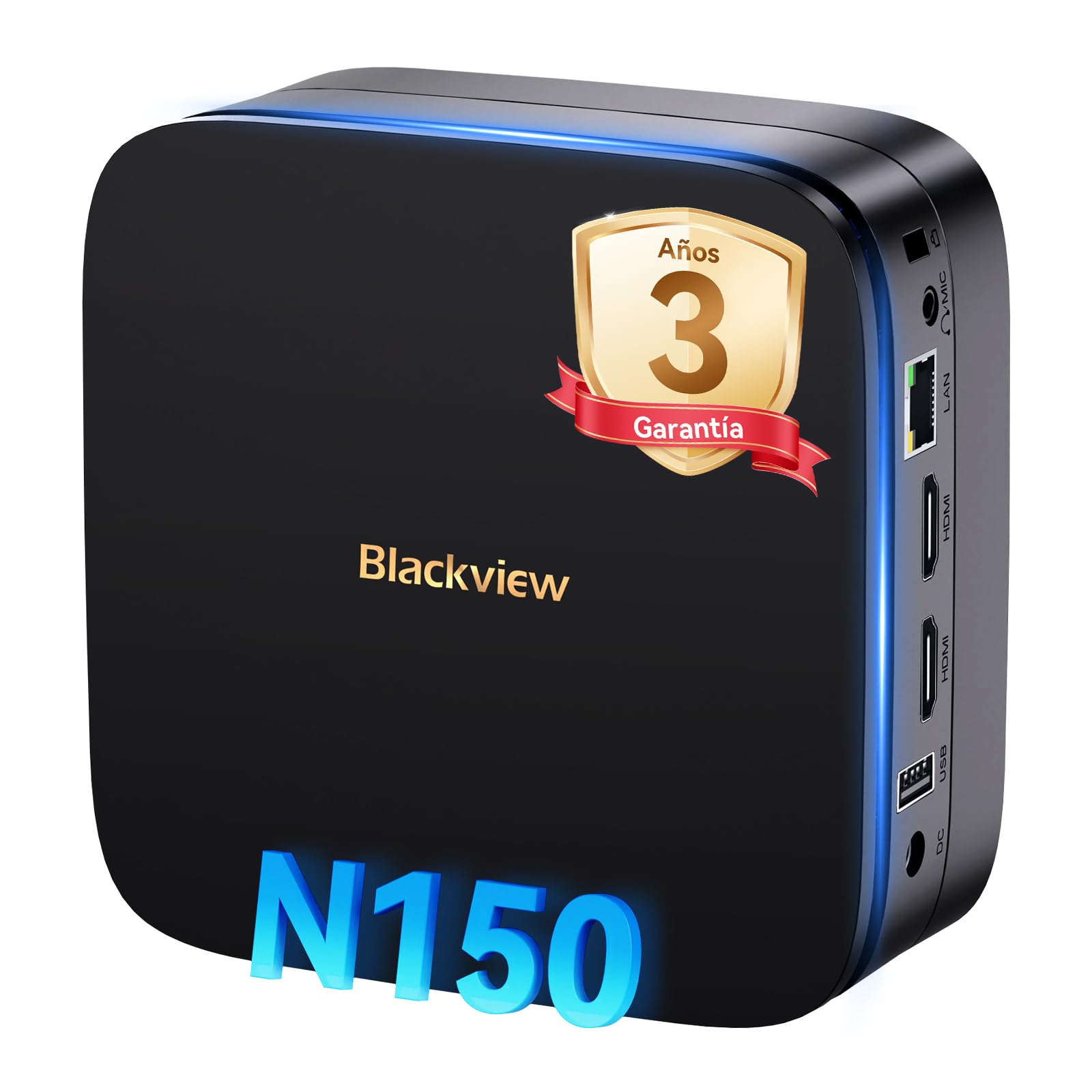
Image: The Blackview MP60 Mini PC, highlighting its compact design and Intel Twin Lake N150 processor.
2. Què hi ha a la caixa
Verifiqueu que tots els elements siguin presents al paquet:
- Negreview Mini PC MP60 N150 (x1)
- Cable HDMI (x1)
- Adaptador de corrent (x1)
- VESA Mount with Screws (x1)
- Informació de garantia i suport
3. Producte acabatview
El Negreview MP60 Mini PC features a compact design with essential ports for connectivity and expansion. Its small footprint makes it suitable for various environments.
Imatge: Davant i darrere view del Negreview MP60 Mini PC, illustrating its various ports including USB, HDMI, and Ethernet.
Característiques principals:
- Processador: Intel Twin Lake N150 (up to 3.6 GHz)
- RAM: 16 GB DDR4
- Emmagatzematge: 512GB M.2 SSD (expandable up to 2TB)
- Gràfics: Gràfics Intel UHD integrats
- Sistema operatiu: Windows 11 Pro
- Connectivitat: Dual-band Wi-Fi (2.4Ghz & 5Ghz), Bluetooth 4.2, Gigabit Ethernet (RJ45)
- Sortida de vídeo: 2x HDMI 2.0 (supports dual 4K displays)
- Ports USB: 4x USB ports (USB 2.0 Type A, USB 3.0 Type A)
4. Instruccions de configuració
Follow these steps to set up your Blackview MP60 Mini PC:
- Connect to a Display: Use the provided HDMI cable to connect the Mini PC to your monitor or TV. The device supports dual 4K displays.
- Connecteu els perifèrics: Connecteu el teclat i el ratolí USB als ports USB disponibles.
- Connecteu-vos a l'alimentació: Connecteu l'adaptador de corrent al port d'entrada de CC del Mini PC i, a continuació, endolleu l'adaptador a una presa de corrent.
- Encès: Press the power button located on the front of the Mini PC. The device will boot up, and you will see the Windows 11 Pro setup screen.
- Configuració inicial de Windows: Seguiu les instruccions que apareixen a la pantalla per completar la configuració del Windows 11 Pro, incloent-hi l'idioma, la regió, la connexió de xarxa i la creació del compte d'usuari.

Image: The Blackview MP60 Mini PC demonstrating its micro size and portability, fitting easily into a bag.
5. Instruccions de funcionament
5.1 Funcionament bàsic
Once Windows 11 Pro is set up, you can begin using your Mini PC. The Intel Twin Lake N150 processor provides sufficient power for daily tasks, office applications, and multimedia consumption.
- Encès/apagat: Press the power button to turn the device on. To shut down, go to the Start Menu in Windows and select Power > Shut down.
- Reinicia: From the Start Menu, select Power > Restart.
- Mode de repòs: From the Start Menu, select Power > Sleep.
5.2 Expansió d'emmagatzematge
El Negreview MP60 Mini PC allows for easy storage expansion with a 2.5-inch SSD/HDD. This feature is useful for storing large files, videos, or creating a home NAS.
- Locate the removable base of the Mini PC.
- Carefully remove the base to access the 2.5-inch drive bay.
- Install your 2.5-inch SSD or HDD (up to 2TB, not included) into the bay.
- Secure the drive and reattach the base.
- After booting, you may need to initialize and format the new drive in Windows Disk Management.

Image: Step-by-step illustration of how to install a 2.5-inch SSD into the Blackview MP60 Mini PC for storage expansion.
5.3 Dual 4K Display Setup
The Mini PC supports connecting two 4K displays simultaneously via its two HDMI 2.0 ports, enhancing productivity for tasks requiring multiple screens.
- Connect your primary monitor to one HDMI port.
- Connect your secondary monitor to the second HDMI port.
- Once both monitors are connected and the PC is powered on, Windows will automatically detect them.
- To configure display settings (e.g., extend, duplicate, resolution), right-click on the desktop and select "Display settings."

Image: The Blackview MP60 Mini PC powering two 4K monitors, demonstrating its dual display capability for enhanced productivity.
5.4 Network and Wireless Connectivity
The MP60 offers robust connectivity options:
- Wi-Fi: Supports dual-band 2.4GHz and 5GHz Wi-Fi for fast and stable wireless internet access. Connect via Windows network settings.
- Ethernet: A Gigabit RJ45 port provides a wired connection for maximum stability and speed (up to 1000 MB/s).
- Bluetooth: Bluetooth 4.2 allows for easy connection of wireless peripherals like keyboards, mice, and audio devices.
6. Manteniment
To ensure optimal performance and longevity of your Blackview MP60 Mini PC, follow these maintenance guidelines:
- Mantingueu-lo net: Regularly clean the exterior of the Mini PC with a soft, dry cloth. Use compressed air to clear dust from vents to maintain efficient cooling.
- Actualitzacions de programari: Keep your Windows operating system and drivers updated to ensure security and performance.
- Eviteu les obstruccions: Assegureu-vos que les obertures de ventilació no estiguin bloquejades per evitar el sobreescalfament.
- Apagada segura: Always shut down the PC properly through the operating system rather than simply unplugging it.

Imatge: Una imatge interna view del Negreview MP60 Mini PC, illustrating its silent heat dissipation system with a cooling fan and heatpipes.
7. Solució De Problemes
Si teniu problemes amb el vostre Blackview MP60 Mini PC, refer to the following common troubleshooting steps:
- Sense energia:
- Assegureu-vos que l'adaptador de corrent estigui connectat correctament tant al Mini PC com a una presa de corrent que funcioni.
- Proveu la presa de corrent amb un altre dispositiu.
- Sense pantalla:
- Check HDMI cable connections to both the Mini PC and the monitor.
- Assegureu-vos que el monitor estigui encès i configurat a la font d'entrada correcta (HDMI).
- Prova un altre cable HDMI o monitor si és possible.
- Sense connexió a Internet:
- For Wi-Fi, ensure the Wi-Fi adapter is enabled in Windows settings and you are connected to the correct network with the correct password.
- For Ethernet, ensure the cable is securely plugged into both the Mini PC and your router/modem. Check router status.
- Reinicieu el vostre encaminador/mòdem i el mini PC.
- Rendiment lent:
- Tanca les aplicacions innecessàries que s'executen en segon pla.
- Comproveu i instal·leu les actualitzacions pendents de Windows.
- Assegureu-vos que hi hagi prou espai lliure a la unitat principal.
- Executeu una anàlisi de virus.
If problems persist, refer to the warranty and support section for further assistance.
8. Especificacions
Especificacions tècniques detallades del Blackview MP60 Mini PC:
| Característica | Especificació |
|---|---|
| Processador | Intel Twin Lake N150 (up to 3.6 GHz, 4 Cores, 4 Threads, 6MB Cache) |
| Gràfics | Gràfics Intel UHD integrats |
| RAM | 16 GB de DDR4 (3200 MHz) |
| Emmagatzematge | 512GB M.2 SSD (PCIe x4 interface), expandable with 2.5" SSD/HDD up to 2TB |
| Sistema operatiu | Windows 11 Pro |
| Sortida de vídeo | 2x HDMI 2.0 (supports dual 4K @ 60Hz displays) |
| Ports USB | 4x USB (USB 2.0 Type A, USB 3.0 Type A) |
| Xarxa | Gigabit Ethernet (RJ45), Wi-Fi 5G (802.11ac, dual-band 2.4GHz/5GHz) |
| Bluetooth | Bluetooth 4.2 |
| Sortida d'àudio | 3.5mm Àudio Jack |
| Mètode de refrigeració | Air Cooling (Silent design with fan and heatpipes) |
| Dimensions | 12.8 x 12.8 x 5.2 cm |
| Pes | 1.01 kg |
| Font d'alimentació | External Power Adapter (Type E/F: 2 pins for EU) |
9. Garantia i Suport
Negreview is committed to providing high-quality products and excellent customer service.
Informació de la garantia:
Your Blackview MP60 Mini PC comes with a Garantia oficial d'3 any covering parts and labor for manufacturing defects. This ensures prompt replacement or repair in case of product failure.

Image: Blackview's commitment to customer satisfaction, highlighting a 3-year warranty and lifetime technical support.
Suport tècnic:
Negreview ofertes suport tècnic de per vida. Our expert team is available via email, live chat, or phone to assist you with software updates, troubleshooting, and optimization tips to keep your device running smoothly for years. Please refer to the contact information provided with your product or visit the official Blackview weblloc per obtenir detalls de suport.


