
1. Introducció
The Cherry KW 550 MX LP is a 96% mechanical low-profile keyboard designed for multi-device wireless connectivity. It features durable PBT keycaps and Cherry MX LP 2.0 Ivory switches, offering a smooth and direct typing experience. This manual provides essential information for setting up, operating, maintaining, and troubleshooting your keyboard.
Vídeo: Cherry KW 550 MX LP Mechanical Keyboard OverviewAquest vídeo ofereix una visió generalview of the Cherry KW 550 MX LP mechanical keyboard, demonstrating its slim design, low-profile MX 2.0 Ivory switches, PBT keycaps, and multi-device wireless capabilities. It shows the keyboard in use, highlighting its ergonomic features and backlighting.
2. Configuració
2.1 Contingut del paquet
- Cherry KW 550 MX LP Keyboard
- Cable de càrrega USB-A a USB-C
2.2 Càrrega inicial
Before first use, connect the keyboard to a USB power source using the provided USB-A to USB-C cable. The RGB LED under the CHERRY key indicates the battery status during charging. The keyboard can be used while charging.

Imatge: Rechargeable Lithium Battery. This image focuses on the keyboard's rechargeable lithium battery, which allows for continued operation while charging. It also shows the sturdy, fold-out feet for height adjustment and the included USB-A to USB-C charging cable.
2.3 Connexió a dispositius
The Cherry KW 550 MX LP supports wireless multi-device connectivity for up to 4 devices via Bluetooth or a wired USB-C connection.
- Connexió Bluetooth: The keyboard has 3 Bluetooth channels. To pair, select a channel (F1, F2, or F3) by pressing the FN key simultaneously with the desired F-key. The corresponding LED will blink, indicating pairing mode. Cerca the keyboard on your device's Bluetooth settings and connect.
- Connexió per cable: Connect the keyboard directly to your computer using the supplied USB-A to USB-C cable. The keyboard will automatically switch to wired mode.

Imatge: Mechanical Multi-Device Keyboard in 96% Layout. This image illustrates the compact 96% layout of the Cherry KW 550 MX LP keyboard, highlighting its dimensions (14.80 inches length, 4.92 inches width, 0.98 inches height) and weight (1.58 lbs). It also shows icons for Bluetooth and wired USB connectivity, indicating its multi-device capability for up to 4 devices.
2.4 Ajust de l'alçada del teclat
The keyboard features sturdy, fold-out feet on the underside to adjust the typing angle for improved ergonomics.
3. Funcionament
3.1 Typing Experience with MX LP 2.0 Ivory Switches
The keyboard is equipped with Cherry MX Low Profile 2.0 Ivory switches. These switches provide a smooth and direct typing feel with linear switching characteristics, meaning there is no tactile bump or audible click. They are designed for durability with over 100 million actuations per key.

Imatge: Original Cherry MX Low Profile 2.0 Switches. This image provides a close-up view of the Cherry MX Low Profile 2.0 Ivory switches, emphasizing their linear switching characteristics without a click. It highlights the smooth typing feel and optimized acoustics, along with the "Made in Germany" origin.
3.2 Backlighting and Status LEDs
El teclat té 10tage dimmable white illumination. Use the designated function keys (often combined with the FN key) to adjust the brightness. Additionally, red status LEDs are present for CAPS LOCK, NUM LOCK, WIN key, and F1 to F4 keys, providing visual feedback on their activation status.

Imatge: Elegant White Lighting. This image showcases the keyboard's 10-stage dimmable white backlighting, allowing for a customized setup. It also points out the additional red status LEDs for CAPS LOCK, NUM LOCK, WIN, and F1 to F4 keys, which indicate activated functions.
3.3 PBT Keycaps and Advanced Features
The keyboard is fitted with high-end PBT keycaps, known for their durability and abrasion resistance. It also incorporates N-Key rollover, ensuring all key presses are registered simultaneously, and anti-ghosting technology to prevent unintended inputs during fast typing.
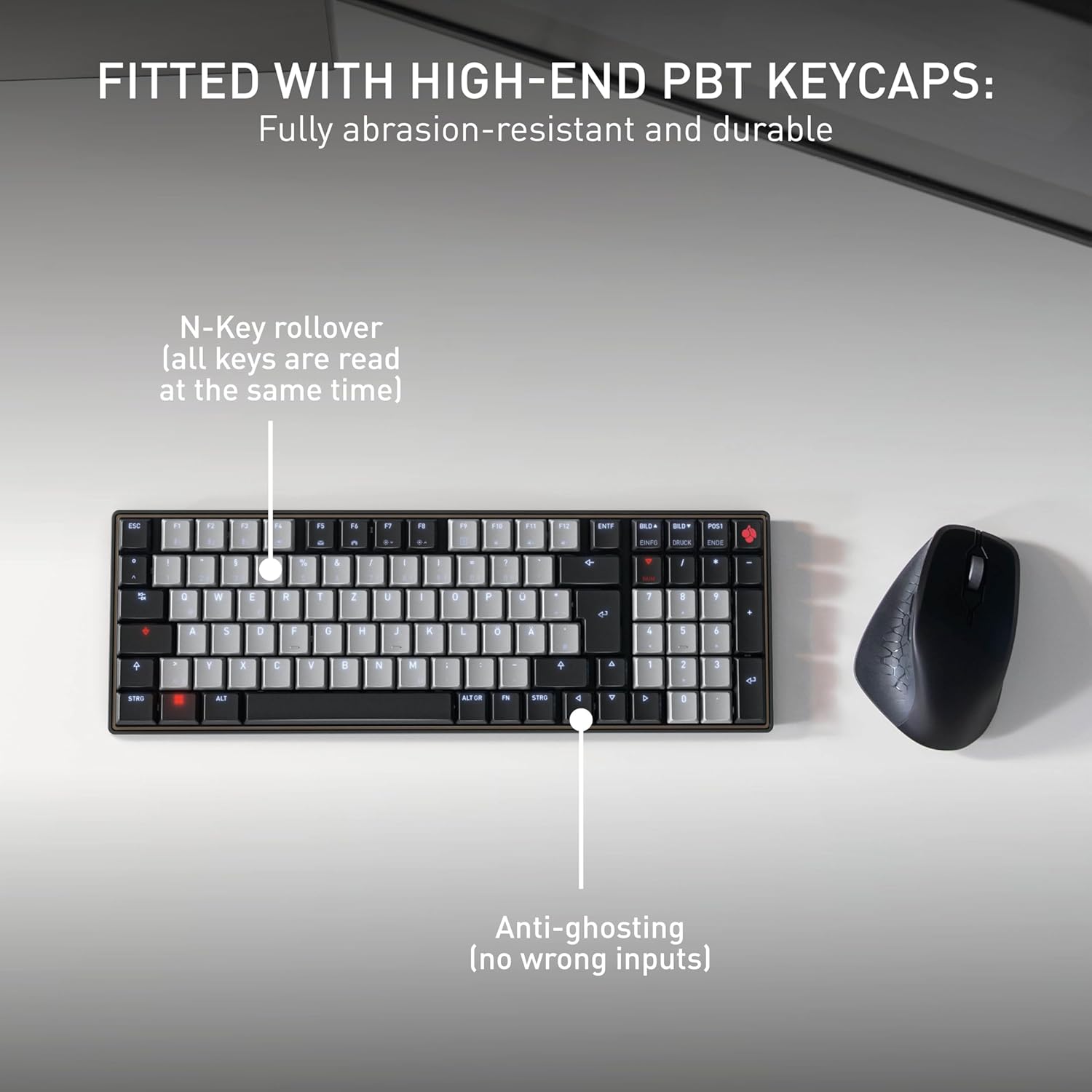
Imatge: Fitted with High-End PBT Keycaps. This image displays the keyboard's durable, abrasion-resistant PBT keycaps. It also illustrates key features like N-Key rollover, ensuring all keys are registered simultaneously, and anti-ghosting technology to prevent incorrect inputs during rapid typing.
4. Manteniment
4.1 Neteja del teclat
- Desconnecteu el teclat de tots els dispositius abans de netejar-lo.
- Utilitzeu un drap suau i sense pelusa lleugerament dampEsbandiu amb aigua o una solució netejadora suau per netejar les tecles i la superfície.
- Eviteu utilitzar productes químics agressius, netejadors abrasius o ruixar líquids directament sobre el teclat.
- Per a les restes entre les claus, feu servir aire comprimit.
4.2 Cura de la bateria
- To maximize battery life, avoid fully discharging the keyboard frequently.
- Torneu a carregar la bateria quan aparegui l'indicador de bateria baixa.
- Guardeu el teclat en un lloc fresc i sec si no l'utilitzeu durant períodes prolongats.
5. Solució De Problemes
5.1 El teclat no respon
- Comproveu la bateria: Ensure the keyboard is charged. Connect it via USB-C cable to see if it powers on.
- Connexió per cable: If using wirelessly, try connecting directly with the USB-C cable to rule out Bluetooth issues.
- Bluetooth Re-pairing: If using Bluetooth, delete the keyboard from your device's Bluetooth list and attempt to re-pair it. Ensure the correct Bluetooth channel (F1, F2, or F3) is selected on the keyboard.
- Reinicieu el dispositiu: Restart the connected computer or device.
5.2 Problemes de retroiluminació
- Ajust de brillantor: Ensure the backlighting is not set to the lowest brightness level. Adjust using the designated function keys.
- Estalvi d'energia: The backlighting may turn off after a period of inactivity to conserve battery. Press any key to reactivate.
5.3 Les tecles no es registren o s'escrivien dues vegades
- Claus netes: Check for any debris under the affected keycaps.
- Actualització del firmware: Check the official Cherry website for any available firmware updates for your keyboard model.
6. Especificacions
| Característica | Detall |
|---|---|
| Marca | Cirera |
| Nom del model | Cherry MX KW 550 LP |
| Número de model | G8A-25510HOAUS-2 |
| Tecnologia de connectivitat | Bluetooth |
| Descripció del teclat | Compact Mechanical |
| Tipus de canvi | Linear (Cherry MX Low Profile 2.0 Ivory) |
| Nombre de claus | 99 |
| Disposició del teclat | QWERTY |
| Característiques especials | Multi-Connection, PBT Keycaps, Slim Mechanical |
| Material | Metall |
| Font d'alimentació | Funciona amb bateria |
| Components inclosos | Cable USB |
| UPC | 840183609207 |
7. Garantia i assistència
7.1 Informació de la garantia
The Cherry KW 550 MX LP keyboard comes with a 2 anys de garantia des de la data de compra. Aquesta garantia cobreix defectes de fabricació i avaries en condicions d'ús normal. Conserveu el comprovant de compra per a reclamacions de garantia.
7.2 Atenció al client
For technical assistance, troubleshooting, or warranty inquiries, please visit the official Cherry website or contact their customer support. You can find contact details and further resources at www.cherry.de/en/support.