
1. Introducció
The Akko Mineral 02 is a high-performance QMK/VIA compatible aluminum mechanical keyboard designed for versatility and customization. Featuring tri-mode connectivity (wired, 2.4GHz wireless, and Bluetooth), hot-swappable switches, and customizable RGB lighting, this keyboard offers a premium typing and gaming experience. This manual provides essential information for setting up, operating, maintaining, and troubleshooting your Akko Mineral 02 keyboard.
2. Contingut del paquet
Si us plau, comproveu el paquet per veure si hi ha els elements següents:
- Akko Mineral 02 QMK/VIA Aluminum Mechanical Keyboard
- Cable USB-C
- Assembly/Disassembly Tools (Switch Puller, Keycap Puller)
- Receptor sense fils de 2.4 GHz
- Manual d'usuari (aquest document)
3. Producte acabatview
The Akko Mineral 02 keyboard combines robust aluminum construction with advanced features for a customizable user experience.
Característiques principals:
- Connectivitat trimodal: Seamlessly switch between Wired (USB-C), 2.4GHz Wireless, and Bluetooth connections.
- QMK/VIA Support: Full programmability for key remapping, macros, and lighting customization.
- Interruptors intercanviables en calent: Easily change mechanical switches without soldering.
- Il·luminació RGB personalitzable: Per-key RGB and unique corner lighting effects.
- Aluminum Case: Durable and premium build quality.
- Gasket-Mounted Design: Provides a flexible and comfortable typing feel with improved acoustics.
- Bateria de 8000 mAh: Extended wireless usage.
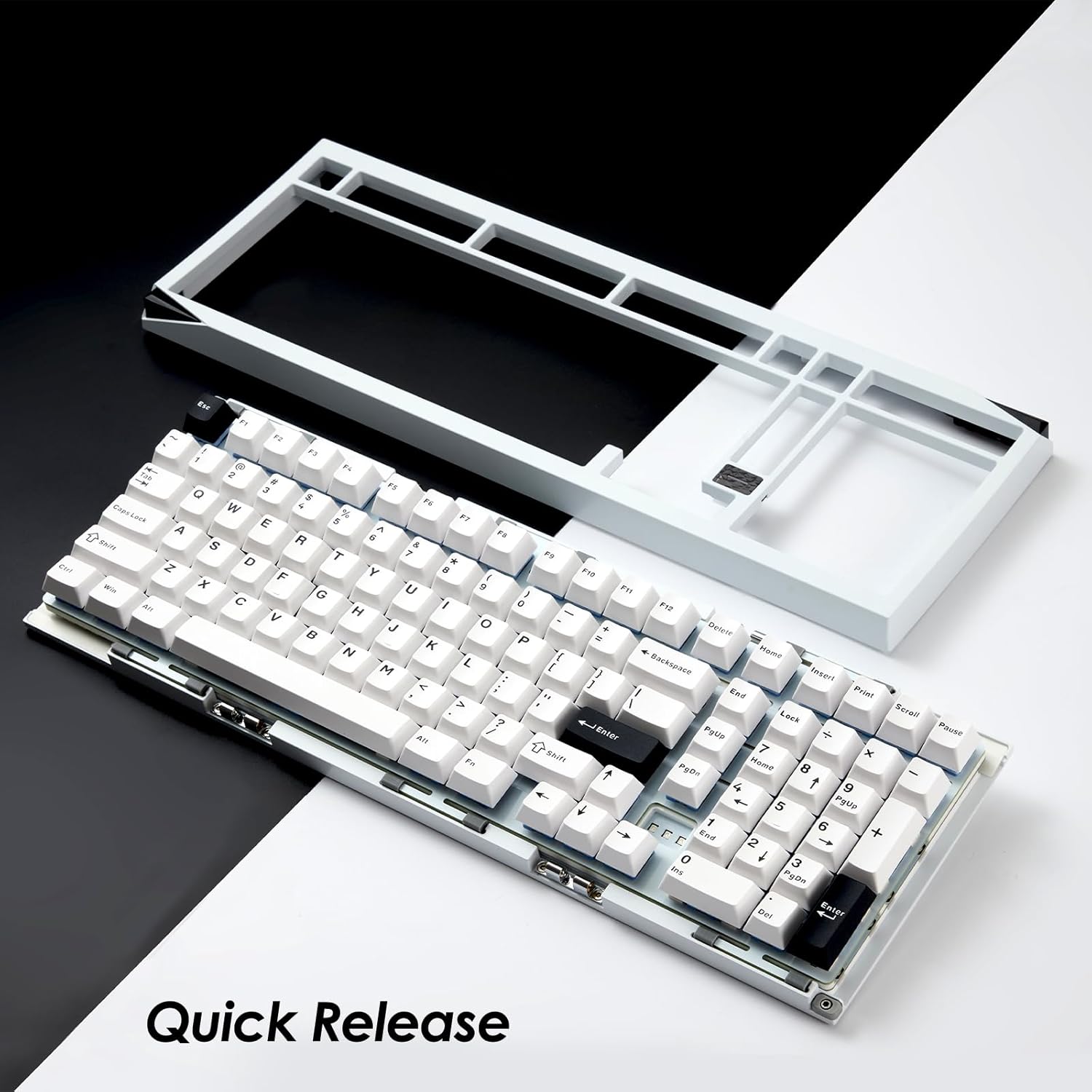
Image: Akko Mineral 02 keyboard with its top case detached, illustrating the quick release design for easy customization and maintenance.

Image: Detail of the hot-swappable sockets on the Akko Mineral 02 keyboard, allowing for easy switch replacement without soldering. RGB lighting is visible through the sockets.

Image: Visual representation highlighting the 8000mAh battery capacity of the Akko Mineral 02 keyboard, indicating long wireless usage.
4. Configuració
4.1 Càrrega inicial
Before first use, connect the keyboard to a USB power source using the provided USB-C cable to ensure it is fully charged. The charging indicator (usually an LED near the USB port or a specific key) will show charging status and turn off or change color when fully charged.
4.2 Connecting via Wired Mode
- Ensure the keyboard's mode switch (usually located on the back or side) is set to 'Wired' or 'USB'.
- Connect the USB-C cable to the keyboard's USB-C port and the other end to an available USB port on your computer.
- El sistema operatiu reconeixerà automàticament el teclat.

Image: The USB-C port located on the Akko Mineral 02 keyboard for wired connection and charging.
4.3 Connexió mitjançant el mode sense fil de 2.4 GHz
- Locate the 2.4GHz wireless receiver in your package.
- Connecteu el receptor de 2.4 GHz a un port USB disponible de l'ordinador.
- Configureu el selector de mode del teclat a "2.4G".
- El teclat s'hauria de connectar automàticament. Si no, premeu Fn + 4 (or the designated key for 2.4G pairing) to initiate pairing.
4.4 Connexió mitjançant el mode Bluetooth
- Set the keyboard's mode switch to 'BT' (Bluetooth).
- A l'ordinador o dispositiu, activeu el Bluetooth i cerqueu dispositius nous.
- On the keyboard, press and hold Fn + 1, Fn + 2, o Fn + 3 durant 3-5 segons per entrar al mode d'emparellament per al dispositiu Bluetooth 1, 2 o 3 respectivament. L'indicador lluminós parpellejarà ràpidament.
- Select 'Akko Mineral 02' from the list of available Bluetooth devices on your computer/device.
- Once paired, the indicator light will stop flashing. You can pair up to three Bluetooth devices.

Image: The Akko Mineral 02 keyboard demonstrating its tri-mode connectivity options: Type-C wired, 2.4GHz wireless, and Bluetooth, connecting to various devices.
5. Instruccions de funcionament
5.1 Funcions bàsiques de les tecles
The Akko Mineral 02 features a standard 1800 compact layout. Refer to the keycap legends for primary functions. Secondary functions are typically accessed using the Fn key in combination with other keys (e.g., Fn + F1-F12 for media controls).
5.2 Control d'il·luminació RGB
The keyboard features customizable RGB lighting. Basic lighting effects can be cycled through using specific Fn key combinations (refer to your keyboard's specific key legends or a quick start guide). For advanced customization, including per-key lighting and dynamic effects, use the VIA software.
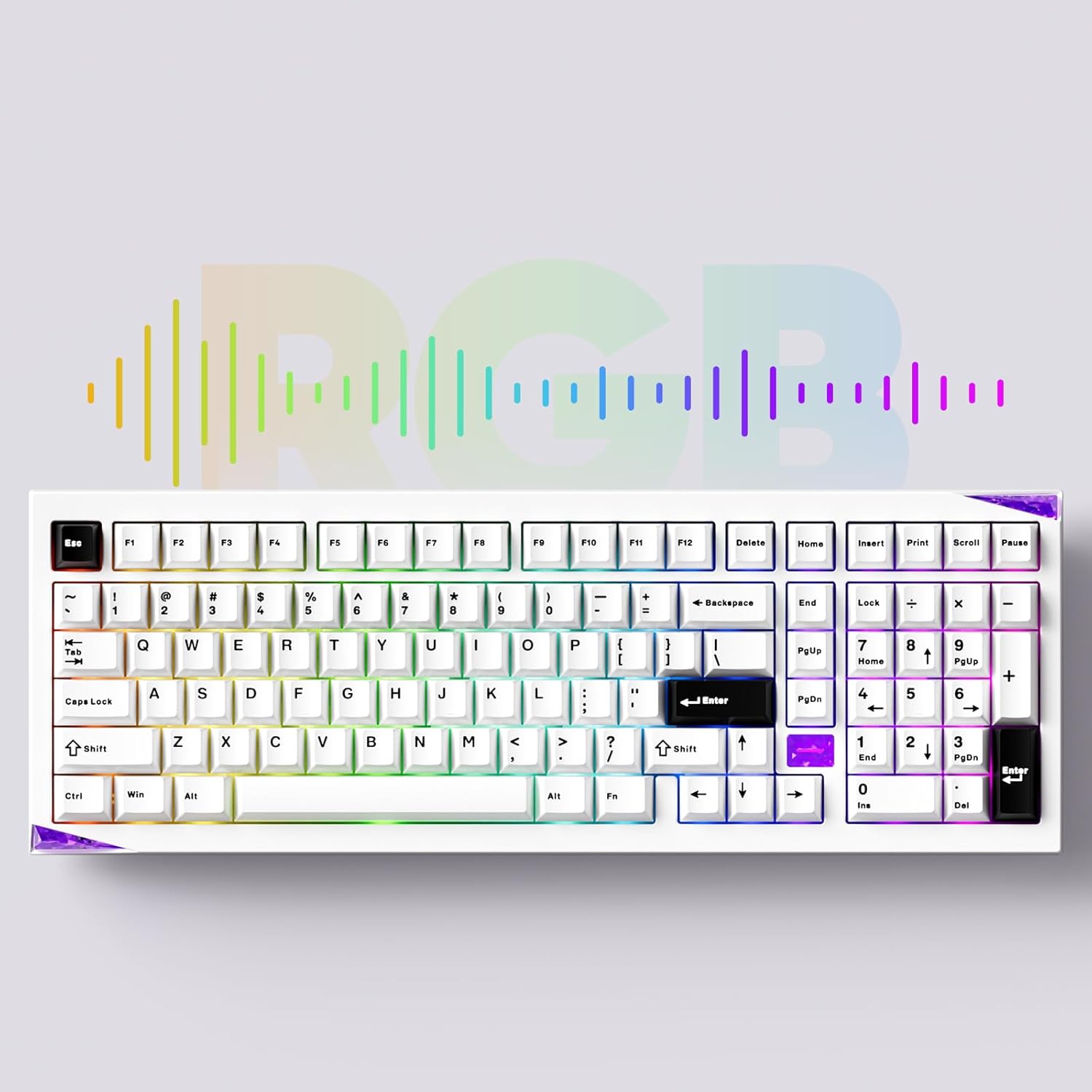
Image: The Akko Mineral 02 keyboard illuminated with various RGB lighting patterns, showcasing its customizable backlighting.
5.3 QMK/VIA Software Usage
The Akko Mineral 02 supports QMK firmware and VIA software for advanced customization. VIA allows you to remap keys, create macros, and adjust RGB lighting in real-time without flashing firmware. To use VIA:
- Download the VIA software from the official Akko weblloc o el VIA weblloc.
- Connect your keyboard in wired mode.
- Launch the VIA software. It should automatically detect your keyboard.
- Use the intuitive interface to customize key assignments, layers, and lighting effects.

Image: A visual representation of the VIA software interface, demonstrating its capabilities for key remapping and customization.
5.4 Switching Operating System Modes (Windows/Mac)
To switch between Windows and Mac operating system layouts, locate the dedicated switch or key combination. Some Akko keyboards use Fn + Bloq majúscules to toggle between modes. Refer to your keyboard's specific documentation for the exact method.
6. Manteniment
6.1 Neteja del teclat
- Desconnecta el teclat de l'ordinador.
- Use a keycap puller to remove keycaps for thorough cleaning.
- Feu servir aire comprimit per eliminar la pols i les restes que hi hagi entre els interruptors.
- Wipe keycaps with a damp drap i una solució de sabó suau i, a continuació, assequeu-ho bé.
- Clean the keyboard case with a soft, dry cloth. Avoid harsh chemicals.
6.2 Interruptors d'intercanvi en calent
The Akko Mineral 02 features hot-swappable sockets, allowing you to change switches without soldering.
- Desconnecteu el teclat.
- Use the provided keycap puller to remove the desired keycap.
- Use the provided switch puller to gently grip the switch from the top and bottom, then pull it straight up to remove.
- Alineeu els pins del nou interruptor amb els forats de la placa de circuit imprès. Assegureu-vos que els pins estiguin rectes.
- Gently push the new switch into the socket until it clicks into place. Do not force it.
- Substitueix la tapa de les tecles.

Imatge: Una imatge detallada view of an Akko Mirror Switch, illustrating the component that can be hot-swapped in the keyboard.
7. Solució De Problemes
7.1 El teclat no respon
- Mode per cable: Assegureu-vos que el cable USB-C estigui connectat correctament tant al teclat com a l'ordinador. Proveu un port o cable USB diferent.
- Sense fil de 2.4 GHz: Ensure the 2.4GHz receiver is plugged in and the keyboard is in 2.4G mode. Re-pair by pressing Fn + 4. Check battery level.
- Mode Bluetooth: Ensure Bluetooth is enabled on your device and the keyboard is in BT mode. Re-pair by holding Fn + 1/2/3. Check battery level.
- Bateria: Carregueu el teclat completament.
7.2 Problemes d'il·luminació RGB
- Assegureu-vos que el teclat estigui encès.
- Check if RGB lighting is disabled via Fn key combinations.
- Use the VIA software to verify and adjust lighting settings.
7.3 Les claus no es registren
- Remove the keycap and switch for the affected key.
- Inspect the switch pins for bends or damage. Straighten gently if bent.
- Reinsert the switch firmly into the socket.
- Test with a different switch if the issue persists.
8. Especificacions
| Característica | Detall |
|---|---|
| Marca | Akko |
| Model | Mineral 02 |
| Tecnologia de connectivitat | Bluetooth, sense fil de 2.4 GHz, USB-C amb cable |
| Dispositius compatibles | PC, tauleta, telèfon intel·ligent |
| Descripció del teclat | Ergonomic, Mechanical |
| Característiques especials | Tri-Mode, Hot-swappable, RGB Lighting, QMK/VIA Support, Gasket Mount |
| Material | Aluminum (Case) |
| Components inclosos | USB-C Cable, Assembly/Disassembly Tools |
| Font d'alimentació | Sense fil i per cable |
| Nombre de claus | 104 (1800 Compact Layout) |
| Tipus de canvi | Mecànica |
| Mechanical Keyboard Switch Model | Mirror Switch (Pre-lubed) |
| Capacitat de la bateria | 8000 mAh |
9. Garantia i Suport
Akko products come with a standard manufacturer's warranty. For specific warranty terms, duration, and support inquiries, please refer to the warranty card included with your product or visit the official Akko weblloc web. Conserveu el comprovant de compra per a reclamacions de garantia.
For technical support, troubleshooting assistance, or further information, please contact Akko customer service through their official channels.