
Introducció
Thank you for choosing the CYCLAMI BKV-310 GPS Cycle Computer. This device is designed to provide essential cycling data with high accuracy and reliability. Featuring 5-satellite positioning, a clear 2.4-inch display, IPX7 waterproofing, and a long-lasting 20-hour battery, it is an ideal companion for your rides. This manual will guide you through the setup, operation, and maintenance of your new cycle computer.

The CYCLAMI BKV-310 GPS Cycle Computer, highlighting its key features such as 5-satellite positioning, 2.4-inch display, 650mAh battery, IPX7 waterproof rating, 7 types of cycling data, and over 20 hours of continuous use.
Configuració
1. Contingut del paquet
Abans de començar, assegureu-vos que tots els elements estiguin presents al paquet:
- CYCLAMI BKV-310 Cycle Computer
- Standard Base x1
- Coixinet de silicona x1
- Silicone Rings x2
- Cable USB tipus C

Included components: BKV-310 unit, standard base, silicone pad, silicone rings, and Type-C USB cable.
2. Muntatge del dispositiu
The BKV-310 can be mounted on your bicycle's handlebar using the provided accessories. The standard handlebar mount is suitable for round tube handlebars.
- Place the silicone pad on your handlebar at the desired mounting location.
- Position the standard base over the silicone pad.
- Secure the base and pad to the handlebar using the silicone rings. Ensure it is tight and stable.
- Align the BKV-310 with the base and twist it clockwise until it locks securely into place.

Various mounting options for the cycle computer, including the standard base with silicone rings for round handlebars.
3. Càrrega inicial
The device comes with a built-in 650mAh rechargeable battery. For optimal performance, fully charge the device before first use.
- Connect the provided Type-C USB cable to the charging port on the device.
- Connecteu l'altre extrem del cable USB a un adaptador de corrent USB estàndard (no inclòs) o a un port USB de l'ordinador.
- The battery indicator on the display will show charging status. A full charge provides approximately 20 hours of continuous use.
4. Configuració bàsica
After powering on the device for the first time, you may need to configure basic settings.
- Idioma: The device supports 9 languages. Please note that Japanese is not available, but English is supported.
- Unitats: Switch between kilometers (km) and miles (mi) for distance and speed measurements.
- Zona horària: Set your local time zone. The initial default value may be +8h; for Japan, set it to +9h.
Instruccions de funcionament
1. Power On/Off and Button Functions
The BKV-310 features two physical buttons for operation.
- Power Button (Left): Press and hold to power the device on or off. A short press typically cycles through display modes or confirms selections.
- Function Button (Right): Used to navigate menus, adjust settings, or reset trip data.
2. GPS Acquisition
The device uses 5-satellite positioning (Beidou, GPS, QZSS, GLONASS, Galileo) for fast and accurate data.
- Upon powering on, ensure the device has a clear view del cel per adquirir senyals de satèl·lit.
- Positioning typically occurs within 3 seconds, even in areas with tall buildings.
- The GPS icon on the display will indicate signal strength.
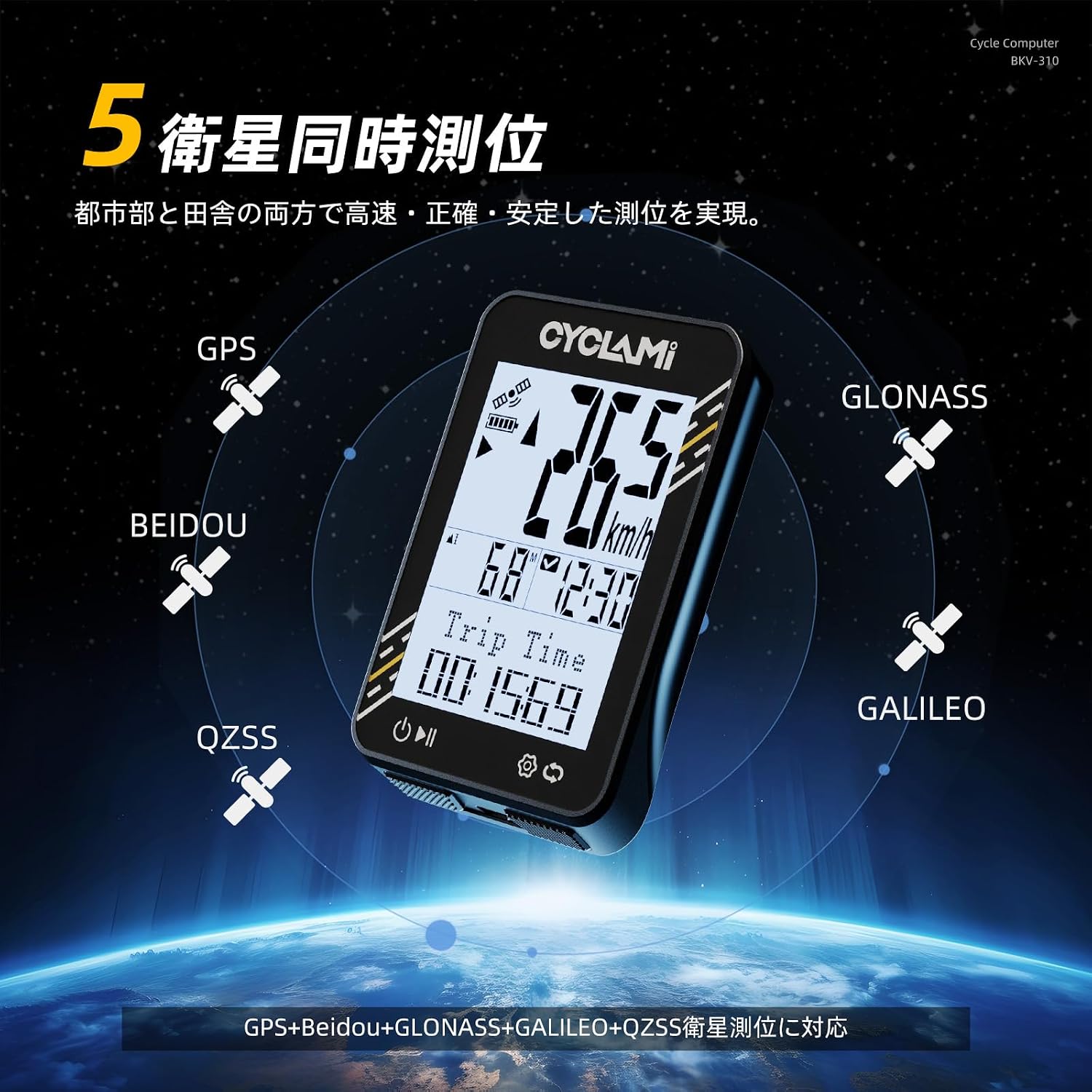
The BKV-310 supports 5-satellite simultaneous positioning for enhanced accuracy.
3. Displaying Cycling Data
The 2.4-inch high-brightness display shows up to 7 types of cycling data clearly, even under direct sunlight.
- Available Data: Speed, Altitude, Distance, Estimated Calorie Consumption, Trip Time, Average Speed, Maximum Speed, Total Distance, Total Time.
- Use the buttons to cycle through different data displays or views.

The 2.4-inch display provides clear visibility of 7 major cycling data points.
4. Automatic Backlight
The device features an automatic backlight function for improved visibility in low-light conditions.
- In dark environments, the vibration-sensing backlight will automatically illuminate for 30 seconds.
- Això us permet view data without pressing any buttons, even when stopped at night.
5. Data Saving Note
Please note that the CYCLAMI BKV-310 does not support saving riding data or connecting to a smartphone application for data transfer. The data displayed is for real-time viewing during your ride only.
Manteniment
1. Neteja
Per mantenir l'aspecte i la funcionalitat del dispositiu:
- Netegeu el dispositiu amb un suau, damp tela.
- No utilitzeu netejadors abrasius, dissolvents ni esprais químics, ja que poden danyar la pantalla o laasing.
2. Cura de la bateria
Per allargar la durada de la bateria:
- Carregueu el dispositiu regularment, sobretot si el guardareu durant un període prolongat.
- Eviteu descarregar completament la bateria amb freqüència.
- Guardeu el dispositiu en un lloc fresc i sec quan no l'utilitzeu.
3. Impermeabilització (IPX7)
The BKV-310 is IPX7 waterproof, meaning it can withstand immersion in water up to 1 meter for 30 minutes. This ensures reliable operation in rain or muddy conditions.
- To maintain its waterproof performance, always ensure the USB charging port plug is correctly and securely fixed.

The BKV-310 is IPX7 waterproof, ensuring functionality in various weather conditions. Always secure the USB plug to maintain waterproofing.
Resolució de problemes
1. El dispositiu no s'encén
- Comproveu la bateria: Assegureu-vos que el dispositiu estigui carregat. Connecteu-lo a una font d'alimentació amb el cable USB-C.
- Botó d'encesa: Manteniu premut el botó d'encesa durant uns segons.
2. No GPS Signal / Inaccurate Data
- Open Sky: Assegureu-vos que el dispositiu tingui una visió clara i sense obstacles view of the sky. Avoid dense forests, tunnels, or indoor environments.
- Adquisició inicial: Allow a few minutes for the device to acquire satellite signals, especially after moving to a new location.
- Altitude Fluctuation: Barometric altimeters can be affected by weather changes. Minor fluctuations in altitude readings are normal.
- Speed Delay: GPS-based speedometers may have a slight delay compared to wheel-sensor-based systems. This is normal for GPS devices.
3. Problemes de visualització
- Il·luminació de fons: If the display is dim in dark conditions, ensure the automatic backlight function is active (it should activate with vibration).
- Visibilitat: The high-brightness panel is designed for direct sunlight. Ensure the screen is clean and free from smudges.
4. Restabliment de fàbrica
If you encounter persistent issues, a factory reset might resolve them. Refer to the device's on-screen menu for the factory reset option. Be aware that this will erase all settings and return the device to its default state.
Especificacions
| Marca | CYCLAMI |
| Número de model | BKV-310 |
| Color | Negre |
| Dimensions del producte (L x A x A) | 73 x 48 x 19 mm |
| Pes | 50 g |
| Tipus de visualització | LCD |
| Tipus de sensor | GPS sensor, GLONASS sensor, Galileo sensor, QZSS sensor, Barometric altimeter |
| Tipus de muntatge | Suport de manillar |
| Entrada de la interfície humana | Botons |
| Capacitat de la bateria | 650 mAh |
| Durada de la bateria | Aprox. 20 hores |
| Port de càrrega | USB tipus C |
| Classificació impermeable | IPX7 |
| Material | PC+ABS (Resin Frame) |
| País d'origen | Xina |
Informació de la garantia
The CYCLAMI BKV-310 GPS Cycle Computer comes with a 1 any de garantia from the date of purchase. This warranty covers manufacturing defects under normal use. It does not cover damage caused by misuse, accidents, unauthorized modifications, or improper maintenance.
Conserveu el vostre comprovant de compra per a reclamacions de garantia.
Suport
If you encounter any issues or have questions not covered in this manual, please refer to the following:
- Visit the official CYCLAMI website for FAQs or additional resources.
- Contact CYCLAMI customer support through their weblloc web o el venedor on vau comprar el producte.
For the latest information and updates, please check the manufacturer's official channels.
