
YCCTEAM 4-in-1 Joycon 2 Controller Charging Docking Station
Manual d'instruccions del carregador Joy-Con de YCCTEAM Switch 2
Model: 4-in-1 Joycon 2 Controller Charging Docking Station
1. Introducció
Gràcies per la compraasing the YCCTEAM Switch 2 JoyCon Charger. This 4-in-1 charging docking station is specifically designed for Nintendo Switch 2 Joy-Con controllers, providing a convenient and efficient way to charge up to four controllers simultaneously. Its magnetic alignment feature ensures secure placement and protects your controllers from wear. This manual will guide you through the setup, operation, and maintenance of your new charging dock.
2. Informació de seguretat
- Mantingueu el dispositiu allunyat de l'aigua, la humitat i les altes temperatures.
- No intenteu desmuntar ni modificar el carregador.
- Use only the provided USB-C cable or a certified equivalent.
- Ensure proper ventilation around the charging dock during use.
- This product is designed for Nintendo Switch 2 Joy-Con controllers only. Do not attempt to charge other devices.
3. Contingut del paquet
Si us plau, reviseu el paquet per assegurar-vos que hi ha tots els elements:
- 1 × YCCTEAM Switch 2 JoyCon Charging Dock
- 1 × cable de càrrega USB-C
- 1 × Quick Start Guide (This Manual)

Image: Package contents including the charging dock, USB-C cable, and user manual.
4. Producte acabatview
The YCCTEAM Switch 2 JoyCon Charger features a compact design with four charging slots, each equipped with magnetic alignment for easy and secure controller placement. LED indicators provide clear charging status at a glance.
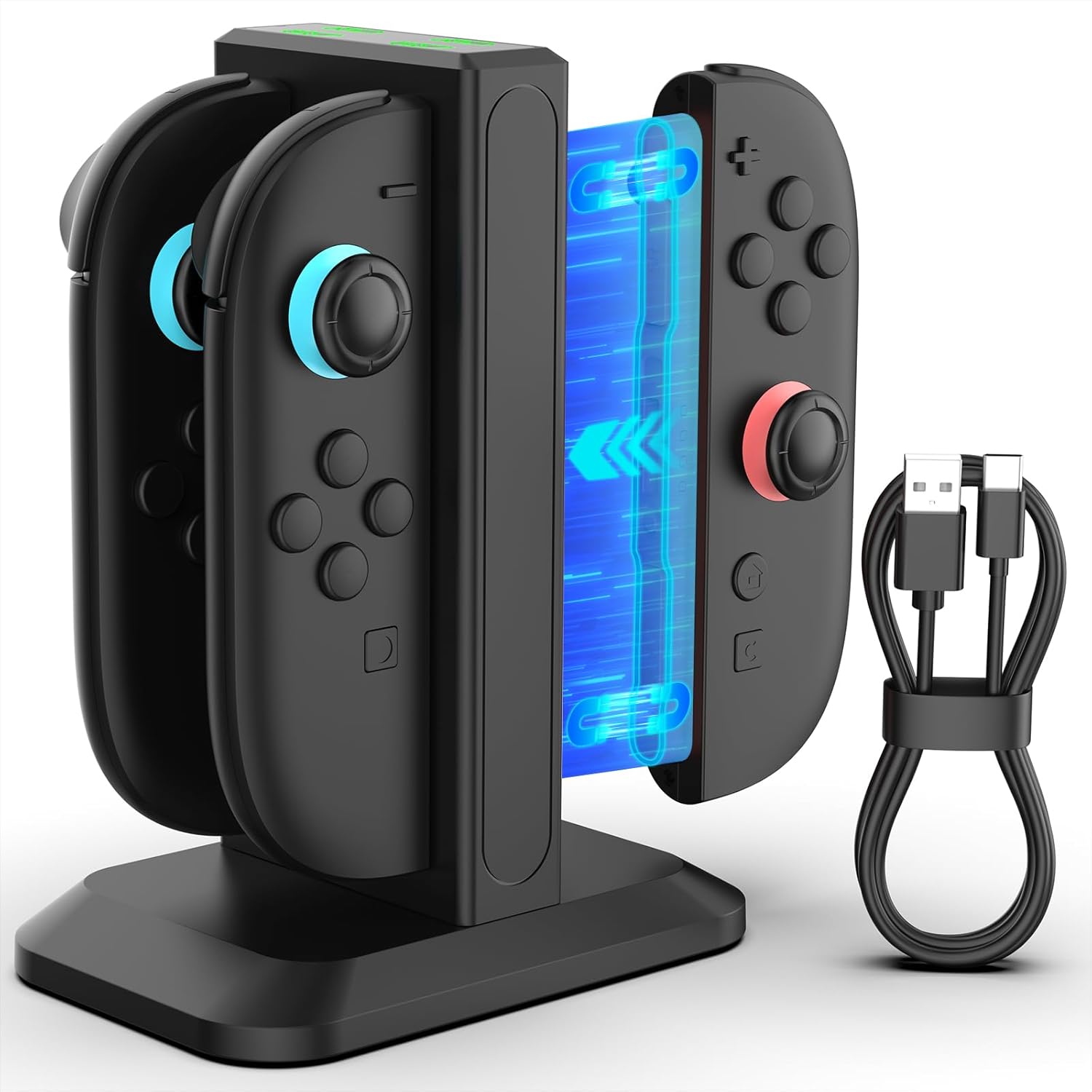
Image: The YCCTEAM Switch 2 JoyCon Charger with two Joy-Cons inserted, showcasinel seu disseny i el cable USB-C inclòs.
4.1 Càrrega magnètica
The charging dock utilizes smart magnetic alignment, which guides the Joy-Cons into the correct charging position effortlessly. This design reduces wear and tear on the charging ports and ensures a stable connection.

Imatge: Un primer pla view illustrating the magnetic charging mechanism, showing a Joy-Con being guided into place by magnetic force.
4.2 Indicadors LED
Each charging slot is equipped with an LED indicator to show the charging status of the connected Joy-Con controller:
- Llum vermella: Indica que el controlador Joy-Con s'està carregant actualment.
- Llum verda: Indicates that the Joy-Con controller is fully charged or the slot is in standby mode.

Image: The charging dock displaying its LED indicators, with examples of red (charging) and green (fully charged/standby) lights.
5. Configuració
- Place the YCCTEAM Switch 2 JoyCon Charger on a stable, flat surface.
- Connect the provided USB-C charging cable to the USB-C port on the back of the charging dock.
- Connect the other end of the USB-C cable to a compatible power source. This can be a USB hub, a wall outlet (with an AC adapter, not included), a computer USB port, or even your Nintendo Switch 2 TV dock.
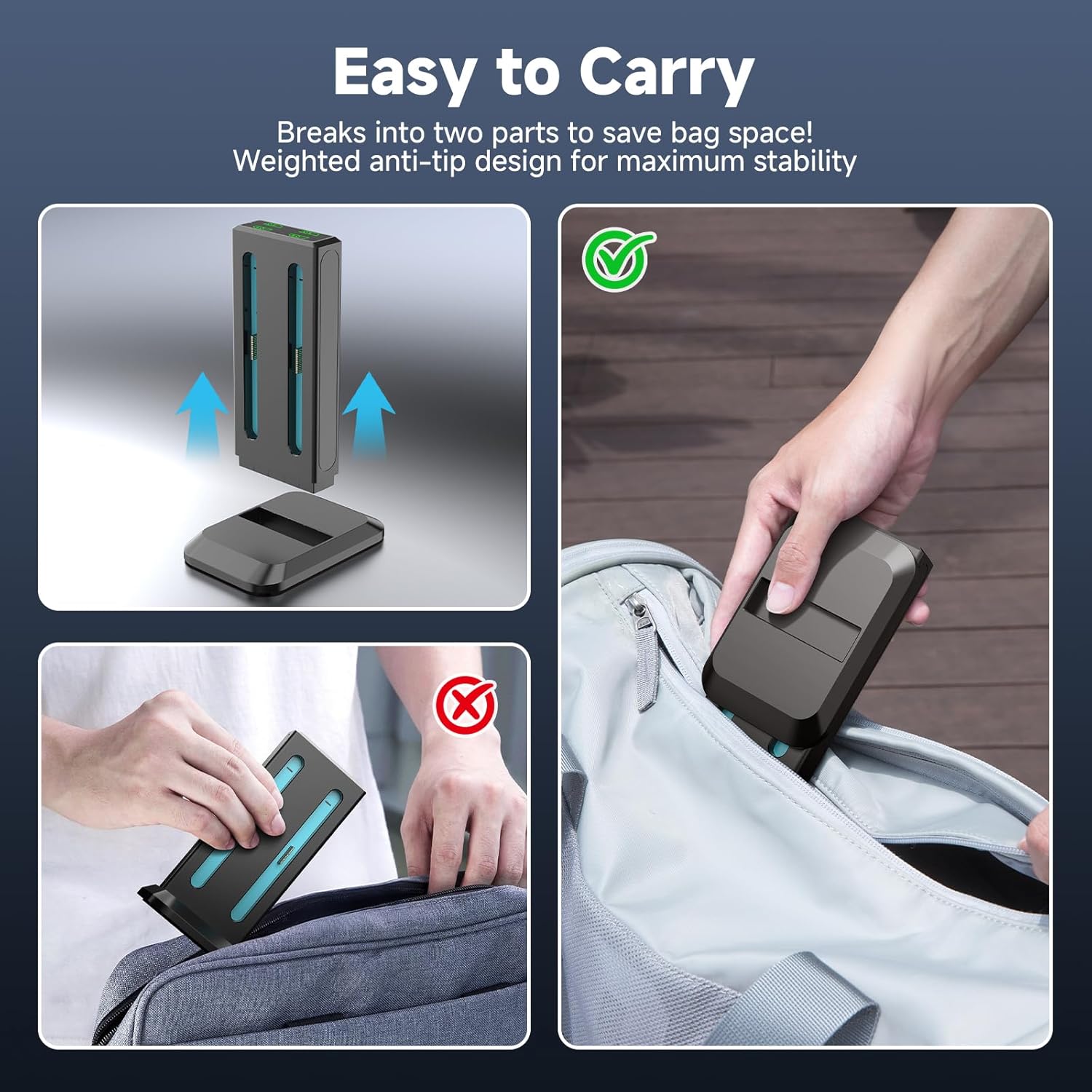
Image: Illustrations of different power sources that can be used to power the charging dock, such as a USB hub, Switch 2 dock, AC adapter, and computer.
6. Instruccions de funcionament
6.1 Charging Joy-Cons
- Ensure the charging dock is connected to a power source. The LED indicators will be green if no controllers are inserted.
- Align a Nintendo Switch 2 Joy-Con controller with an empty charging slot. The magnetic design will help guide it into place.
- Gently insert the Joy-Con into the slot until it clicks securely. The corresponding LED indicator will turn red, signifying that charging has begun.
- When the Joy-Con is fully charged, the LED indicator will turn green.
- You can charge up to four Joy-Cons simultaneously. A full charge typically takes approximately 2.5 hours.
6.2 Compatibilitat
This charging dock is exclusively designed for Nintendo Switch 2 Joy-Con controllers (2025 model). It is no compatible with original Nintendo Switch (2017 model), Switch Lite, or Switch OLED Joy-Con controllers.
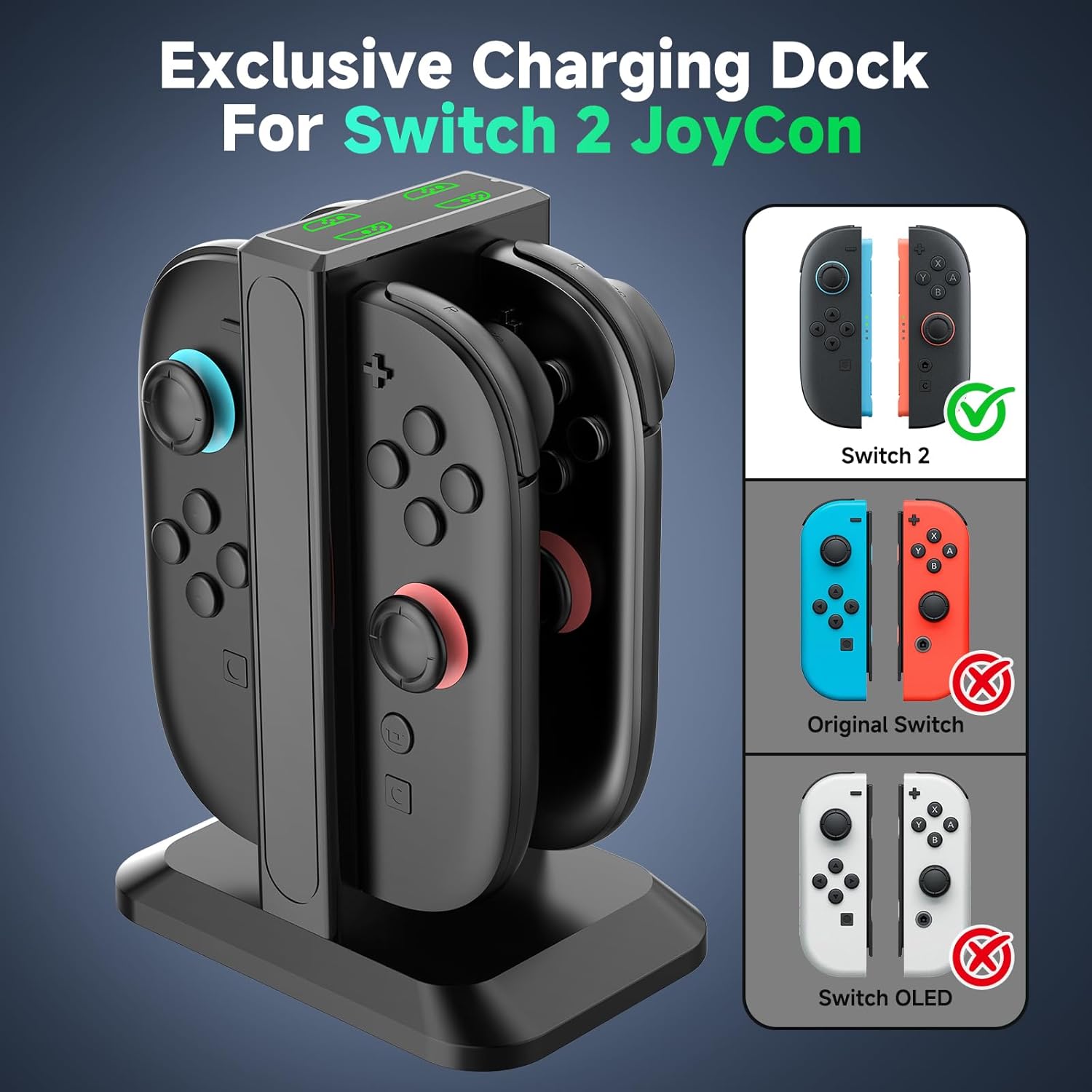
Image: A visual guide demonstrating that the charger is compatible only with Switch 2 Joy-Cons, explicitly showing incompatibility with older Switch models.
6.3 Portability and Organization
The charging dock features a detachable design, allowing it to break into two parts for easier portability and storage. Its weighted base ensures stability on any surface, helping to keep your gaming area tidy and organized.

Image: A visual representation of the charging dock separating into two pieces, making it convenient for travel and storage.

Image: A comparison showing a cluttered desk with loose controllers (before) and an organized desk with controllers neatly stored in the charging dock (after).
7. Manteniment
- Neteja: Disconnect the charger from the power source before cleaning. Use a soft, dry cloth to wipe the surface of the charging dock. Do not use liquid cleaners or abrasive materials.
- Emmagatzematge: Quan no l'utilitzeu durant períodes prolongats, guardeu el carregador en un lloc fresc i sec, allunyat de la llum solar directa.
8. Solució De Problemes
| Problema | Causa possible | Solució |
|---|---|---|
| Joy-Con not charging (LED is green) | Joy-Con not properly seated; Not a Switch 2 Joy-Con; Power source issue. | Re-insert the Joy-Con, ensuring magnetic alignment. Verify it is a Nintendo Switch 2 Joy-Con. Check power cable connection and try a different USB port or power adapter. |
| El carregador no s'encén | No power supply; Faulty cable or port. | Ensure the USB-C cable is securely connected to both the charger and the power source. Try a different USB-C cable or a different power source. |
| Càrrega lenta | Insufficient power output from source. | Use a power source with adequate output (e.g., a wall adapter with 5V/1A or higher output). |
9. Especificacions
| Característica | Detall |
|---|---|
| Marca | EQUIP YCC |
| Model | 4-in-1 Joycon 2 Controller Charging Docking Station |
| Compatibilitat | Nintendo Switch 2 Joy-Con controllers (2025 model) |
| Capacitat de càrrega | 4 Joy-Con controllers simultaneously |
| Temps de càrrega complet | Aproximadament 2.5 hores |
| Entrada Voltage | 5 volts (CA) |
| Corrent de sortida | 0.2 Amps |
| Vol. De sortidatage | 5 Volts |
| Tecnologia de connectivitat | USB |
| Tipus de connector | USB tipus C |
| Pes de l'article | 7.4 unces |
| Dimensions del paquet | 5.43 x 3.37 x 1.65 polzades |
10. Garantia i assistència
YCCTEAM products are designed for reliability and performance. For any questions, technical support, or warranty inquiries, please refer to the contact information provided with your purchase or visit the official YCCTEAM website. Our customer service team is ready to assist you.
Ask a question about this manual
Ask about setup, troubleshooting, compatibility, parts, safety, or missing instructions. Manuals+ will review the question and use this page’s manual context to help answer it.