
Surge SG60094
Surge Wireless Pro Controller User Manual
Model: SG60094
Introducció
This manual provides instructions for the Surge Wireless Pro Controller, Model SG60094. It covers setup, operation, maintenance, troubleshooting, and specifications. Please read this manual thoroughly before using the controller.
The Surge Wireless Pro Controller is designed for multi-platform compatibility, featuring Hall Effect thumb sticks and triggers for precision control.
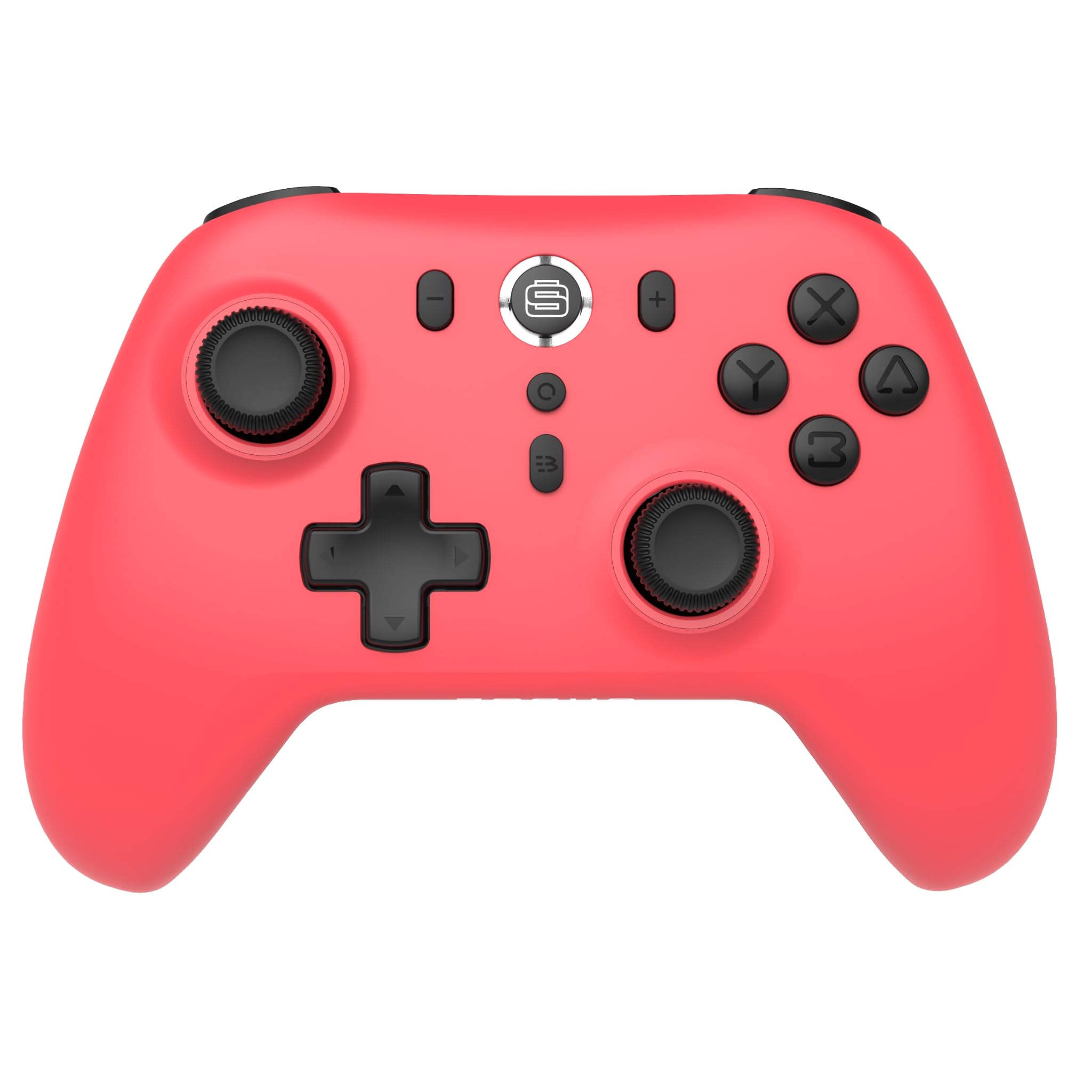
Imatge: Frontal view of the Surge Wireless Pro Controller in Neon Red.
Característiques clau
- Compatibilitat multiplataforma: Supports Nintendo Switch/Switch 2 (Note: No C Button/Audio Port on Switch 2), Windows PC, Steam Deck, Android, and iOS devices.
- Hall Effect Thumb Sticks & Triggers: Engineered for precise control and to prevent stick drift.
- Turbo Functionality: Offers 3 adjustable turbo levels for rapid-fire actions.
- Feedback de vibració: Features 4 customizable vibration levels for enhanced haptic feedback.
- Controls de moviment: Compatible with games that utilize motion sensing.
- Console Wake Up: Ability to wake the Nintendo Switch console from sleep mode (Nintendo Switch only).
- Bateria recarregable: Built-in 600mAh Li-polymer battery provides up to 10 hours of gameplay per charge.
- Càrrega USB-C: Includes a 1-meter USB-C charging cable.
Instruccions de configuració
1. Càrrega inicial
Before first use, fully charge the controller. Connect the included USB-C cable to the controller's charging port and the other end to a USB power source (e.g., console, PC, USB wall adapter). The charging indicator will show status.

Image: The controller connected to a USB-C charging cable.
2. Emparellament amb Nintendo Switch
- A la consola Nintendo Switch, vés al menú INICI.
- Seleccioneu Controladors, doncs Canvia d'adherència/ordre.
- Manteniu premut el botó Botó d'aparellament on the top of the Surge Wireless Pro Controller until the player indicator lights begin to flash.
- Once paired, the player indicator light(s) will remain solid.
- To wake the console from sleep mode, press the Home button on the controller.
3. Pairing with PC, Android, or iOS
The pairing process may vary slightly depending on your device's operating system. Generally, you will need to enable Bluetooth on your device and search for new devices.
- Ensure Bluetooth is enabled on your PC, Android, or iOS device.
- On the Surge Wireless Pro Controller, press and hold the Botó d'aparellament until the indicator lights flash.
- On your device, select "Surge Pro Controller" from the list of available Bluetooth devices.
- Segueix les instruccions que apareixen a la pantalla per completar l'emparellament.
Vídeo: Un overview of the 8Bitdo Ultimate 2 Wireless Controller, demonstrating general wireless controller setup principles.
Instruccions de funcionament
Disseny de botons

Image: Diagram showing the button layout of the Surge Wireless Pro Controller.
- Manets analògics esquerre/dret: For movement and camera control. Features Hall Effect technology for enhanced durability and precision.
- D-Pad: Per a entrada direccional.
- Botons A/B/X/Y: Botons d'acció estàndard.
- Botons E/D: Botons a l'espatlla.
- ZL/ZR Triggers: Analog triggers with Hall Effect sensors.
- Botó d'inici: Torna al menú d'inici de la consola.
- Botó de captura de pantalla: Fa captures de pantalla.
- Botons més (+) / menys (-): For in-game menu navigation.
- Botó Turbo: Activates/deactivates turbo function.
- Botó de sincronització: Used for Bluetooth pairing.
Funció Turbo
To activate turbo for a button, press and hold the Botó Turbo, then press the desired action button (A, B, X, Y, L, R, ZL, ZR). Repeat the process to deactivate. There are 3 adjustable turbo levels; refer to the full product manual for detailed adjustment instructions.
Ajust de vibració
The controller offers 4 levels of vibration intensity. Specific button combinations or software may be required to adjust these levels. Consult the full product manual or manufacturer's website for precise instructions.
Manteniment
- Neteja: Feu servir un drap suau i sec per netejar el controlador. Eviteu utilitzar productes químics agressius o materials abrasius.
- Emmagatzematge: Guardeu el controlador en un lloc fresc i sec, allunyat de la llum solar directa i de temperatures extremes.
- Cura de la bateria: Per allargar la durada de la bateria, eviteu descarregar-la completament amb freqüència. Carregueu el controlador regularment, fins i tot si no l'utilitzeu durant períodes prolongats.
- Cura del cable: Handle the USB-C charging cable carefully. Avoid bending or twisting it excessively.
Resolució de problemes
| Problema | Solució |
|---|---|
| El controlador no s'encén. | Ensure the controller is fully charged. Connect it to a power source using the USB-C cable. |
| Unable to pair with device. | Make sure Bluetooth is enabled on your device. Press and hold the pairing button on the controller until lights flash. Ensure the controller is not already paired with another device. Try restarting both the controller and the device. |
| Stick drift or inaccurate input. | The controller features Hall Effect sticks to minimize drift. If issues persist, ensure the controller's firmware is up to date. Contact customer support if the problem continues. |
| La vibració no funciona. | Check in-game settings to ensure vibration is enabled. Verify the vibration intensity level on the controller. |
| Console Wake Up not functioning. | This feature is only supported on Nintendo Switch. Ensure the controller is properly paired with the Switch. |
Especificacions
- Número de model: SG60094
- Bateria: 1 Nonstandard Battery (600mAh Li-polymer, included)
- Durada de la bateria: Fins a 10 hores (aproximadament)
- Port de càrrega: USB-C
- Connectivitat: Bluetooth sense fil
- Dimensions: 20.1 x 14 x 6.6 cm (aproximadament)
- Pes: 310 g (aproximadament)
- País d'origen: Xina
Garantia i Suport
For warranty information and customer support, please refer to the official Surge website or contact support directly at support@surgegaming.com.
The product typically comes with a manufacturer's warranty covering defects in materials and workmanship. Please retain your proof of purchase for warranty claims.
Ask a question about this manual
Ask about setup, troubleshooting, compatibility, parts, safety, or missing instructions. Manuals+ will review the question and use this page’s manual context to help answer it.