
1. Introducció
This manual provides essential information for the safe and efficient use of your iiyama G-Master GB3290QSU-B1 31.5-inch QHD Gaming Monitor. Please read these instructions thoroughly before operating the device and retain them for future reference. This monitor features a 31.5-inch QHD (2560x1440) IPS panel with a 240Hz refresh rate and 1ms response time, designed for high-performance gaming and professional use.
2. Informació de seguretat
- Font d'alimentació: Use only the power cord provided with the monitor. Ensure the power outlet is properly grounded.
- Ventilació: No bloquegeu les obertures de ventilació. Deixeu prou espai al voltant del monitor per a un flux d'aire adequat per evitar el sobreescalfament.
- Col·locació: Place the monitor on a stable, flat surface. Avoid direct sunlight, heat sources, and excessive moisture.
- Neteja: Disconnect the power cord before cleaning. Use a soft, dry cloth. Do not use liquid or aerosol cleaners directly on the screen.
- Manipulació: Avoid dropping or subjecting the monitor to strong impacts. Do not attempt to disassemble or repair the monitor yourself. Refer all servicing to qualified personnel.
3. Contingut del paquet
Verifiqueu que tots els elements siguin presents al paquet:
- iiyama G-Master GB3290QSU-B1 Monitor
- Suport de monitor (base i coll)
- Cable(s) d'alimentació
- Cable HDMI
- Cable DisplayPort
- Cable USB-Type C
- Cable USB Upstream
- Quick Start Guide / Safety Guide

Image: Included power, HDMI, USB Type-C, and DisplayPort cables.
4. Configuració
4.1 Muntatge del suport
- Traieu amb cura el monitor del seu embalatge i manteniu-lo protegit.
- Attach the stand neck to the back of the monitor. Ensure it clicks securely into place or is fastened with screws if applicable.
- Fixeu la base del suport al coll del suport i fixeu-la amb el cargol proporcionat.
- Place the assembled monitor on a stable surface.

Imatge: Part posterior view of the monitor with the stand attached, showing the VESA mount area and port locations.
4.2 Connexió del monitor
- Connexió d'alimentació: Connect the power cable to the monitor's AC IN port and then to a power outlet.
- Connexió de vídeo: Connect one end of the HDMI, DisplayPort, or USB Type-C cable to the corresponding port on your computer's graphics card and the other end to the monitor. For optimal performance, use DisplayPort or USB Type-C for 240Hz QHD resolution.
- Connexió del concentrador USB (opcional): To use the monitor's integrated USB hub, connect the USB upstream cable (USB-A to USB-B) from your computer to the monitor's USB upstream port.
- Connexió d'àudio (opcional): Connect external speakers or headphones to the 3.5mm audio output jack on the monitor.

Imatge: Primer pla view of the monitor's main connectivity ports, including HDMI, DisplayPort, and USB ports.

Imatge: Detallada view of the monitor's side ports, including USB Type-C and 3.5mm audio jack.
5. Instruccions de funcionament
5.1 Encès/Apagat
Premeu el botó d'engegada que es troba al monitor per engegar-lo o apagar-lo. L'indicador lluminós d'engegada s'il·luminarà quan el monitor estigui actiu.
5.2 Menú de visualització en pantalla (OSD)
The OSD menu allows you to adjust various monitor settings. Use the control buttons (typically located on the back or bottom right of the monitor) to navigate the menu.
- Accessing the OSD: Press one of the OSD buttons to bring up the main menu.
- Navegació: Use the directional buttons to move through menu options.
- Selecció: Press the select button to enter a sub-menu or confirm a setting.
- Sortida: Feu servir el botó de sortida per tornar al menú anterior o tancar l'OSD.
5.3 Configuració de la imatge
Els paràmetres clau que podeu ajustar al menú OSD inclouen:
- Brillantor/Contrast: Ajusta la luminància general i la relació de contrast.
- Configuració de color: Modifiqueu la temperatura de color, el gamma i els nivells RGB individuals.
- Selecció d'entrada: Manually switch between HDMI, DisplayPort, and USB Type-C inputs.
- Freqüència d'actualització: Ensure your graphics card and monitor are set to 240Hz for the smoothest experience.
- Temps de resposta: Adjust overdrive settings for optimal pixel response.
5.4 Adaptive Sync (FreeSync)
The iiyama G-Master GB3290QSU-B1 supports FreeSync technology. To enable it:
- Ensure your graphics card supports FreeSync and has the latest drivers installed.
- Connect the monitor using a DisplayPort or compatible HDMI cable.
- Enable FreeSync in the monitor's OSD menu (if available as an option).
- Enable FreeSync in your graphics card control panel (e.g., AMD Radeon Software).
6. Manteniment
6.1 Neteja de la pantalla
Netegeu suaument la pantalla amb un drap suau i sense borrissol. Per a marques difícils, netegeu suaument.ampen the cloth with water or a specialized screen cleaner, then wipe dry immediately. Avoid applying pressure to the screen.
6.2 Neteja de la Casing
Feu servir un drap suau i sec per netejar el monitor casing. Do not use abrasive cleaners or solvents, as these can damage the finish.
7. Solució De Problemes
- Sense imatge: Check if the power cable is securely connected and the monitor is turned on. Verify that the video cable (HDMI, DisplayPort, USB-C) is properly connected to both the monitor and the computer. Ensure the correct input source is selected in the OSD menu.
- Imatge parpellejant: Check the video cable connection. Ensure the refresh rate is set correctly in your computer's display settings. Try a different video cable.
- Colors incorrectes: Reset color settings to factory defaults in the OSD menu. Check your graphics card drivers.
- Sense so: Ensure speakers or headphones are properly connected to the monitor's audio output. Check the volume settings on both the monitor and your computer.
8. Especificacions
| Característica | Especificació |
|---|---|
| Marca | iiyama |
| Número de model | GB3290QSU-B1 |
| Mida de la pantalla | 31.5 polzades |
| Resolució | QHD Wide 1440p (2560 x 1440 Pixels) |
| Freqüència d'actualització | 240 Hz |
| Temps de resposta | 1 mil·lisegons |
| Tecnologia de visualització | LED, IPS technology |
| Relació d'aspecte | 16:9 |
| Connectivitat | HDMI, DisplayPort, USB, 3.5mm audio, USB 3.2 Gen 1, USB Type C |
| Sincronització adaptativa | FreeSync |
| Dimensions de l'article (D x W x H) | 11.42 "P x 28.11" W x 18.03" H |
| Color | Negre |

Image: EU Energy Label for GB3290QSU-B1 monitor. For more details, visit the official EPREL database: Pàgina del producte EPREL
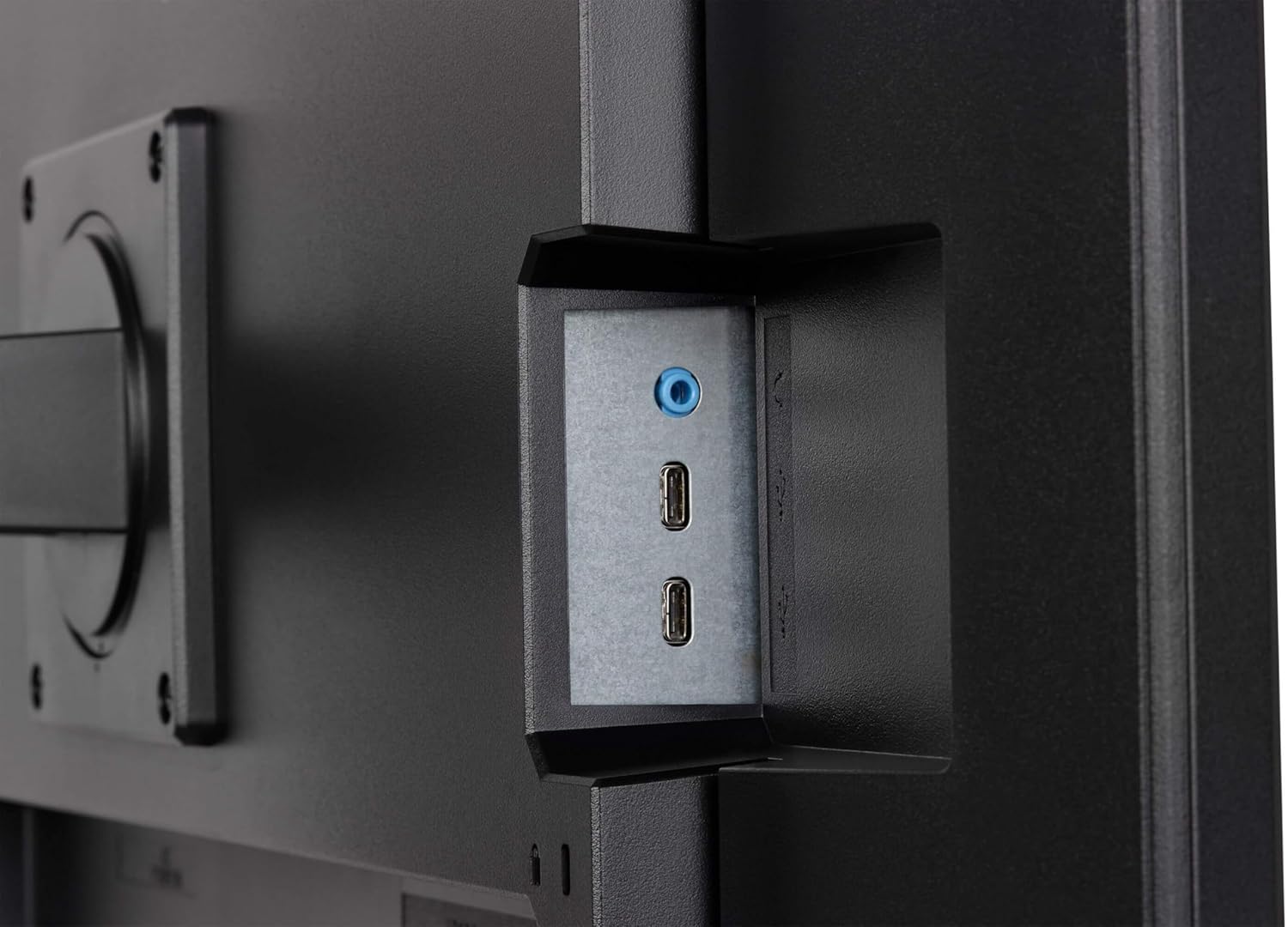
Image: Product Information Sheet for GB3290QSU-B1 monitor. Further details available via the EPREL link: Pàgina del producte EPREL
9. Garantia i Suport
Your iiyama G-Master GB3290QSU-B1 monitor is covered by a manufacturer's warranty. Please refer to the warranty card included in your package or visit the official iiyama weblloc web per obtenir informació detallada sobre els termes i condicions de garantia específics de la vostra regió.
For technical support, customer service, or further inquiries, please contact iiyama directly:
- Oficial Weblloc: https://www.iiyama.com/
- Correu electrònic d'atenció al client: annie.hsu@iiyama.com