
1. Introducció
Welcome to the user manual for your new HP 15.6 Touchscreen Laptop, Model 15-fc0047wm. This guide provides essential information to help you set up, operate, maintain, and troubleshoot your device. Your laptop is equipped with an AMD Ryzen 7 7730U processor, a vibrant 15.6-inch Full HD IPS Touch Display, AMD Radeon Graphics, and runs on Windows 11 Pro, offering a powerful and intuitive computing experience.
Què hi ha a la caixa
- HP 15.6 inch Laptop (Model 15-fc0047wm)
- Adaptador d'alimentació i cable
- Kit accessori

Figura 1.1: Mésview of HP 15.6 Laptop features and specifications.
2. Configuració
2.1 Encès inicial
- Desempaqueta el portàtil i tots els accessoris de la caixa.
- Connect the power adapter to the laptop's power port and then plug it into a wall outlet. Ensure the battery is sufficiently charged before first use.
- Open the laptop lid and press the power button, typically located on the keyboard deck, to turn on the device.
2.2 First-Time Windows 11 Pro Setup
Upon initial startup, you will be guided through the Windows 11 Pro setup process. Follow the on-screen prompts to:
- Seleccioneu la vostra regió i la disposició del teclat.
- Connecteu-vos a una xarxa Wi-Fi.
- Inicia la sessió amb el teu compte de Microsoft o crea'n un de nou.
- Configura funcions de seguretat com ara un PIN o una contrasenya.
2.3 Connexió de perifèrics
El vostre portàtil HP ofereix diversos ports per connectar dispositius externs:

Figure 2.1: Left side ports (USB-A, HDMI, USB-C)

Figure 2.2: Right side ports (USB-A, Power Input)
- Ports USB tipus A: Connect USB devices such as mice, keyboards, and external storage drives.
- Port USB tipus C: For data transfer and connecting compatible USB-C accessories.
- Port HDMI 1.4b: Connecteu un monitor o televisor extern per a una visualització ampliada.
- Presa combinada per a auriculars/micròfon: Connecteu uns auriculars o uns auriculars amb micròfon.
3. Com fer servir el portàtil
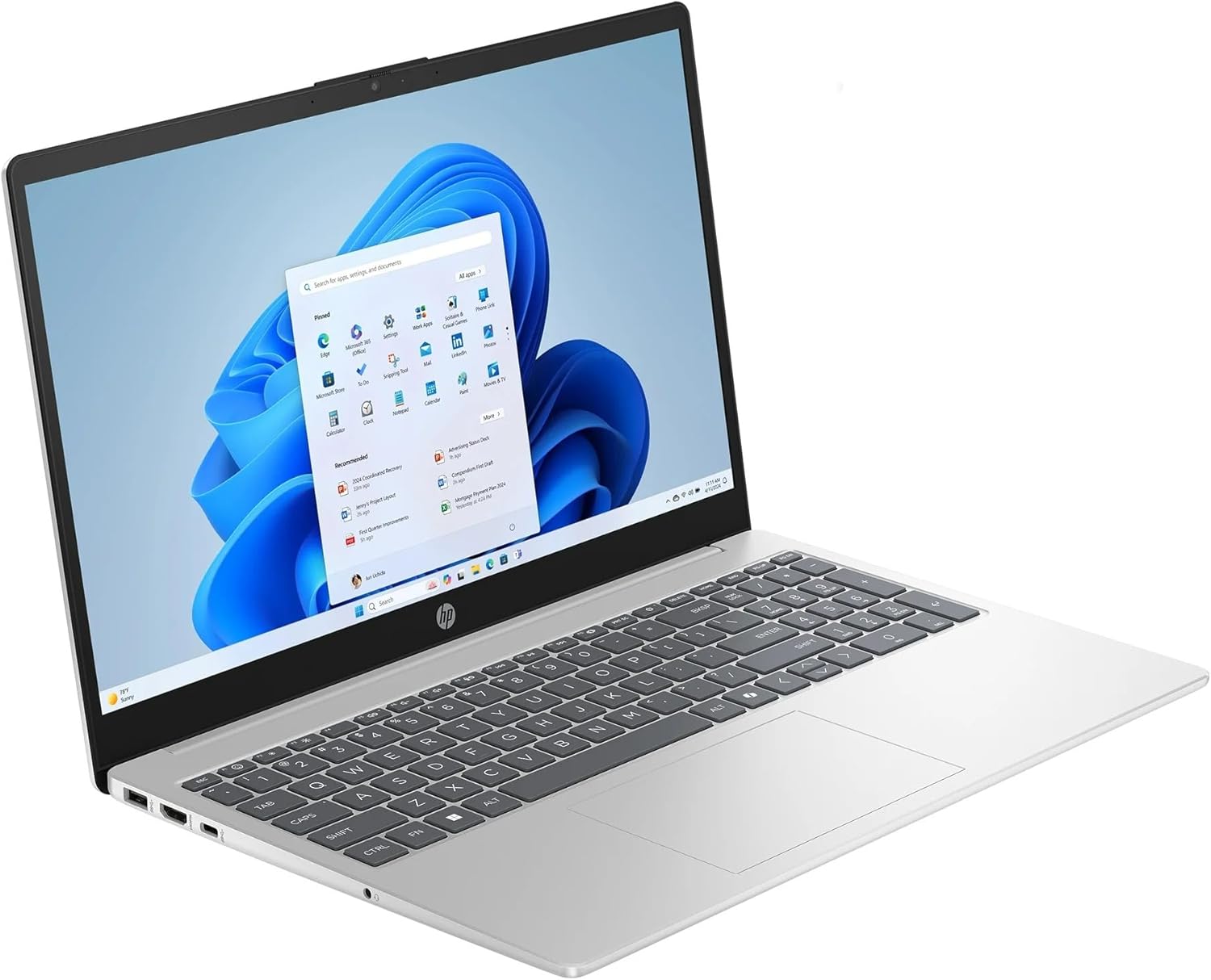
Figure 3.1: HP 15.6 Touchscreen Laptop in use.
3.1 Touchscreen Functions
Your laptop features a 15.6" FHD IPS touchscreen. You can interact with Windows 11 Pro directly on the screen using gestures:
- Toca: Equivalent a un clic del ratolí.
- Mantén premut: Equivalent a un clic amb el botó dret.
- Pessigar/Estirar: Apropar o allunyar el contingut.
- Llisca: Navigate through pages or scroll.
3.2 Keyboard and Numeric Keypad
The full-size keyboard includes a dedicated numeric keypad for efficient data entry. Function keys (F1-F12) provide quick access to system controls when pressed in combination with the Fn clau.
3.3 Microsoft Copilot
Your laptop comes with Microsoft Copilot, an AI assistant integrated into Windows 11 Pro. Access Copilot by pressing the dedicated Clau del copilot on your keyboard or clicking its icon on the taskbar. Copilot can assist with tasks, answer questions, and generate content.
3.4 Connectivitat sense fil
- Wi-Fi 6: Connect to wireless networks for internet access. To connect, click the Wi-Fi icon in the taskbar, select your network, and enter the password.
- Bluetooth: Pair with Bluetooth-enabled devices such as headphones, speakers, or mice. Enable Bluetooth from the Windows Settings menu.
3.5 Gestió de la bateria
The laptop's battery provides up to 10 hours and 45 minutes of video playback. To optimize battery life:
- Ajusteu la brillantor de la pantalla.
- Tanca les aplicacions que no fas servir.
- Utilitzeu els modes d'estalvi d'energia de Windows.
4. Manteniment
4.1 Neteja del portàtil
- Utilitzeu un drap suau i sense pelusa lleugerament dampNetegeu la pantalla amb aigua o un netejador de pantalles.
- Per al teclat i el xassís, feu servir un drap suau. Eviteu productes químics agressius o materials abrasius.
- Periodically use compressed air to clear dust from vents and ports.
4.2 Actualitzacions de programari
Comproveu i instal·leu regularment si hi ha actualitzacions de Windows i de controladors HP per garantir un rendiment i una seguretat òptims. Accediu a les actualitzacions de Windows mitjançant Configuració > Actualització de Windows.
4.3 Gestió d'emmagatzematge
Your laptop includes a 1TB SSD. To maintain performance:
- Elimina regularment els innecessaris files i aplicacions.
- Utilitzeu l'emmagatzematge al núvol per a grans files.
- Empty the Recycle Bin periodically.
5. Solució De Problemes
Aquesta secció tracta problemes comuns que podeu trobar amb el vostre portàtil HP.
El portàtil 5.1 no s'encén
- Assegureu-vos que l'adaptador de corrent estigui connectat correctament tant al portàtil com a una presa de corrent que funcioni.
- Verifiqueu que la presa de corrent funciona connectant-hi un altre dispositiu.
- Si la bateria està completament esgotada, deixeu-la carregar durant almenys 30 minuts abans d'intentar encendre-la.
5.2 Problemes de visualització
- Sense imatge a la pantalla: Connecteu un monitor extern al port HDMI per comprovar si el problema és a la pantalla interna del portàtil.
- Pantalla atenuada: Ajusteu la brillantor de la pantalla amb les tecles de funció (normalment F2/F3 o icones similars).
- La pantalla tàctil no respon: Reinicieu el portàtil. Si el problema persisteix, comproveu si hi ha actualitzacions de controladors al Gestor de dispositius.
5.3 Problemes de connectivitat (Wi-Fi/Bluetooth)
- El Wi-Fi no es connecta: Ensure Wi-Fi is enabled in Windows settings. Restart your router and modem.
- El dispositiu Bluetooth no s'emparella: Ensure Bluetooth is enabled on both the laptop and the device. Place devices close to each other and ensure they are in pairing mode.
5.4 Rendiment lent
- Tanca les aplicacions innecessàries que s'executen en segon pla.
- Comproveu i instal·leu les actualitzacions pendents de Windows.
- Executeu un netejador de disc per alliberar espai d'emmagatzematge.
- Escaneja per detectar programari maliciós o virus.
6. Especificacions
| Marca | HP |
| Nom del model | Portàtil HP |
| Número de model | 15-fc0047wm |
| Mida de la pantalla | 15.6 polzades |
| Tipus de visualització | LED, FHD IPS Touchscreen |
| Resolució | 1920 x 1080 píxels |
| Processador | AMD Ryzen 7 7730U (fins a 4.5 GHz) |
| Gràfics | Gràfics AMD Radeon (integrats) |
| Memòria RAM | 32 GB DDR4 SDRAM (Max 64 GB) |
| Mida del disc dur | SSD de 1 TB |
| Sistema operatiu | Windows 11 Pro |
| Connectivitat sense fil | Wi-Fi 6 (802.11ax), Bluetooth |
| Ports | 1x HDMI 1.4b, 1x USB Type-C, 2x USB Type-A, 1x Headphone/Microphone combo, 1x AC Smart Pin |
| Característiques especials | Microsoft Copilot, Numeric Keypad, Touchscreen |
| Durada de la bateria | Up to 10 hours and 45 minutes (video playback) |
| Dimensions (L x A x A) | 14.17" x 9.29" x 0.73" |
| Pes | 3.52 lliures |
7. Garantia i Suport
7.1 Informació de la garantia
Your HP 15.6 Touchscreen Laptop is covered by a standard manufacturer's warranty. Please refer to the warranty documentation included with your product for specific terms, conditions, and duration. Keep your proof of purchase for warranty claims.
7.2 Atenció al client
For technical assistance, service, or additional information, please visit the official HP Support website or contact HP customer service. You can find contact details and support resources at support.hp.com.