
Introducció
The Dpofirs WiFi 6 Gaming Router is a versatile 4G LTE router designed to provide high-speed wireless internet access. It features a 4-antenna design for enhanced signal coverage and supports connectivity for up to 32 devices simultaneously. With easy setup and robust performance, this router is suitable for various applications, including home, business, and gaming environments.
Les característiques clau inclouen:
- 4G LTE Support: Compatible with multiple 4G LTE bands (FDD B1 3 5 7 8 20, TDD B38 40 41, WCDMA B1 5 8) for seamless connectivity.
- Cobertura millorada: Four antennas provide improved signal strength and network stability.
- Altes velocitats: Up to 150 Mbps download, 50 Mbps upload, and 300 Mbps wireless transfer rates.
- Connectivitat multidispositiu: Supports up to 32 devices within a 300 ㎡ coverage area.

Image: Dpofirs WiFi 6 Wireless Router, highlighting its SIM card slot and ease of use.
Configuració
Follow these steps to set up your Dpofirs WiFi 6 Gaming Router:
- Desempaquetar el router: Carefully remove the router and all accessories from the packaging. Ensure you have the router, power adapter, USB cable, and Ethernet cable.
- Insereix la targeta SIM: Locate the standard SIM card slot on the router. Insert your activated standard SIM card into the slot until it clicks into place. Ensure the SIM card is inserted correctly according to the diagram on the device.
- Connectar l'alimentació: Connect the power adapter to the router's power input and then plug it into a wall outlet. The router will power on automatically.
- Position Antennas: Adjust the four external antennas for optimal signal reception. For best results, position them vertically.
- Connexió inicial: Wait for the router's indicator lights to stabilize, indicating a successful connection to the 4G LTE network and Wi-Fi broadcast.

Image: The Dpofirs WiFi 6 Router displayed with its power adapter, USB cable, and Ethernet cable.
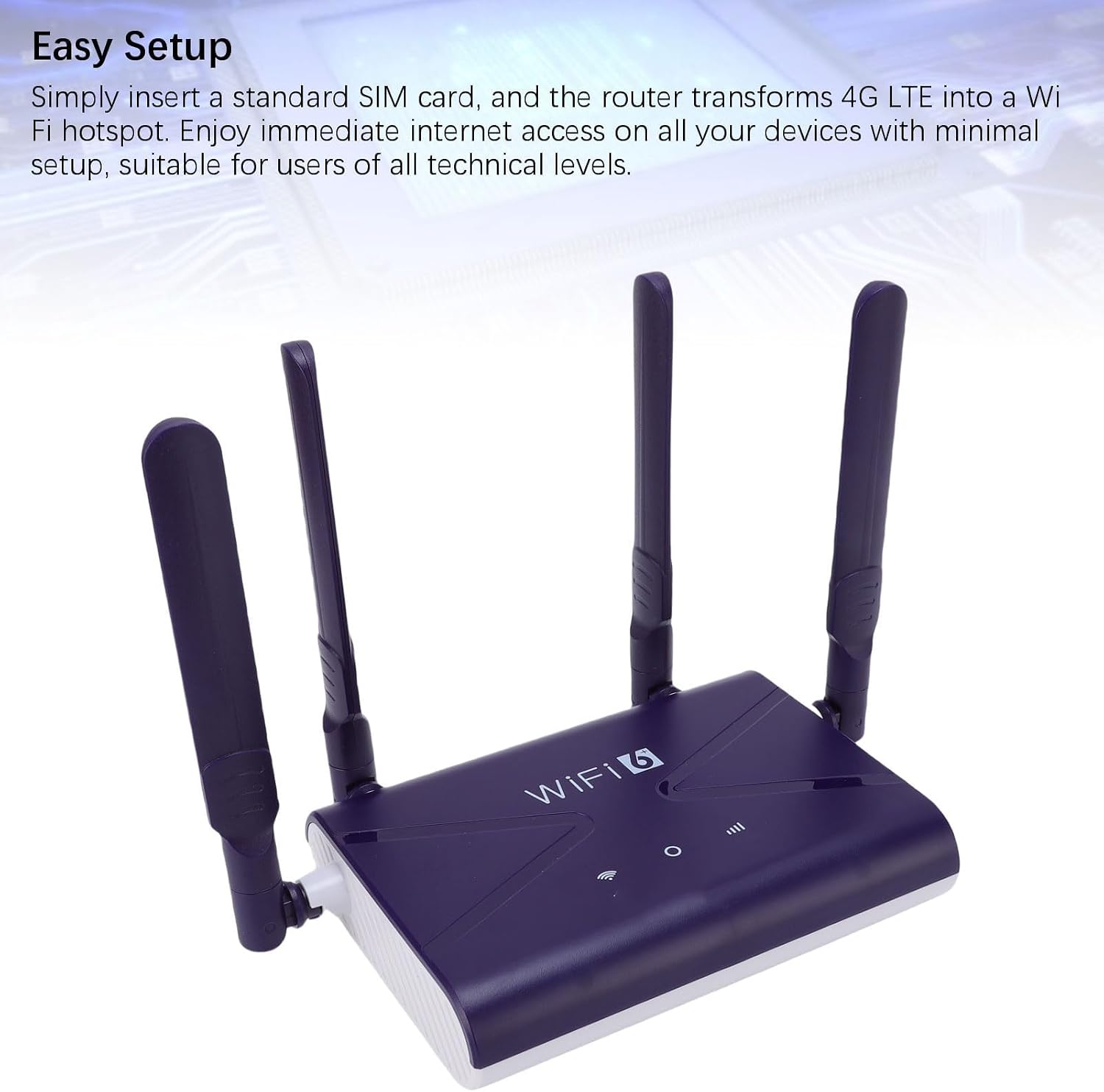
Image: Dpofirs WiFi 6 Router, illustrating the simple setup process with SIM card insertion.
Instruccions de funcionament
Once the router is set up, you can connect your devices and manage your network:
- Connecta't a Wi-Fi: On your smartphone, tablet, or PC, search for available Wi-Fi networks. Select the network name (SSID) displayed on the router's label (usually on the bottom). Enter the default Wi-Fi password (Key) found on the same label.
- Connexió per cable: For devices requiring a wired connection, use an Ethernet cable to connect the device to the LAN/WAN port on the router.
- Accediu a la configuració de l'encaminador: To customize network settings (e.g., change Wi-Fi name/password, configure firewall), open a web browser and enter the router's default IP address (e.g., 192.168.100.1) found on the label. Log in using the default username and password (also on the label).
- Enjoy High-Speed Internet: The router provides download speeds up to 150 Mbps and upload speeds up to 50 Mbps, with a wireless transfer rate of 300 Mbps, supporting up to 32 devices simultaneously.

Image: A visual representation of the Dpofirs WiFi 6 Router providing wireless and wired internet access to various devices.
Manteniment
To ensure optimal performance and longevity of your Dpofirs WiFi 6 Gaming Router, consider the following maintenance tips:
- Col·locació: Col·loqueu el router en un lloc central, allunyat d'obstacles, objectes metàl·lics grans i altres dispositius electrònics que puguin causar interferències. Assegureu-vos que hi hagi una ventilació adequada per evitar el sobreescalfament.
- Neteja: Periodically clean the router's exterior with a soft, dry cloth. Avoid using liquid cleaners or abrasive materials.
- Actualitzacions de firmware: Comproveu el del fabricant website periodically for firmware updates. Keeping the firmware updated can improve performance, security, and add new features.
- Seguretat: Regularly change your Wi-Fi password to a strong, unique combination of characters. Utilize the router's built-in firewall for network protection.
Resolució de problemes
Si teniu problemes amb el vostre encaminador, proveu aquests passos habituals per resoldre problemes:
- Sense connexió a Internet:
- Assegureu-vos que la targeta SIM estigui correctament inserida i activada.
- Check the router's indicator lights; if the 4G/LTE light is off or red, there might be a network issue or SIM card problem.
- Restart the router by unplugging it from the power source for 10 seconds and then plugging it back in.
- Verify that your device is connected to the correct Wi-Fi network and the password is correct.
- Velocitat Wi-Fi lenta:
- Apropa't més al router per millorar la intensitat del senyal.
- Reduir el nombre de dispositius connectats o d'activitats que requereixen molta amplada de banda.
- Comproveu si hi ha interferències d'altres dispositius electrònics.
- Reinicieu l'encaminador.
- No es pot accedir a la configuració del router:
- Ensure you are using the correct IP address, username, and password from the router's label.
- Prova una altra web navegador.
- If you have forgotten your login credentials, you may need to perform a factory reset (refer to the full manual for instructions, as this will erase all custom settings).
Especificacions
Detailed technical specifications for the Dpofirs WiFi 6 Gaming Router:
| Característica | Especificació |
|---|---|
| Marca | Dpofirs |
| Nom del model | Dpofirsg8zhfb1o9t |
| Comunicació sense fils estàndard | 802.11ax (Wi-Fi 6) |
| Classe de banda de freqüència | Single-band (2.4 GHz) |
| 4G LTE Support | FDD B1 3 5 7 8 20, TDD B38 40 41, WCDMA B1 5 8 |
| Velocitat de transferència de dades | 300 Megabits per second (Wireless) |
| Max Downstream Data Transfer Rate | 150 Megabits per second (4G LTE) |
| Max Upstream Data Transfer Rate | 50 Megabits per second (4G LTE) |
| LAN Port Bandwidth | 1000 Mbps |
| Nombre de Ports | 1 (LAN/WAN) |
| Cobertura | 300㎡ |
| Dispositius compatibles | Up to 32 (Smartphones, tablets, PC) |
| Protocols de seguretat | WPA2, WPA3 |
| Característiques especials | Built-in firewall, 4 antennas, high speeds |
| Sistema operatiu | RouterOS |

Image: Dpofirs WiFi 6 Router, emphasizing its support for various 4G LTE frequency bands and high speeds.
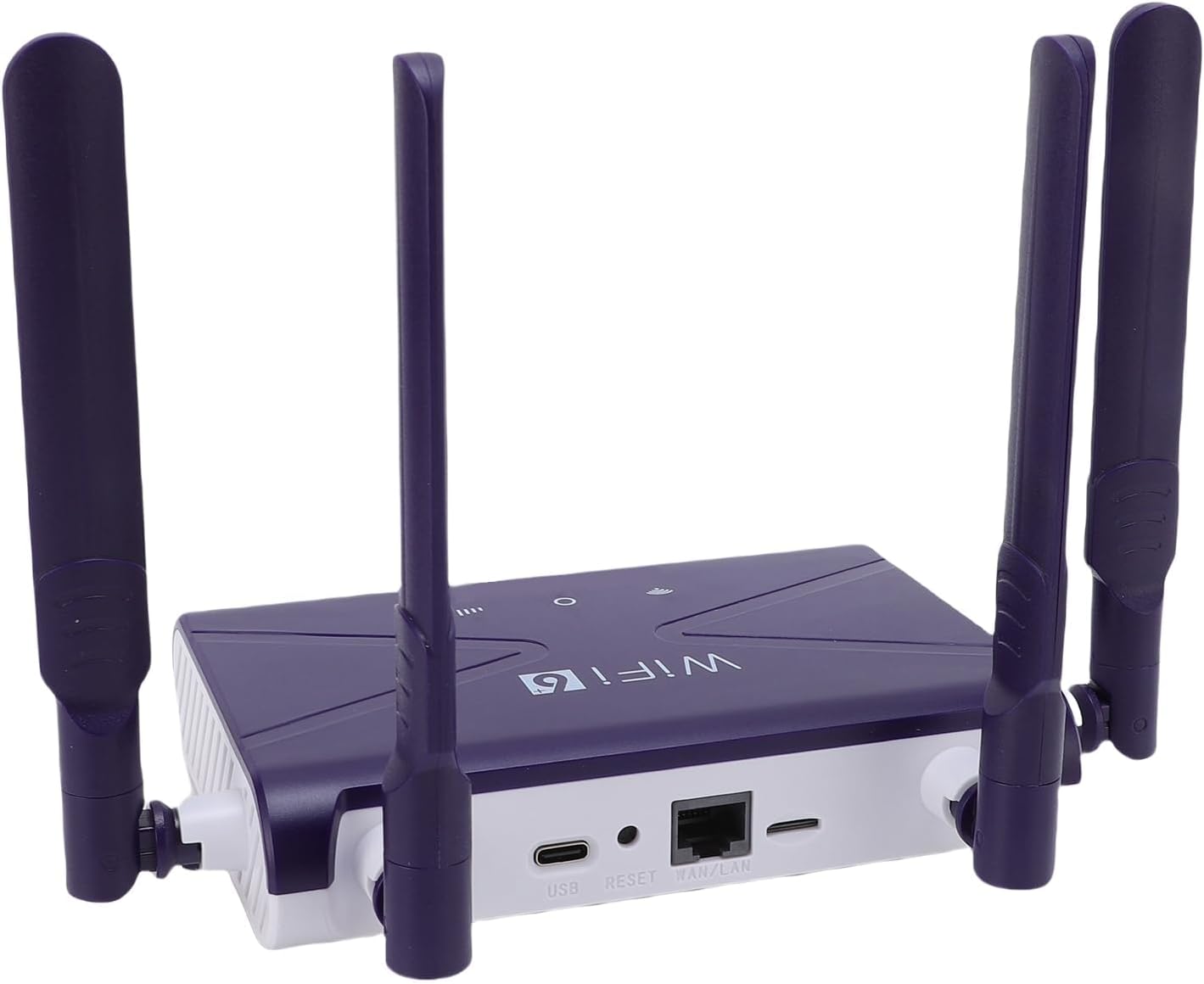
Imatge: Lateral view of the Dpofirs WiFi 6 Router, detailing the USB, Reset, and LAN/WAN ports.
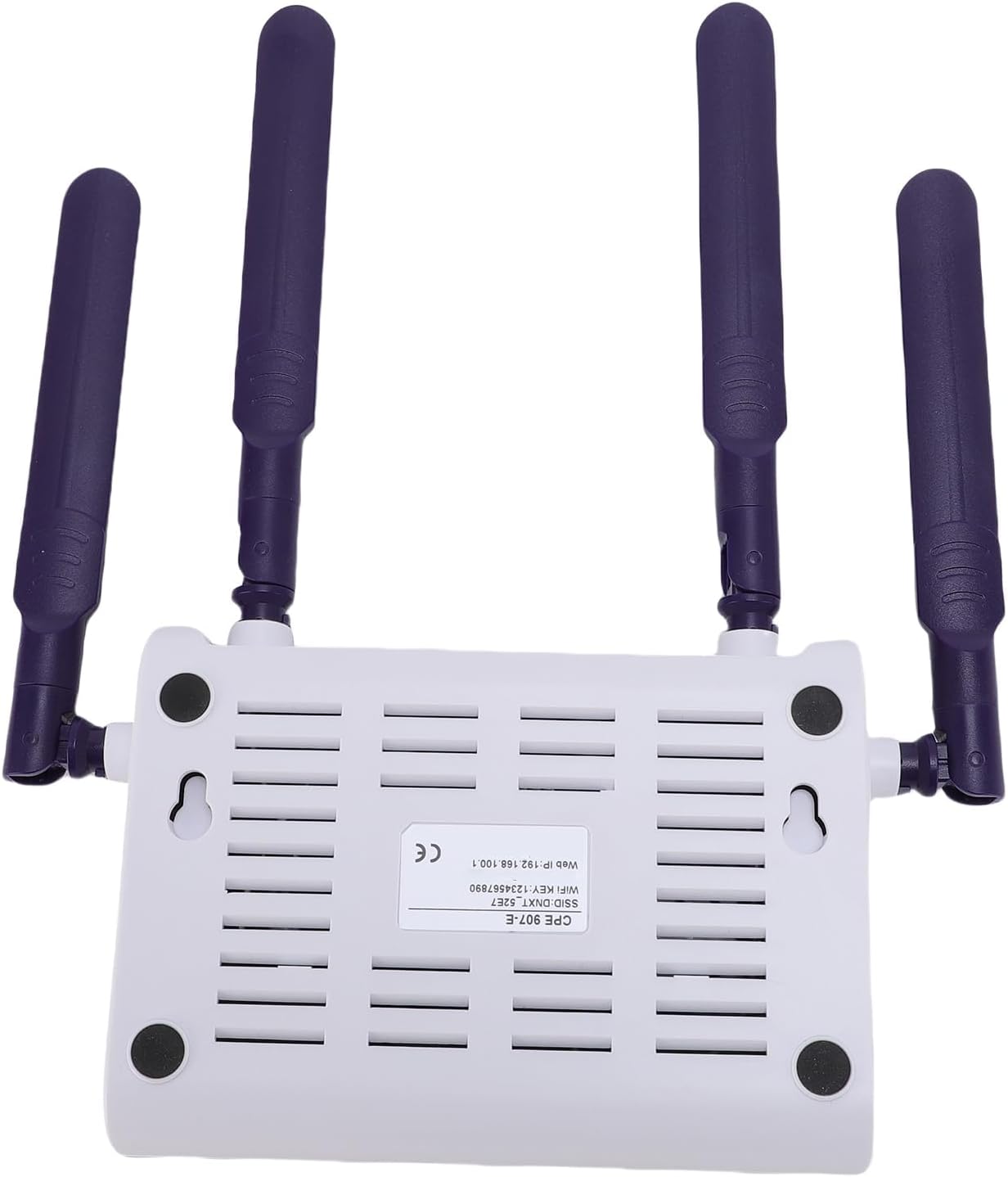
Imatge: Part inferior view of the Dpofirs WiFi 6 Router, showing the product label with default network information.
Garantia i Suport
This Dpofirs WiFi 6 Gaming Router comes with a manufacturer's warranty of 90 days from the date of purchase. For warranty claims or technical support, please refer to the contact information provided with your product packaging or visit the official Dpofirs weblloc.