
Introducció
This manual provides detailed instructions for the BIGGERFIVE BW03 Smartwatch, designed for children and teens aged 5-16. Please read this manual carefully to ensure proper use and to maximize the benefits of your device. Keep this manual for future reference.
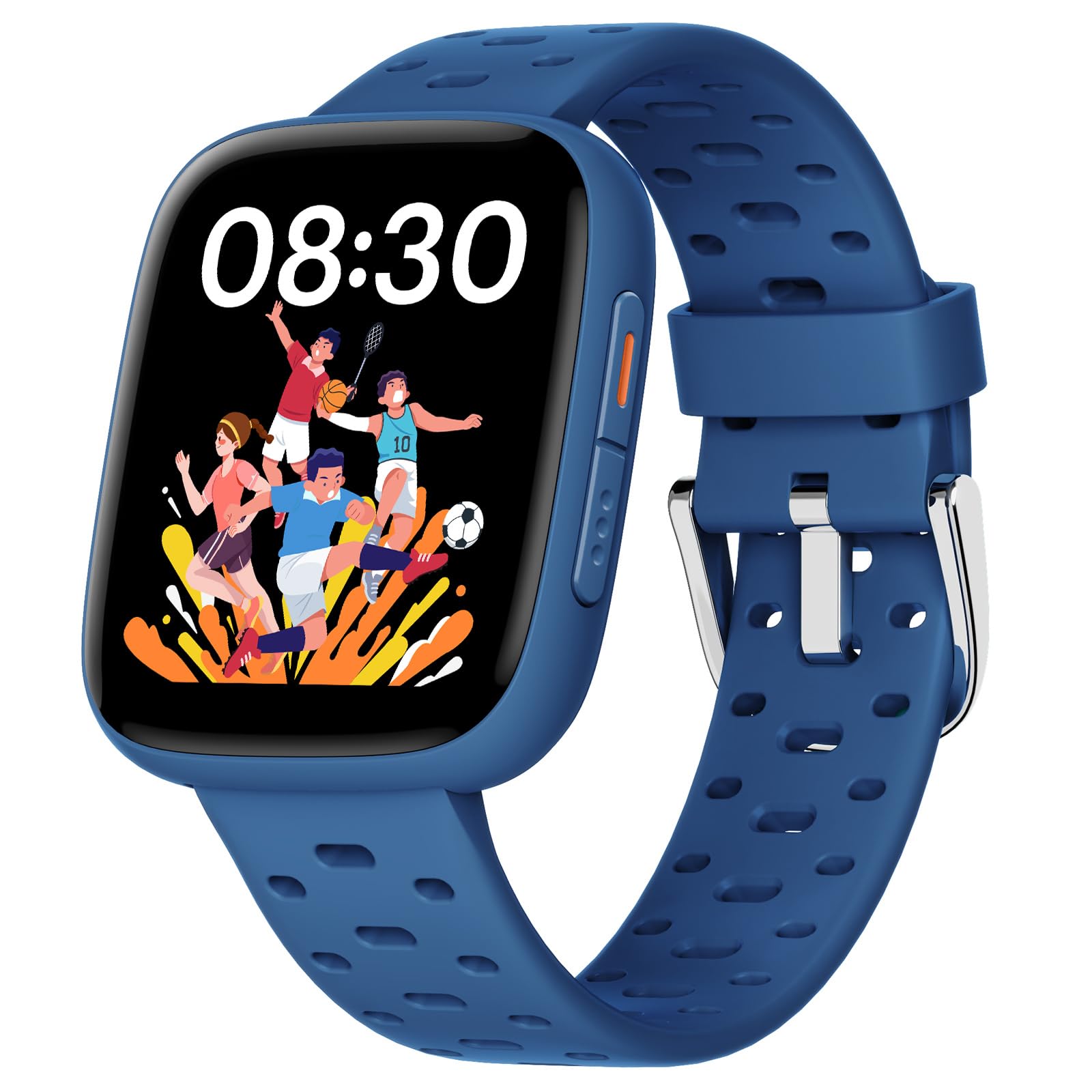
Image: The BIGGERFIVE BW03 Smartwatch in blue, displaying its main interface.
Configuració
1. Desembalatge i càrrega inicial
Upon receiving your BIGGERFIVE BW03 Smartwatch, carefully unbox all components. The package should include the smartwatch, a charging cable, and this user manual.
Before first use, fully charge the smartwatch. Connect the magnetic charging cable to the charging points on the back of the watch and plug the USB end into a compatible power adapter (not included) or a computer's USB port.
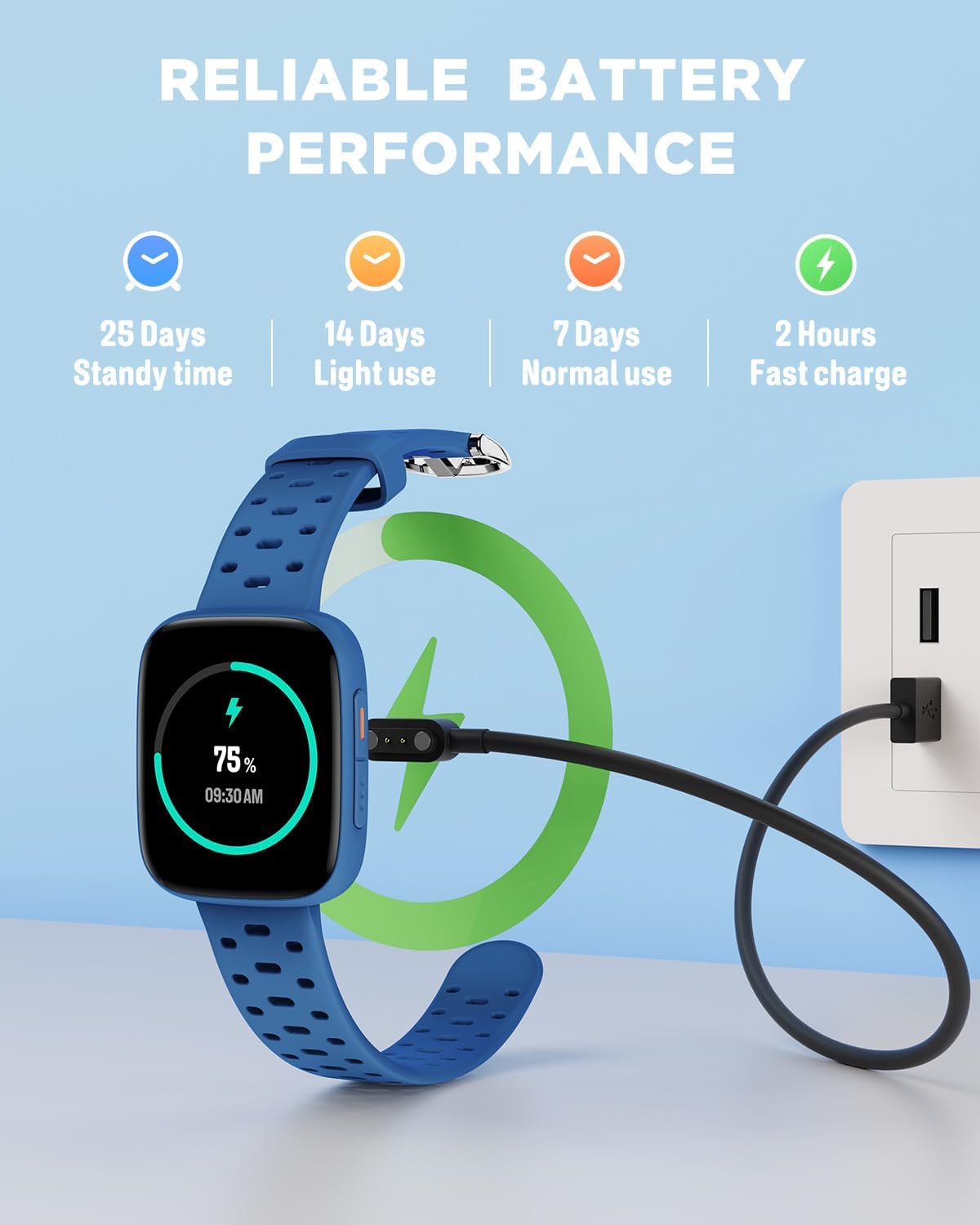
Image: The smartwatch connected to its charging cable, demonstrating the charging process and battery life indicators.
- Temps de càrrega: Aproximadament 2.5 hores per a una càrrega completa.
- Durada de la bateria: Up to 7 days with normal use, 14 days with light use, and 25 days standby time.
2. Encès / apagat
To power on the smartwatch, press and hold the side button until the screen illuminates. To power off, navigate to the settings menu on the watch, select "Power Off," and confirm.
3. Instal·lació de l'aplicació (opcional)
While the smartwatch can function independently, installing the BIGGERFIVE app on a compatible smartphone (Android 6.0+ / iOS 9.0+) unlocks additional features and watch faces.
- Scan the QR code provided in the manual or search for "BIGGERFIVE" in your smartphone's app store.
- Baixeu i instal·leu l'aplicació.
- Follow the on-screen instructions to create an account and set up a profile.
4. Pairing with the App (Optional)
To pair your smartwatch with the BIGGERFIVE app via Bluetooth:
- Assegureu-vos que el Bluetooth estigui habilitat al vostre telèfon intel·ligent.
- Open the BIGGERFIVE app and navigate to the device pairing section.
- The app will search for available devices. Select "BW03" from the list.
- Confirma la sol·licitud d'emparellament tant al teu telèfon intel·ligent com al rellotge intel·ligent.
Bluetooth can be deactivated on the watch to extend battery life and reduce radiation, if the app is not being used.
5. Personalització de les esferes del rellotge
The smartwatch features a 1.8-inch AMOLED touchscreen with over 100 customizable watch faces available through the BIGGERFIVE Cloud App.

Image: A collection of diverse watch faces available for the BIGGERFIVE BW03 Smartwatch.
- Al rellotge: Long-press the current watch face, then swipe left or right to browse pre-installed options. Tap to select.
- Mitjançant l'aplicació: Open the BIGGERFIVE app, go to the watch face store, and select from over 100 designs. Sync to apply.
Instruccions de funcionament
1. Navegació bàsica
The BIGGERFIVE BW03 Smartwatch features a responsive 1.8-inch AMOLED touchscreen for easy navigation.
- Llisca cap amunt/avall: Desplaça't pels menús i les notificacions.
- Llisca cap a l'esquerra/dreta: Access quick functions or different widgets (e.g., activity data, heart rate).
- Toca: Selecciona un element o confirma una acció.
- Botó lateral: Premeu per tornar a la pantalla d'inici o activar el dispositiu.

Image: Two smartwatches showcasing the 1.8-inch AMOLED screen and emphasizing features like super waterproof, wear-resistant screen, and high resolution.
2. Seguiment d'activitat
The smartwatch automatically tracks daily activity, including steps taken, distance covered, calories burned, and active minutes.

Image: The smartwatch screen showing steps, distance, and calorie counts, alongside a list of sports modes like running, cycling, and swimming.
- View your daily summary directly on the watch by swiping to the activity screen.
- For detailed historical data and trends, synchronize the watch with the BIGGERFIVE app.
3. Modes esportius
The BIGGERFIVE BW03 supports over 100 sports modes, including walking, running, cycling, swimming, and basketball. To start a workout:
- Navigate to the "Workout" or "Sports" menu on the watch.
- Selecciona l'activitat desitjada.
- Tap to begin tracking. The watch will record duration, heart rate, and other relevant metrics.
- Tap to pause or long-press to end the workout.
4. Monitorització de la salut
The smartwatch provides real-time heart rate monitoring and tracks sleep patterns to promote well-being.
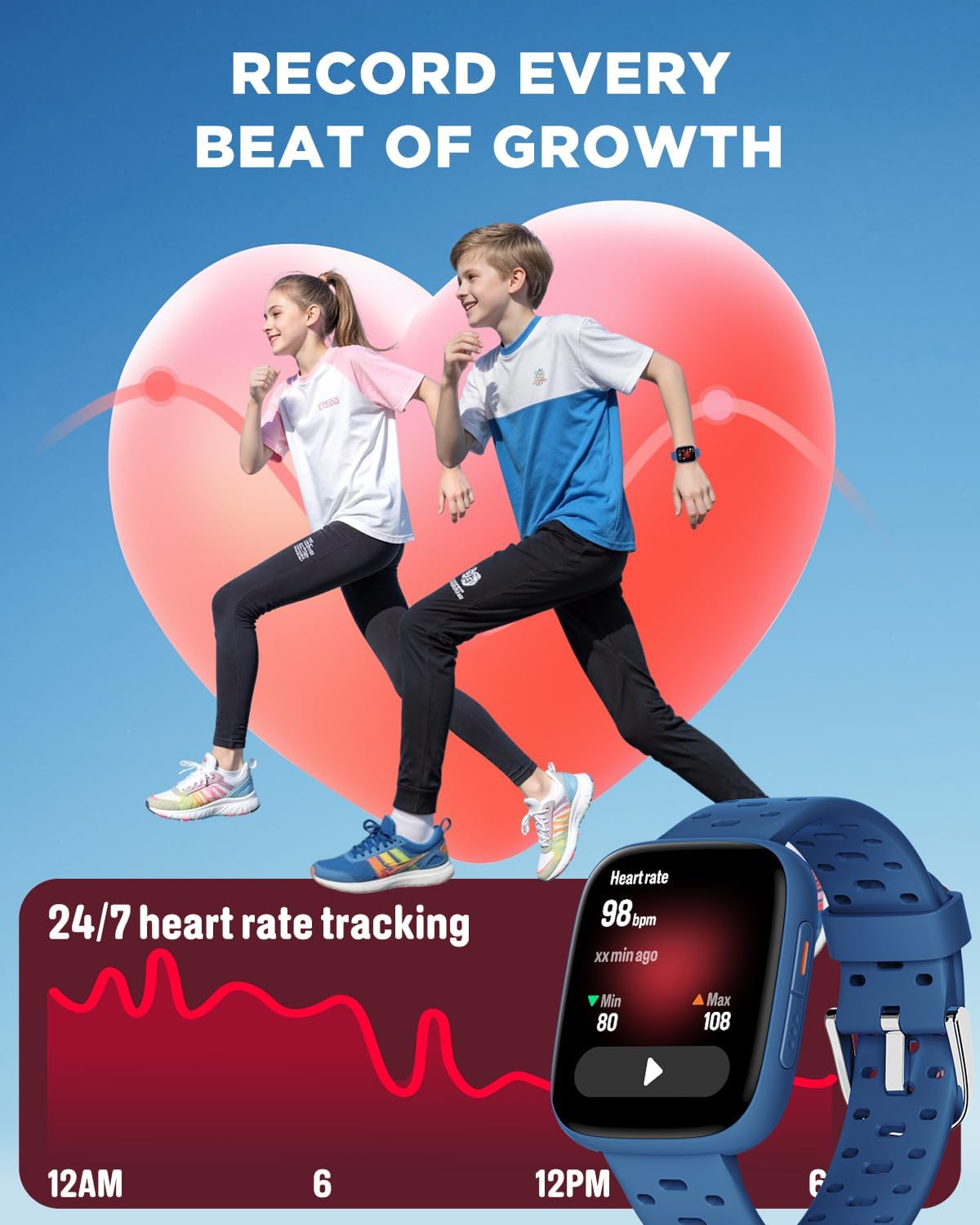
Image: The smartwatch screen showing a graph of 24/7 heart rate tracking with minimum and maximum values.
- Freqüència cardíaca: Swipe to the heart rate screen to view your current heart rate. The app provides historical data and analysis.
- Monitor de son: Wear the watch to bed for automatic sleep tracking. It records awake time, REM sleep, light sleep, and deep sleep.

Image: The smartwatch screen showing sleep duration breakdown (awake, REM, light, deep sleep) and an alarm clock interface for setting reminders.
5. Alarmes i recordatoris
Set up to 10 daily alarms with vibration mode to help develop regular habits.
- Access the "Alarm" function on the smartwatch or through the BIGGERFIVE app.
- Set the desired time and frequency for each alarm.
- The watch will vibrate at the set times to remind your child of tasks or routines.
6. Puzzle Games
The smartwatch includes 7 built-in puzzle games designed to train reaction and calculation abilities. Parents can control game access and play time.

Image: The smartwatch screen showing a selection of puzzle games and options for setting game start time, end time, and repeat cycle.
- Access games from the main menu.
- Control parental: Use the BIGGERFIVE app to limit game play during school hours or set daily time limits. A code can be set to prevent children from modifying these settings.
7. Water Resistance (30m)
The BIGGERFIVE BW03 Smartwatch is water-resistant up to 30 meters, making it suitable for swimming and showering. It is not recommended for diving or high-pressure water activities.
Important: Do not operate the watch buttons underwater. Avoid exposure to hot water or steam, as this can compromise the water resistance.
Manteniment
1. Neteja
Regularly clean your smartwatch to ensure optimal performance and hygiene.
- Netegeu la pantalla i la corretja amb un drap suauamp, drap sense pelusa.
- Eviteu utilitzar productes químics agressius, netejadors abrasius o dissolvents, ja que poden danyar el dispositiu.
- Assegureu-vos que els contactes de càrrega estiguin nets i secs abans de carregar.
2. Cura de la bateria
- Per allargar la durada de la bateria, eviteu descarregar-la completament amb freqüència.
- Carregueu el dispositiu amb el cable de càrrega subministrat.
- Store the smartwatch in a cool, dry place when not in use for extended periods.
3. Precaucions de resistència a l'aigua
- While water-resistant, avoid exposing the watch to high-velocity water or extreme temperatures (e.g., saunas, hot tubs).
- If the watch gets wet, dry it thoroughly before charging or operating buttons.
Resolució de problemes
If you encounter issues with your BIGGERFIVE BW03 Smartwatch, refer to the following common solutions:
| Problema | Possible solució |
|---|---|
| El rellotge no s'encén | Ensure the watch is fully charged. Press and hold the side button for at least 10 seconds. |
| No es pot emparellar amb el telèfon intel·ligent | Check if Bluetooth is enabled on your phone. Ensure the watch is within range. Restart both the watch and the phone. Make sure the BIGGERFIVE app is updated. |
| Dades d'activitat inexactes | Ensure the watch is worn snugly on the wrist. Calibrate the watch through the app if available. |
| La pantalla no respon | Reinicia el rellotge. Si el problema persisteix, assegura't que la pantalla estigui neta i seca. |
| Durada de la bateria curta | Reduce screen brightness. Turn off unused features like Bluetooth if not connected to the app. Limit notifications. |
For further assistance, please refer to the BIGGERFIVE app's help section or contact customer support.
Especificacions
| Característica | Detall |
|---|---|
| Nom del model | BW03 |
| Marca | BIGGER FIVE |
| Mida de la pantalla | 1.8 polzades |
| Tipus de visualització | AMOLED |
| Tecnologia de connectivitat | Bluetooth |
| Profunditat de resistència a l'aigua | 30 Meters (Waterproof) |
| Capacitat de la bateria | 350 mAh d'ions de liti |
| Durada mitjana de la bateria | 7 days (normal use) |
| Temps de càrrega | 2.5 hores |
| Dispositius compatibles | Smartphone Android 6.0+ / iOS 9.0+ |
| Característiques especials | Heart Rate Monitor, Sleep Monitor, Vibration Alarm, Puzzle Games, 30m Waterproof |
| Seguiment de l'activitat | Pedometer, Calories Burned, Sleep Duration |
| Modes esportius | Basketball, Running, Fitness, Multi-sport, Soccer (100+ modes) |
| Tipus d'entrada | Pantalla tàctil |
| Tipus de material de la banda | Silicona |
| Pes de l'article | 40 grams |
| Dimensions de l'article | 23.6 x 3.6 x 0.9 cm |
| UPC | 850073580134 |
Garantia i Suport
1. Informació de la garantia
The BIGGERFIVE BW03 Smartwatch comes with a garantia de dos anys des de la data de compra. Aquesta garantia cobreix els defectes de fabricació i els mals funcionaments en condicions d'ús normal. No cobreix els danys causats per un mal ús, accidents, modificacions no autoritzades o incompliment de les instruccions d'aquest manual.
Conserveu el vostre comprovant de compra per a reclamacions de garantia.
2. Atenció al client
For technical assistance, troubleshooting not covered in this manual, or warranty inquiries, please contact BIGGERFIVE customer support through the following channels:
- Refer to the help section within the BIGGERFIVE mobile application.
- Visit the official BIGGERFIVE weblloc web amb preguntes freqüents i informació de contacte.
- Poseu-vos en contacte amb el minorista a qui vau comprar el producte.
When contacting support, please have your product model (BW03) and proof of purchase ready.


