
1. Introducció
The ATK EDGE 60/63 HE Ultimate – Leviatan & Wolves Edition is a high-performance gaming keyboard designed for esports. It features advanced technology for precise control and responsiveness, built with durable materials and a compact layout.

Image 1.1: The ATK Edge 60 HE Ultimate Gaming Keyboard, Leviatan Edition, showcasinel seu disseny i la seva marca.
Característiques principals:
- Leviatan & Wolves Co-Branded Edition: Exclusive design reflecting collaborations with esports teams.
- Precise RT Adjustment: Actuation tuning range from 0.001 mm to 3.3 mm, adjustable in 0.001 mm increments for personalized responsiveness.
- Latència ultra baixa: Features an 8 kHz polling rate, up to 256 kHz scan rate, and a minimum response time of 0.08 ms.
- Premium CNC Aluminum Build: Durable top-mount structure with an 180-mesh electrophoresis or 220-mesh anodized aluminum body.
- Disseny compacte: 61/64-key form factor with high-quality PBT dye-sublimation keycaps.
2. Configuració
2.1 Contingut del paquet
Verifiqueu que tots els components siguin presents al paquet:
- ATK Edge 60/63 HE Ultimate Gaming Keyboard
- Cable USB-C
- Extractor de tecles (si s'inclou)
- Extractor d'interruptors (si s'inclou)
- Manual d'usuari (aquest document)
2.2 Connexió del teclat
- Localitza el port USB-C a la part posterior o lateral del teclat.
- Connecteu un extrem del cable USB-C proporcionat al teclat.
- Connect the other end of the USB-C cable to an available USB port on your PC.
- The keyboard will automatically be detected by your operating system. No additional drivers are typically required for basic functionality.

Imatge 2.1: acabatview of key features including USB-C connectivity and aluminum build.
3. Funcionament del teclat
3.1 Funcions bàsiques
The ATK Edge 60/63 HE keyboard functions as a standard QWERTY keyboard. Due to its compact layout, some functions are accessed via key combinations.
- Function Layer: Access secondary functions (e.g., F-keys, media controls) by holding down the Fn key and pressing the corresponding key. Refer to the keycap legends for specific functions.
3.2 Adjustable Actuation (Rapid Trigger)
The keyboard features adjustable actuation, also known as Rapid Trigger (RT), allowing you to customize the keypress sensitivity. The actuation range is from 0.001 mm to 3.3 mm, adjustable in 0.001 mm increments.
- Ajust: Use the dedicated ATK software (available for download from the official ATK website) to fine-tune the actuation point for each key.
- Beneficis: Lower actuation points provide faster response times for gaming, while higher points can reduce accidental key presses.

Image 3.1: Visual representation of 8K Polling Rate, 0.08ms latency, and 0.001mm RT adjustment.
3.3 Il·luminació de fons RGB
The keyboard features customizable RGB backlighting. Use the ATK software to select various lighting effects, colors, and brightness levels.
- On-board Controls: Some basic lighting adjustments (e.g., brightness, effect cycling) may be available via Fn key combinations. Refer to the keyboard's specific key legends or software manual for details.
3.4 tecles programables
Utilize the ATK software to program macros or reassign key functions for enhanced productivity and gaming performance.
4. Manteniment
4.1 Neteja del teclat
- Desconnecta el teclat de l'ordinador abans de netejar-lo.
- Utilitzeu un drap suau i sense pelusa dampRenteu-les amb aigua o una solució netejadora suau per netejar les tecles i el xassís.
- Per a la pols i les restes entre les tecles, feu servir aire comprimit.
- Eviteu utilitzar productes químics agressius, netejadors abrasius o ruixar líquids directament sobre el teclat.
4.2 Commutadors intercanviables en calent
The ATK Edge 60/63 HE keyboard features hot-swappable switches, allowing you to change switches without soldering.
- Using a switch puller, carefully grip the switch from the top and bottom and pull it straight up.
- Alineeu els pins del nou interruptor amb els forats de la placa de circuit imprès.
- Premeu suaument el nou interruptor fins que encaixi correctament. Assegureu-vos que les clavilles no estiguin doblegades.
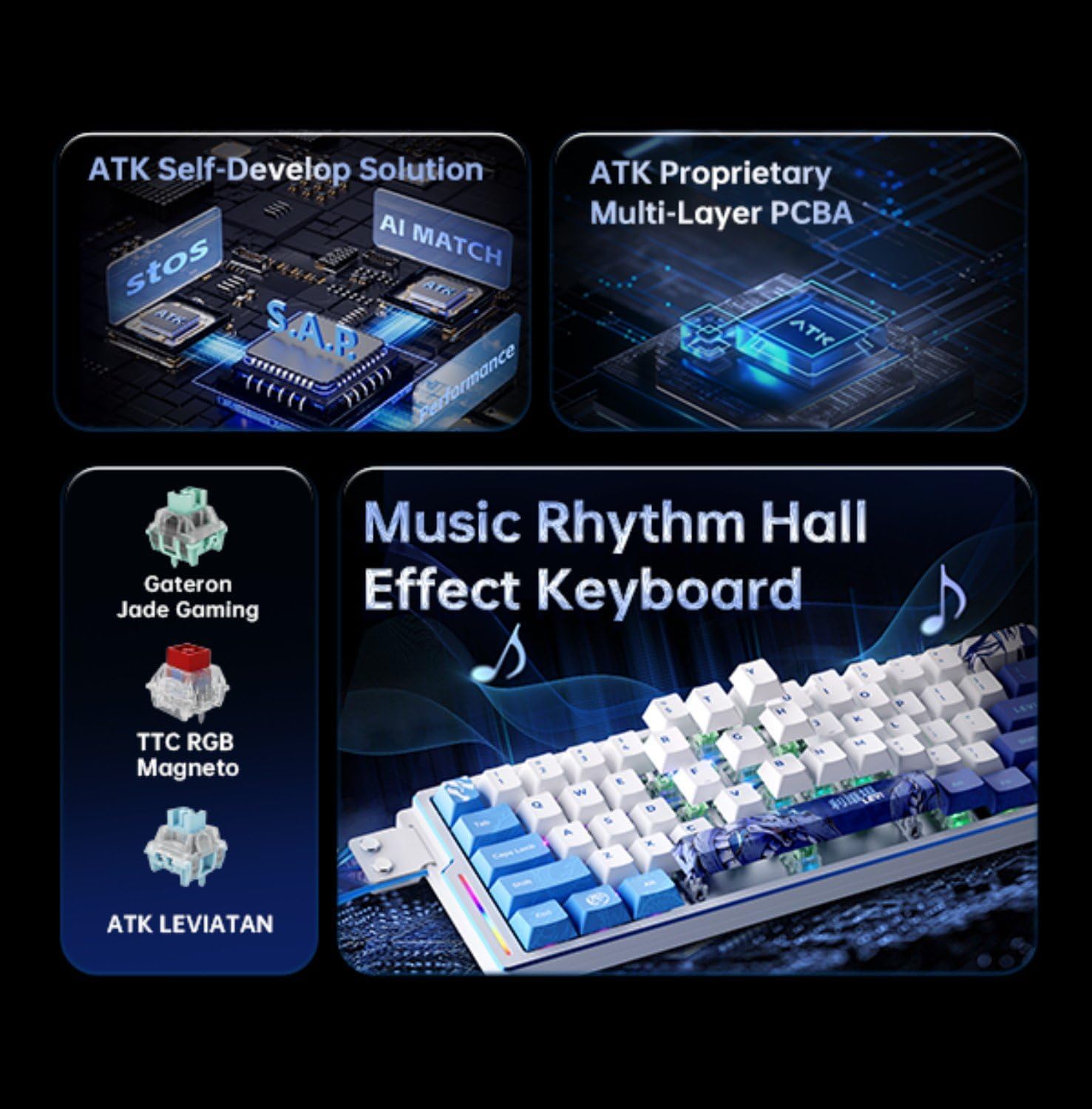
Image 4.1: Close-up showing TTC RGB Magneto switches, indicating hot-swappable design.
5. Solució De Problemes
5.1 El teclat no respon
- Ensure the USB-C cable is securely connected to both the keyboard and your PC.
- Prova de connectar el teclat a un port USB diferent del teu ordinador.
- Prova el teclat en un altre ordinador per descartar problemes específics del PC.
- Reinicieu l'ordinador.
5.2 RGB Backlighting Not Working or Incorrect
- Ensure the ATK software is installed and running, and that lighting effects are enabled.
- Comproveu si n'hi ha cap Fn key combinations that might toggle or adjust RGB lighting.
- Update the keyboard firmware via the ATK software, if available.
5.3 Les tecles no es registren o es teclegen dues vegades
- For hot-swappable switches, ensure the switch is fully seated and its pins are not bent. Try reseating the affected switch.
- Adjust the actuation point in the ATK software. An actuation point that is too low might cause unintended key presses or double-typing.
- Clean around the affected keycap and switch to remove any debris.
6. Especificacions
| Característica | Detall |
|---|---|
| Marca | ATK |
| Nom del model | ATK EDGE 60/63 |
| Número de model | LEV 60 TTC RGB Magneto |
| Tecnologia de connectivitat | USB-C |
| Dispositius compatibles | PC |
| Descripció del teclat | Jocs |
| Usos recomanats | Jocs, oficina |
| Característiques especials | Hot-Swappable, Programmable Keys, Adjustable Actuation (0.001-3.3 mm) |
| Il·luminació del teclat | RGB |
| Material | Aluminum (CNC) |
| Font d'alimentació | Alimentat per USB |
| Nombre de claus | 61 |
| Tipus de canvi | Magnetic (TTC RGB Magneto) |
| Disposició del teclat | QWERTY |
| Taxa de votació | 8 kHz |
| Taxa d'escaneig | Fins a 256 kHz |
| Minimum Latency | 0.08 ms |
7. Garantia i Suport
7.1 Informació de la garantia
The ATK Edge 60/63 HE Ultimate Gaming Keyboard comes with a 6 mesos de garantia des de la data de compra. Aquesta garantia cobreix els defectes de fabricació i els mals funcionaments en condicions d'ús normal. No cobreix els danys causats per un mal ús, accidents, modificacions no autoritzades o desgast normal.
Conserveu el vostre comprovant de compra per a reclamacions de garantia.
7.2 Atenció al client
For technical assistance, warranty claims, or general inquiries, please contact ATK customer support through the official ATK website or the ATK Store on Amazon.
- ATK Store on Amazon: Visit the ATK Store
- Refer to the official ATK website for the latest software downloads, FAQs, and contact information.