
FIDECO HCA64
FIDECO HCA64 10-Port 10Gbps USB 3.2 Gen 2 Powered Hub User Manual
Model: HCA64
1. Introducció
This manual provides comprehensive instructions for the FIDECO HCA64 10-Port 10Gbps USB 3.2 Gen 2 Powered Hub. It covers setup, operation, maintenance, troubleshooting, and product specifications to ensure optimal performance and longevity of your device. Please read this manual thoroughly before using the product.
2. Contingut del paquet
Please verify that all items listed below are included in your package. If any items are missing or damaged, please contact FIDECO support.
- FIDECO HCA64 10-Port USB 3.2 Gen 2 Powered Hub
- Adaptador d'alimentació 12V 5A
- USB-C to USB-C Cable with USB-A Adapter
- Manual d'usuari
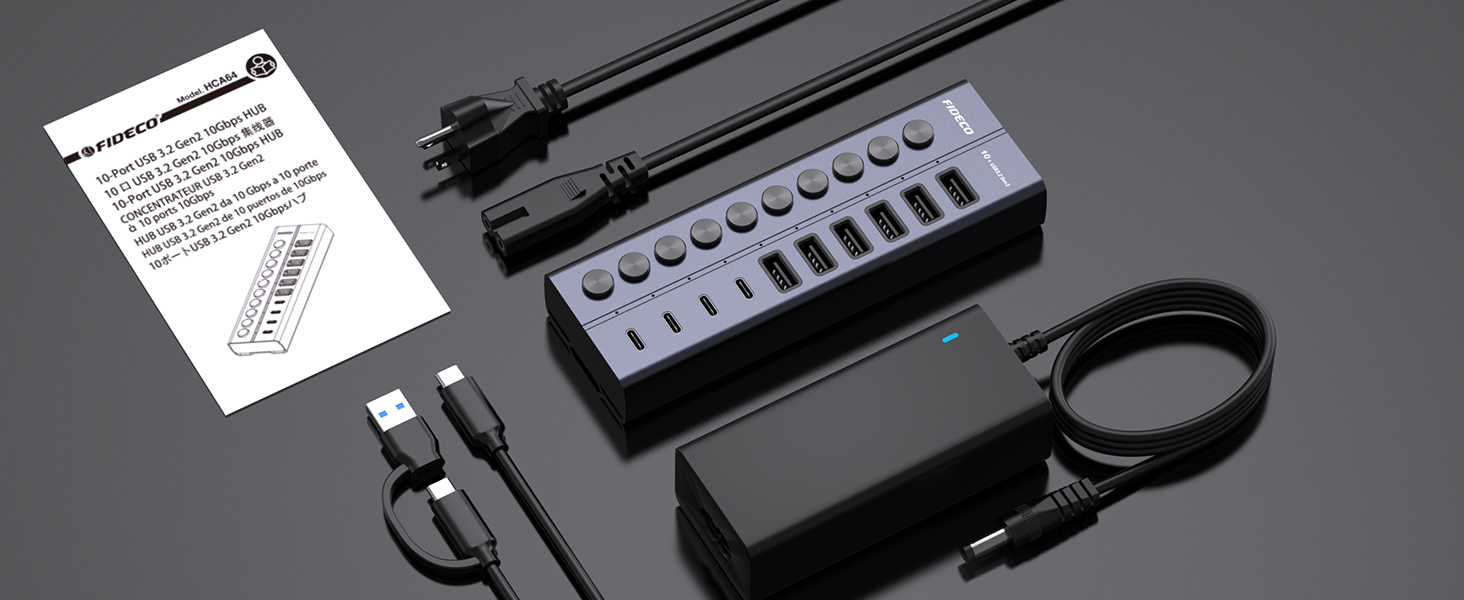
Image: Contents of the FIDECO HCA64 package, including the hub, power adapter, USB cable, and manual.
3. Producte acabatview
The FIDECO HCA64 is a high-performance 10-port USB hub designed to expand connectivity for your laptop or PC. It features a robust aluminum alloy casing for efficient heat dissipation and includes individual on/off switches for each port.
Característiques principals:
- Supervelocitat de 10 Gbps: USB 3.2 Gen 2 standard for rapid data transfer.
- 60W Powered Hub: Includes a 12V 5A power adapter for stable operation and charging.
- BC1.2 Charging Support: All 10 ports support BC1.2 charging (5V/1.5A max).
- Independent On/Off Switches: Control power to individual ports.
- Aluminum Design: Durable and aids in heat dissipation.
- Ports versàtils: 6 USB-A ports and 4 USB-C ports.

Imatge: Frontal view of the FIDECO HCA64 USB Hub, illustrating the layout of 6 USB-A (10Gbps) and 4 USB-C (10Gbps) ports, along with individual power buttons.
4. Configuració
Follow these steps to set up your FIDECO HCA64 USB Hub:
- Connecteu l'adaptador de corrent: Plug the 12V 5A power adapter into the DC IN port on the back of the USB hub. Then, plug the power adapter into a wall outlet. The hub requires external power for stable operation and charging capabilities.
- Connecteu-vos al vostre ordinador: Use the provided USB-C to USB-C cable (with the attached USB-A adapter if needed) to connect the hub to an available USB-C or USB-A port on your laptop or PC.
- Encès: The hub is plug-and-play; no drivers are required. Once connected, the hub will be ready for use. Individual port power can be controlled using the dedicated on/off switches.

Imatge: Un primer pla view showing the 60W power adapter being connected to the FIDECO USB Hub, ensuring stable power for multiple devices.

Image: Demonstrates the flexibility of the included USB-C cable with an attached USB-A adapter, allowing connection to both USB-C and USB-A host ports on laptops.
5. Instruccions de funcionament
5.1 Transferència de dades
The FIDECO HCA64 hub supports USB 3.2 Gen 2, offering data transfer speeds up to 10Gbps. Connect your USB devices such as external hard drives, USB flash drives, or other peripherals to the available USB-A or USB-C ports on the hub. Ensure the individual port switch is turned on for the connected device.

Image: Illustrates the 10Gbps data transfer capability of both USB-C and USB-A ports on the hub, significantly faster than USB 3.0's 5Gbps.
5.2 Càrrega del dispositiu
All 10 USB ports on the FIDECO HCA64 support BC1.2 charging, providing a maximum power output of 5V/1.5A per port. This is suitable for charging smartphones, tablets, and other USB-powered devices. The hub can simultaneously transfer data and charge devices.

Image: A smartphone and tablet are shown charging simultaneously through the FIDECO USB Hub, demonstrating its BC1.2 fast charging capability.

Image: A laptop connected to the FIDECO USB Hub, which is simultaneously transferring data from a USB drive and charging a smartphone, highlighting multitasking efficiency.
5.3 Using Individual On/Off Switches
Each port on the hub has an independent on/off switch and an LED indicator. Press the button to toggle the power for the corresponding port. The LED will illuminate when the port is active. This feature allows you to manage connected devices without frequent plugging and unplugging, conserving power and extending device lifespan.
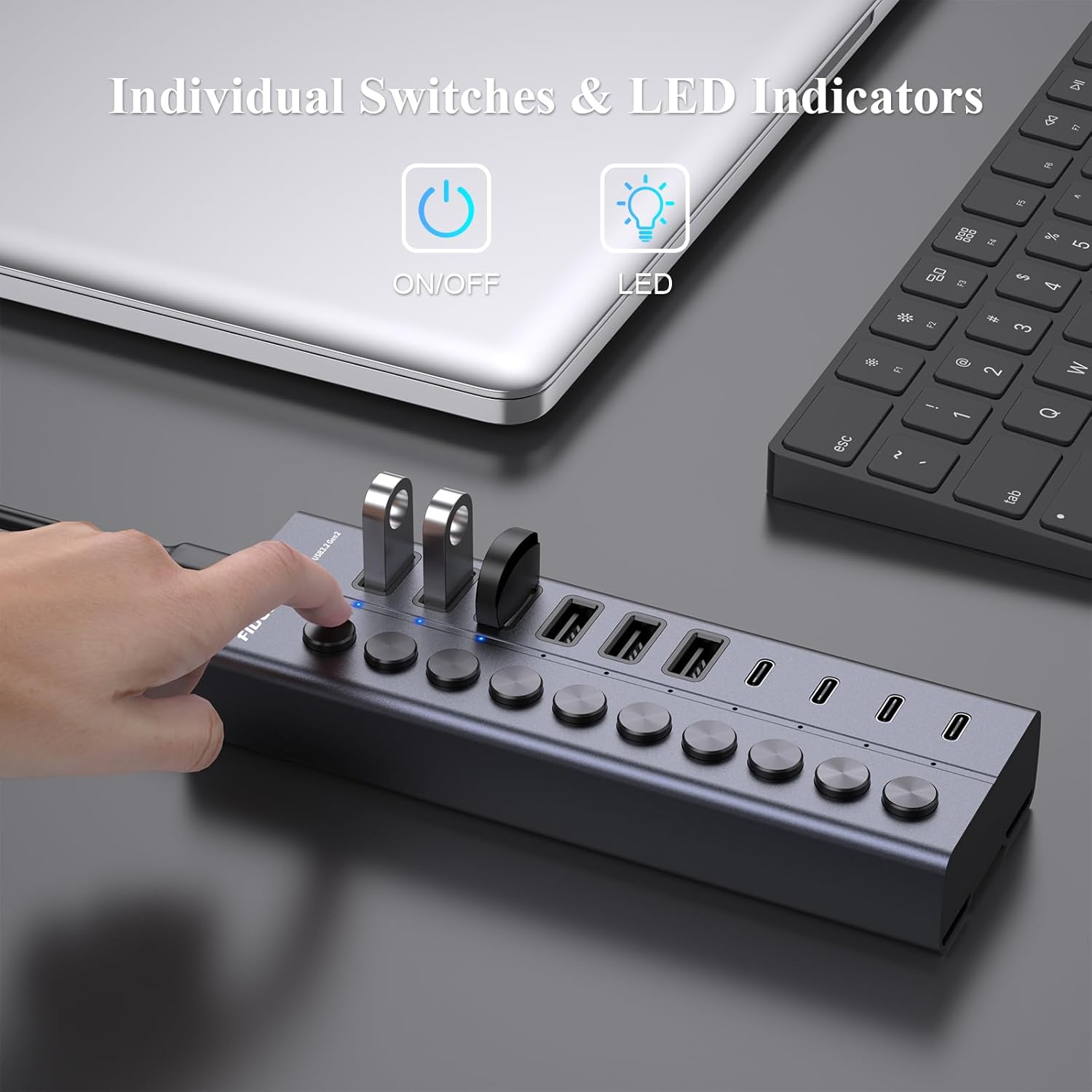
Image: A hand is shown pressing one of the individual on/off switches on the FIDECO USB Hub, with multiple USB drives connected, demonstrating selective power control.

Image: A close-up of the FIDECO USB Hub highlighting the individual on/off switches and their corresponding LED indicators, allowing users to control each device separately.
5.4 Compatibilitat
The FIDECO HCA64 USB Hub is widely compatible with various operating systems, including Windows, Mac OS, and Linux. It supports a broad range of devices such as card readers, dashcams, desktops, gaming consoles, and laptops.
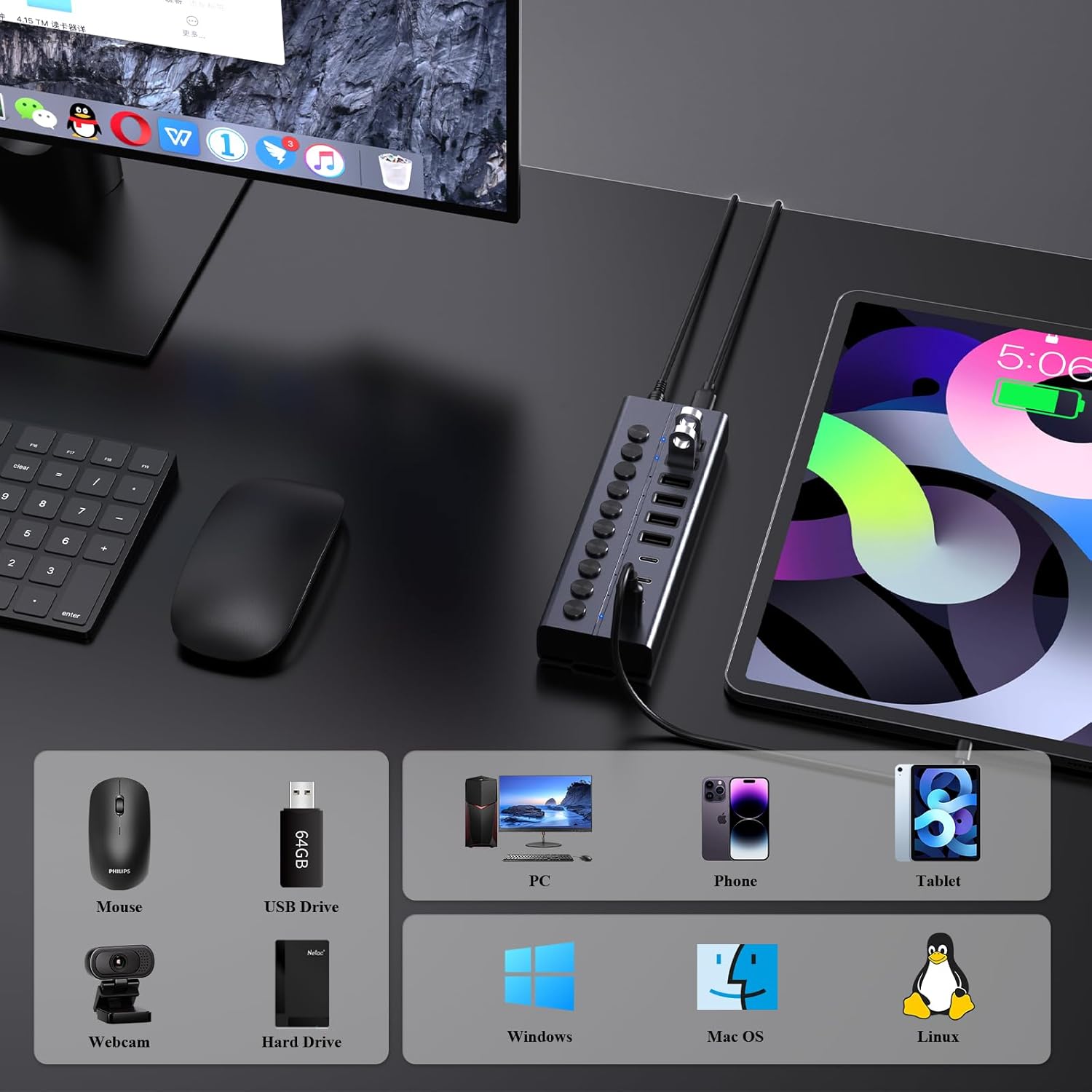
Image: An illustration showing the FIDECO USB Hub connected to a laptop, with icons representing compatible devices like mice, USB drives, webcams, hard drives, phones, tablets, and PCs, as well as operating systems like Windows, Mac OS, and Linux.
5.5 Vídeo de demostració del producte
Watch this video for a visual guide on setting up and using the FIDECO 10Gbps 60W Powered USB Hub.
Video: A demonstration of the FIDECO 10Gbps 60W Powered USB Hub, showcasing its features, connectivity, and high-speed data transfer capabilities.
6. Manteniment
To ensure the longevity and optimal performance of your FIDECO HCA64 USB Hub, follow these maintenance guidelines:
- Neteja: Feu servir un drap suau i sec per netejar la superfície del centre. Eviteu utilitzar netejadors líquids o materials abrasius, ja que poden danyar l'acabat o els components interns.
- Emmagatzematge: Guardeu el concentrador en un lloc fresc i sec, allunyat de la llum solar directa i de temperatures extremes.
- Manipulació: Manipuleu el dispositiu amb cura. Eviteu deixar-lo caure ni sotmetre'l a impactes forts.
- Ventilació: Assegureu-vos que el concentrador estigui col·locat en una zona amb una ventilació adequada per evitar el sobreescalfament, especialment durant un ús prolongat amb diversos dispositius.
7. Solució De Problemes
If you encounter issues with your FIDECO HCA64 USB Hub, please refer to the following common problems and solutions:
- Dispositiu no reconegut:
- Ensure the individual on/off switch for the specific port is activated.
- Verify that the hub is properly connected to your computer and the power adapter is securely plugged in.
- Prova de connectar el dispositiu directament a l'ordinador per confirmar que funciona de manera independent.
- Reinicieu l'ordinador.
- Velocitat de transferència de dades lenta:
- Ensure both the hub and your connected device support USB 3.2 Gen 2 (10Gbps) for maximum speed. Older USB standards will operate at their respective lower speeds.
- Eviteu connectar massa dispositius d'ample de banda elevat simultàniament.
- Check the quality of the USB cable used to connect your device to the hub.
- Els dispositius no es carreguen o es carreguen lentament:
- Confirm the power adapter is connected and functioning. The hub requires external power for charging.
- Note that each port provides a maximum of 5V/1.5A (BC1.2). This may not be sufficient for devices requiring higher power input, such as some portable monitors or high-power laptops.
- Ensure the charging cable is functional and properly connected.
- Sobreescalfament del centre de control:
- While the aluminum design aids in heat dissipation, ensure the hub is in a well-ventilated area.
- Reduce the number of high-power devices connected if overheating persists.
8. Especificacions
| Característica | Detall |
|---|---|
| Número de model | HCA64 |
| Dimensions del producte | 6 x 2 x 1.1 polzades |
| Pes de l'article | 1.32 lliures |
| Interfície del maquinari | USB Type C (Host Connection) |
| Ports USB | 6 x USB-A (10Gbps), 4 x USB-C (10Gbps) |
| Velocitat de transferència de dades | Fins a 10 Gbps (USB 3.2 Gen 2) |
| Entrada de potència | 12V 5A (60W) Power Adapter |
| Sortida de càrrega | BC1.2 (5V/1.5A max per port) |
| Característiques especials | Anti-Slip, Fast Charging, Fast Data Transfer, Plug and Play, Powered, Individual On/Off Switches |
| Dispositius compatibles | Card Readers, Dashcams, Desktops, Gaming Consoles, Laptops |
| Sistemes operatius | Windows, Mac OS, Linux |
9. Garantia i Suport
9.1 Informació de la garantia
FIDECO products are designed for reliability and performance. Specific warranty details may vary by region and retailer. Please retain your proof of purchase for any warranty claims.
9.2 Suport tècnic
For technical assistance, troubleshooting, or any other inquiries regarding your FIDECO HCA64 USB Hub, please contact our support team:
- Correu electrònic: support@fideco.cn
When contacting support, please provide your product model (HCA64) and a detailed description of the issue.
Ask a question about this manual
Ask about setup, troubleshooting, compatibility, parts, safety, or missing instructions. Manuals+ will review the question and use this page’s manual context to help answer it.