
1. Introducció
The Machenike Machcreator Mini Desktop (Model 4762H) is a compact and powerful computing solution designed for various tasks, from office productivity and streaming to light gaming. Featuring a 13th Gen Intel Core i7-13620H processor, 16GB of high-speed DDR5 RAM, and a fast 512GB PCIe M.2 SSD, this mini PC delivers efficient performance in a small form factor. It supports 4K dual monitor output and comes pre-installed with Windows 11 Pro, offering a streamlined and intuitive user experience.
2. Què hi ha a la caixa
Si us plau, assegureu-vos que tots els elements següents estiguin inclosos al vostre paquet:
- Machenike Machcreator Mini Desktop (Model 4762H)
- Adaptador d'alimentació
- Cable d'alimentació
- Cable HDMI
- Suport de muntatge VESA
- Cargols de muntatge
- Manual d'usuari
3. Producte acabatview
3.1. Ports frontal i posterior
The Machenike Machcreator Mini Desktop offers a comprehensive set of ports for versatile connectivity:
- Ports frontals: 2 x USB 3.2 Gen2 Type-A ports, 1 x USB Type-C, 1 x 3.5mm Audio Jack
- Ports posteriors: 2 x RJ45 Ethernet ports, 4 x USB 3.2 Gen2 Type-A ports, 1 x HDMI 2.0, 1 x DisplayPort 1.4

Imatge: Més deview of the front and rear connectivity ports on the mini PC.
3.2. Sistema de refrigeració
The mini PC features an all-new wind blade cooling system with a twin turbine cooling fan and a deluxe all-copper radiator. This design ensures efficient heat dissipation, preventing performance degradation due to overheating and maintaining stable network connections. Three preset modes (Silence, Balance, Performance) are available in the BIOS to match usage scenarios, allowing up to 65W performance release.
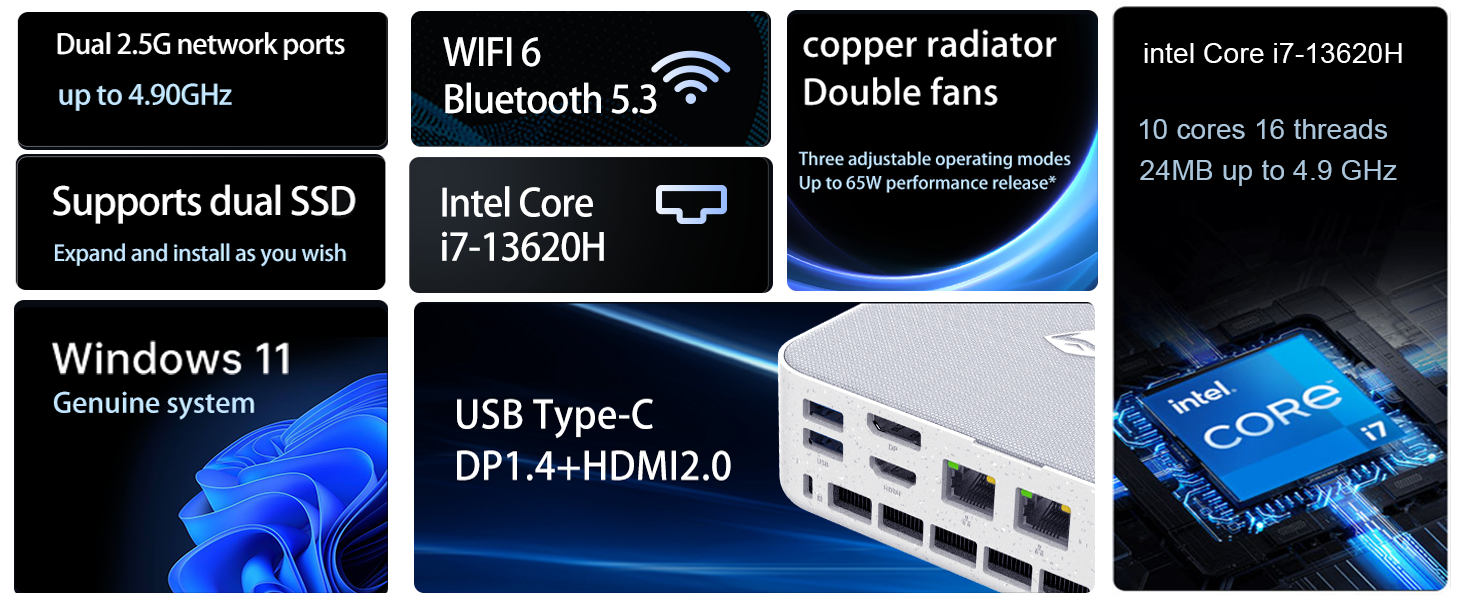
Image: Diagram illustrating the internal cooling system with twin fans and copper radiator.
3.3. Disseny compacte
The Machcreator Mini2 is approximately 0.7L in size, making it highly portable and space-efficient. Its compact dimensions (5.12 x 5 x 1.85 inches) allow it to fit seamlessly into any workspace, reducing clutter and offering flexible placement options, including VESA mounting behind a monitor.

Image: Visual representation of the mini PC's compact dimensions and various port views.
4. Configuració
4.1. Connexió de perifèrics
- Connect your monitor(s) to the HDMI 2.0, DisplayPort 1.4, or USB Type-C ports using appropriate cables. The device supports up to 4K dual monitor output.
- Connect your keyboard and mouse to the available USB 3.2 Gen2 Type-A ports.
- If using a wired network, connect an Ethernet cable to one of the RJ45 ports. For wireless connectivity, the device supports Wi-Fi 6.
- Connect the power adapter to the DC-in port on the mini PC, then plug the power cord into an electrical outlet.
4.2. Engegada i configuració inicial
- Press the power button located on the front of the mini PC. The power indicator light will illuminate.
- El dispositiu arrencarà amb Windows 11 Pro. Segueix les instruccions que apareixen a la pantalla per completar la configuració inicial, incloent-hi l'idioma, la regió, la connexió de xarxa i la creació del compte d'usuari.
- It is recommended to connect to the internet during setup to ensure the latest drivers and security updates are installed.
5. Instruccions de funcionament
5.1. Windows 11 Pro
Your Machenike Machcreator Mini Desktop comes with Windows 11 Pro pre-installed. This operating system is designed to streamline your workflow by arranging open applications using pre-set configurations for enhanced efficiency. Enjoy a more intuitive navigation system that facilitates task completion and leverages advanced features for seamless collaboration.

Image: Windows 11 Pro desktop environment showcasing various application types.
5.2. Performance for Daily Tasks
Equipped with an Intel Core i7-13620H processor (10 Cores, 16 Threads, up to 4.9 GHz) and 16GB DDR5 RAM, the mini PC is capable of handling multiple applications and browser tabs simultaneously without lag. The 512GB PCIe M.2 SSD ensures fast boot-up times and rapid data transfer, making it ideal for business, office, and general computing tasks.
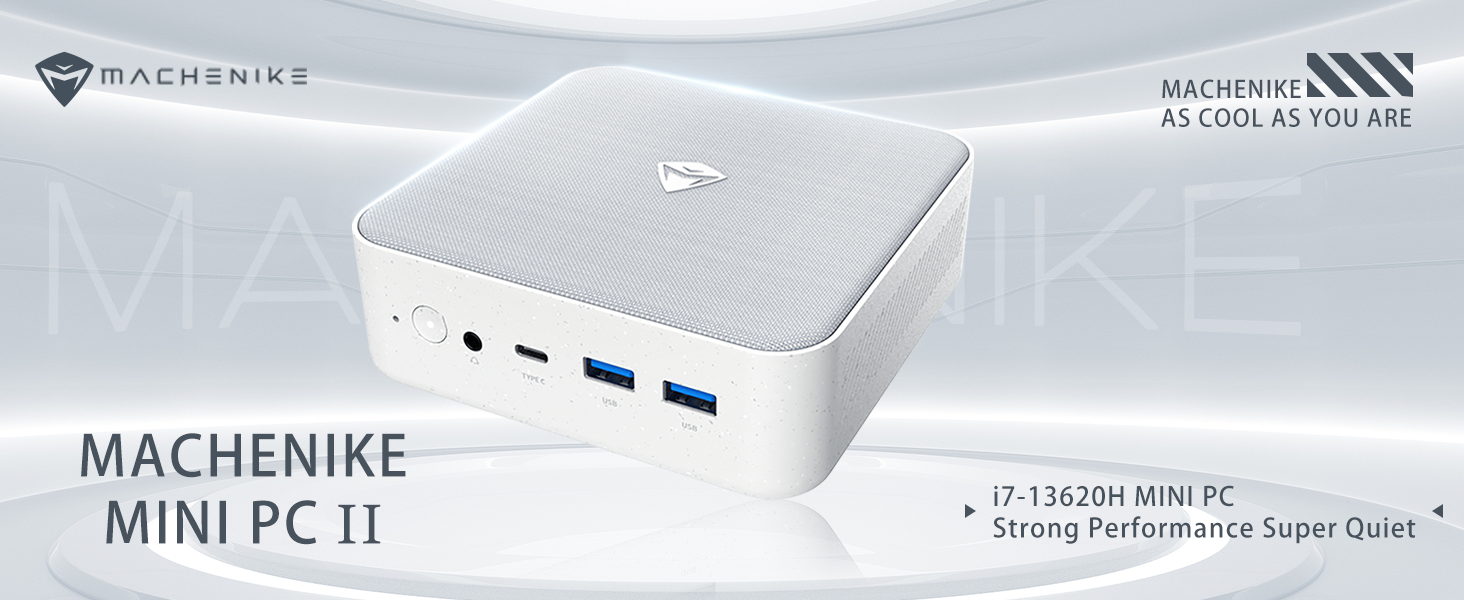
Image: Detailed specifications of the Intel Core i7-13620H processor.
6. Manteniment
6.1. Actualitzacions de programari
Comproveu i instal·leu regularment si hi ha actualitzacions de Windows per assegurar-vos que el vostre sistema tingui els pegats de seguretat i les millores de rendiment més recents. Aneu a Configuració > Actualització de Windows per gestionar les actualitzacions.
6.2. Neteja
To maintain optimal performance and prevent dust buildup, periodically clean the exterior of the mini PC with a soft, dry cloth. Ensure the ventilation grilles are free from obstructions to allow proper airflow.
7. Actualització de components
The Machenike Machcreator Mini Desktop is designed to allow for easy upgrades of its RAM and SSD storage:
- RAM: The device supports DDR5 SODIMM RAM. You can upgrade the existing 16GB RAM to a higher capacity (e.g., up to 64GB) by replacing the SODIMM modules.
- SSD: The mini PC comes with a 512GB PCIe M.2 SSD. It supports dual M.2 SSDs, allowing for expansion up to 4TB. This provides ample space for data and applications.
For detailed instructions on accessing and replacing components, please refer to the manufacturer's official support documentation or consult a qualified technician.
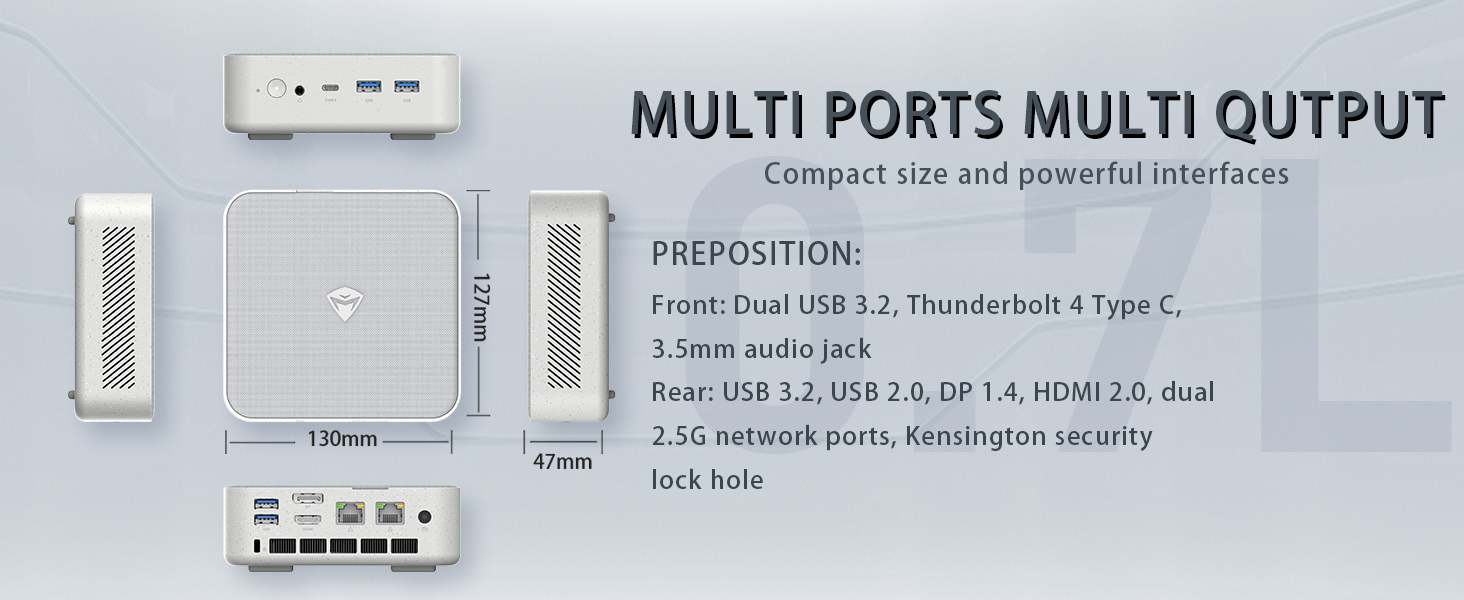
Image: Illustration of the PCIe 4.0 SSD and DDR5 RAM slots, highlighting expansion options.
8. Solució De Problemes
8.1. Sense sortida de pantalla
- Ensure the monitor is powered on and correctly connected to the mini PC's HDMI, DisplayPort, or USB Type-C video output.
- Verifiqueu que heu seleccionat la font d'entrada correcta al monitor.
- Try using a different video cable or port.
8.2. El sistema no s'encén
- Check that the power adapter is securely connected to both the mini PC and a working electrical outlet.
- Assegureu-vos que el botó d'encesa estigui premut amb fermesa.
8.3. Performance Issues / Slowdown
- Tanca les aplicacions innecessàries que s'executen en segon pla.
- Comproveu i instal·leu les actualitzacions de Windows o els controladors pendents.
- Ensure the mini PC's ventilation is not obstructed and that it's placed in a well-ventilated area to prevent overheating.
9. Especificacions
| Característica | Especificació |
|---|---|
| Processador | Intel Core i7-13620H (10 nuclis, 16 fils de treball, fins a 4.9 GHz) |
| RAM | 16GB DDR5 SODIMM (Expandable) |
| Emmagatzematge | SSD PCIe M.2 de 512 GB (ampliable fins a 4 TB) |
| Gràfics | Gràfics Intel UHD (integrats) |
| Sistema operatiu | Windows 11 Pro |
| Sortida de vídeo | HDMI 2.0, DisplayPort 1.4, USB Type-C (Supports 4K Dual Monitor) |
| Connectivitat | Wi-Fi 6, Bluetooth, 2 x RJ45 Ethernet |
| Ports USB | 4 x USB 3.2 Gen2 Type-A, 1 x USB Type-C |
| Àudio | 1 presa d'àudio de 3.5 mm |
| Dimensions | 5.12 x 5 x 1.85 polzades |
| Pes | 6 lliures |
10. Garantia i Suport
For detailed warranty information and technical support, please refer to the official Machenike weblloc web o contacteu directament amb el seu servei d'atenció al client. Conserveu el rebut de compra com a comprovant de compra per a qualsevol reclamació de garantia.