
eufy E25 Omni Robot Vacuum and Mop Combo Instruction Manual
Model: E25
1. Instruccions de seguretat importants
Before using this product, read all instructions and cautionary markings in this manual and on the product. Failure to follow these instructions may result in electric shock, fire, or serious injury.
- Aquest aparell el poden utilitzar nens a partir de 8 anys i persones amb capacitats físiques, sensorials o mentals reduïdes o amb manca d'experiència i coneixements si han rebut supervisió o instruccions sobre l'ús de l'aparell d'una manera segura i entenen els perills que comporta. .
- Els nens han de ser supervisats per assegurar-se que no juguin amb l'aparell.
- La neteja i el manteniment dels usuaris no els han de fer els nens sense supervisió.
- Feu servir només l'adaptador de corrent subministrat pel fabricant.
- Do not use the product in environments with open flames or explosive materials.
- Do not use the product to pick up large or sharp objects, or liquids.
- Ensure the charging station is placed on a level surface against a wall, with adequate clear space around it.
- Always disconnect the product from the power supply before cleaning or maintenance.
2. Contingut del paquet
Verifiqueu que tots els components siguin presents al paquet:
- eufy E25 Omni Robot Vacuum and Mop
- All-in-One Self-Cleaning Station
- Adaptador d'alimentació
- Dust Bags (3 included)
- Coixinet de neteja
- Manual d'usuari
3. Producte acabatview
3.1 All-in-One Station for Smart Maintenance
The All-in-One Station provides comprehensive maintenance for your robot vacuum, including self-emptying, self-refilling, wastewater collection, self-washing of mop pads, hot air drying, and automatic detergent dispensing.

Figure 3.1: All-in-One Station for Smart Maintenance. This image illustrates the various functions of the station, including automatic dust collection, water tank refilling, dirty water disposal, mop cleaning, drying, and detergent addition.
3.2 HydroJet Deep Cleaning System
The HydroJet system ensures thorough mopping by self-cleaning the mop pads multiple times per second during operation, preventing the spread of dirt.
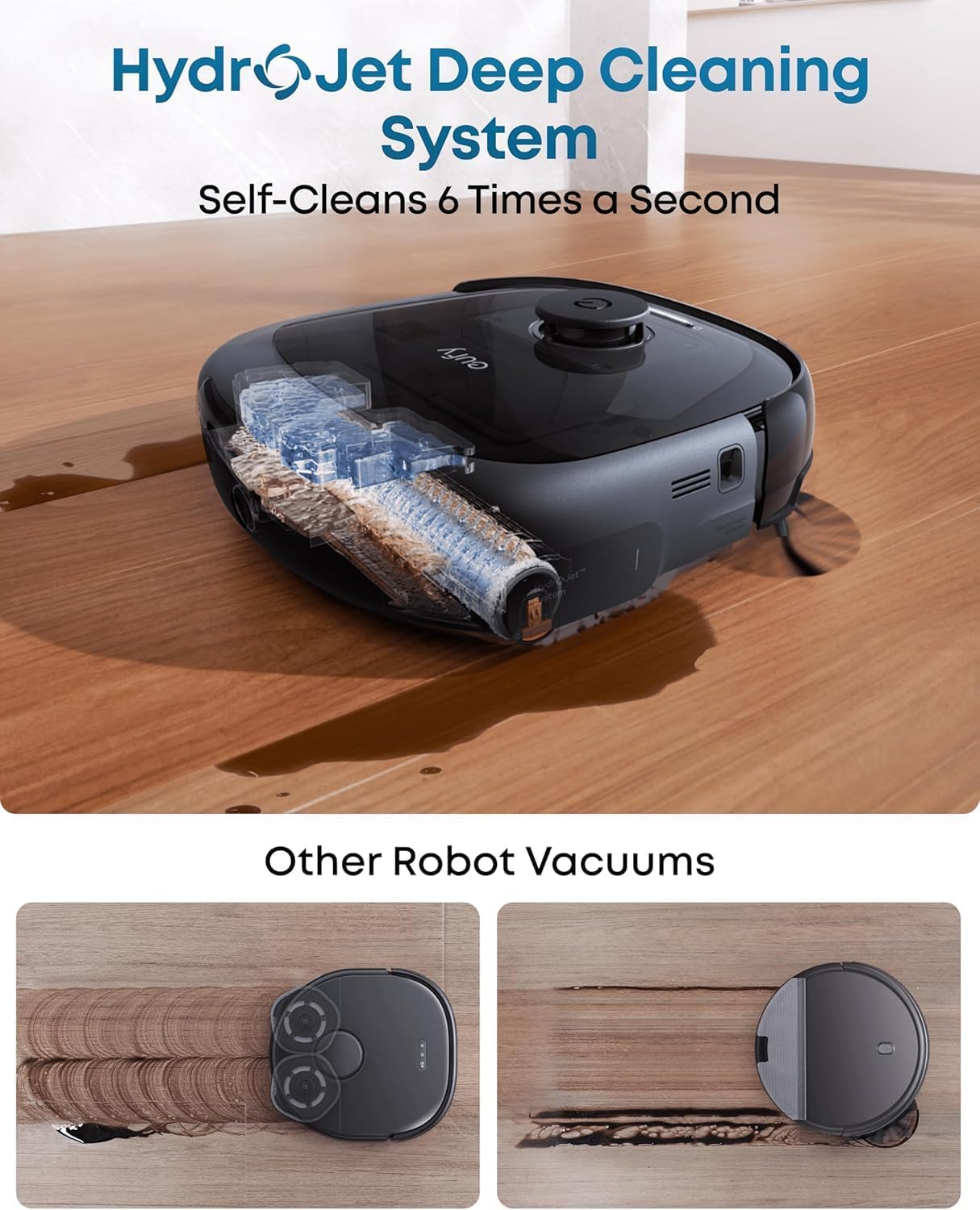
Figure 3.2: HydroJet Deep Cleaning System. The robot's internal mechanism for continuous mop pad cleaning is shown, highlighting its ability to self-clean frequently.
3.3 20,000Pa Turbo Suction
Equipped with 20,000Pa of turbo suction power, the robot effectively removes pet food, crumbs, fur, and other debris from various floor types.
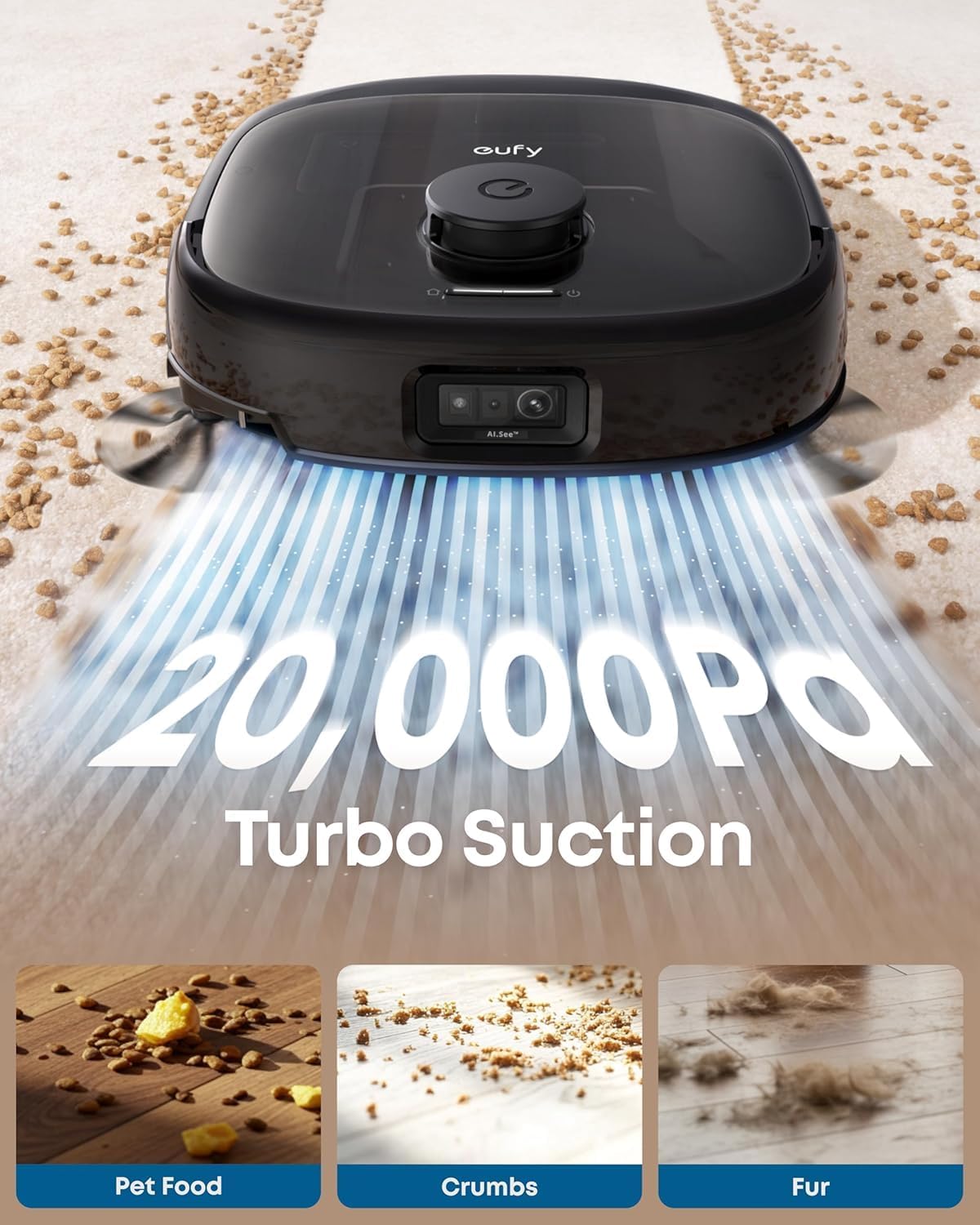
Figure 3.3: 20,000Pa Turbo Suction. This image demonstrates the robot's powerful suction capability, effectively cleaning various types of debris from carpets.
3.4 DuoSpiral Detangle Brushes
The DuoSpiral Detangle Brushes are designed to prevent hair tangling, ensuring consistent cleaning performance and reducing maintenance effort.

Figure 3.4: DuoSpiral Detangle Brushes. This illustration details the two-step process of the brushes: first gathering hair and fur, then retracting to pull them into the vacuum, minimizing tangles.
3.5 Advanced AI Recognition and Obstacle Avoidance
The robot utilizes advanced AI to recognize and avoid over 200 types of objects, ensuring smooth navigation and preventing collisions with household items.

Figure 3.5: Advanced AI Recognition and Obstacle Avoidance. The robot is depicted intelligently avoiding numerous objects on the floor, showcasing its navigation capabilities.
4. Configuració
4.1 Station Placement
- Place the All-in-One Station on a hard, level surface against a wall.
- Ensure there is at least 1.5 meters (5 feet) of clear space in front of the station and 0.5 meters (1.6 feet) on either side.
- Connect the power adapter to the station and plug it into a wall outlet.
4.2 Dust Bag Installation
The station uses a 3L dust bag for automatic emptying, supporting up to 75 days of maintenance-free cleaning.

Figure 4.1: Versatile Auto Emptying. This image highlights the 3L dust bag capacity, which allows for extended periods of use without manual emptying.
- Open the top cover of the All-in-One Station.
- Insert a new dust bag into the designated slot, ensuring it is fully seated.
- Tanqueu la coberta superior de manera segura.

Figure 4.2: Dust Bag Installation Steps. This visual guide demonstrates the process of inserting a new dust bag into the station, emphasizing the leak-proof design and ease of installation.
4.3 Càrrega inicial
Place the robot vacuum onto the charging station. The robot will automatically align and begin charging. Ensure the robot is fully charged before its first use.
4.4 Connexió a l'aplicació
- Download the eufy Clean app from the App Store (iOS) or Google Play (Android).
- Creeu un compte o inicieu sessió.
- Follow the in-app instructions to add your eufy E25 Omni robot vacuum.
- Assegureu-vos que la vostra xarxa Wi-Fi sigui de 2.4 GHz per a una connexió òptima.
5. Funcionament
5.1 Inici i pausa de la neteja
- Comença a netejar: Press the power button on the robot or use the eufy Clean app to start a cleaning cycle.
- Pausa la neteja: Press the power button again or use the app to pause cleaning.
- Retorn a l'estació: Press and hold the power button for 3 seconds, or use the app to send the robot back to its charging station.
5.2 modes de neteja
The eufy E25 Omni offers various cleaning modes accessible via the eufy Clean app:
- Neteja automàtica: The robot intelligently cleans your entire home.
- Neteja de punts: Cleans a specific area with concentrated power.
- Neteja de la zona: Allows you to define specific zones for cleaning.
- Només fregona: Performs mopping without vacuuming.
- Només aspiradora: Performs vacuuming without mopping.
5.3 Using the eufy Clean App
The app provides advanced control and customization options:
- Programar horaris de neteja.
- Ajustar la potència d'aspiració i els nivells de cabal d'aigua.
- Set no-go zones and no-mop zones.
- View cleaning history and maps.
- Receive maintenance reminders.
6. Manteniment
Un manteniment regular garanteix un rendiment òptim i allarga la vida útil del teu robot aspirador.
6.1 Manteniment de l'estació tot en un
- Substitució de la bossa de pols: Replace the dust bag when the app indicates it is full, or approximately every 75 days depending on usage.
- Dipòsit d'aigua neta: Refill the clean water tank with fresh water and detergent as needed.
- Wastewater Tank: Empty the wastewater tank regularly to prevent odors and ensure proper mop cleaning.
- Dispensador de detergent: Ensure the detergent dispenser is filled for automatic detergent dispensing during mopping.
- Pins de càrrega: Periodically wipe the charging pins on the station and robot with a dry cloth.
6.2 Manteniment del robot aspirador
- DuoSpiral Detangle Brushes: Regularly check and clean the main brushes for tangled hair or debris. Use the cleaning tool provided.
- Raspalls laterals: Inspect side brushes for wear or damage. Replace if necessary.
- Fregones: The station automatically washes and dries the mop pads. However, periodically remove and hand-wash them for deeper cleaning.
- Sensors: Wipe all sensors (cliff sensors, wall sensors, charging sensors) with a dry cloth to ensure proper navigation.
- Rodes: Clean any hair or debris from the robot's wheels.
7. Solució De Problemes
If you encounter issues with your eufy E25 Omni, refer to the following common problems and solutions:
| Problema | Causa possible | Solució |
|---|---|---|
| El robot no s'encén. | Bateria baixa; no s'ha premut el botó d'engegada. | Charge the robot; press and hold the power button. |
| El robot no pot tornar a l'estació de càrrega. | Charging station blocked; robot too far. | Clear obstacles around the station; manually place robot near station. |
| Mal rendiment de neteja. | Cubell de les escombraries ple; raspalls enredats; filtre obstruït. | Buidar el contenidor de pols; netejar els raspalls; netejar/substituir el filtre. |
| Problemes de connexió de l'aplicació. | Incorrect Wi-Fi password; 5GHz Wi-Fi network. | Ensure 2.4GHz Wi-Fi; re-enter password; restart router. |
| Mop pads not cleaning effectively. | Wastewater tank full; clean water tank empty; mop pads dirty. | Empty wastewater; refill clean water; clean mop pads. |
8. Especificacions
| Característica | Detall |
|---|---|
| Marca | eufy |
| Nom del model | E25 |
| Número de model | T2353 |
| Dimensions del producte | 46.2 L x 37 W x 43.6 H centímetres |
| Potència d'aspiració | 20,000 Pa (Turbo Suction) |
| Capacitat de la bossa de pols | 3 litres (fins a 75 dies) |
| Tipus de bateria | Ió de liti |
| Durada de la bateria | 24 months (estimated) |
| Mètode de control | App Control, Button Control, Voice Control |
| Característiques especials | Auto Mop Washing, Obstacle Avoidance, Self-Emptying, Self-Refilling, Hot Air Drying, Automatic Detergent Dispensing |
| Recomanació de superfície | Sòl dur, Catifa, Fusta, Rajola |
| Factor de forma | Ronda |
| Color | Negre |
9. Garantia i Suport
eufy provides a limited warranty for this product. For detailed warranty information, please refer to the warranty card included in your package or visit the official eufy weblloc.
For technical support, troubleshooting assistance, or to purchase replacement parts, please contact eufy customer service:
- Weblloc: www.eufylife.com
- Correu electrònic: support@eufylife.com
- Telèfon: Refer to your region's specific contact number on the eufy weblloc.
Please have your model number (E25) and purchase information ready when contacting support.