
1. Introducció
The OMTech Air Assist Module (Model: USB-AIR2-US) is designed to enhance the performance of CO2 laser engravers and cutters by providing controlled airflow. This module automatically adjusts between high-pressure and low-pressure modes to optimize results for various materials and tasks, reducing charring and improving cut quality. It is compatible with most OMTech CO2 laser engravers and cutters, with the exception of K40 and Polar models.
2. Informació de seguretat
Please read and understand all safety instructions before installing or operating the OMTech Air Assist Module. Failure to follow these instructions may result in injury or damage to the equipment.
- Ensure the laser engraver/cutter is powered off and disconnected from the power source before installation or maintenance.
- An external air compressor is required for operation. Ensure the compressor meets the specified requirements (≥80L/min flow, ≥30L tank capacity, ≤1MPa pressure).
- Always wear appropriate personal protective equipment (PPE) when operating laser equipment, including eye protection.
- Do not operate the module in wet conditions or near flammable materials.
- Mantingueu els nens i el personal no autoritzat allunyats de la zona d'operació.
- Regularly inspect air lines and connections for leaks or damage.
3. Contingut del paquet
Verifiqueu que tots els components siguin presents i no estiguin danyats en desembalar-los:
- OMTech Air Assist Module (USB-AIR2-US)
- Cable d'alimentació
- Air Hoses and Connectors
- Cable de senyal
- Manual d'usuari (aquest document)
4. Producte acabatview
The OMTech Air Assist Module features intuitive controls and connection points for seamless integration with your laser system.

Figura 1: Un primer pla view of the OMTech Air Assist Module. Key components include the Drain Port, Power Switch, Power Output, Air Input, Air Output, Signal Port, Low-Pressure Gauge, Low-Pressure Regulator, High-Pressure Gauge, and High-Pressure Regulator.
5. Configuració i instal·lació
Follow these steps to properly install your Air Assist Module:
- Prepara l'espai de treball: Ensure your laser engraver/cutter is turned off and unplugged. Place the Air Assist Module on a stable, level surface near your laser machine.
- Connect Air Compressor: Connect your external air compressor to the "Air Input" port on the Air Assist Module using the provided air hose. Ensure a secure connection.
- Connect to Laser Machine: Connect the "Air Output" port of the module to the air assist inlet on your laser engraver's nozzle using the appropriate air hose.
- Connect Signal Cable: Connect the signal cable from your laser machine's air assist control port to the "Signal Port" on the Air Assist Module. Refer to your laser machine's manual for the specific port location.
- Connexió d'alimentació: Connect the power cable to the power input on the module and then plug it into a suitable power outlet.
- External Compressor Requirement: An external air compressor is mandatory for the operation of this module. The compressor should provide a minimum flow of 80L/min, have a tank capacity of at least 30L, and operate at a pressure of 1MPa or less.
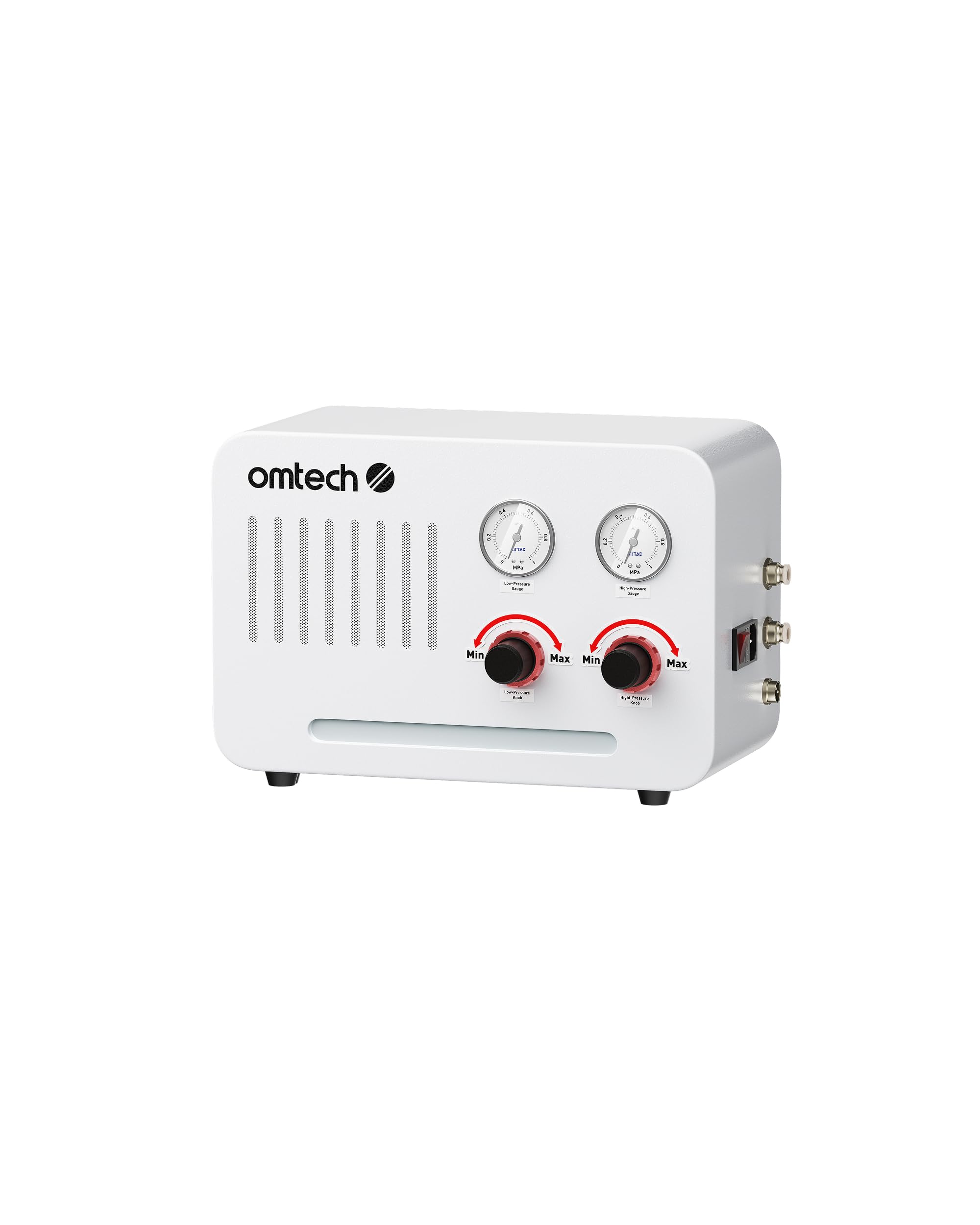
Figure 2: The OMTech Air Assist Module. An external air compressor (not pictured) is required for operation.
6. Funcionament
The Air Assist Module provides automatic pressure switching for optimal laser processing.
6.1 Engegada i configuració inicial
- Turn on your external air compressor.
- Flip the "Power Switch" on the Air Assist Module to the ON position.
- Adjust the "Low-Pressure Regulator" and "High-Pressure Regulator" knobs to set your desired air pressure for engraving and cutting, respectively. The gauges will display the current pressure.
- Turn on your laser engraver/cutter. The module will now communicate with your laser system.
6.2 Automatic Pressure Switching
The module automatically switches between the set low-pressure and high-pressure modes based on the operation commanded by your laser software (e.g., engraving vs. cutting). This ensures the correct airflow for each task, leading to cleaner results and improved efficiency. Using the air assist can increase cutting depth by 15-20% and boost cutting speeds by 1.5 to 2 times on identical materials, while also producing smoother edges with minimal charring.
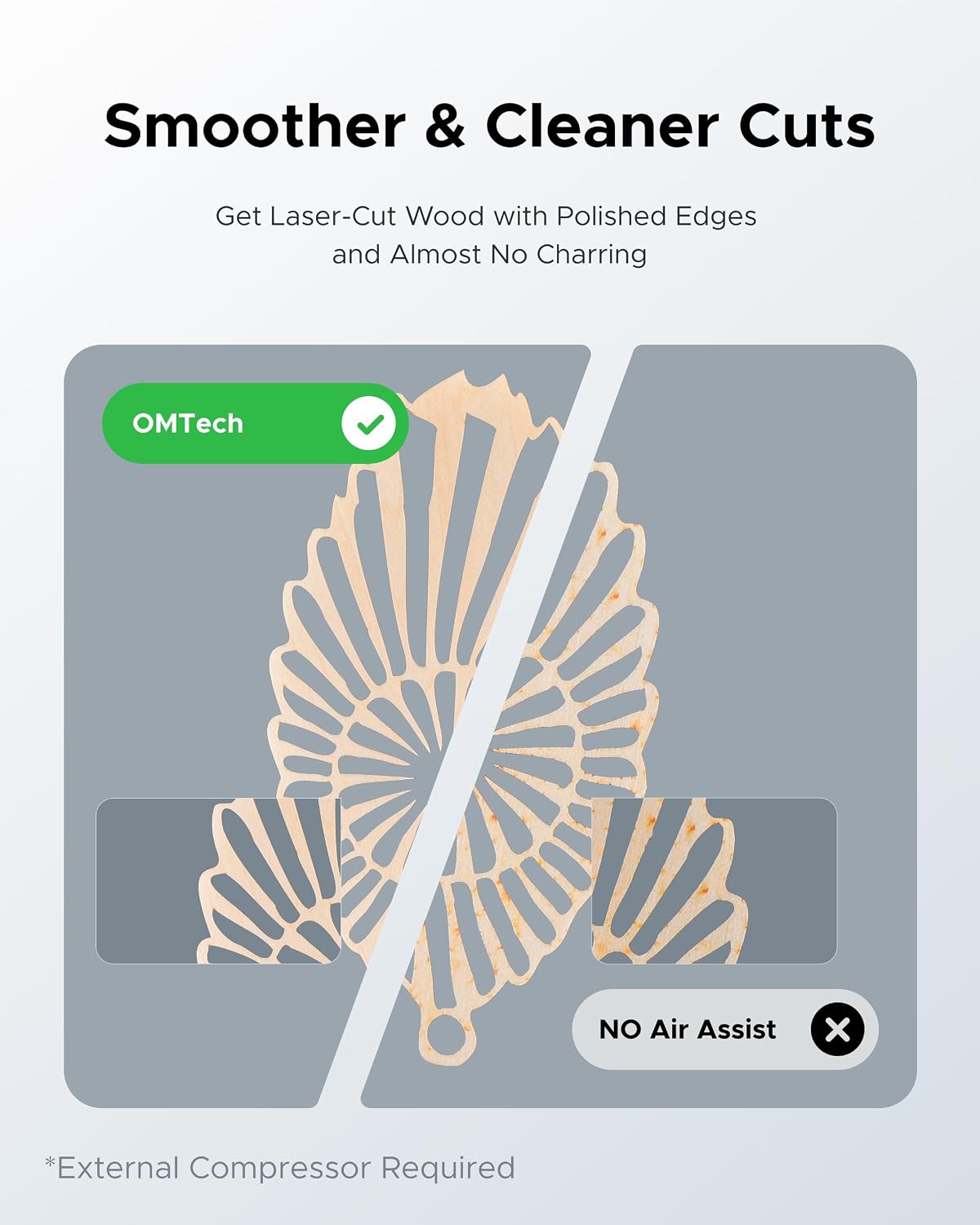
Figure 3: A laser head operating with air assist, demonstrating the airflow directed at the material surface during processing.
7. Manteniment
Regular maintenance ensures optimal performance and longevity of your Air Assist Module.
- Escórrer la humitat: Periodically check and drain any accumulated moisture from the "Drain Port" to prevent water from entering your laser system.
- Inspect Air Lines: Regularly inspect all air hoses and connections for kinks, cracks, or leaks. Replace damaged components immediately.
- Exterior net: Keep the exterior of the module clean and free of dust and debris using a soft, dry cloth.
- Manteniment del compressor: Follow the maintenance schedule for your external air compressor as recommended by its manufacturer.
8. Solució De Problemes
| Problema | Causa possible | Solució |
|---|---|---|
| No airflow from nozzle. |
|
|
| Air pressure not changing. |
|
|
| Excessive moisture in air line. |
|
|
9. Especificacions
| Característica | Detall |
|---|---|
| Número de model | USB-AIR2-US |
| Taxa de flux d'aire | 80 L/min (minimum required from compressor) |
| External Compressor Requirement | ≥80L/min flow, ≥30L tank capacity, ≤1MPa pressure |
| Compatibilitat | Most OMTech CO2 laser engravers and cutters (excluding K40 and Polar models) |
| Dimensions del producte | 23.6 x 12 x 22.4 polzades |
| Fabricant | OMTech |
10. Garantia i Suport
OMTech provides comprehensive support for its products.
- Garantia: The product comes with 2 years of comprehensive service.
- Suport tècnic: A 24/7 global support team is available for expert assistance and technical guidance.
- Informació de contacte: For support, please visit the official OMTech weblloc web o consulteu les dades de contacte que us proporcionen amb la documentació de compra.