
Temtop C1, T1SE
Temtop C1 Indoor Air Quality Monitor and T1SE Thermometer Bundle User Manual
Models: C1, T1SE
1. Introducció
This manual provides detailed instructions for the proper use and maintenance of your Temtop C1 Indoor Air Quality Monitor and Temtop T1SE Thermometer. Please read this manual thoroughly before operating the devices to ensure accurate readings and safe operation.
2. Informació de seguretat
- Do not expose the devices to extreme temperatures, humidity, or direct sunlight.
- Eviteu deixar caure els dispositius ni sotmetre'ls a impactes forts.
- Do not attempt to disassemble or repair the devices yourself. Contact customer support for assistance.
- Keep the devices away from water and other liquids.
- Use only the specified charging cable and power adapter for the C1 monitor.
3. Contingut del paquet
Verifiqueu que tots els elements siguin presents al vostre paquet:
- Temtop C1 Indoor Air Quality Monitor
- Temtop T1SE Thermometer
- USB Charging Cable (for C1)
- Manual d'usuari
4. Producte acabatview - Temtop C1 Indoor Air Quality Monitor
4.1 Components del dispositiu
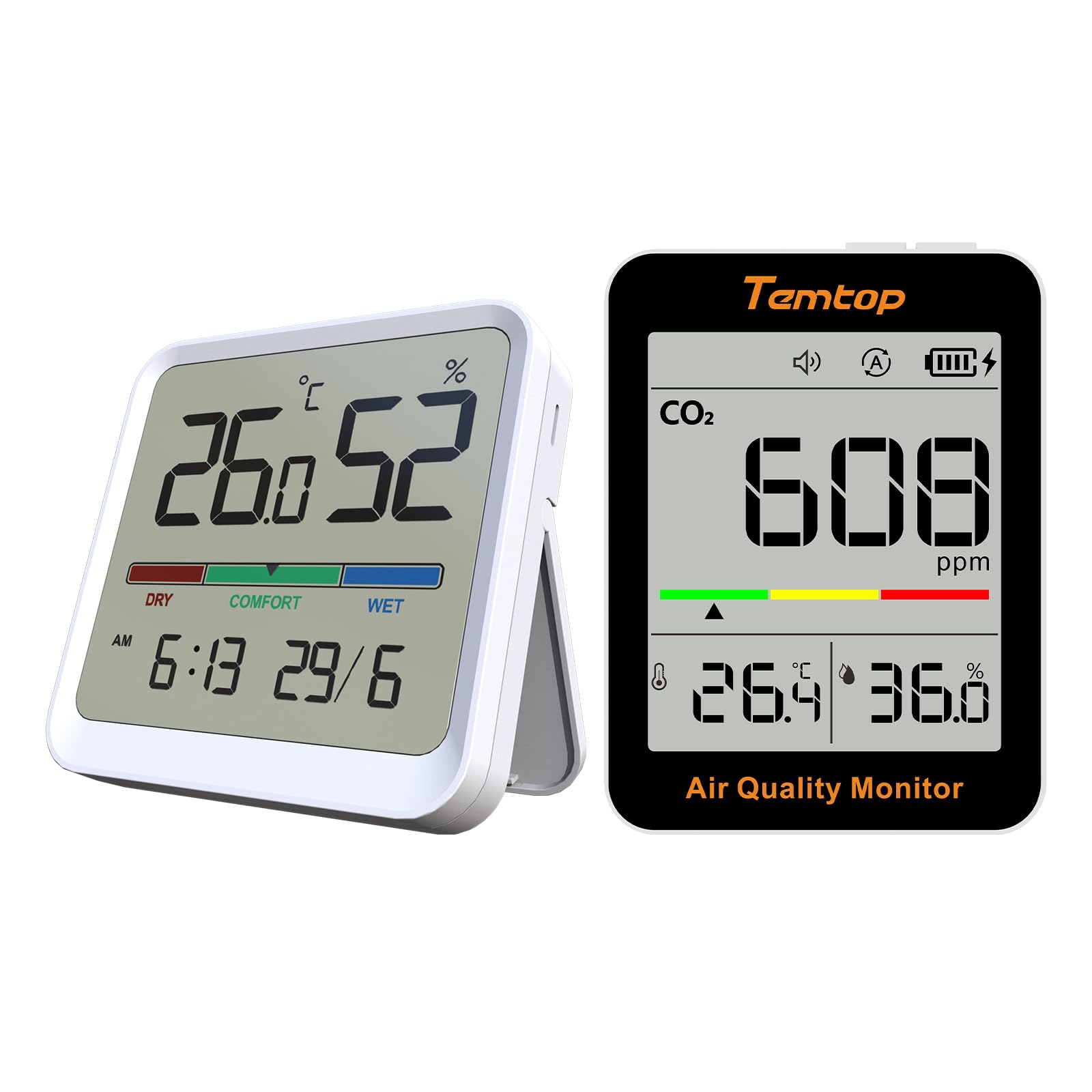
Figura 4.1: Frontal view of the Temtop C1 Indoor Air Quality Monitor, displaying CO2, temperature, and humidity readings.

Figura 4.2: superior view of the C1 monitor, showing the Power button and Mode button.
- Pantalla de visualització: Shows CO2 concentration, temperature, humidity, battery level, and alarm status.
- Botó d'encesa: Encén/apaga el dispositiu.
- Botó de mode: Switches between operating modes (ECO/Automatic) and adjusts settings.
- Indicator Bar: Color-coded bar indicating CO2 levels (Green, Yellow, Red).
- Ponent: Per a alertes sonores.
5. Producte acabatview - Temtop T1SE Thermometer
5.1 Components del dispositiu
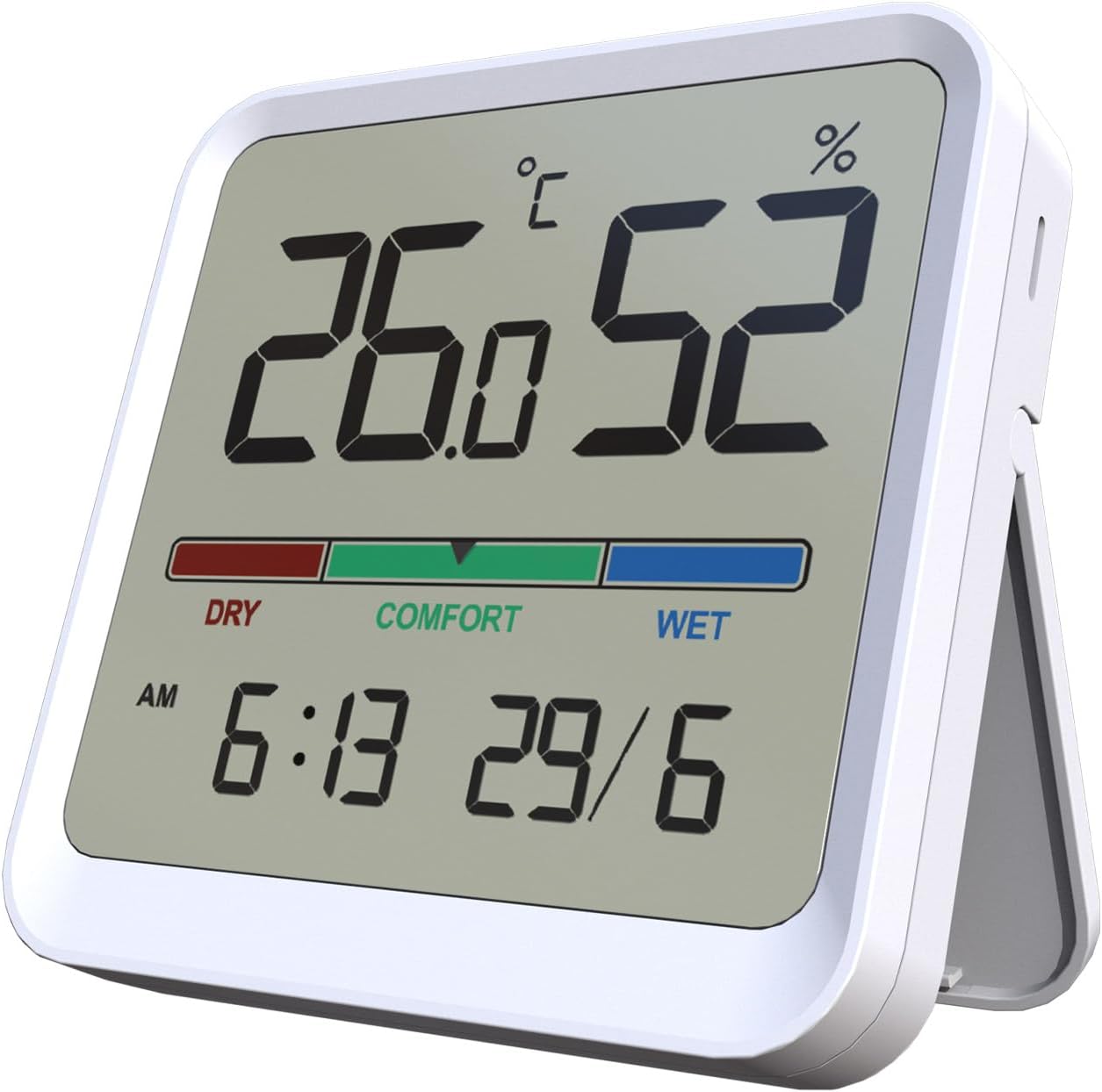
Figura 5.1: Frontal view of the Temtop T1SE Thermometer, showing temperature, humidity, time, and date.
- Pantalla de visualització: Shows temperature, humidity, comfort indicator, time, and date.
- Barra indicadora de confort: Color-coded bar indicating humidity levels (DRY, COMFORT, WET).
- Esquena magnètica: For mounting on metallic surfaces.
- Detachable Stand: Per a la col·locació de la taula.
6. Configuració
6.1 Temtop C1 Initial Setup
- Càrrega: Before first use, fully charge the C1 monitor using the provided USB cable and a standard 5V USB power adapter (not included). The battery icon on the display will indicate charging status.
- Encès: Manteniu premut el botó d'engegada durant 3 segons per encendre el dispositiu.
- Calibració inicial: The C1 monitor will perform an automatic self-calibration upon startup. For best accuracy, allow the device to operate in a well-ventilated area for at least 24 hours after initial power-on.
6.2 Temtop T1SE Initial Setup
- Instal·lació de la bateria: Open the battery compartment on the back of the T1SE and insert the required batteries (typically AAA, check device for specific type).
- Col·locació: Place the T1SE on a flat surface using its detachable stand or mount it on a metallic surface using its magnetic back. Ensure it is not in direct sunlight or near heat sources for accurate readings.
- Configuració de data/hora: Refer to the T1SE's specific instructions (usually small buttons on the back or side) to set the correct time and date.
- Unitat de temperatura: Switch between Celsius (°C) and Fahrenheit (°F) as desired using the dedicated switch or button.
7. Instruccions de funcionament
7.1 Temtop C1 Operation
- Visualització de lectura: The main screen displays the current CO2 concentration in parts per million (ppm), temperature in °C/°F, and relative humidity (RH%).
- CO2 Level Indicator:
- Verd: Bona qualitat de l'aire.
- groc: Moderate air quality, ventilation recommended.
- Vermell: Poor air quality, immediate ventilation required.
- Modes de funcionament: Press the Mode button to switch between modes.
- Mode ECO: Optimized for extended battery life (up to 70 days). Readings may update less frequently.
- Mode automàtic: Standard operation with more frequent readings (up to 30 days battery life).

Figure 7.1: Comparison of C1 operating modes and their respective battery durations.
- Funció d'alarma: The C1 monitor features an audible alarm for high CO2 levels. This can typically be toggled on/off by a short press of the Power button or a dedicated alarm button (refer to specific device markings).
7.2 Temtop T1SE Operation
- Visualització de lectura: The screen continuously displays temperature and humidity. Updates occur approximately every 10 seconds.
- Indicador de confort:
- SEC: Humidity below 40% RH.
- CONFORT: Humidity between 40% and 69% RH.
- MÚLID: Humidity 70% RH or above.

Figure 7.2: T1SE display showing the color-coded comfort indicator for humidity levels.
- Interruptor d'unitat de temperatura: Use the °C/°F switch or button on the device to toggle between Celsius and Fahrenheit.
8. Manteniment
- Neteja: Wipe the device surfaces with a soft, damp tela. No utilitzeu netejadors abrasius ni dissolvents.
- Emmagatzematge: When not in use for extended periods, store the devices in a cool, dry place away from direct sunlight.
- C1 Calibration: The C1 monitor features an automatic calibration function. If manual calibration is required due to prolonged use in a stable environment, place the device outdoors in fresh air for 10-15 minutes and then restart it.
- T1SE Battery Replacement: Canvieu les piles quan aparegui l'indicador de bateria baixa a la pantalla.
9. Solució De Problemes
| Problema | Causa possible | Solució |
|---|---|---|
| C1 does not turn on. | Bateria baixa. | Carregueu el dispositiu amb el cable USB. |
| C1 CO2 readings seem inaccurate. | Device needs calibration or is in a poorly ventilated area. | Perform an outdoor calibration (see Maintenance section). Ensure proper ventilation. |
| T1SE display is blank. | Bateries esgotades. | Substituïu les piles. |
| T1SE temperature/humidity readings are inconsistent. | Device placed near heat/cold source or in direct sunlight. | Relocate the device to a stable environment away from direct influences. |
10. Especificacions
10.1 Temtop C1 Indoor Air Quality Monitor
- CO2 Detection Range: 400-5000 ppm
- Interval de detecció de temperatura: -10-60 ° C (14-140 ° F)
- Interval de detecció d'humitat: 0-99% HR
- Sensor de CO2: Photoacoustic CO2-Sensor (SENSIRION)
- Durada de la bateria: Up to 70 days (ECO mode), up to 30 days (Automatic mode)
- Port de càrrega: USB
10.2 Temtop T1SE Thermometer
- Precisió de la temperatura: ± 1.8 ° F (± 1.0 ° C)
- Precisió de la humitat: ±5% HR
- Interval de temperatura: 14 °F-122 °F (-10 °C-50 °C)
- Rang d'humitat: 10%-95% HR
- Taxa d'actualització: Cada 10 segons
- Característiques: 12/24h Clock, Date Display, °C/°F Switchable, Magnetic Back, Stand
11. Garantia i Suport
Temtop products are designed for reliability and performance. For warranty information, technical support, or service inquiries, please visit the official Temtop weblloc web o contacteu directament amb el seu servei d'atenció al client.
Official Temtop Weblloc: Temtop Store on Amazon
Si us plau, conserveu el rebut de compra per motius de garantia.
Ask a question about this manual
Ask about setup, troubleshooting, compatibility, parts, safety, or missing instructions. Manuals+ will review the question and use this page’s manual context to help answer it.