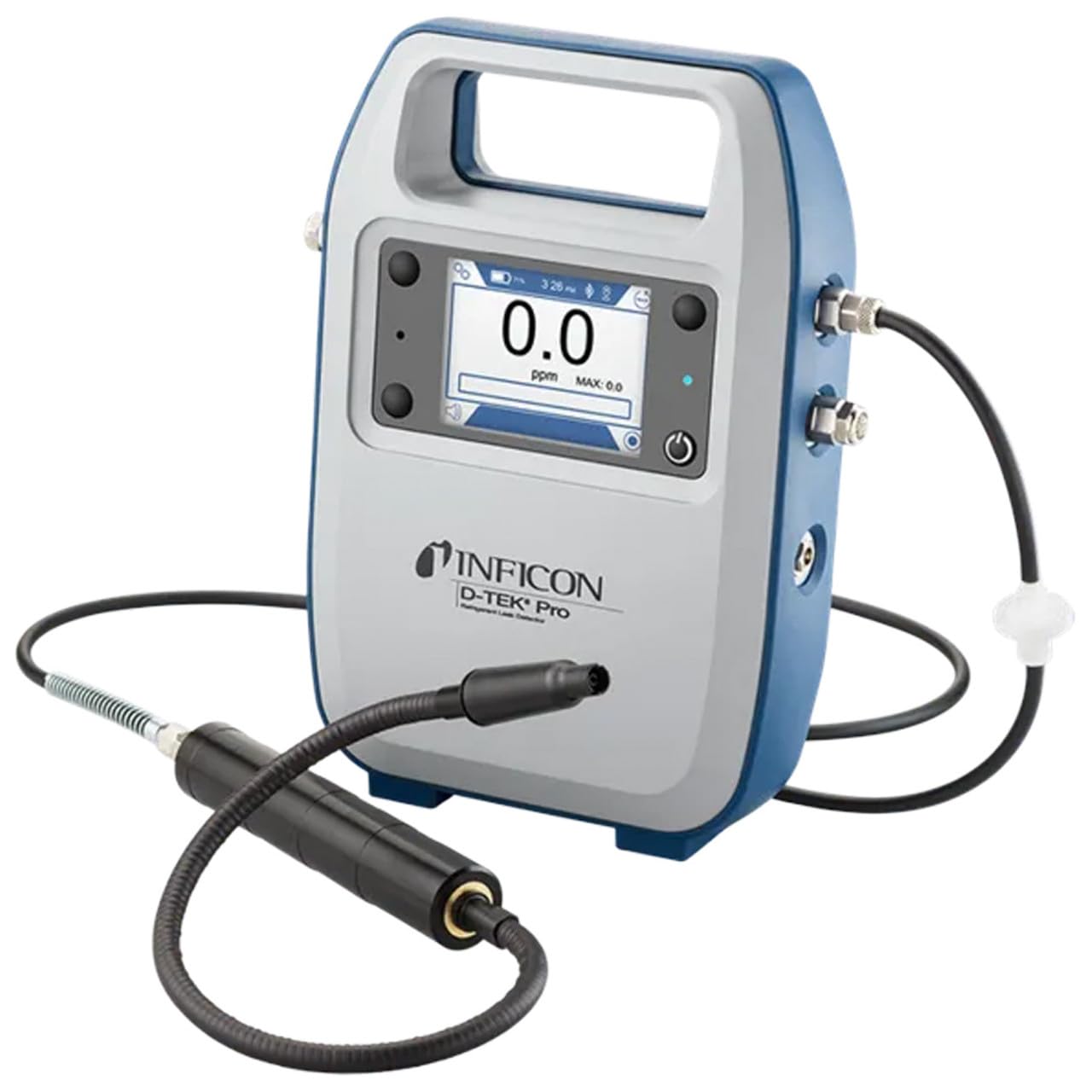
Inficon D-TEK Pro Refrigerant Leak Detector User Manual
Model: 508-202-G1
1. Introducció
The Inficon D-TEK Pro Refrigerant Leak Detector is designed for precise and rapid detection of refrigerant leaks. This device offers high sensitivity and an all-in-one Pro Mode for efficient leak identification. This manual provides essential information for the proper setup, operation, and maintenance of your D-TEK Pro.
2. Informació de seguretat
Observeu sempre les següents precaucions de seguretat per evitar lesions i danys al dispositiu:
Llegiu totes les instruccions abans d'utilitzar el dispositiu.
Utilitzeu el dispositiu només tal com es descriu en aquest manual.
No exposeu el dispositiu a temperatures o humitat extremes.
Assegureu-vos d'una ventilació adequada quan treballeu amb refrigerants.
Utilitzeu equips de protecció individual (EPI) adequats, com ara guants i ulleres de protecció.
Do not attempt to service the device beyond what is described in the maintenance section. Refer all other servicing to qualified personnel.
3. Què hi ha a la caixa
Verifiqueu que hi hagi tots els elements en desempaquetar:
(1) D-TEK Pro Refrigerant Leak Detector
(1) Soft case with shoulder strap
(1) Spare filters
(1) Phone holder
(1) Cable de càrrega
4. Configuració
4.1 Càrrega del dispositiu
The D-TEK Pro is powered by a rechargeable battery. Before first use, fully charge the device.
Connect the provided charging cable to the charging port on the D-TEK Pro.
Connecteu l'altre extrem del cable de càrrega a una font d'alimentació adequada.
The charging indicator on the device will illuminate. Allow sufficient time for a full charge.
4.2 Fixació del suport per al telèfon
The included phone holder allows for convenient mobile device integration.
Locate the attachment point for the phone holder on the D-TEK Pro.
Securely attach the phone holder according to its design.
Place your mobile device into the holder, ensuring it is stable.
5. Instruccions de funcionament
5.1 Engegada/apagada
Per encendre, manteniu premut el botó d'engegada fins que la pantalla s'il·lumini.
Per apagar, manteniu premut el botó d'engegada fins que el dispositiu s'apaga.
5.2 Using Pro Mode for Leak Detection
The D-TEK Pro features an all-in-one Pro Mode that combines cloud hunting and pinpointing capabilities, allowing for efficient leak location.
Ensure the device is powered on and in Pro Mode (refer to the display for mode indication).
Move the sensor probe slowly around suspected leak areas. The device's superior airflow allows for detection from a greater distance.
The D-TEK Pro will indicate the presence of refrigerants with high sensitivity, detecting down to 0.1 ppm.
Follow the increasing readings to pinpoint the exact leak source.
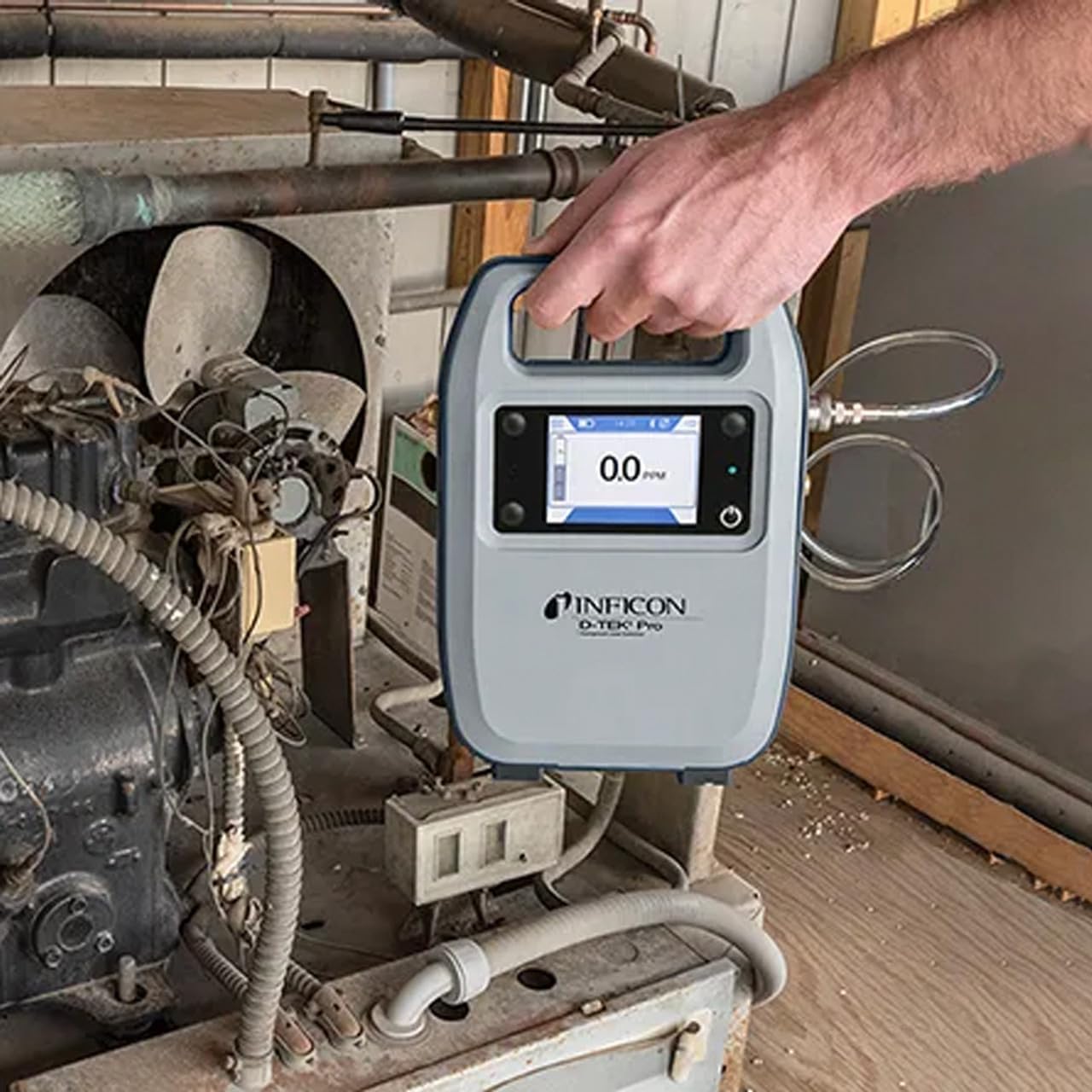
Figure 1: The Inficon D-TEK Pro being used to inspect a refrigeration unit. The display shows a 0.0 ppm reading, indicating no refrigerant detected at the current location. The device is held by a user's hand, demonstrating its portability and ease of use in an industrial setting.
5.3 Refrigerant Compatibility
The D-TEK Pro is designed to detect a wide range of refrigerants, including:
CFCs (Chlorofluorocarbons)
HCFCs (Hydrochlorofluorocarbons)
HFCs (Hydrofluorocarbons)
HFOs (Hydrofluoroolefins)
Blends including A2Ls
5.4 Integració d'aplicacions mòbils
Download the D-TEK Pro mobile app to enhance your leak detection workflow.
Customer Reports: Generate detailed reports with photos and ppm tracking.
Seguiment GPS: Confirm job location with integrated GPS functionality.
Figure 2: The Inficon D-TEK Pro connected to a smartphone, showcasing the mobile application's interface. This setup allows users to view real-time leak detection data, generate reports, and utilize GPS tracking for job site verification.
6. Manteniment
6.1 Cures i neteja generals
To ensure optimal performance and longevity of your D-TEK Pro:
Netegeu el dispositiu amb un suau, damp tela. No utilitzeu netejadors abrasius ni dissolvents.
Keep the sensor probe clean and free from debris.
Store the device in its soft case when not in use to protect it from dust and physical damage.
6.2 Substitució del filtre
The D-TEK Pro is designed for low maintenance, requiring no purging and no charcoal filters. However, spare filters are provided for specific applications or if the existing filter becomes visibly soiled or damaged.
Locate the filter housing on the device.
Traieu amb cura el filtre antic.
Insert a new spare filter, ensuring it is seated correctly.
7. Solució De Problemes
This section addresses common issues you might encounter with your D-TEK Pro.
Problema
Causa possible
Solució
El dispositiu no s'encén.
Bateria baixa o esgotada.
Carregueu el dispositiu amb el cable de càrrega subministrat.
Lectures inexactes o inconsistents.
Sensor probe is dirty or damaged; environmental interference.
Clean the sensor probe. Ensure proper environmental conditions. If issue persists, contact support.
L'aplicació mòbil no es connecta.
Bluetooth issue; app not updated.
Ensure Bluetooth is enabled on both devices. Update the D-TEK Pro app to the latest version.
8. Especificacions
Característica
Detall
Número de model
508-202-G1
Pes de l'article
3 lliures
Dimensions del paquet
15 x 12 x 4 polzades
Tipus de visualització
LCD, LED
Font d'alimentació
Bateria recarregable
Sensibilitat
Resolució 0.1 ppm
Detected Refrigerants
CFCs, HCFCs, HFCs, HFOs, and blends including A2Ls
9. Informació de la garantia
The Inficon D-TEK Pro Refrigerant Leak Detector comes with a 2 any de garantia from the date of purchase. This warranty covers defects in materials and workmanship under normal use. For warranty claims or detailed terms and conditions, please refer to the official Inficon weblloc o contacteu amb el servei d'atenció al client.
10. Atenció al client
For technical assistance, troubleshooting not covered in this manual, or general inquiries, please contact Inficon customer support.
Recursos en línia: Visita l'oficial Inficon Store on Amazon per a informació i actualitzacions del producte.
Informació de contacte: Refer to the Inficon official website for direct contact details (phone, email).
Ask a question about this manual
Ask about setup, troubleshooting, compatibility, parts, safety, or missing instructions. Manuals+ will review the question and use this page’s manual context to help answer it.